IBM Watson Studio enables users to build, run and manage AI models, and optimize decisions at scale across any cloud. IBM Watson Studio enables users can operationalize AI anywhere as part of IBM Cloud Pak® for Data, the IBM data and AI platform. The vendor states the solution simplifies AI lifecycle management and accelerates time to value with an open, flexible multicloud architecture.
N/A
OneNote
Score 7.9 out of 10
N/A
Microsoft's OneNote is a digital note-taking app, supporting photos, annotating, web page clipping, emailing, and synchronizing notes across devices.
N/A
Posit
Score 10.0 out of 10
N/A
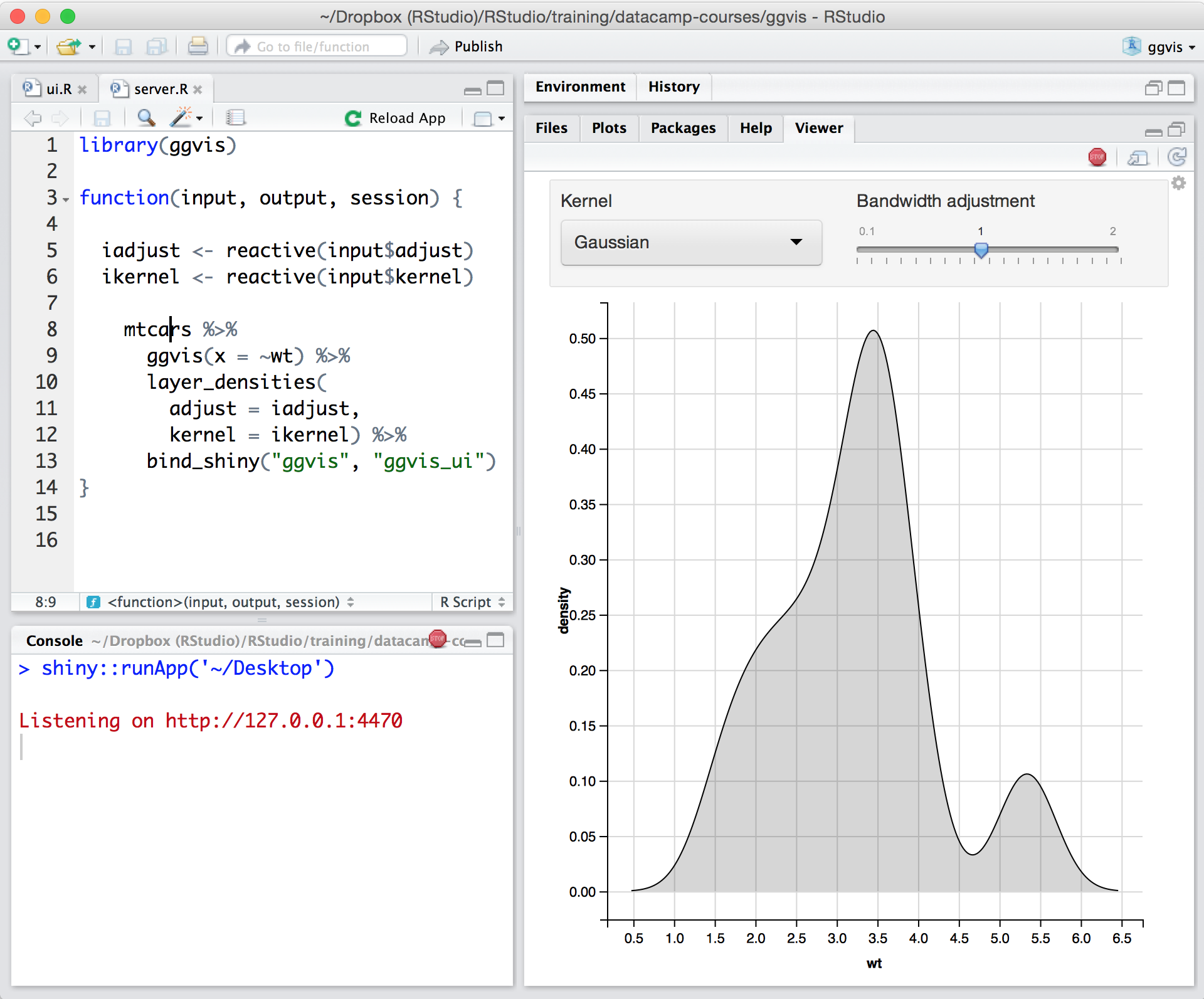
Posit, formerly RStudio, is a modular data science platform, combining open source and commercial products.
With my experience on Jupyter Notebook I think both are good and currently more comfortable with Watson Studio product. With Jupyter it's open source (free) is always good. "Lots of languages (50), data visualization with Seaborn, work with the building blocks in a flexible and …
Watson Studio was our choice in data management because its "all-in-one" packaging. Watson studio also stood out to us because it was more affordable and free for our organization to try out. We also greatly value the open source ecosystem Watson Studio has fostered.
The learning curve for DSX is smaller compared to other tools. The data science user base often has preferred tools that they have used previously which are often not DSX which makes adoption of DSX by trained data scientists harder than new users.
First, I have to deploy H2O myself. Then 4 paradigm cannot customize code and run customized code as easily as IBM DSX. Last, I should say AliPAI is a good alternative, but it's too expensive.
I wanted an environment that can support multiple users without any restrictions. Also, R-Studio does not provide a collaborative environment for multiple users. The Auto feature selection in the SPSS modeler is a good node in DSx which helps make statistical decisions on …
SPSS - Totally different approaches, SPSS UI is now a well-known name with a well-established user base who we consider aren´t going anywhere but Statistics.
Modeler - A proven analytical solution with capabilities to deal with huge datasets, scalability offers you now the …
When developing the use case we considered using a big data platform for developing the required analytics. After evaluating the alternatives and costs we considered that using a big data platform would be too expensive for the kind of studies we are developing in the company. …
The mix of proprietary and open-source benefits that DSx offers gives me more flexibility than any other options I have encountered. I have the custom program building capability of Anaconda with the built-in predictive models of SPSS Modeler. I have more visualization …
The IBM Data Science Experience enables data scientists to collaborate through projects, to which they can add notebooks, data, data connections, and other users they want to collaborate with. In Jupyter notebooks they can use Python, R, or Scala, when needed with Apache Spark, …
It has a lot of features that are good for teams working on large-scale projects and continuously developing and reiterating their data project models. Really helpful when dealing with large data. It is a kind of one-stop solution for all data science tasks like visualization, cleaning, analyzing data, and developing models but small teams might find a lot of features unuseful.
In my opinion OneNote is a must for anyone who does business. It’s versatile, stable and sustainable. It can keep private information private - like passwords. It can be used for collaborative work - like standard operating procedures. It is fairly easy to use and far superior to pen and paper. When used for meeting notes, it can be flagged with icons that are searchable - like ideas or important items. You can even create Outlook tasks on the fly
In my humble opinion, if you are working on something related to Statistics, RStudio is your go-to tool. But if you are looking for something in Machine Learning, look out for Python. The beauty is that there are packages now by which you can write Python/SQL in R. Cross-platform functionality like such makes RStudio way ahead of its competition. A couple of chinks in RStudio armor are very small and can be considered as nagging just for the sake of argument. Other than completely based on programming language, I couldn't find significant drawbacks to using RStudio. It is one of the best free software available in the market at present.
Because of its flexibility and ability to hold different types of content (text, images, tables), it is a great tool for collecting content from different resources and organizing it in one place.
Technical support analysts are using sections for their support case analysis; they paste pieces of logs, screen-shots, document their steps in troubleshooting etc., all in one section, to get the full picture yet stay organized.
The logic of content structure; Notebook>Section>Page>Paragraph, allows you to manage and collect all needed information by the areas of the user's responsibility. For example; each of my projects has its own section, in which each page is a task.
The support is incredibly professional and helpful, and they often go out of their way to help me when something doesn't work.
The one-click publishing from RStudio Connect is absolutely amazing, and I really like the way that it deploys your exact package versions, because otherwise, you can get in a terrible mess.
Python doesn't feel quite as native as R at the moment but I have definitely deployed stuff in R and Python that works beautifully which is really nice indeed.
The table editing tools are too simplistic and lack the features found in other Office products.
Some content loses its rich text formatting when being pasted into OneNote. A workaround is to paste the content first into Outlook or Word and then copy/pasting that into OneNote.
Microsoft is moving away from a local install of OneNote, which means notebooks have to be in the cloud in Office 2019. This will actually reduce the usefulness of OneNote in some environments and opens the door to competitor products.
Update: Microsoft has now announced that it will continue to support OneNote 2016 through 2023. https://techcommunity.microsoft.com/t5/Office-365-Blog/Your-OneNote/ba-p/954922
Python integration is newer and still can be rough, especially with when using virtual environments.
RStudio Connect pricing feels very department focused, not quite an enterprise perspective.
Some of the RStudio packages don't follow conventional development guidelines (API breaking changes with minor version numbers) which can make supporting larger projects over longer timeframes difficult.
As this is not a compulsory tool in our organization, I would say all depends on the decision makers, however since this is a part of MS Office, I am sure we will have it for as long as we will possibly need it. However, I would not be so sure, if it was a separate product
There is no viable alternative right now. The toolset is good and the functionality is increasing with every release. It is backed by regular releases and ongoing development by the RStudio team. There is good engagement with RStudio directly when support is required. Also there's a strong and growing community of developers who provide additional support and sample code.
I find OneNote incredibly usable. I'm fairly middle of the road when it comes to tech savvy-ness. The platform was very easy to learn and explore. I like that OneNote is no clunky and offers a clean interface. This is important when it comes to deciding if a tool is usable for multiple people.
For someone who learns how to use the software and picks up on the "language" of R, it's very easy to use. For beginners, it can be hard and might require a course, as well as the appropriate statistical training to understand what packages to use and when
RStudio is very available and cheap to use. It needs to be updated every once in a while, but the updates tend to be quick and they do not hinder my ability to make progress. I have not experienced any RStudio outages, and I have used the application quite a bit for a variety of statistical analyses
Overall, I rate OneNote's performance highly. In general, notebooks, sections and pages load quickly. OneNote integrates with other apps and info ca easily be shared/copied to and from the tool to other tools. Moreover, Notebooks tend to sync quickly meaning shared notebooks are up to date almost immediately provided there are no syncing issues.
I received answers mostly at once and got answered even further my question: they gave me interesting points of view and suggestion for deepening in the learning path
Since it is part of Microsoft Office and used across the globe there are a lot of support options available. It's quickest to just do a google search which will have plenty of articles to help you since there are so many OneNote users but as an Office customer you also have access to Microsoft support and I have had good experiences with their support (probably because I'm with a large company who is a large customer to them).
Since R is trendy among statisticians, you can find lots of help from the data science/ stats communities. If you need help with anything related to RStudio or R, google it or search on StackOverflow, you might easily find the solution that you are looking for.
The main reason I personally changed over from Azure ML Studio is because it lacked any support for significant custom modelling with packages and services such as TensorFlow, scikit-learn, Microsoft Cognitive Toolkit and Spark ML. IBM Watson Studio provides these services and does so in a well integrated and easy to use fashion making it a preferable service over the other services that I have personally used.
I tried using Evernote and it is an equally usable tool, however, I prefer the interface and capabilities of OneNote. OneNote seems much easier to use and understand. I think that may primarily be because OneNote is a Microsoft application and I am very used to using Microsoft applications such as Word, Excel, etc. I also use OneNote to keep my grocery list. It does as good of a job as the grocery list applications out there, only I like the flexibility I have with OneNote and how I specifically do my shopping.
RStudio was provided as the most customizable. It was also strictly the most feature-rich as far as enabling our organization to script, run, and make use of R open-source packages in our data analysis workstreams. It also provided some support for python, which was useful when we had R heavy code with some python threaded in. Overall we picked Rstudio for the features it provided for our data analysis needs and the ability to interface with our existing resources.
RStudio is very scalable as a product. The issue I have is that it doesn't necessarily fit in nicely with the mainly Microsoft environment that everybody else is using. Having RStudio for us means dedicated servers and recruiting staff who know how to manage the environment. This isn't a fault of the product at all, it's just part of the data science landscape that we all have to put up with. Having said that RStudio is absolutely great for running on low spec servers and there are loads of options to handle concurrency, memory use, etc.
OneNote has become our organizational standard method of taking electronic notes (though some still prefer pen and paper.) It has been a zero cost outlay due to its freely available nature.
Its integration with other Microsoft Office products makes it easy to share notes and content between products, allowing for easy collaboration where needed.
OneNote's integration with OneDrive ensures that individual's notes are always safe and secure, taking away the tedious responsibility of backup from the user, and makes it happen seamlessly in the background.
Using it for data science in a very big and old company, the most positive impact, from my point of view, has been the ability of spreading data culture across the group. Shortening the path from data to value.
Still it's hard to quantify economic benefits, we are struggling and it's a great point of attention, since splitting out the contribution of the single aspects of a project (and getting the RStudio pie) is complicated.
What is sure is that, in the long run, RStudio is boosting productivity and making the process in which is embedded more efficient (cost reduction).