Chose Microsoft BI (MSBI)
Microsoft BI is ideal for proficient Excel users, and it is the best choice in terms of visualizations. We decided to use Microsoft BI for these reasons.

| Product | Rating | Most Used By | Product Summary | Starting Price |
|---|---|---|---|---|
 IDERA SQL Diagnostic Manager | N/A | SQL Diagnostic Manager for Microsoft SQL Server helps database administrators to find and fix Microsoft SQL Server performance problems in physical, virtual, and cloud environments. Unlike its competition, it provides effective scalability, advanced SQL query analysis and optimization, prescriptive analysis with corrective SQL scripts, powerful automated alert responses, broad PowerShell integration, complete customization, and extensive support for current and legacy Microsoft SQL Server and… | $1,996 per instance with first year maintenance included | |
 Microsoft BI (MSBI) | N/A | Microsoft BI is a business intelligence product used for data analysis and generating reports on server-based data. It features unlimited data analysis capacity with its reporting engine, SQL Server Reporting Services alongside ETL, master data management, and data cleansing. | $14 per month per user | |
 Microsoft Power BI | N/A | Microsoft Power BI is a visualization and data discovery tool from Microsoft. It allows users to convert data into visuals and graphics, visually explore and analyze data, collaborate on interactive dashboards and reports, and scale across their organization with built-in governance and security. | $168 per year per user |
| IDERA SQL Diagnostic Manager | Microsoft BI (MSBI) | Microsoft Power BI | ||||||||||||||||||||||
|---|---|---|---|---|---|---|---|---|---|---|---|---|---|---|---|---|---|---|---|---|---|---|---|---|
| Editions & Modules |
|
|
| |||||||||||||||||||||
| Offerings |
| |||||||||||||||||||||||
| Entry-level Setup Fee | No setup fee | No setup fee | No setup fee | |||||||||||||||||||||
| Additional Details | — | — | Power BI Desktop is the data exploration and report authoring experience for Power BI, and is available as a free download. | |||||||||||||||||||||
| More Pricing Information | ||||||||||||||||||||||||
| IDERA SQL Diagnostic Manager | Microsoft BI (MSBI) | Microsoft Power BI | |
|---|---|---|---|
| Considered Multiple Products | IDERA SQL Diagnostic Manager No answer on this topic |  Microsoft BI (MSBI)  Sean Warren CIO (Chief Information Officer) Chose Microsoft BI (MSBI) Microsoft is a distant me too in a world that is crowded and drowning in BI Me too products. Visualizations 5/10. Micro Strategy, ClickView, Domo, BOBJ etc will kill this product. The issue is cost and speed to implementation. The cost is far less than any of the previously … | Microsoft Power BI No answer on this topic |
| IDERA SQL Diagnostic Manager | Microsoft BI (MSBI) | Microsoft Power BI | |||||||||||||||||||||||||||
|---|---|---|---|---|---|---|---|---|---|---|---|---|---|---|---|---|---|---|---|---|---|---|---|---|---|---|---|---|---|
| SQL Performance Monitoring |
| ||||||||||||||||||||||||||||
| BI Standard Reporting |
| ||||||||||||||||||||||||||||
| Ad-hoc Reporting |
| ||||||||||||||||||||||||||||
| Report Output and Scheduling |
| ||||||||||||||||||||||||||||
| Data Discovery and Visualization |
| ||||||||||||||||||||||||||||
| Access Control and Security |
| ||||||||||||||||||||||||||||
| Mobile Capabilities |
| ||||||||||||||||||||||||||||
| Application Program Interfaces (APIs) / Embedding |
|
| IDERA SQL Diagnostic Manager | Microsoft BI (MSBI) | Microsoft Power BI | |
|---|---|---|---|
| Small Businesses | No answers on this topic |  Yellowfin Score 8.7 out of 10 | Yellowfin Score 8.7 out of 10 |
| Medium-sized Companies |  Redgate Monitor Score 8.0 out of 10 |  Reveal Score 10.0 out of 10 | Reveal Score 10.0 out of 10 |
| Enterprises | Redgate Monitor Score 8.0 out of 10 |  Kyvos Semantic Layer Score 9.5 out of 10 | Kyvos Semantic Layer Score 9.5 out of 10 |
| All Alternatives | View all alternatives | View all alternatives | View all alternatives |
| IDERA SQL Diagnostic Manager | Microsoft BI (MSBI) | Microsoft Power BI | |
|---|---|---|---|
| Likelihood to Recommend | 9.0 (8 ratings) | 10.0 (73 ratings) | 8.5 (197 ratings) |
| Likelihood to Renew | - (0 ratings) | 8.0 (25 ratings) | 9.5 (3 ratings) |
| Usability | - (0 ratings) | 10.0 (15 ratings) | 8.3 (113 ratings) |
| Availability | - (0 ratings) | 9.5 (2 ratings) | - (0 ratings) |
| Performance | - (0 ratings) | 7.0 (2 ratings) | - (0 ratings) |
| Support Rating | - (0 ratings) | 8.9 (15 ratings) | 10.0 (52 ratings) |
| In-Person Training | - (0 ratings) | 6.9 (3 ratings) | - (0 ratings) |
| Online Training | - (0 ratings) | 8.5 (2 ratings) | - (0 ratings) |
| Implementation Rating | - (0 ratings) | 9.6 (7 ratings) | 9.0 (1 ratings) |
| Configurability | - (0 ratings) | 10.0 (2 ratings) | - (0 ratings) |
| IDERA SQL Diagnostic Manager | Microsoft BI (MSBI) | Microsoft Power BI | |
|---|---|---|---|
| Likelihood to Recommend | Idera, Inc.
| Microsoft
 Adam Montgomery Partnership Manager | Microsoft
|
| Pros | Idera, Inc.
 Greg Goss SQL Database and Business Intelligence Manager | Microsoft
 Nilufa Hossain IT Specialist | Microsoft
|
| Cons | Idera, Inc.
 Steven Gockley, MBA, MCSA DBA / Sr. Data Analyst | Microsoft
| Microsoft
|
| Likelihood to Renew | Idera, Inc. No answers on this topic | Microsoft
 Lee Cullom President | Microsoft
 David Jensen Operations Manager, Customer Success |
| Usability | Idera, Inc. No answers on this topic | Microsoft
| Microsoft
|
| Reliability and Availability | Idera, Inc. No answers on this topic | Microsoft
 Robert Goodman Director, Business Intelligence & Analytics | Microsoft No answers on this topic |
| Performance | Idera, Inc. No answers on this topic | Microsoft
Robert Goodman Director, Business Intelligence & Analytics | Microsoft No answers on this topic |
| Support Rating | Idera, Inc. No answers on this topic | Microsoft
| Microsoft
|
| In-Person Training | Idera, Inc. No answers on this topic | Microsoft
 Stephanie Grice Business Intelligence Analyst | Microsoft No answers on this topic |
| Online Training | Idera, Inc. No answers on this topic | Microsoft
 Sean Brady Business Intelligence Architect | Microsoft No answers on this topic |
| Implementation Rating | Idera, Inc. No answers on this topic | Microsoft
 Jacob Saunders National Practice Director - Business Intelligence | Microsoft
 Anuj Sant Senior buyer |
| Alternatives Considered | Idera, Inc.
 José Javier Dominguez Reina Jefe de Proyecto | Microsoft
| Microsoft
|
| Return on Investment | Idera, Inc.
| Microsoft
 Haibo Yang BI Reporting Specialist | Microsoft
|
| ScreenShots | IDERA SQL Diagnostic Manager Screenshots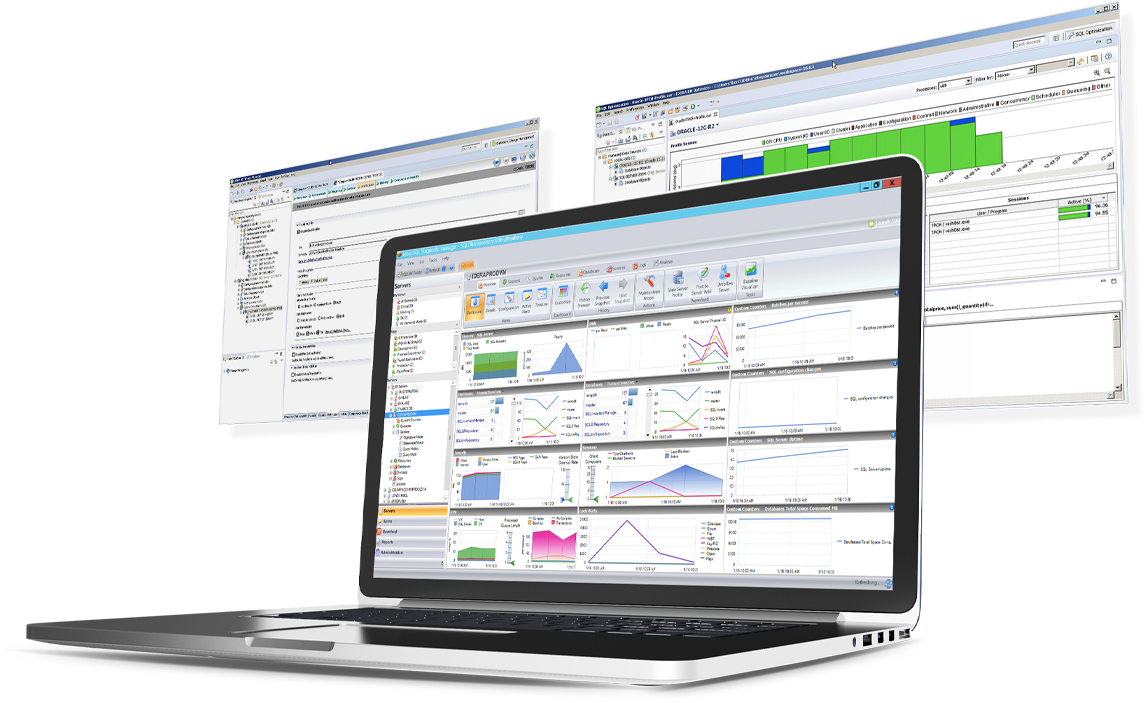 | Microsoft Power BI Screenshots      |