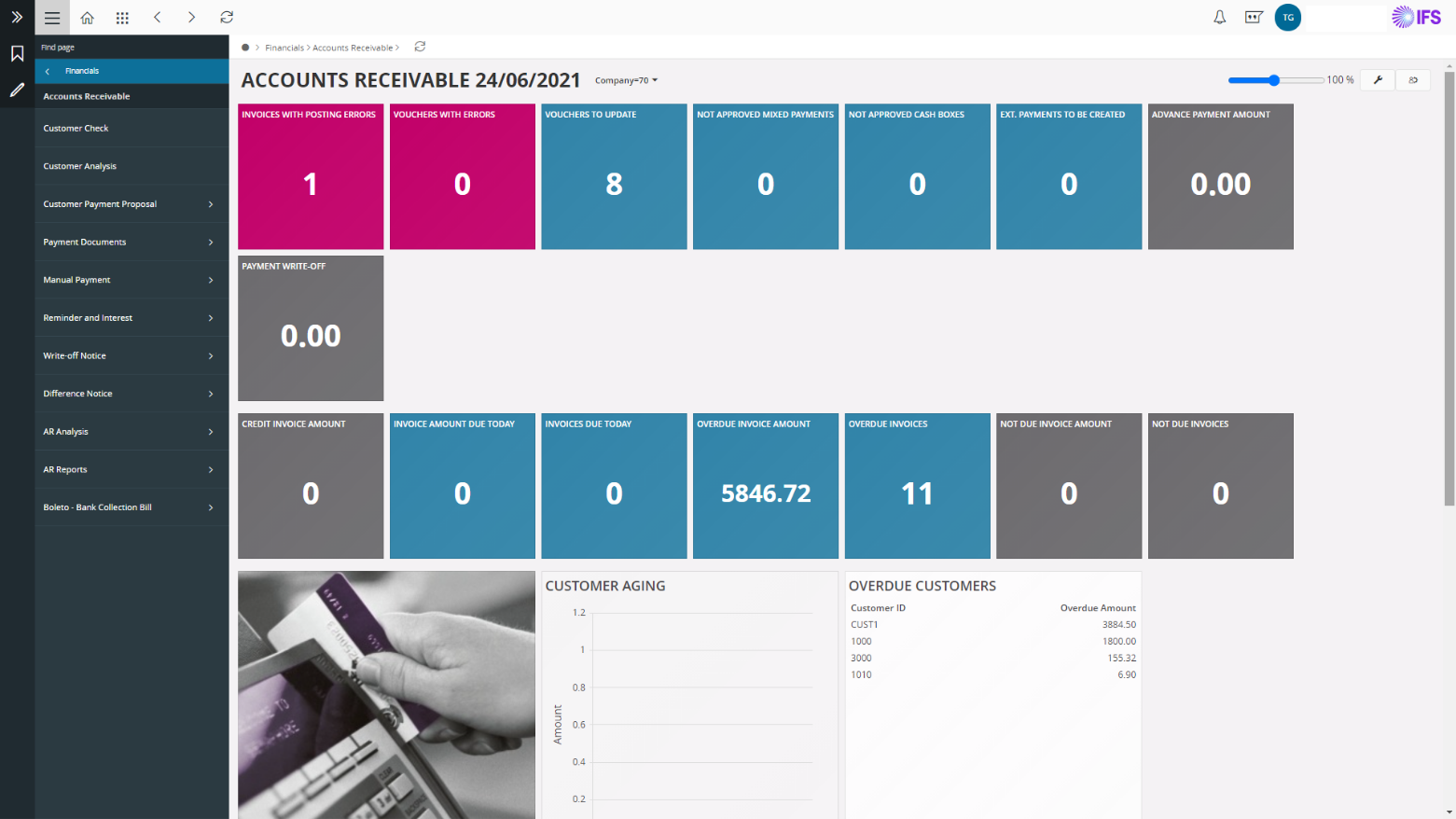
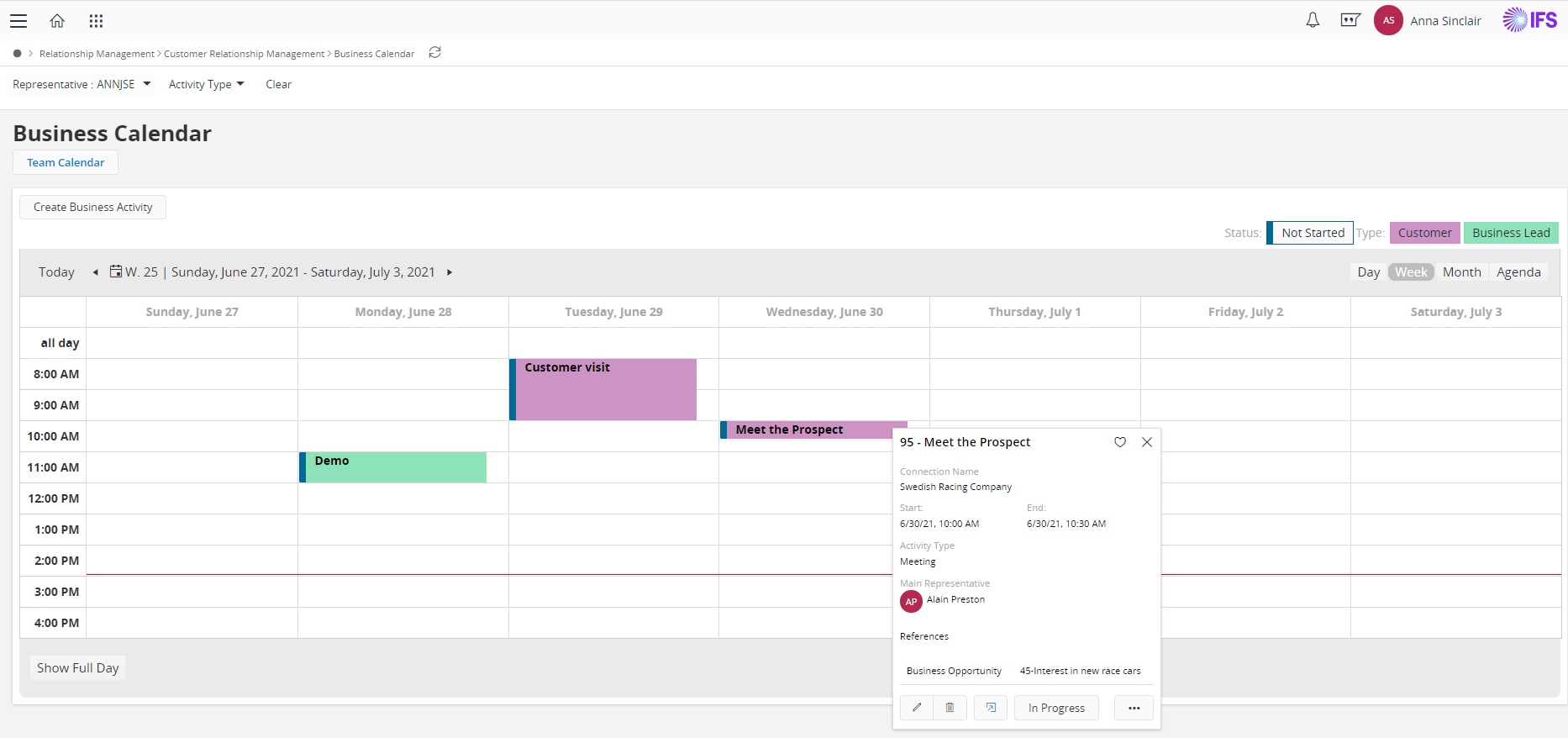
IFS Applications is presented by the vendor as an agile application suite that offers enterprise resource planning (ERP), enterprise asset management (EAM) and enterprise project management, handling 4 core processes: Service & Asset Management Full Enterprise Asset Management (EAM), Maintenance Repair and Overhaul (MRO) and Field Service Management (FSM) Manufacturing Enterprise Resource Planning (ERP) with support for process manufacturing, discrete manufacturing…
N/A
Infor CloudSuite ERP
Score 7.3 out of 10
N/A
Infor CloudSuite ERP is the company's cloud-based ERP suite for medium to large global manufacturers, distributors, and after-sales service providers—delivering flexibility to manage mixed-mode and complex value chains.
N/A
Solid Edge
Score 8.2 out of 10
N/A
Solid Edge is a software solutions for product development — 3D design, simulation, manufacturing, data management, and cloud collaboration. Solid Edge aims to combine the speed and simplicity of direct modeling with the flexibility and control of parametric design.
IFS Applications have a very UI rich interface compared to other systems. IFS Applications can be easily and quickly learned with the very good documentation, e learning portals and other learning platforms. The technical implementation of the IFS Applications is very …
Order to cash processes and scenario are implemented natively in IFS. An HR module exists for career management also (objectives, comportments, training, mobility) but may be improved in terms of workflow validation (e.g. training to validate by a manager) or reporting.
We have had great success with inventory management and production planning/execution. Also, data and system integrity have been key to our overall solution satisfaction. We struggle when it comes to reporting and analytics. The base product leaves room for improvement as much of the core reporting is not easily configurable and lacks the ability to scale forcing us to build a reporting model outside the solution
Very stable product. Some of its weaknesses are also its strengths. The lack of web services seems to actually increase stability.
No software vendor in this space is perfect. Lawson does perform as advertised.
Again, a weakness of this (limited functionality) is a hidden strength as well. In software there is a complexity/feature tradeoff. Where Lawson lacks in features, it does give you a more simple setup for your organization.
It has very good user interface in classic or ordered environment.
In 2D or drafting, you can give any Geometric tolerancing and symbols to any dimension. There is a wide range of options available.
You can convert any files in step file (.stp) and can open it in other designing applications easily.
After converting 3D drawings in 2D you can make changes in 2D drawing by converting it in the draft. You can also add details like cross-sections and detailed view.
You can directly make threads without creating holes.
Being used to 2-key and 3-key commands from the keyboard, it would be nice if this was more robust in Solid Edge. The capability of programming keystroke commands exists in Solid Edge, but it would be more user friendly in that regard.
Editing hatches can be a challenge.
I'm not a fan of the ribbon bar, but that seems to be a feature across software platforms in Windows.
The main problem with it is the support provided and the support available on the market. Both are limited. Plus, it is a nightmare from a connectivity point of view, which is obvious, since the off-the-shelf tools usually include built-in connectors to Oracle and SAP, specifically S-4Hana. Retrieving data is also not easy, and specifically, to get behind the logic of special reports without direct StreamServe knowledge, which is the rarest of all, is almost impossible
Industry fit: Infor M3 is designed for specific industries, such as manufacturing, distribution, and food and beverage. If your organization operates in one of these industries, Infor M3 may be a good fit.Functionality: Consider the specific features and functionality that your organization requires from an ERP system, such as financial management, supply chain management, manufacturing, and sales and marketing. Review Infor M3's capabilities in these areas to determine if it meets your needs.
As mentioned previously, Siemens Solid Edge is not the most user-friendly of products at all. It requires intense training to make sure that the basics are understood, and after that, there are numerous other training interventions needed to be able to perform expert-level CAD functions. The GUI is not intuitive, as many other packages are, and the features built-in are not well defined. The process to use many of these features is counter-intuitive and requires a mind-shift.
We have been unable to get answers to our questions, solutions to our problems, and they don't seem interested in working in the construction industry.
The overall support of Inform M3 is simply the best! There isn't a single flaw that I can detect or think of about this software! I can't possibly express the greatness of the availability and all of the possibilities achieved. The ease of use and a lot of functionalities such as flexibility [allows in] configuration to add new functionalities fast.
I have been involved with support and training of Solid Edge for 24 years. Given that I based my business model on support, and have been successful for all these years, I know excellent support. Siemens support for Solid Edge, "GTAC", is the definition of support for a product in every aspect.
IFS Applications is based on Agile Technology which allows organizations to reconfigure user interface as per user requirements and make it user-friendly. Other applications are lagging on many fronts like User Interface, Online help document availability, Implementation methodology, and post-implementation expenses.
One of the products I have used is an Oracle accounting product. I feel that Infor stands up well when comparing to the Oracle product especially for the accounting functions. In comparing it to Microsoft Dynamics I feel that Infor is easier to use in some accounting tasks. The one thing the Dynamics has going for it is the ease of use with other Microsoft Products.
FreeCAD is often better than Solid Edge 2021 when converting files, but I hope this changes with 2023 NX is overall more powerful, but that is to be expected (and you cant add it above because it is too short for whatever reason).
Reporting is now centralized and managed. Previously, reports were outside the information systems and there was a risk of incoherence.
Accounting controls are now in place on the overall processes, including production, which helped the company to reduce closing periods or to produce more easily official mandatory accounting files yearly.
Interfaces between the CRM forecast tool and IFS helped to keep the tools in sync, and to decrease the processing times prior to production launch.
It took about 20 hours of use to get the basics of Synchronous Technology, and with just a basic competency I was able to make useful changes to the design. One of those changes was impossible to do our other CAD program.
My use lately has mostly been on personal time and self-driven, so learning other aspects and features of Solid Edge has been slower. Creating a drawing for a part required a few hours to learn and do the first time, but luckily there were YouTube videos for examples. With practice, I would expect the time to reflect what it takes in SolidWorks (about 30 minutes).