
Ash Bosworth
Director
Chose Infor Birst
We selected Birst over all other options due to the one-stop-shop nature of their offering - it allows us to rapidly develop and deploy a complete product quickly within a single tool.

| Product | Rating | Most Used By | Product Summary | Starting Price |
|---|---|---|---|---|
 Infor Birst | N/A | Infor Birst offers multi-tenant cloud BI for deployment in a public or private cloud, or on-premises. It provides an in-memory columnar data store and a BI layer comprising a reporting engine, predictive analytics tools, mobile native apps, dashboards, discovery tools, and an open client interface. | N/A | |
 Microsoft BI (MSBI) | N/A | Microsoft BI is a business intelligence product used for data analysis and generating reports on server-based data. It features unlimited data analysis capacity with its reporting engine, SQL Server Reporting Services alongside ETL, master data management, and data cleansing. | $14 per month per user | |
 SAP Crystal | N/A | SAP Crystal is an analytics and reporting software solution for SMBs. SAP Crystal comprises Crystal Reports for pixel-perfect reporting, and SAP Crystal Server for automated distribution and self-service access to reports, dashboards and data exploration. | $295 per single user license |
| Infor Birst | Microsoft BI (MSBI) | SAP Crystal | ||||||||||||||||||||||
|---|---|---|---|---|---|---|---|---|---|---|---|---|---|---|---|---|---|---|---|---|---|---|---|---|
| Editions & Modules | No answers on this topic |
|
| |||||||||||||||||||||
| Offerings |
| |||||||||||||||||||||||
| Entry-level Setup Fee | No setup fee | No setup fee | Optional | |||||||||||||||||||||
| Additional Details | — | — | * SAP Crystal Reports 2020 Viewer allows you to view static data within a SAP Crystal Reports file. * SAP Crystal Reports 2020 - Full version allows you to create powerful, richly formatted, and dynamic reports from virtually any data source, delivered in dozens of formats, in up to 28 languages. If you already have an older version of Crystal Reports, buy a license for SAP Crystal Reports 2020 - Upgrade at a discounted, upgrade price. * SAP Crystal Server 2020, 1 NUL includes 1 license of: SAP Crystal Reports 2020 - SAP Crystal Server 2020. * As an add-on to SAP Crystal Server 2020 1 NUL, SAP Crystal Server 2020 5 CAL allows you to support a wider, intermittent audience of end users, up to five logged on at the same time. | |||||||||||||||||||||
| More Pricing Information | ||||||||||||||||||||||||
| Infor Birst | Microsoft BI (MSBI) | SAP Crystal | |
|---|---|---|---|
| Considered Multiple Products |  Infor Birst Ash Bosworth Director Chose Infor Birst We selected Birst over all other options due to the one-stop-shop nature of their offering - it allows us to rapidly develop and deploy a complete product quickly within a single tool. |  Microsoft BI (MSBI)  Al Mubassir Muin Software Engineer Chose Microsoft BI (MSBI) Better integration with Microsoft products is one of the advantages of using Business Intelligence (BI). It's simple to understand, and plenty of resources are available to outsource it. Many of our existing clients have Microsoft licensing agreements. It's an obvious path when …  Nilufa Hossain IT Specialist Chose Microsoft BI (MSBI) MSBI is great for data collection and reporting, but it lacks the visual appeal and features of Power BI. Even though it's still useful, it falls short of Power BI in terms of features. There's no reason to doubt MSBI's findings. MSBI has a proactive customer service team that …  Alexander Lubyansky Technical Leader for Modeling and Simulation Chose Microsoft BI (MSBI) Looking at the visualization portion of BI, there are three types of tools.
 Mashhood Syed Business Intelligence Specialist Chose Microsoft BI (MSBI) -Tableau is clearly more cutting edge when it comes to data visualization and connecting to multiple data sources (support for MongoDB, Hadoop, etc). -Assuming your data is not that sophisticated, Microsoft BI is a great product. I would say its a good "all around" BI tool. It …  Sean Brady Business Intelligence Architect Chose Microsoft BI (MSBI) Microstrategy - I went with Microsoft BI because of features, usability, integration capabilities, performance, availability of talent, cost, and end-user (self-service) capabilities. | SAP Crystal  Ercole Lugari SQL & Business Objects Analyst Developer Chose SAP Crystal SAP Crystal Reports has a long service experience and is graphically superior.  Himanshu Singh Product Manager Chose SAP Crystal Due to its bigger brand and excellent user support, it is better than many competitors. If you have huge organization support, then operating it will make your reporting system much better. Otherwise, you might need better employee support for operating it. Otherwise, the whole …  Nathan Patrick Taylor Clinical Informatics Consultant Chose SAP Crystal Crystal Reports fits a niche for us in standard reporting. We don't use it for creating dashboards or interactive data analysis. That's where Tableau excels. For on-demand reports, we prefer Microsoft Reporting Service and Analysis Services. Crystal Report is very good when it … |
| Infor Birst | Microsoft BI (MSBI) | SAP Crystal | |||||||||||||||||||||||||||
|---|---|---|---|---|---|---|---|---|---|---|---|---|---|---|---|---|---|---|---|---|---|---|---|---|---|---|---|---|---|
| BI Standard Reporting |
| ||||||||||||||||||||||||||||
| Ad-hoc Reporting |
| ||||||||||||||||||||||||||||
| Report Output and Scheduling |
| ||||||||||||||||||||||||||||
| Data Discovery and Visualization |
| ||||||||||||||||||||||||||||
| Access Control and Security |
| ||||||||||||||||||||||||||||
| Mobile Capabilities |
| ||||||||||||||||||||||||||||
| Application Program Interfaces (APIs) / Embedding |
|
| Infor Birst | Microsoft BI (MSBI) | SAP Crystal | |
|---|---|---|---|
| Small Businesses |  Yellowfin Score 8.7 out of 10 | Yellowfin Score 8.7 out of 10 | Yellowfin Score 8.7 out of 10 |
| Medium-sized Companies |  Reveal Score 10.0 out of 10 | Reveal Score 10.0 out of 10 | Reveal Score 10.0 out of 10 |
| Enterprises |  Kyvos Semantic Layer Score 9.5 out of 10 | Kyvos Semantic Layer Score 9.5 out of 10 | Kyvos Semantic Layer Score 9.5 out of 10 |
| All Alternatives | View all alternatives | View all alternatives | View all alternatives |
| Infor Birst | Microsoft BI (MSBI) | SAP Crystal | |
|---|---|---|---|
| Likelihood to Recommend | 7.5 (99 ratings) | 9.9 (73 ratings) | 7.0 (159 ratings) |
| Likelihood to Renew | 9.0 (35 ratings) | 8.0 (25 ratings) | 10.0 (19 ratings) |
| Usability | 9.0 (12 ratings) | 10.0 (15 ratings) | 7.3 (31 ratings) |
| Availability | 4.1 (6 ratings) | 9.5 (2 ratings) | 8.0 (1 ratings) |
| Performance | 7.5 (6 ratings) | 7.0 (2 ratings) | 8.0 (1 ratings) |
| Support Rating | 6.0 (19 ratings) | 8.9 (15 ratings) | 8.6 (21 ratings) |
| In-Person Training | 9.1 (4 ratings) | 6.9 (3 ratings) | 10.0 (1 ratings) |
| Online Training | 8.0 (2 ratings) | 8.5 (2 ratings) | - (0 ratings) |
| Implementation Rating | 5.3 (6 ratings) | 9.6 (7 ratings) | 8.8 (14 ratings) |
| Configurability | 7.0 (2 ratings) | 10.0 (2 ratings) | 8.0 (1 ratings) |
| Ease of integration | 5.0 (2 ratings) | - (0 ratings) | 7.0 (1 ratings) |
| Product Scalability | 6.0 (2 ratings) | - (0 ratings) | 7.0 (1 ratings) |
| Vendor post-sale | 5.0 (2 ratings) | - (0 ratings) | 8.0 (1 ratings) |
| Vendor pre-sale | 7.0 (2 ratings) | - (0 ratings) | 7.0 (1 ratings) |
| Infor Birst | Microsoft BI (MSBI) | SAP Crystal | |
|---|---|---|---|
| Likelihood to Recommend | Infor
 Tamanna Agarwal Human Resources Analyst | Microsoft
| SAP
|
| Pros | Infor
| Microsoft
Nilufa Hossain IT Specialist | SAP
|
| Cons | Infor
| Microsoft
| SAP
 Frank Hunt Business Development Manager |
| Likelihood to Renew | Infor
 Brian Flood Technical Business Intelligence Analyst | Microsoft
 Lee Cullom President | SAP
|
| Usability | Infor
| Microsoft
| SAP
 Greg Goss SQL Database and Business Intelligence Manager |
| Reliability and Availability | Infor
 Tim Welch Database Administrator | Microsoft
 Robert Goodman Director, Business Intelligence & Analytics | SAP No answers on this topic |
| Performance | Infor
| Microsoft
Robert Goodman Director, Business Intelligence & Analytics | SAP No answers on this topic |
| Support Rating | Infor
 Deborah Stillwell Judy Business Analyst | Microsoft
 Jacob Saunders National Practice Director - Business Intelligence | SAP
Nathan Patrick Taylor Clinical Informatics Consultant |
| In-Person Training | Infor
 Timothy Humphreys Chief Operating Officer | Microsoft
 Stephanie Grice Business Intelligence Analyst | SAP
|
| Online Training | Infor
| Microsoft
Sean Brady Business Intelligence Architect | SAP No answers on this topic |
| Implementation Rating | Infor
Deborah Stillwell Judy Business Analyst | Microsoft
Jacob Saunders National Practice Director - Business Intelligence | SAP
|
| Alternatives Considered | Infor
 Sean Keesler Business Analyst | Microsoft
| SAP
|
| Scalability | Infor
Tim Welch Database Administrator | Microsoft No answers on this topic | SAP No answers on this topic |
| Return on Investment | Infor
 Andy Olson Global Database Administrator | Microsoft
 Haibo Yang BI Reporting Specialist | SAP
 Rohit Narang Assistant Vice President |
| ScreenShots | Infor Birst Screenshots 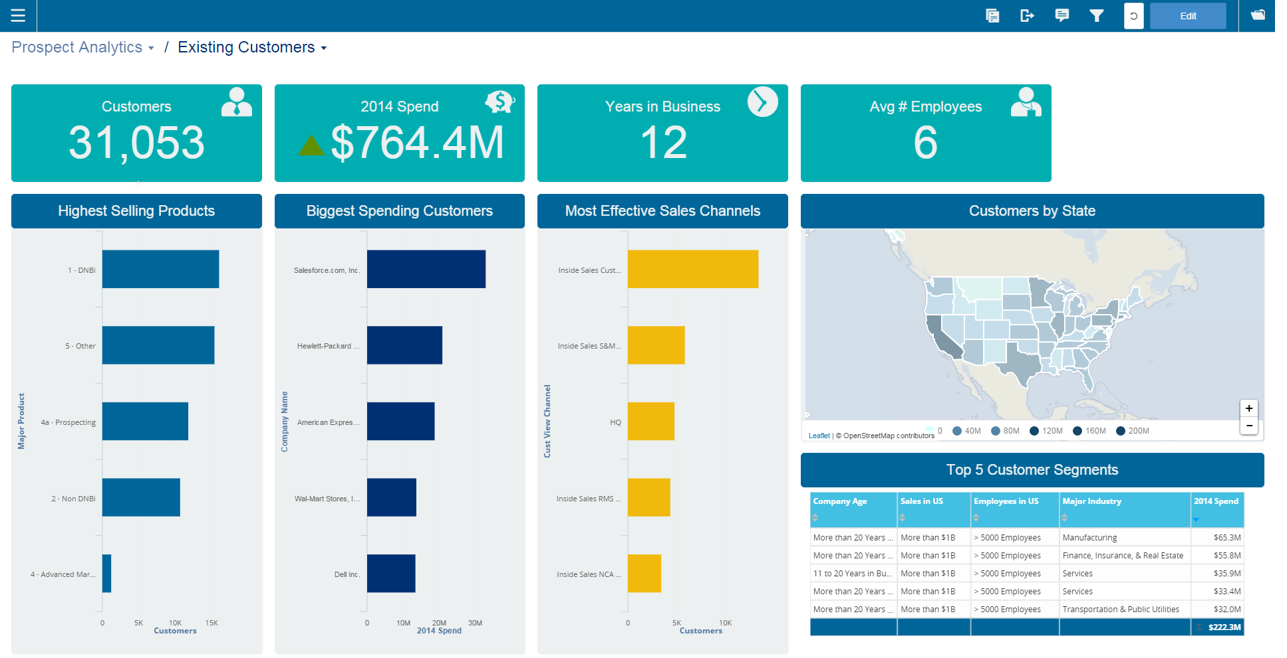    | SAP Crystal Screenshots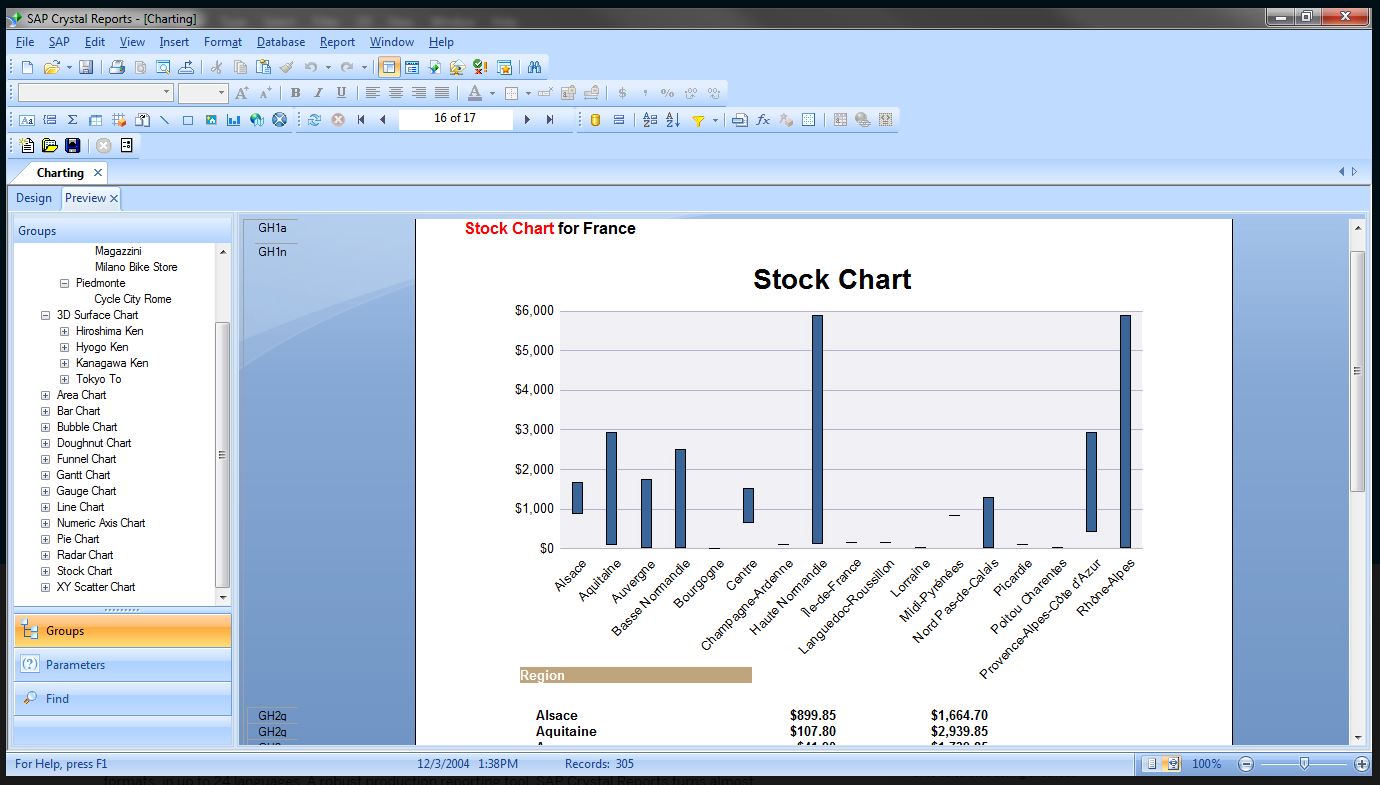   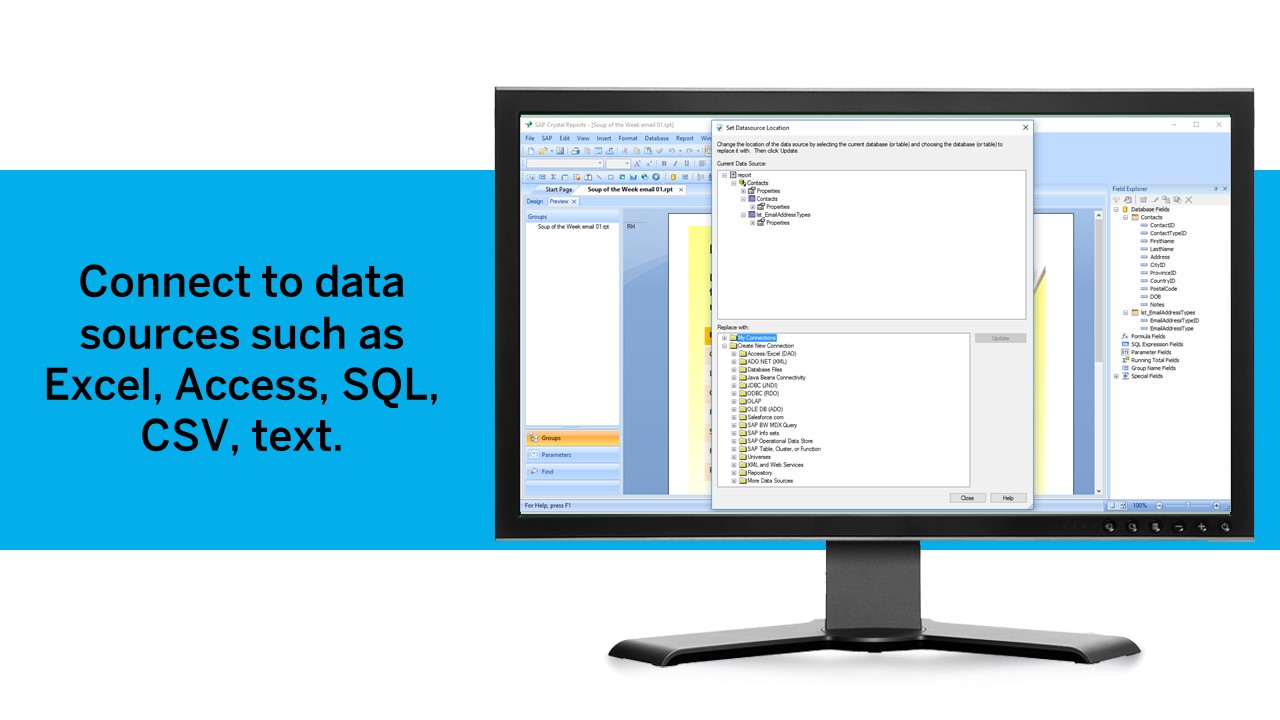 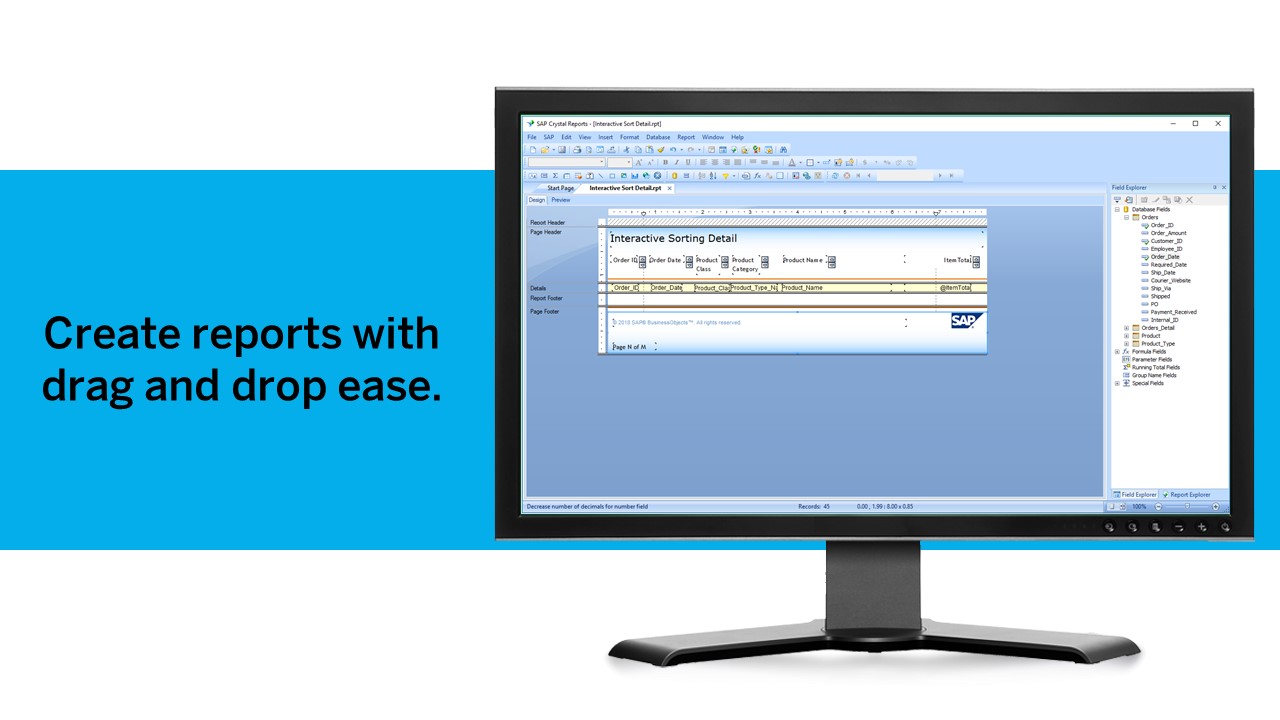  |