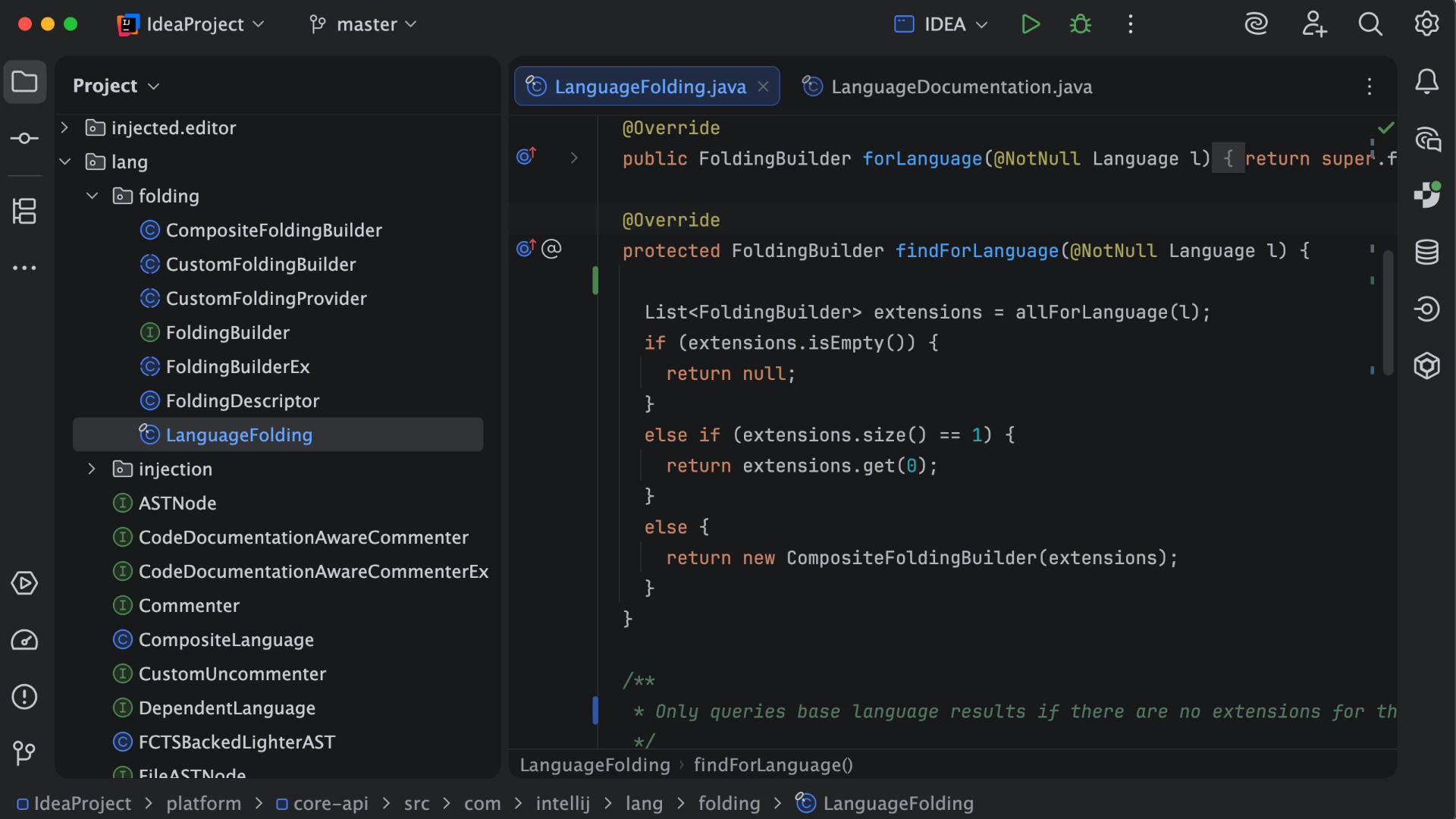
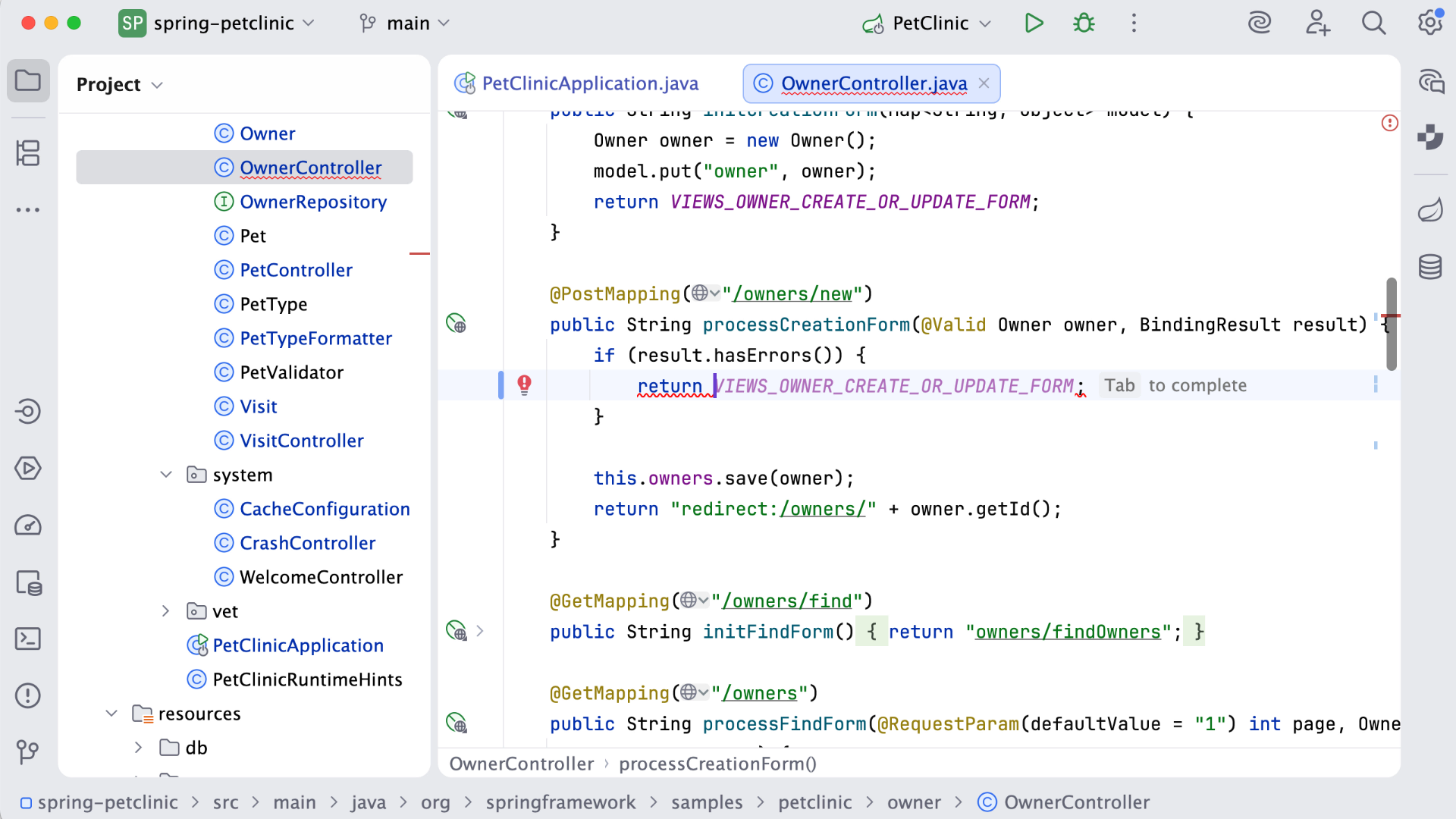
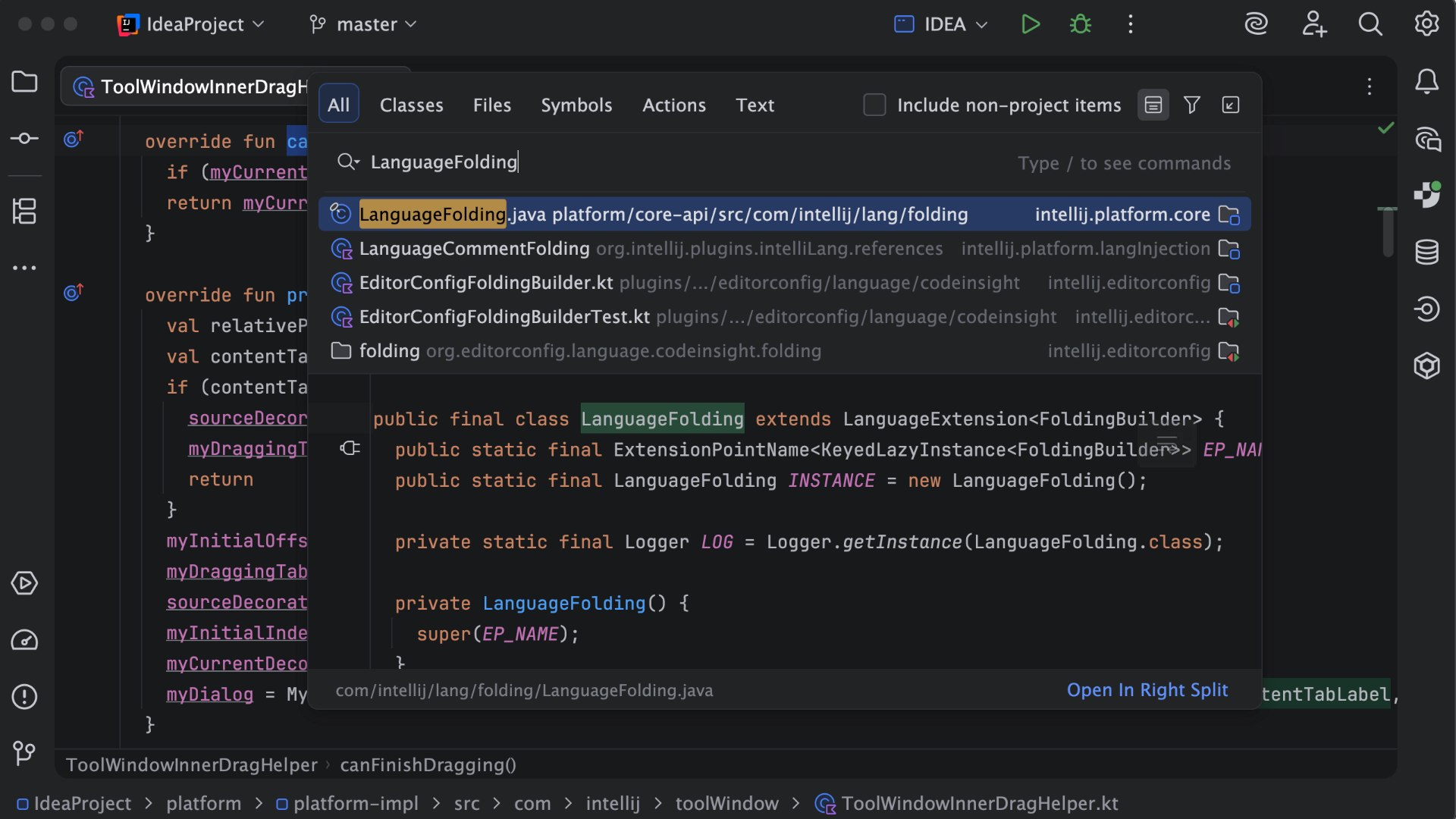
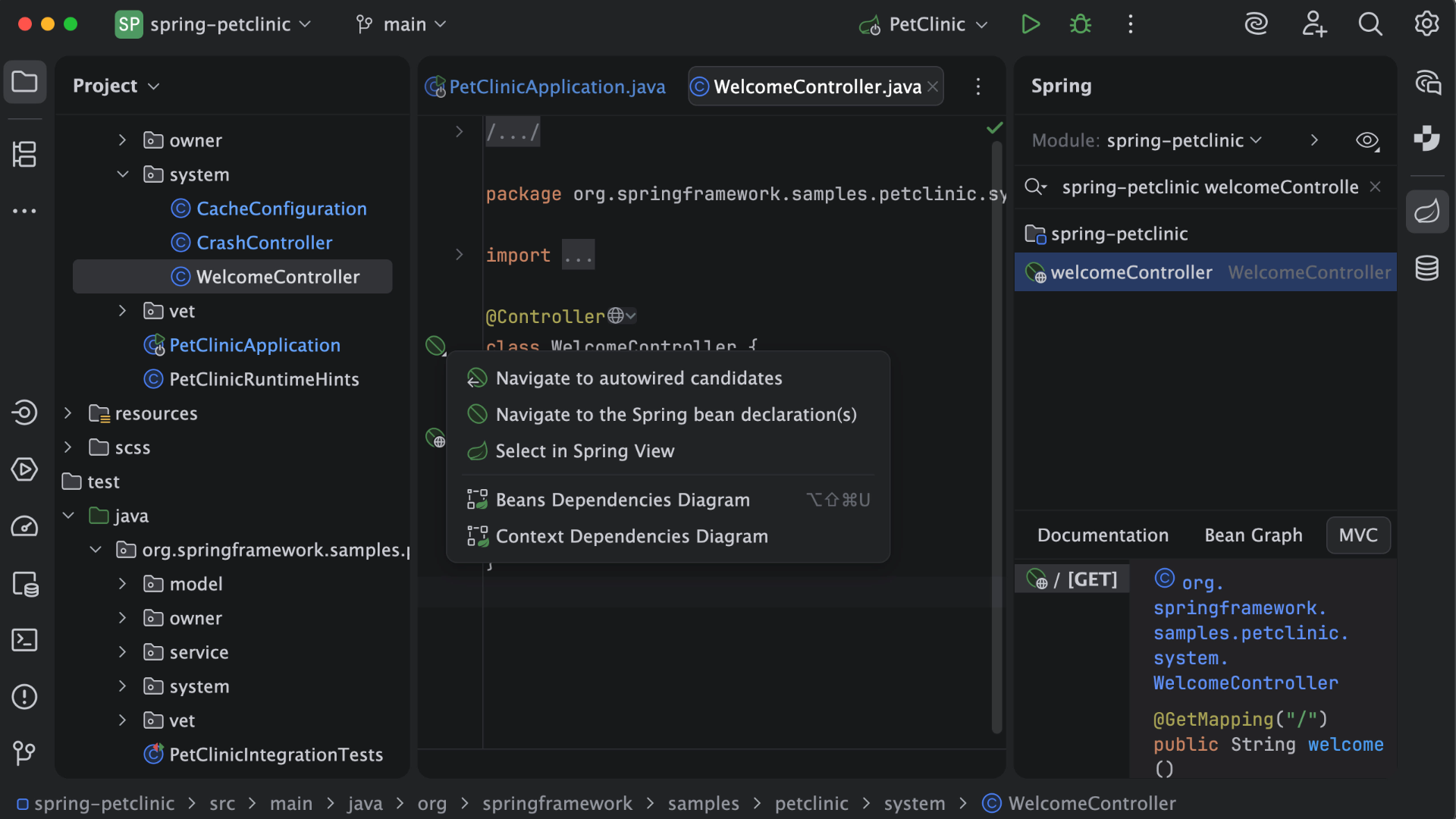
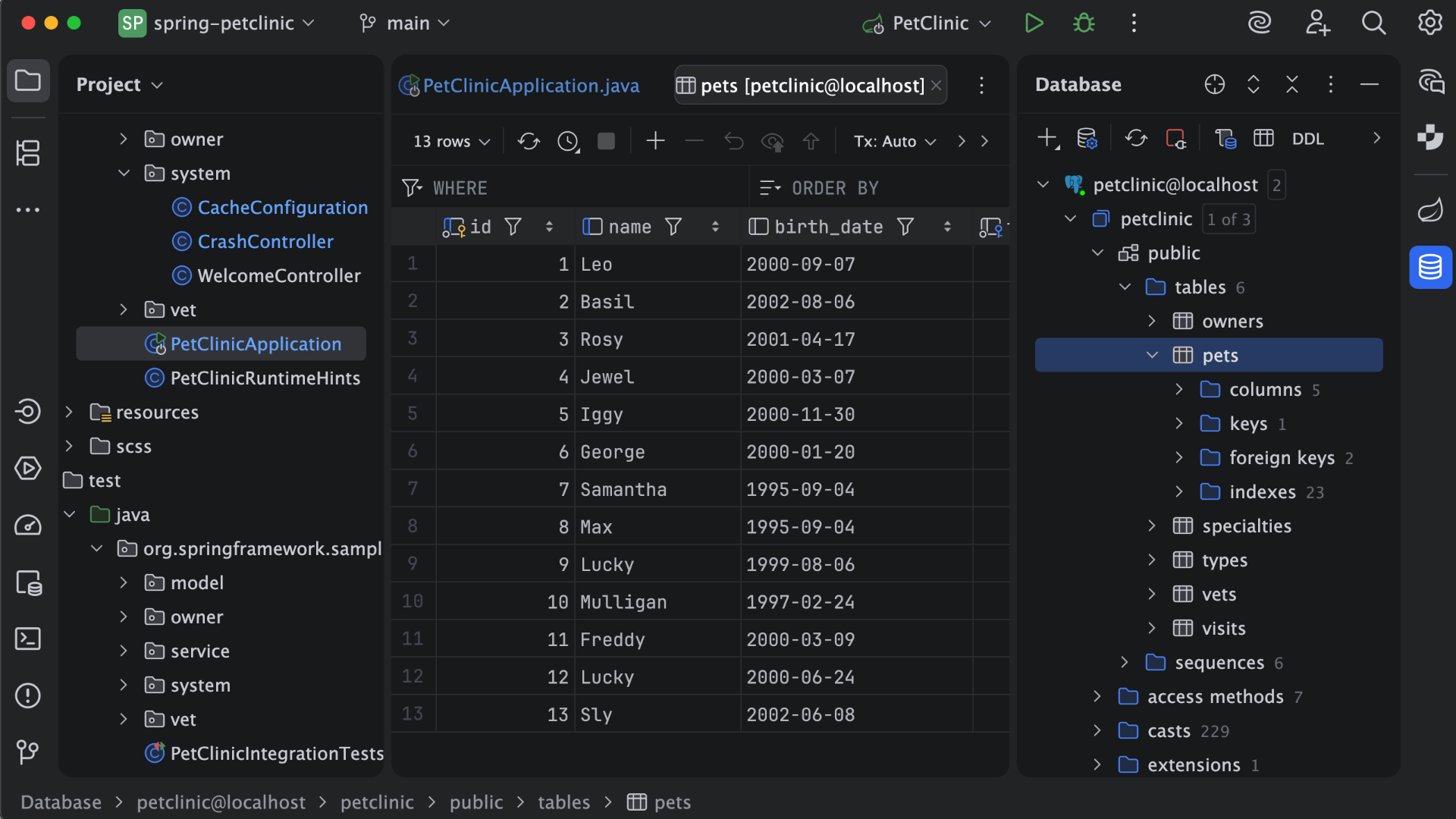
IntelliJ IDEA is an IDE that aims to give Java and Kotlin developers everything they need out of the box, including a smart code editor, built-in developer tools, framework support, database support, web development support, and much more.
$19.90
per month
WebStorm
Score9.6 out of 10
N/A
WebStorm is an integrated development environment (IDE) by JetBrains. Designed for JavaScript and TypeScript development, WebStorm also aims to make it easy to tackle the most challenging tasks. Whether resolving Git merge conflicts or renaming a symbol across multiple files, it takes just a few clicks.
$0
per year
Visual Studio
Score8.8 out of 10
N/A
Visual Studio (now in the 2022 edition) is a 64-bit IDE that makes it easier to work with bigger projects and complex workloads, boasting a fluid and responsive experience for users. The IDE features IntelliCode, its automatic code completion tools that understand code context and that can complete up to a whole line at once to drive accurate and confident coding.
$45
per month
Pricing
IntelliJ IDEA
WebStorm
Visual Studio
Editions & Modules
For Individual Use (Monthly billing)
$19.90
per month
For Organizations (Monthly billing)
$71.90
per month
For Individual Use (Yearly billing)
$199
per year
For Organizations (Yearly billing)
$719
per year
Individual Non-Commercial
$0
per year
Individual
$6.90
per month
Bussiness
$15.90
per month per user
Individual
$69
per year
Business
$159
per year per user
Professional
$45.00
per month
Enterprise
$250.00
per month
Offerings
Pricing Offerings
IntelliJ IDEA
WebStorm
Visual Studio
Free Trial
Yes
Yes
No
Free/Freemium Version
Yes
Yes
Yes
Premium Consulting/Integration Services
No
No
No
Entry-level Setup Fee
No setup fee
No setup fee
No setup fee
Additional Details
All Products Pack (For Individual Use) – $299 /1st year, $ 239 /2nd year and $ 179 /3d year onwards
All Products Pack (For Organizations) – $979 / year
—
—
More Pricing Information
Community Pulse
IntelliJ IDEA
WebStorm
Visual Studio
Considered Multiple Products
JetBrains
Verified User
Chose IntelliJ IDEA
Back in the day, there weren't too many PHP IDEs with proper syntax and code checks, but PHPStorm and IDEA worked great. So great that when I needed a Java IDE the next time, I gave it a go and have never looked back since (okay, I did keep checking the competition and …
A de minimis incentive was given to thank the reviewer for their time. The incentive was not used to bias or drive a particular response, nor was the incentive contingent on a positive endorsement. More Info
Senior Member of Technical Staff in Engineering at athenahealth (Hospital & Health Care, 5001-10,000 employees)
Chose IntelliJ IDEA
IntelliJ stacks better against Eclipse or vs code because it provides better code suggestions, out-of-the-box SonarLint integration, and built-in support for version control with git. It also has a vast collection of plugins that can increase developer productivity, reduce …
A de minimis incentive was given to thank the reviewer for their time. The incentive was not used to bias or drive a particular response, nor was the incentive contingent on a positive endorsement. More Info
Verified User
Chose IntelliJ IDEA
IntelliJ IDEA is the most specific and oriented towards my line of work, however, after using it for years - it's also my preferred IDE that I use for personal projects as well. Jetbrains other IDE offerings are almost as good and I do use them from time to time but IntelliJ …
A de minimis incentive was given to thank the reviewer for their time. The incentive was not used to bias or drive a particular response, nor was the incentive contingent on a positive endorsement. More Info
Technology Analyst in Information Technology at Deutsche Bank (Information Technology & Services, 10,001+ employees)
Chose IntelliJ IDEA
IntelliJ IDEA has several benefits over vs code when it comes to Java applications, including in-built Java compilers, Maven lifecycle support, Lombok preprocessing, and sonar integration. While vs code is largely generic, IntelliJ IDEA has focused primarily on Java …
A de minimis incentive was given to thank the reviewer for their time. The incentive was not used to bias or drive a particular response, nor was the incentive contingent on a positive endorsement. More Info
Engineering Manager in Engineering at Indeed.com (Staffing and Recruiting, 10,001+ employees)
Chose IntelliJ IDEA
IntelliJ has the richest and most complete set of features out of all the IDEs I've tried. There is the most compatibility across different languages and caters to different compilation strategies. The updates come very regularly, so we know that the product is constantly …
A de minimis incentive was given to thank the reviewer for their time. The incentive was not used to bias or drive a particular response, nor was the incentive contingent on a positive endorsement. More Info
Software Engineer in Information Technology at Enactor (pvt) ltd (Computer Software, 51-200 employees)
Chose IntelliJ IDEA
UI--IntelliJ IDEA is the winner. IntelliSense--Again, IntelliJ IDEA is the winner. Performance and CPU usage - IntelliJ IDEA has a lot of room to improve on this. Eclipse handle the large projects more effectively than IntelliJ IDEA.
A de minimis incentive was given to thank the reviewer for their time. The incentive was not used to bias or drive a particular response, nor was the incentive contingent on a positive endorsement. More Info
Software Developer in Engineering at Webvalto Ltd. (Banking, 51-200 employees)
Chose IntelliJ IDEA
IntelliJ surpassed every single competitor. The only viable alternative I still use is VisualStudio Code build in a browser for demo purposes... other than that, IDEA does everything better, faster, and in a more comfy way. This is the best IDE out there. This is just as good …
A de minimis incentive was given to thank the reviewer for their time. The incentive was not used to bias or drive a particular response, nor was the incentive contingent on a positive endorsement. More Info
Verified User
Chose IntelliJ IDEA
Before IntelliJ IDEA developers were using NetBeans or Eclipse for the development. There are many reasons to change from that application to IntelliJ. Firstly, both Eclipse and NetBeans are free and they are not providing support as IntelliJ supports for its users. Eclipse and …
A de minimis incentive was given to thank the reviewer for their time. The incentive was not used to bias or drive a particular response, nor was the incentive contingent on a positive endorsement. More Info
QA Test Lead in Quality Assurance at Action-MCFR Mediagroup (Information Services, 1001-5000 employees)
Chose IntelliJ IDEA
IDEA has great roadmap, every update brings useful features. Support is great. Excellent documentation. It's full-featured as it comes out of the box and even if you can't find something you'll get it via plugins.
A de minimis incentive was given to thank the reviewer for their time. The incentive was not used to bias or drive a particular response, nor was the incentive contingent on a positive endorsement. More Info
Co CEO in Corporate at Reality Geek (Computer Software, 1-10 employees)
Chose IntelliJ IDEA
For allowing me to modify to my own taste my graphic interface as my preferential option, in addition to having a wide field for high caliber project in any programming language.
A de minimis incentive was given to thank the reviewer for their time. The incentive was not used to bias or drive a particular response, nor was the incentive contingent on a positive endorsement. More Info
Verified User
Chose IntelliJ IDEA
I selected IntelliJ IDEA over Eclipse and NetBeans because of the easy to use interface, great customizable features, and it comes with features for the development of Android applications. It is the most stable IDE among the 3, it has never crashed since the moment that I have …
A de minimis incentive was given to thank the reviewer for their time. The incentive was not used to bias or drive a particular response, nor was the incentive contingent on a positive endorsement. More Info
A de minimis incentive was given to thank the reviewer for their time. The incentive was not used to bias or drive a particular response, nor was the incentive contingent on a positive endorsement. More Info
JetBrains
Verified User
Chose WebStorm
The above mentioned IDEs/editors are light weight and do not eat up that much RAM but WebStorm is clearly superior when it comes to great development, maintainability, easy testing and debugging of a software project. Many advanced features with syntax suggestions, language …
A de minimis incentive was given to thank the reviewer for their time. The incentive was not used to bias or drive a particular response, nor was the incentive contingent on a positive endorsement. More Info
VP R&D, DevOps, and Products in Research & Development at Zoomd Technologies (Information Technology & Services, 51-200 employees)
Chose WebStorm
While vscode is a great product by itself, I prefer WebStorm as I found it more intuitive to use out of the box. I also feel error detection and linting is producing better results on WebStorm. Keeping an IDE with out-of-the-box keybinding and common plugins allows me …
A de minimis incentive was given to thank the reviewer for their time. The incentive was not used to bias or drive a particular response, nor was the incentive contingent on a positive endorsement. More Info
Verified User
Chose WebStorm
I like WebStorm better because I don't have to spend time hunting down "useful plugins" to add to VS Code. But I'm biased because I have a lot more experience with WebStorm.
A de minimis incentive was given to thank the reviewer for their time. The incentive was not used to bias or drive a particular response, nor was the incentive contingent on a positive endorsement. More Info
Verified User
Chose WebStorm
WebStorm is the best IDE for javascript over cloud9 and NetBeans which have traditionally supported a variety of languages with no specific specialty. While WebStorm has a cost associated per license, it is bar none when it comes to an integrated development environment needed …
A de minimis incentive was given to thank the reviewer for their time. The incentive was not used to bias or drive a particular response, nor was the incentive contingent on a positive endorsement. More Info
Web Developer in Engineering at Devolutions (Computer Software, 51-200 employees)
Chose WebStorm
While Visual Studio is a great toll to develop our C# back-end application, we found that using this one to develop our front-end web application was not suitable.
A de minimis incentive was given to thank the reviewer for their time. The incentive was not used to bias or drive a particular response, nor was the incentive contingent on a positive endorsement. More Info
A de minimis incentive was given to thank the reviewer for their time. The incentive was not used to bias or drive a particular response, nor was the incentive contingent on a positive endorsement. More Info
A de minimis incentive was given to thank the reviewer for their time. The incentive was not used to bias or drive a particular response, nor was the incentive contingent on a positive endorsement. More Info
Software Engineering Manager in Information Technology at TriCore Reference Laboratories (Medical Practice, 1001-5000 employees)
Chose WebStorm
I started with Visual Studio - at the time, intellisense for JavaScript was limited - WebStorm was built for JavaScript applications; so intellisense was automatic. WebStorm offered project templates out of the gate which was really helpful as I learned JavaScript application …
A de minimis incentive was given to thank the reviewer for their time. The incentive was not used to bias or drive a particular response, nor was the incentive contingent on a positive endorsement. More Info
Software Engineer in Information Technology at Innova4J (Computer Software, 51-200 employees)
Chose Visual Studio
IntelliJ IDEA is also a development IDE, but it is much more limited. The tools and methods of execution and debugging are much more complex, and there is not much support.
A de minimis incentive was given to thank the reviewer for their time. The incentive was not used to bias or drive a particular response, nor was the incentive contingent on a positive endorsement. More Info
Software Engineer in Information Technology at Egov Jamaica Limited (Information Technology and Services, 51-200 employees)
Chose Visual Studio
I selected Visual Studio IDE because of its fast syntax analysis capabilities, the ease of which I can install, update and remove packages from my application. The IDE comes with an integrated SVC plugin which allows the fast synchronization of my code. NetBeans falls down in …
A de minimis incentive was given to thank the reviewer for their time. The incentive was not used to bias or drive a particular response, nor was the incentive contingent on a positive endorsement. More Info
Software Developer in Engineering at Webvalto Ltd. (Banking, 51-200 employees)
Chose Visual Studio
It's a well [maintained], mature IDE, which has the benefit of being a [software] which only the most skilled developers works on, instead of being open source. It has a lot of very useful features, which most free IDE-s don't. Also, it has many options from commercial …
A de minimis incentive was given to thank the reviewer for their time. The incentive was not used to bias or drive a particular response, nor was the incentive contingent on a positive endorsement. More Info
Web Developer at Celayix (Information Technology & Services, 11-50 employees)
Chose Visual Studio
Some of the editors are suitable for a particular programming language . For example PyCharm is suited for Python .
Visual Studio has support for many languages and Visual Studio is comparatively light weight from most of the IDE . The ability to get extensions and use them is …
A de minimis incentive was given to thank the reviewer for their time. The incentive was not used to bias or drive a particular response, nor was the incentive contingent on a positive endorsement. More Info
Business Intelligence Consultant in Information Technology at EMO A.Ş (Information Technology & Services, 501-1000 employees)
Chose Visual Studio
The main reason why we can't choose the Visual Studio IDE is that the entity framework provides excellent solutions. Besides, there is a very strong community of users. The Visual Studio IDE has a very user-friendly display. Creating functions and creating classes is much more …
A de minimis incentive was given to thank the reviewer for their time. The incentive was not used to bias or drive a particular response, nor was the incentive contingent on a positive endorsement. More Info
Verified User
Chose Visual Studio
No added value. If Visual Studio costs too much then I see the point. But otherwise there is just no need for any other tool. IntelliJ is a mess, buggy and counter intuitive. Or maybe it's because java is not a particularly cool language...
A de minimis incentive was given to thank the reviewer for their time. The incentive was not used to bias or drive a particular response, nor was the incentive contingent on a positive endorsement. More Info
Verified User
Chose Visual Studio
Compared to a lot of these options (which are free except WebStorm), Visual Studio definitely leads the pack as far as its completeness of feature set. There are deep integrations with the Microsoft ecosystem with Visual Studio that the others can't really compete with, as …
A de minimis incentive was given to thank the reviewer for their time. The incentive was not used to bias or drive a particular response, nor was the incentive contingent on a positive endorsement. More Info
Verified User
Chose Visual Studio
Both are good but for Microsoft, you need to use Visual Studio IDE.
A de minimis incentive was given to thank the reviewer for their time. The incentive was not used to bias or drive a particular response, nor was the incentive contingent on a positive endorsement. More Info
Senior Software Developer in Information Technology at TimeTrak Systems, Inc. (Computer Software, 11-50 employees)
Chose Visual Studio
While Visual Studio Code makes up for some of its shortcomings by being an IDE for just about any language you want to develop in, having a designer for WPF or Windows Forms saves a ton of time. However, Code provides better intellisense for CSS when you use SAAS (SCSS).
A de minimis incentive was given to thank the reviewer for their time. The incentive was not used to bias or drive a particular response, nor was the incentive contingent on a positive endorsement. More Info
Verified User
Chose Visual Studio
Rider has a lot of potential but sInce Rider is a really new project, there is a lot of bugs in it. Other than that we didn't really try other alternatives to Visual Studio code for our C# applications.
A de minimis incentive was given to thank the reviewer for their time. The incentive was not used to bias or drive a particular response, nor was the incentive contingent on a positive endorsement. More Info
Co CEO in Corporate at Reality Geek (Computer Software, 1-10 employees)
Chose Visual Studio
Because it is the product that offers the most stable synchronization and compatibility in the market with Windows OS, in addition to a graphic environment and a variety of fundamental advanced options.
A de minimis incentive was given to thank the reviewer for their time. The incentive was not used to bias or drive a particular response, nor was the incentive contingent on a positive endorsement. More Info
Innovation manager in Research & Development at IMPESA (Financial Services, 11-50 employees)
Chose Visual Studio
Also VSCode; these are all IDE that support the creation of web APIs and web applications; and it can support C# (for example VSCode) but Visual Studio IDE has a better set of integrated tools in the same environment. A developer adopts it very naturally, so a person can be …
A de minimis incentive was given to thank the reviewer for their time. The incentive was not used to bias or drive a particular response, nor was the incentive contingent on a positive endorsement. More Info
Business Analyst Developer in Information Technology at Silberline (Chemicals, 501-1000 employees)
Chose Visual Studio
Visual Studio can do what all of these alternatives can do and does them well. PowerApps is RAD and you just can't tweak apps like you can in Visual Studio. Xamarin is now supported in Visual Studio and IntelliJ is javascript which you can create inside of Visual Studio. Would …
A de minimis incentive was given to thank the reviewer for their time. The incentive was not used to bias or drive a particular response, nor was the incentive contingent on a positive endorsement. More Info
A de minimis incentive was given to thank the reviewer for their time. The incentive was not used to bias or drive a particular response, nor was the incentive contingent on a positive endorsement. More Info
Verified User
Chose Visual Studio
It was better integrated with technologies we used, worked more reliably, had better IntelliSense.
A de minimis incentive was given to thank the reviewer for their time. The incentive was not used to bias or drive a particular response, nor was the incentive contingent on a positive endorsement. More Info
President & Co-Founder in Information Technology at Enovatio (Computer Software, 1-10 employees)
Chose Visual Studio
We are using this IDE together so we don't use one against the other, true also is that when you would like to develop .NET solution there is no other choice and you should always use Visual Studio. It is standard and it is made by the producer of the framework. We will see if …
A de minimis incentive was given to thank the reviewer for their time. The incentive was not used to bias or drive a particular response, nor was the incentive contingent on a positive endorsement. More Info
Senior Developer Analyst in Information Technology at Joint Commission Resources (Hospital & Health Care, 201-500 employees)
Chose Visual Studio
With Visual Studio I just code on the front-end and click the VCR-like play icon in the toolbar to launch the code in a browser. WebStorm doesn't give me any such convenience. With WebStorm I have to launch my code in IIS and use WebStorm to simply edit the files. I also have …
A de minimis incentive was given to thank the reviewer for their time. The incentive was not used to bias or drive a particular response, nor was the incentive contingent on a positive endorsement. More Info
A de minimis incentive was given to thank the reviewer for their time. The incentive was not used to bias or drive a particular response, nor was the incentive contingent on a positive endorsement. More Info
Verified User
Chose Visual Studio
I feel like the capabilites of Visual Studio are far and away better than any other offerings I have used. The debugging, compiling, and general polished state of Visual Studio just seems to be better than any other IDEs like it.
A de minimis incentive was given to thank the reviewer for their time. The incentive was not used to bias or drive a particular response, nor was the incentive contingent on a positive endorsement. More Info
This is a superb tool if your project involves a lot of backend development, especially in Java/Spring Boot and Kotlin. The support for the front end is great as well, but some developers may prefer to use the GitHub copilot add-on. I especially love using the GitHub copilot add-on. It may be less appropriate if your project requires heavy use of HotSwaps for backend debugging, as sometimes the support for that can be limited.
A de minimis incentive was given to thank the reviewer for their time. The incentive was not used to bias or drive a particular response, nor was the incentive contingent on a positive endorsement. More Info
Groups that use a [variety] of development environments (.net, python, web), Jebrain's products and Webstorm, in particular, are a great choice for productivity. If your developers are accustom to another IDE it might be better for all to sync on the same one. I wouldn't take the cost aspect as a consideration. A productive developer is far more important.
A de minimis incentive was given to thank the reviewer for their time. The incentive was not used to bias or drive a particular response, nor was the incentive contingent on a positive endorsement. More Info
When working with base C# code for desktop and web projects, then Microsoft Visual Studio is ideal as it provides the libraries and interfaces needed to quickly create, test and deploy solutions. It is when slightly more complex scenarios are required that issues can arise. The built-in integration for things like PowerBI Paginated Reports and dashboards is far from ideal.
A de minimis incentive was given to thank the reviewer for their time. The incentive was not used to bias or drive a particular response, nor was the incentive contingent on a positive endorsement. More Info
Unit testing: Fully integrated into IntelliJ IDEA. Your unit tests will run smoothly and efficiently, with excellent debugging tools for when things get tricky.
Spring integration: Our Spring project using Maven works flawlessly in IntelliJ IDEA. I know firsthand that Apache is also easily and readily supported too. The integration is seamless and very easy to set up using IntelliJ IDEA's set up wizard when importing new projects.
Customization: IntelliJ IDEA comes out of the box with a bunch of handy shortcuts, as well as text prediction, syntax error detection, and other tools to help keep your code clean. But even better is that it allows for total customization of shortcuts you can easily create to suit your needs.
A de minimis incentive was given to thank the reviewer for their time. The incentive was not used to bias or drive a particular response, nor was the incentive contingent on a positive endorsement. More Info
A de minimis incentive was given to thank the reviewer for their time. The incentive was not used to bias or drive a particular response, nor was the incentive contingent on a positive endorsement. More Info
A de minimis incentive was given to thank the reviewer for their time. The incentive was not used to bias or drive a particular response, nor was the incentive contingent on a positive endorsement. More Info
The popup file search sometimes frustrates me. It caps the number of results, and sometimes it isn't clear that it simply stopped looking. I also used to have trouble finding string occurrences that I knew were in my project, but I think they've made improvements in this area recently.
Being a AAA IDE, WebStorm can be a memory hog. If I don't kill it every few days, it can get really slow. I would love to see performance improvements.
Speaking of performance, WebStorm can take a long time to launch. I'd like to see improvements in launch times.
A de minimis incentive was given to thank the reviewer for their time. The incentive was not used to bias or drive a particular response, nor was the incentive contingent on a positive endorsement. More Info
A de minimis incentive was given to thank the reviewer for their time. The incentive was not used to bias or drive a particular response, nor was the incentive contingent on a positive endorsement. More Info
VS Code is maturing and has a Scala plugin now. The overall experience with VS Code - for web development at least - is very snappy/fast. IntelliJ feels a bit sluggish in comparison. If that Scala plugin for VS Code is deemed mature enough - we may not bother renewing and resort to the Community Edition if we need it.
A de minimis incentive was given to thank the reviewer for their time. The incentive was not used to bias or drive a particular response, nor was the incentive contingent on a positive endorsement. More Info
A de minimis incentive was given to thank the reviewer for their time. The incentive was not used to bias or drive a particular response, nor was the incentive contingent on a positive endorsement. More Info
VS is the best and is required for building Microsoft applications. The quality and usefulness of the product far out-weight the licensing costs associated with it.
A de minimis incentive was given to thank the reviewer for their time. The incentive was not used to bias or drive a particular response, nor was the incentive contingent on a positive endorsement. More Info
There is always room for improvement, but I haven't met any IDE that I liked more so far. Even if it did not fit a use case right out of the box, there is always a way to configure how it works to do just that.
A de minimis incentive was given to thank the reviewer for their time. The incentive was not used to bias or drive a particular response, nor was the incentive contingent on a positive endorsement. More Info
Great in debugging, testing, developing and maintaining softwares in a number of languages. Great support for many languages and their syntaxes. Great support of many third party extensions and plugins like GIT and html plugins. The RAM usage of WebStorm however could be really improved, it literally takes almost all of the RAM of my machine with 16GB RAM
A de minimis incentive was given to thank the reviewer for their time. The incentive was not used to bias or drive a particular response, nor was the incentive contingent on a positive endorsement. More Info
I love the overall usability of Microsoft Visual Studio. I’ve been using this IDE for more than 20 years, and I’ve seen it evolve by leaps and bounds. Today, with AI and code-suggestion/completion features, developers no longer need to remember countless libraries, methods, or language syntax, or invest a huge amount of programming effort to complete a project. It truly offers everything a developer needs to program, debug, test, and deploy in a single IDE.
A de minimis incentive was given to thank the reviewer for their time. The incentive was not used to bias or drive a particular response, nor was the incentive contingent on a positive endorsement. More Info
Customer support is really good in the case of IntelliJ. If you are paying for this product then, the company makes sure that you will get all the services adequately. Regular update patches are provided to improve the IDE. An online bug report makes it easier for the developers to find the solution as fast as possible. The large online community also helps to find the various solutions to the issues.
A de minimis incentive was given to thank the reviewer for their time. The incentive was not used to bias or drive a particular response, nor was the incentive contingent on a positive endorsement. More Info
I gave this rating because I have never needed their customer support, which is the highest level of support I suppose. When a product works just fine out of the box and everything you may need is well documented, it's a paradise for the customer. But I've seen some questions asked on their portal, and I've seen thorough answers given to the questions and the willingness to support the customer with follow-ups and everything else.
A de minimis incentive was given to thank the reviewer for their time. The incentive was not used to bias or drive a particular response, nor was the incentive contingent on a positive endorsement. More Info
There are many resources available supporting Visual Studio IDE. Microsoft whitepapers, forum posts, and online Visual Studio documentation. There are countless demonstration videos available, as well. If users are having issues, they can call Microsoft Support, but depending on the company's agreement with Microsoft, the number of included support calls will vary from organization to organization. I've found that Microsoft support calls can be hit or miss depending on who you get, but they can usually get you with the right support person for your issue.
A de minimis incentive was given to thank the reviewer for their time. The incentive was not used to bias or drive a particular response, nor was the incentive contingent on a positive endorsement. More Info
IT is very complicated to understand all the functions that the environment has if you are not familiar with this type of development environments. It is important to select a good in-person training to achieve to understand all the possibilities and the capacity of the application. In this case, you will be able to develop a lot type of different applications.
A de minimis incentive was given to thank the reviewer for their time. The incentive was not used to bias or drive a particular response, nor was the incentive contingent on a positive endorsement. More Info
If you are not accustomed to develop in this type of development environments it would be complicated to follow all the parts of the course because if the course does not include a great tour with all the concepts to develop you will not have the option to understand all the functions.
A de minimis incentive was given to thank the reviewer for their time. The incentive was not used to bias or drive a particular response, nor was the incentive contingent on a positive endorsement. More Info
This installs just like any other application - its pretty straight forward. Perhaps licensing could be more challenging - but if you use the cloud licensing they offer its as simple as having engineers login to the application and it just works.
A de minimis incentive was given to thank the reviewer for their time. The incentive was not used to bias or drive a particular response, nor was the incentive contingent on a positive endorsement. More Info
A de minimis incentive was given to thank the reviewer for their time. The incentive was not used to bias or drive a particular response, nor was the incentive contingent on a positive endorsement. More Info
Eclipse is just so old, like a dinosaur, compared to IntelliJ. There are still formats that Eclipse supports better, especially old and/or propriety ones. Still, most of the modern software development needs can be done on IntelliJ, & in a much better way, some of them are not even supported on Eclipse.
A de minimis incentive was given to thank the reviewer for their time. The incentive was not used to bias or drive a particular response, nor was the incentive contingent on a positive endorsement. More Info
I think WebStorm is way ahead of open-source editors. Please don't get me wrong, I love open-source. But the other free editors have a lot of configuration which blocks my whole coding experience. Take "Atom" for example. I used it for about 3 months, but in that time I had to update the plugins hundreds of time, and for every little thing (e.g. linter) I had to download a community plugin, and with each plugin atom would get a little slow. Take "Eclipse" for another example, which is very suited for Java, but not so suited for JavaScript. Sublime was good, but WebStorm comes with many exciting features that I did not find in sublime/notepad.
A de minimis incentive was given to thank the reviewer for their time. The incentive was not used to bias or drive a particular response, nor was the incentive contingent on a positive endorsement. More Info
I personally feel Visual Studio IDE has [a] better interface and [is more] user friendly than other IDEs. It has better code maintainability and intellisense. Its inbuilt team foundation server help coders to check on their code then and go. Better nugget package management, quality testing and gives features to extract TRX file as result of testing which includes all the summary of each test case.
A de minimis incentive was given to thank the reviewer for their time. The incentive was not used to bias or drive a particular response, nor was the incentive contingent on a positive endorsement. More Info
A de minimis incentive was given to thank the reviewer for their time. The incentive was not used to bias or drive a particular response, nor was the incentive contingent on a positive endorsement. More Info
Using the integration between Visual Studio and our source control service, the cost of re-work and losing code is drastically reduced.
Paid versions of Visual Studio enable developers to be so much more productive than hacked-together open source solutions that it's hard to imagine developing in Windows without it.
When combined with support subscriptions and the vast array of free online help options available, Visual Studio saves our developers time by keeping them coding and testing, not wasting their time trying to guess their way out of problems or spend endless hours online hoping to find answers.
A de minimis incentive was given to thank the reviewer for their time. The incentive was not used to bias or drive a particular response, nor was the incentive contingent on a positive endorsement. More Info