TrustRadius: an HG Insights company

Save this comparison

Save this comparison

Add Product

Recommended Comparisons

    Overview
    ProductRatingMost Used ByProduct SummaryStarting Price

    Kandji

    Score9 out of 10
    Mid-Size Companies (51-1,000 employees)
    Kandji is an Apple device management software solution for macOS, iOS, iPadOS, and tvOS, from the company of the same name in San Diego.N/A

    Mikogo

    Score1.2 out of 10
    N/AMikogo is a free screen sharing solution with built-in VoIP for online meetings, web presentations, web conferencing and sales demos.

    $156

    Annually

    Pricing
    KandjiMikogo
    Editions & Modules
    No answers on this topic
    Basic Annual
    $156
    Annually
    Professional Annual
    $228
    Annually
    Professional Lifetime
    $456
    Lifetime License per User
    Team Annual
    $468
    Annually
    Team Lifetime
    $936
    Lifetime License [Unlimited Users]
    Offerings
    Pricing Offerings
    KandjiMikogo
    Free Trial
    YesYes
    Free/Freemium Version
    NoYes
    Premium Consulting/Integration Services
    NoNo
    Entry-level Setup FeeNo setup feeNo setup fee
    Additional DetailsAll plans billed annually.Enterprise plans are also available for larger organizations, with a custom number of users, meeting participants, and channels. Master Administration and Web API integrations are also available. Contact Mikogo for further information.
    More Pricing Information
    Features
    KandjiMikogo
    Performance & Compatibility of Online Events Software
    Comparison of Performance & Compatibility of Online Events Software features of Kandji and Mikogo
    Feature
    Kandji
    -
    Ratings
    Mikogo
    3.1
    4 Ratings
    87% below category average
    High quality audio00 Ratings4.14 Ratings
    High quality video00 Ratings4.14 Ratings
    Low bandwidth requirements00 Ratings1.14 Ratings
    Mobile support00 Ratings3.22 Ratings
    Screen Sharing
    Comparison of Screen Sharing features of Kandji and Mikogo
    Feature
    Kandji
    -
    Ratings
    Mikogo
    6.0
    4 Ratings
    28% below category average
    Desktop sharing00 Ratings2.24 Ratings
    Whiteboards00 Ratings9.82 Ratings
    Online Meetings / Events
    Comparison of Online Meetings / Events features of Kandji and Mikogo
    Feature
    Kandji
    -
    Ratings
    Mikogo
    3.0
    4 Ratings
    93% below category average
    Calendar integration00 Ratings1.12 Ratings
    Meeting initiation00 Ratings1.24 Ratings
    Record meetings / events00 Ratings2.14 Ratings
    Slideshows00 Ratings7.63 Ratings
    Online Events Collaboration
    Comparison of Online Events Collaboration features of Kandji and Mikogo
    Feature
    Kandji
    -
    Ratings
    Mikogo
    2.1
    4 Ratings
    118% below category average
    Live chat00 Ratings1.24 Ratings
    Audience polling00 Ratings3.13 Ratings
    Q&A00 Ratings2.13 Ratings
    Online Events Security
    Comparison of Online Events Security features of Kandji and Mikogo
    Feature
    Kandji
    -
    Ratings
    Mikogo
    1.5
    4 Ratings
    137% below category average
    User authentication00 Ratings1.23 Ratings
    Participant roles & permissions00 Ratings1.13 Ratings
    Confidential attendee list00 Ratings2.13 Ratings
    Best Alternatives
    KandjiMikogo
    Small Businesses
    Apple Business Essentials
    Score8.2 out of 10
    ClickMeeting
    Score9.5 out of 10
    Medium-sized Companies
    Cisco Meraki SM
    Score9.6 out of 10
    JioMeet
    Score9.8 out of 10
    Enterprises
    Jamf Pro
    Score8.7 out of 10
    Webex Meetings
    Score8.7 out of 10
    All AlternativesView all alternativesView all alternatives
    User Ratings
    KandjiMikogo
    Likelihood to Recommend
    8.0
    (4 ratings)
    1.2
    (4 ratings)
    Usability
    7.6
    (3 ratings)
    -
    (0 ratings)
    Support Rating
    -
    (0 ratings)
    8.0
    (2 ratings)
    User Testimonials
    KandjiMikogo
    Likelihood to Recommend
    Kandji
    Kandji is well-suited for the following: - Onboarding remote employees (we are a remote company). Kandji offers zero-touch deployment via Apple Business Manager, making it incredibly easy to configure our Macs. -Maintaining security and compliance for Apple devices -Managing a fleet of iOS devices in the field. Where it's less appropriate: -When there is a mixed OS environment -If you have a highly custom or script-heavy environment.
    Incentivized
    Read full review
    BeamYourScreen
    Pros Mikogo is well-suited and cost-effective for the small business Simple & well-designed; easy to figure out. Works best for one-on-one client support. Cons No live customer support Free version has limited features (e.g. no invite meeting allowed) Trial version only 14 days
    Incentivized
    Read full review
    Pros
    Kandji
    • Pushing custom scripts
    • New device deployment
    • App updates
    Incentivized
    Read full review
    BeamYourScreen
    • Inexpensive
    • Simple interface
    • Menus and prompts were clear
    Incentivized
    Read full review
    Cons
    Kandji
    • Problem after problem after problem with employees getting locked out of their laptops, (which was the whole reason we switched to Kandji - to prevent that from happening), employees ultimately having to factory reset their laptops to get back in, pop-ups that never go away, and continuous password sync issues.
    Incentivized
    Read full review
    BeamYourScreen
    • I'd like to be able to record a session easier.
    Incentivized
    Read full review
    Usability
    Kandji
    I gave it an 8/10 because overall, it offers a spotless and intuitive interface that makes routine device management easy. Features such as onboarding, app deployment, and compliance enforcement are handy, thanks to the various blueprints we can set up. The only reason I didn't give it a 10 is that it lacks some advanced configurations, and the reporting aspect is not as customizable.
    Incentivized
    Read full review
    BeamYourScreen
    No answers on this topic
    Support Rating
    Kandji
    No answers on this topic
    BeamYourScreen
    I do not have any experience with Mikogo's support as I have never experienced any problem with it.
    Incentivized
    Read full review
    Alternatives Considered
    Kandji
    With Intune, they aren’t friendly with Macs. We had to add each app individually and constantly update the packages for updates. Even when we do everything right, it still doesn’t work all the time
    Incentivized
    Read full review
    BeamYourScreen
    Mikogo has simple features and is easy to use. If you don't need lots of bells and whistles and just want to screen share or video conference on a small scale Mikogo works best. Join.me & TeamViewer are a bit confusing for the novice small business person. My experience with LogMeIn has been that it's sluggish. GoToMeeting works great but is pricey for the small firm that mainly does one-to-one support/training. I couldn't get Zoom to work right.
    Incentivized
    Read full review
    Return on Investment
    Kandji
    • They promised us we could add devices as needed. I even had that written in an email. However, they rescinded that promise and required us to add devices in buckets of 50. That means, since we had 55 users, we had to pay for 100 licenses.
    • Password issues were made much worse by using Kandji instead of our old MDM (Hexnode).
    • Overall, Kandji created major headaches with laptop instead of improving.
    Incentivized
    Read full review
    BeamYourScreen
    • Zero positive impact
    • Spend just a little more with products like AnyDesk and get some real ROI
    • Short term, the product can be used on a trial basis (or at least it was available as a trial)
    Incentivized
    Read full review
    ScreenShots

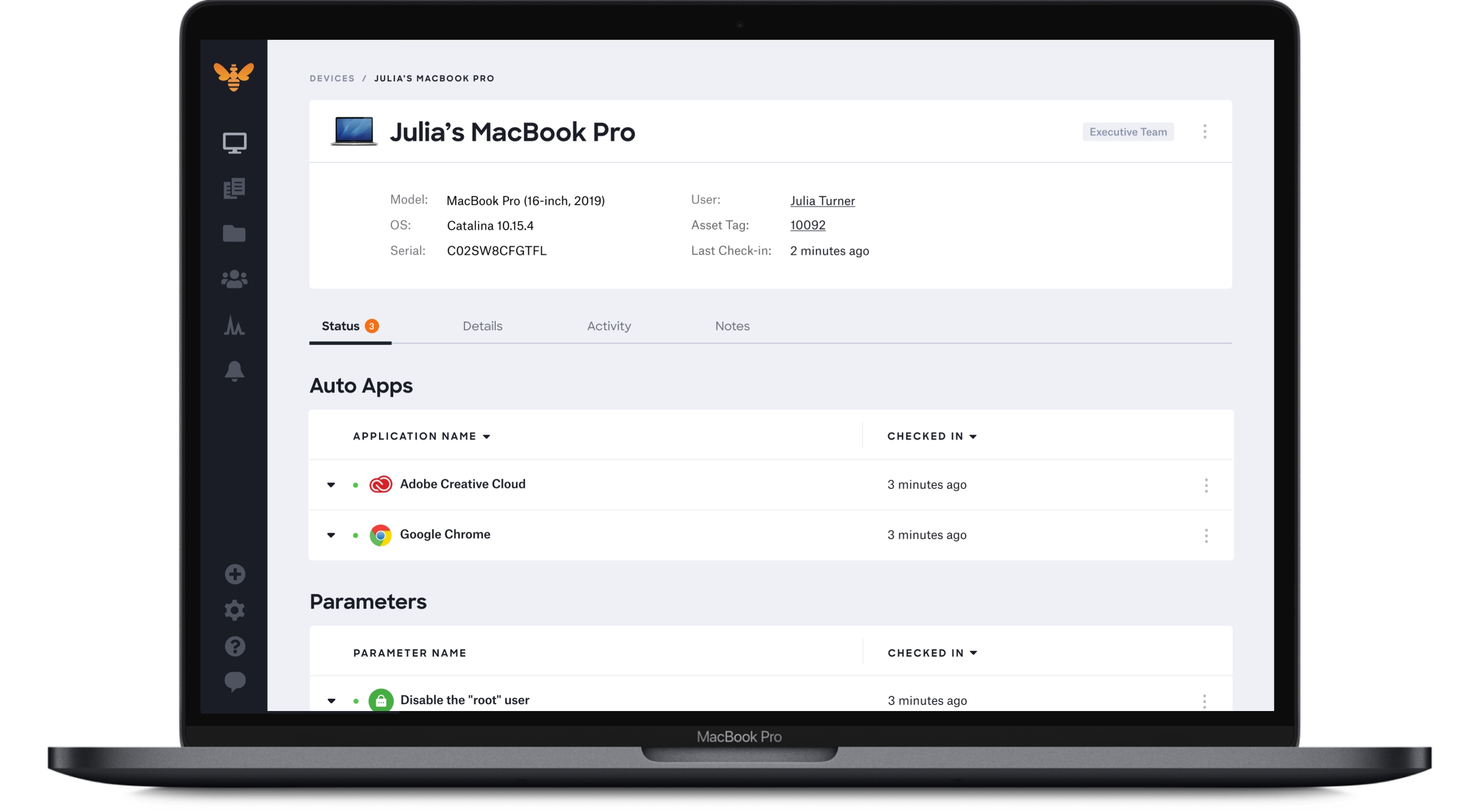
    Kandji Screenshots

    Screenshot of Zero-Touch DeploymentScreenshot of Automated patch managementScreenshot of One-Click Compliance TemplatesScreenshot of Streamlined User Interface

    Mikogo Screenshots

    Screenshot of Screen sharing between two windows desktop computersScreenshot of Phone conference and participant list options