Progress Kendo UI vs. Salesforce Lightning Components & Developer Experience

Overview
ProductRatingMost Used ByProduct SummaryStarting Price
Progress Kendo UI
Score 8.0 out of 10
N/A
Kendo UI is a JavaScript UI toolkit that allows users to build responsive web-based apps integrated into their framework of choice (jQuery, Angular, React, or Vue). The vendor’s value proposition is that Kendo UI offers a large library of popular and configurable components ranging from sophisticated grids and charts to basic buttons, so users don’t have to waste development time building their UI. The vendor also says the large library of customizable themes means users can easily deploy a…
$999
per developer, royalty-free
Salesforce Lightning Components & Developer Experience
Score 8.6 out of 10
N/A
The Salesforce Platform is designed for building and deploying scalable cloud applications with managed hardware provisioning and app stacks. Lightning Web Components are used by developers to build reusable UI components.
$25
Per User Per Month
Pricing
Progress Kendo UISalesforce Lightning Components & Developer Experience
Editions & Modules
Kendo UI with Priority Support
$999
per developer, royalty-free
DevCraft UI
$1,299
per developer, royalty-free
DevCraft Complete
$1,499
per developer, royalty-free
DevCraft Ultimate
$2,199
per developer, royalty-free
Starter
$25.00
Per User Per Month
Plus
$100.00
Per User Per Month
Offerings
Pricing Offerings
Progress Kendo UISalesforce Lightning Components & Developer Experience
Free Trial
YesNo
Free/Freemium Version
NoNo
Premium Consulting/Integration Services
NoNo
Entry-level Setup FeeNo setup feeNo setup fee
Additional Details
More Pricing Information
Community Pulse
Progress Kendo UISalesforce Lightning Components & Developer Experience
Considered Both Products
Progress Kendo UI
Chose Progress Kendo UI
I did not experience the other product that has such an integrated and user-friendly feature. It works more like an everyday query with the UI element in a totally aesthetic and attractive view. With the Kendo library, we don't need to develop every UI component from the …
Chose Progress Kendo UI
It is one of the most suited product across the organization.
Chose Progress Kendo UI
We currently use data tables in most of our applications that require a grid to be able to asynchronously perform CRUD operations on our web applications. It has served us well but Kendo UI has more widgets and better documentation to get the job done. Given the time, we would …
Chose Progress Kendo UI
We wanted to use software which is easy to learn and implement for UI. we did some research and used few controls and we found that we can go with kendo UI. Look and feel wise Kendo fits perfectly. so we decided to use it through out the product. it is good software in …
Chose Progress Kendo UI
At the time of initial purchase, Kendo UI provided a more robust set of UI tools than other vendors.
Chose Progress Kendo UI
The Kendo UI controls are more professional in appearance, better documented and simpler to integrate into our software applications. It takes us less time to implement the Kendo UI controls in our projects than comparable offerings from other vendors or open-source …
Chose Progress Kendo UI
We considered Dev Express but ultimately chose Kendo based on familiarity another member of our dev staff had with the Progress UI.
Chose Progress Kendo UI
We honestly didn't look at very many others, we asked other people who work on similar tasks in the area and made our selection based off of their recommendations of Telerik and our experience using the open-source components for a trial. When Telerik/Kendo got the job done …
Chose Progress Kendo UI
When we purchased Kendo UI, it was Telerik, and it was much further ahead at that time than Syncfusion was. This is the main reason we opted for Kendo. The controls also looked much more polished that Syncfusion's controls did at that time--and they still do, in the current …
Chose Progress Kendo UI
Kendo UI is superior to Infragistics Ignite UI.
Kendo UI elements are more reliable and compatible.
Kendo UI provide more features and is easier to implement
Chose Progress Kendo UI
The use of Telerik tools was mandated as a standard by our client, so no evaluation was conducted. That said, were are happy with their selection.
Chose Progress Kendo UI
The customization in Kendo UI is unbeatable, and we haven't found anything that can really compare to this aspect.
Chose Progress Kendo UI
Other products were not evaluated because Kendo UI was established as a solid option and we already leveraged UI for Ajax and UI for Winforms controls. I have experience with dojo/dijit, YUI, and jQuery controls but all are substantially more primitive that Kendo and related …
Chose Progress Kendo UI
Kendo UI and the Telerik suite covered more of the technologies and platforms that we were working in (i.e. WinForms, MVC).
Chose Progress Kendo UI
Kendo is easy to set up and upgrade. It is easy to use for developers and we can make attractive UI, so it automatically increases business.
Kendo UI provides more control on UI fields as it has various properties associated with it. We can use the mask property for accepting …
Chose Progress Kendo UI
Kendo is more configurable. It has a great support base and community. It's well suited to integrate with ASP.NET MVC. It's well suited to integrate with AngularJS. You can create generic and dynamic controls which are configurable. With grids it provides higher …
Salesforce Lightning Components & Developer Experience
Chose Salesforce Lightning Components & Developer Experience
I've used SharePoint a lot. We've used a handful of other bespoke previous, like jula based clients for talking to customers, Jula based platform, some other open source ones, but most of the companies I work for already have a footprint in Salesforce, so it's usually the, …
Chose Salesforce Lightning Components & Developer Experience
Adept Agent Stack
Chose Salesforce Lightning Components & Developer Experience
This fits into the mold with the other Salesforce services. Once you get used to the suite and the nuances of each platform, things become easy. Just read any documentation first, as jumping in will only get you so far, and the more connections with the other apps, the more …
Chose Salesforce Lightning Components & Developer Experience
We have only used Salesforce CMS in our organizations as we already use Salesforce CRM for sales, marketing and other purposes
Chose Salesforce Lightning Components & Developer Experience
Hubspot CSM is a bit easier to use, but not as strong for bigger markets like enterprise. Also, it's a bit annoying having to log into different platforms. Being able to do everything directly in Salesforce is pretty nice.
Chose Salesforce Lightning Components & Developer Experience
This is really the first time we had a platform such as SF, so we have nothing to which to compare it.
Chose Salesforce Lightning Components & Developer Experience
We have always been a Salesforce shop, but have grown with the App Cloud platform as it's evolved. We eventually moved to lightning based on the streamlined interface and increased ease of use for our employees. So far we are happy with the results. Would definitely recommend …
Chose Salesforce Lightning Components & Developer Experience
Salesforce, while more expensive, provides faster support, higher scalability options, and an increased opportunity to change any details whether it's about user permissions management, custom field or object creation, or an integration of another application. What really sets …
Chose Salesforce Lightning Components & Developer Experience
We were previously using an older version prior to it becoming Salesforce Lightning Platform so we were well adverse on the advantages of using a CRM, to begin with. It made sense to convert to Salesforce Lightning Platform after we were given a free trial of the platform. …
Chose Salesforce Lightning Components & Developer Experience
I think Salesforce has the most powerful developer engine - I have yet to need a module that I couldn't create (maybe with help). I probably could have made the others work but Salesforce, in my opinion, made it the easiest. Salesforce is reliable and established as well so …
Chose Salesforce Lightning Components & Developer Experience
I would love to switch back to Service Cloud as it was much, much more intuitive and fast. I would even take Salesforce Classic over Lightning. It at least wasn't this slow.
Chose Salesforce Lightning Components & Developer Experience
I used a program formerly known as "CP." I considered it somewhat outdated, and it does not have any of the modern features that the Salesforce Lightning Platform (formerly Salesforce App Cloud) has. I consider the Salesforce Lightning Platform (formerly Salesforce App Cloud) …
Chose Salesforce Lightning Components & Developer Experience
I use both. SF is the constant through the organization and I receive leads into SF and pass on opportunities through SF.
SL is better for internal processes within business dev.
Chose Salesforce Lightning Components & Developer Experience
Salesforce is the premeire product. Period. The others are cheaper and less capable, they may fulfill your organisation's needs but you will always be looking at Salesforce with wishful eyes. If you are a company that needs to bootstrap then spend the time to evaluate your …
Chose Salesforce Lightning Components & Developer Experience
Microsoft is pretty limited in functionality compared to Salesforce. Most folks coming into your organization are going to have some level of Salesforce experience but will most likely not have experience with Dynamics. Dynamics doesn't connect as well to other platforms.
Chose Salesforce Lightning Components & Developer Experience
I believe the only reason we didn't choose Monday.com is because we're just a bit bigger (company size- 75 people) than what Monday.com handles. We also are in San Francisco, and Salesforce pretty much owns this entire city. I was also not part of the selection process of the …
Chose Salesforce Lightning Components & Developer Experience
There is a reason why the Salesforce Lightning Platform is the market leader for all things related to customer relationship management. While Close is somewhat user-friendly, it pales in comparison to all the features, bells, and whistles that the Salesforce Lightning Platform …
Chose Salesforce Lightning Components & Developer Experience
We originally used spreadsheets when we first started. That worked fine until we started growing by over 100% year over year. We were able to upload all of our previous accounts in Salesforce Classic once it was called for. However, Salesforce Classic soon became redundant and …
Chose Salesforce Lightning Components & Developer Experience
We needed a product that would allow for easy and dynamic reports for potential and new clients. Account Managers use other products as well to monitor the client's success and Salesforce allows for seamless integration to other platforms. This serves as a one-stop-shop for all …
Chose Salesforce Lightning Components & Developer Experience
We currently use the two together, along with Hubspot sales. Salesforce is our primary CRM and where we track and manage account and contact information.
Salesforce is much more flexible and intuitive - everything is where you would expect it to be.
Hubspot reporting is …
Chose Salesforce Lightning Components & Developer Experience
I think that the Lightning platform is not as clean and doesn't integrate that well. Whenever I was logged out, it was such a treck to have to log back in and I never actually knew if my activity was being saved or actually being tracked. Personally, Lightning is not my …
Chose Salesforce Lightning Components & Developer Experience
Close and Salesforce are two very different beasts. Close is much more user friendly but lacks the ability to serve complex infrastructures and hierarchies provided by Salesforce. Close is much simpler and faster--great for high volume but will not provide you with rich, …
Chose Salesforce Lightning Components & Developer Experience
Salesforce App Cloud provides a very easy way for you to install apps as well as deploy your own apps. You are, however, limited to the Salesforce marketplace and the requirements that they have for apps to be published in their marketplace. Even so, it's still fairly easy to …
Chose Salesforce Lightning Components & Developer Experience
This is the only tool in this field we have any involvement/experience with.
Chose Salesforce Lightning Components & Developer Experience
We haven't used anything exactly like Salesforce App Cloud, but in the end we decided to use our own development environment/process and deploy via Heroku. Therefore, I can't speak to how App Cloud compares to other more integrated solutions, but for our needs it was easier to …
Features
Progress Kendo UISalesforce Lightning Components & Developer Experience
Platform-as-a-Service
Comparison of Platform-as-a-Service features of Product A and Product B
Progress Kendo UI
-
Ratings
Salesforce Lightning Components & Developer Experience
7.2
Ratings
7% below category average
Ease of building user interfaces00 Ratings7.00 Ratings
Scalability00 Ratings8.00 Ratings
Platform management overhead00 Ratings8.00 Ratings
Workflow engine capability00 Ratings8.00 Ratings
Platform access control00 Ratings7.00 Ratings
Services-enabled integration00 Ratings7.00 Ratings
Development environment creation00 Ratings7.00 Ratings
Development environment replication00 Ratings6.00 Ratings
Issue monitoring and notification00 Ratings7.00 Ratings
Issue recovery00 Ratings6.00 Ratings
Upgrades and platform fixes00 Ratings8.00 Ratings
Best Alternatives
Progress Kendo UISalesforce Lightning Components & Developer Experience
Small Businesses
React (React.js)
React (React.js)
Score 8.9 out of 10
AWS Lambda
AWS Lambda
Score 8.2 out of 10
Medium-sized Companies
React (React.js)
React (React.js)
Score 8.9 out of 10
Red Hat OpenShift
Red Hat OpenShift
Score 9.1 out of 10
Enterprises
React (React.js)
React (React.js)
Score 8.9 out of 10
Red Hat OpenShift
Red Hat OpenShift
Score 9.1 out of 10
All AlternativesView all alternativesView all alternatives
User Ratings
Progress Kendo UISalesforce Lightning Components & Developer Experience
Likelihood to Recommend
8.2
(0 ratings)
8.8
(0 ratings)
Likelihood to Renew
8.8
(0 ratings)
-
(0 ratings)
Usability
9.0
(0 ratings)
8.2
(0 ratings)
Availability
9.1
(0 ratings)
-
(0 ratings)
Performance
9.1
(0 ratings)
-
(0 ratings)
Support Rating
7.5
(0 ratings)
8.1
(0 ratings)
Implementation Rating
8.1
(0 ratings)
-
(0 ratings)
Configurability
8.2
(0 ratings)
-
(0 ratings)
Ease of integration
8.2
(0 ratings)
-
(0 ratings)
Product Scalability
8.2
(0 ratings)
-
(0 ratings)
Vendor post-sale
9.1
(0 ratings)
-
(0 ratings)
Vendor pre-sale
9.1
(0 ratings)
-
(0 ratings)
User Testimonials
Progress Kendo UISalesforce Lightning Components & Developer Experience
Likelihood to Recommend
Kendo UI works well if developing web UI applications which have simple layout designs. - Good A scenario where there are a lot of Kendo widgets on a single UI page, and each has a complex initialization. - Not so good
Read full review
Salesforce CMS is well suited for those companies which are already using Salesforce. If you want to provide personalized content according to individual customer. If you want to share the content across multiple channels. Salesforce CMS is not typically suited for companies not using salesforce. Simple blogging does not require a Salesforce CMS.
Read full review
Pros
  • Kendo Grid for presenting a timeline of research grants as they are being approved. Our users love the ability to export the data to various mime formats.
  • Kendo Scheduler for presenting the upcoming calendar events in the available conference rooms in a building. This is used together with a 3rd party vendor API for appointment booking.
  • Kendo Treeview is used to present a hierarchy of topics that our users can navigate through easily.
Read full review
  • Reporting and Dashboards are thorough and can show a wealth of important data to inform and scale processes. It's helpful in a high volume sales cycle to be able to quickly identify weak points in performance and productivity so that adjustments can be made.
  • Highly customizable. We are able to customize just about everything which allows us to track very specific things and in theory create better efficiency.
  • Parent/Child account hierarchy exists which is helpful.
  • Contact records can be associated with multiple accounts and opportunities. This, in theory, should minimize duplicates and mismanagement of contacts.
  • Console helps a lot with data nesting. Having a fairly comprehensive look at an account without searching through various tabs and sections speeds up an otherwise cumbersome platform.
Read full review
Cons
  • Kendo UI is always moving forward and staying current with latest development trends. While that is beneficial, that can cause some issues when supporting customers (particularly government) that don't move their IT infrastructure along nearly as fast. A prime example is web font icons. Great and easy to use, but where Kendo UI utilizes web font icons as the sole means of displaying an icon, not all organizations (again, especially government) allow the use of these. There have been times where Kendo UI became unusable and we had to downgrade to a version a few years old. Makes continued payment for licenses sometimes feel wasted as we may not be able to always use the new releases
  • Kendo UI has a wonderful feedback system and they do indeed listen to the community. However, there do seem to be some instances where there is large support for a new feature/component and it never gets addressed. It is easy to understand that not all ideas are easy or even prudent to implement, but would be nice to see a better follow-up on ideas with a current status
  • Refreshing Kendo UI grids is simple, yet the standard API method causes the grid to return to the default state. We have many use cases where we would love to update the grid data but need current grid state (such as expanded detail rows, sorts, filters, etc) preserved after the grid is updated so that users do not have to perform grid actions again to return to the desired state.
Read full review
  • It takes a while before it recognizes bounced emails.
  • We get so many notifications from a single action. Not sure if this can be modified in the settings though.
  • Error messages are sometimes unclear which makes it hard for us to identify the problem.
Read full review
Likelihood to Renew
Since we are using Kendo on a legacy product, there is likely a time when we will no longer support it. We are evaluating Kendo for our future product, in which case we may continue to use Kendo for an extended period of time.
Read full review
No answers on this topic
Usability
My initial score would be 10, but I am aware of the high price for its implementation. Therefore, I would recommend it only in large projects where a large profit margin can be obtained. But in general, I recommend it. I am currently using it without problems.
Read full review
It's very good, but it's still living in a little bit in an older design aspect, but I think a lot of it is about to come out, just hasn't quite gotten there yet. Still a little clunky from a you have to know it to know it or you know it to use it. It takes a little bit of training to get into it. It's not quite the, anybody can come in and start using it immediately, type feel.
Read full review
Reliability and Availability
The errors that we have detected were not of great importance and the online support provided a temporary solution until the next release.
Read full review
No answers on this topic
Performance
Reports sometimes take a bit of time to load
Read full review
No answers on this topic
Support Rating
Overall, we are satisfied with the support offered by the Progress Kendo UI team. We had raised few helpline incidents in the past and they have been resolved timely by the team. Also, we were satisfied with the level of information and support provided by the team.
Read full review
Salesforce's support is top-notch. They have subject-matter experts that are accessible at all times to address needs as they come up. They let you know in advance when there are system updates and enhancements so that you are prepared for upcoming changes. I've never had an issue that wasn't addressed immediately when reaching out for support.
Read full review
Implementation Rating
I think the main thing is to get into a Kendo mindset. Components that I've used in the past had a much different mindset and I think it got in my way. Sometimes I would use something different if I felt that the Kendo component was being too obstinate. I would go back later and replace that with the Kendo component when I had time to work with it further.
Read full review
No answers on this topic
Alternatives Considered
I did not experience the other product that has such an integrated and user-friendly feature. It works more like an everyday query with the UI element in a totally aesthetic and attractive view. With the Kendo library, we don't need to develop every UI component from the beginning. It was one of the faster development of applications.
Read full review
This fits into the mold with the other Salesforce services. Once you get used to the suite and the nuances of each platform, things become easy. Just read any documentation first, as jumping in will only get you so far, and the more connections with the other apps, the more complex it gets.
Read full review
Scalability
Never faced a problem even when we threw a large amount of data at it
Read full review
No answers on this topic
Return on Investment
  • Positive impact is that it helps development team to focus on business logic rather than developing UI control and that resulted in good productivity savings. productivity saving is significant (like 30% of product development cost).
  • No Negative impact from my experience.
Read full review
  • It has a smooth integration with Salesforce CMS application which can make it a positive for enhanced performance.
  • It may require extensive training for new joiners and that can become costly for the organization.
  • It also has automation features that reduce the distribution time by a significant number.
Read full review
ScreenShots

Progress Kendo UI Screenshots

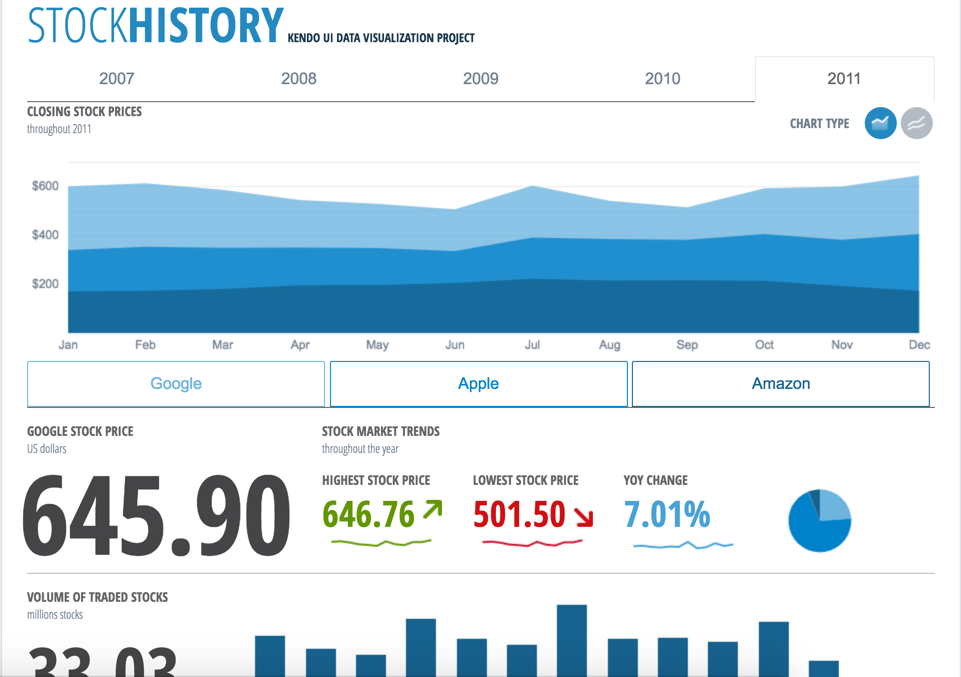
Screenshot of Our extensive library provides you with the tools you need to easily control your app and display data in whatever format you need. Our advanced Sass Themebuilder lets you take any of our stock library themes and modify it to precisely match your brand requirements. Enhance your customer’s user experience with seamlessly integrated Kendo UI components.Screenshot of Easily create eye-catching and full-featured user interfaces by selecting from our rich library of components. Use advanced features like our grid component to create tables that display data in a wide range of formats from both local and remote sources.  We support popular frameworks like jQuery, Angular, React, Vue, and others so you can integrate our Kendo UI components into whatever environment you choose.Screenshot of Create rich dashboard applications by taking advantage of the breadth of UI widgets available within the Kendo UI toolset. Easily wire up the UI widgets to any existing RESTful API and backend to display any and all kind of data that you need to surface in your applications.Screenshot of Combine existing HTML elements and styling alongside with the Kendo UI components to create the exact kind of user interface that your users are requesting. The Kendo UI widgets can be dropped in to any existing application and be added widget-by-widget to ensure that adding the rich Kendo UI components can be done in a timely manner without disrupting existing app dev workflows.