Polish company Landingi offers their landing page builder featuring drag and drop editor, a library of images and templates, optimization and collaboration tools, form creator and lead management system.
$29
per month
Leadpages
Score 5.7 out of 10
Small Businesses (1-50 employees)
Leadpages is a landing page software that helps to grow small businesses without tech headaches. Leadpages can be used with or without WordPress, on Leadpages' servers or on the user's own. Leadpages aims to eliminate the high cost of website developers and freelancers when creating a company's most important marketing web pages. Included in all plans: Unlimited landing pages, pop-ups, and alert bars for lead generation and sales Website builder for a…
$49
per month
WebWave
Score 9.5 out of 10
N/A
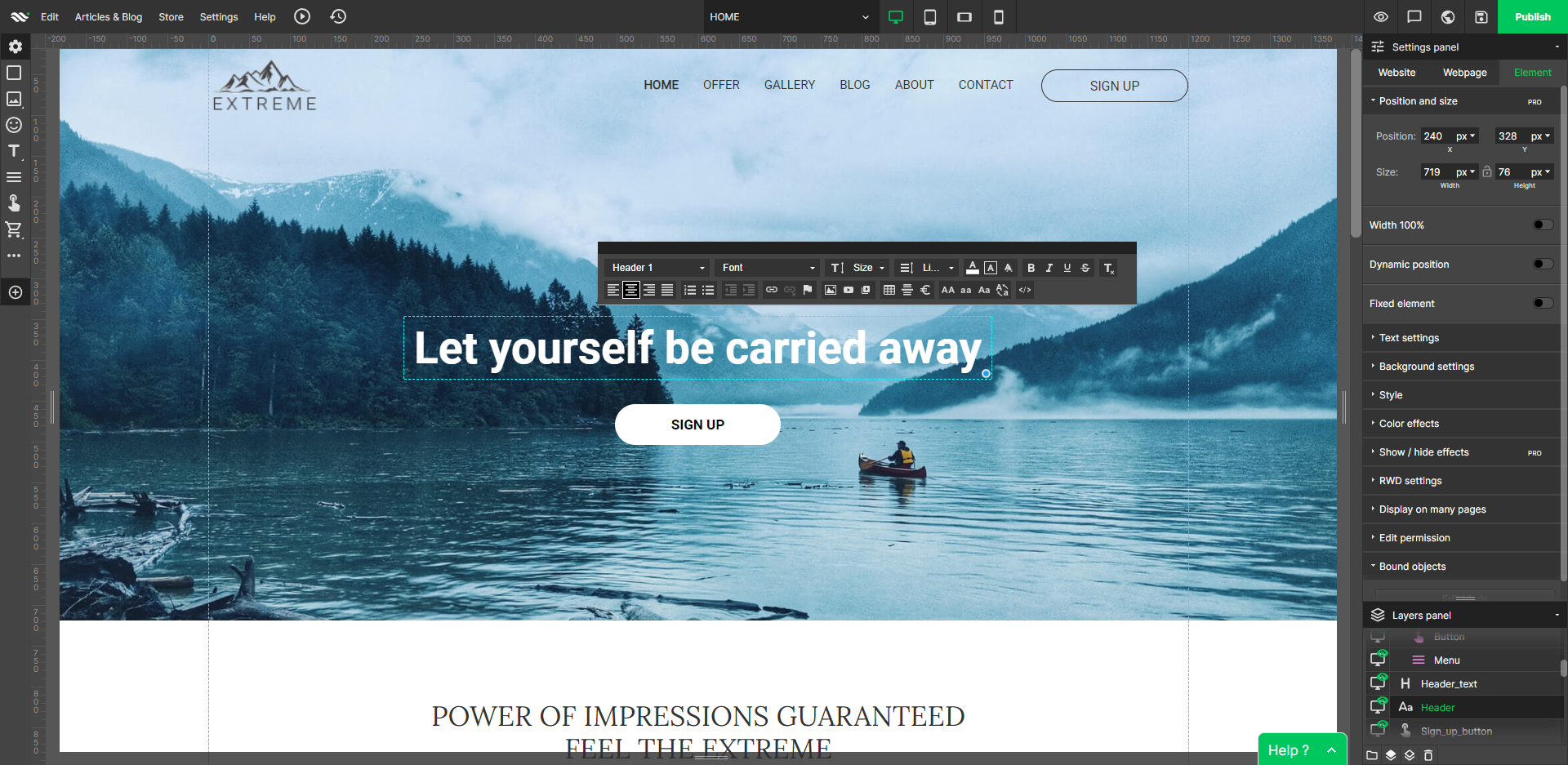
WebWave — an alternative for agencies and freelancers for creating custom websites for clients with the support of CMS. Using CMS with no sacrifices WebWave is a CMS platform that gives a designer precision up to 1 px in every single detail just like in more sophisticated graphic programs such as Photoshop while remaining a drag and drop software. This is to make creating websites much faster without loosing on details. Spend less time talking WebWave…
N/A
Pricing
Landingi
Leadpages
WebWave
Editions & Modules
Free
$0
per month
Lite
$29
per month
Professional
$49
per month
Agency
$149
per month
Unlimited
$1,000
per month
Standard
$49
per month
Pro
$99
per month
Advanced
$399
per month
Standard Annual
$444
per year
Pro Annual
$888
per year
No answers on this topic
Offerings
Pricing Offerings
Landingi
Leadpages
WebWave
Free Trial
Yes
Yes
Yes
Free/Freemium Version
Yes
No
Yes
Premium Consulting/Integration Services
Yes
Yes
Yes
Entry-level Setup Fee
No setup fee
No setup fee
$7 per month
Additional Details
—
Save 25% by choosing an annual plan (3 months free). Standard ($444), Pro ($888), Advanced (Call Us)
—
More Pricing Information
Community Pulse
Landingi
Leadpages
WebWave
Considered Multiple Products
Landingi
Verified User
Account Manager
Chose Landingi
I've never used a kind-for-kind alternative. Leadpages is generally the market leader, has way more features, and comes in at a much higher price point. Wix is for building rudimentary websites, and offers no integrations outside of their own ecosystem.
The landing page builder is more difficult to use than Leadpages but you have much more creative control over your designs. Landingi also offers more landing page design options for non-web based businesses where Leadpages caters more to online businesses looking to build …
As stated above, I found the appeal of the drag-and-drop editor went away quickly because I couldn't get the pages to look right across various platforms and devices. If that was a simpler process, I'd likely have kept the software.
Leadpages is the market leader so it was easy to go with them. I also started using them in 2016, when there were far fewer products on the market. Since then the landscape has become much more competitive, but I signed a 2 year contract at a time when there seemed to be a …
Landingi is well suited for someone who needs to put something up in a hurry, who doesn't need to know anything about web development, and for someone who doesn't need to share their pages on Facebook! Ultimately, given its price and feature set, it's more of a tool for solopreneurs or those just starting out. To me, Landingi is quite good as a "bargain" landing page builder, but I would probably recommend anyone who can afford it to choose a more polished builder.
It's great if you want an easy-to-use but extremely robust tool for producing effective online marketing pages since it makes production work enjoyable and inspires fresh creativity. It also offers wonderful split-testing capabilities which can enhance marketing results. But if you're looking for an out-of-the-box collection of standardized, one-size-fits-all marketing resources, you really might want to consider looking elsewhere.
Well suited: Small businesses and entrepreneurs: WebWave is an excellent option for small businesses and entrepreneurs who need a professional-looking website without spending a lot of time and money. It's easy to use, customizable, and offers fast load times and responsive design. Less appropriate: Large e-commerce websites: If you're looking to create a large e-commerce website with a vast number of products and advanced features, WebWave may not be the best option. Its e-commerce functionality is limited compared to other website builders, and it may not be able to accommodate the needs of a large-scale online store. Also, if you need much coding, you would rather have it with something that is wordpress-based.
Leadpages integrates well with many of the main software that businesses use like Infusionsoft, Hubspot, Marketo, Mailchimp, GoToWebinar, and Wordpress. This allows your landing pages to be integrated well into the other processes you have with your business.
Leadpages makes it easy to build professional looking landing pages without having to hire someone else or have coding skills. Their drag and drop builder makes it easy enough to use and get the hang of. I particularly love the hundreds of templates they provide for you to help give you ideas and get you going faster.
They also have a Leadbox function that has also been super useful in being able to get other types of forms up on our website. These forms provide some functionality that our website wouldn't have had without them.
WebWave's site builder is the platform's truly innovative feature. I've never come across another service that deploys a layer-based approach in web design, as most of them usually deploy a grid-based system. This is an incredible alteration that ensures WebWave behaves much like a traditional graphic design tool, thereby resulting in an experience that is a lot more intuitive and instinctive. I believe this has the potential to radically change the way people approach no-code web design.
WebWave provides automatic, daily backups and a free SSL certificate for every website. This results in excellent security.
WebWave's support team is first-class! I had some teething-issues in the beginning, but the support team quickly got me back on track.
WebWave's community/forum is an excellent place to vote and request new features. This proves the development team is committed to making WebWave better by listening to their users.
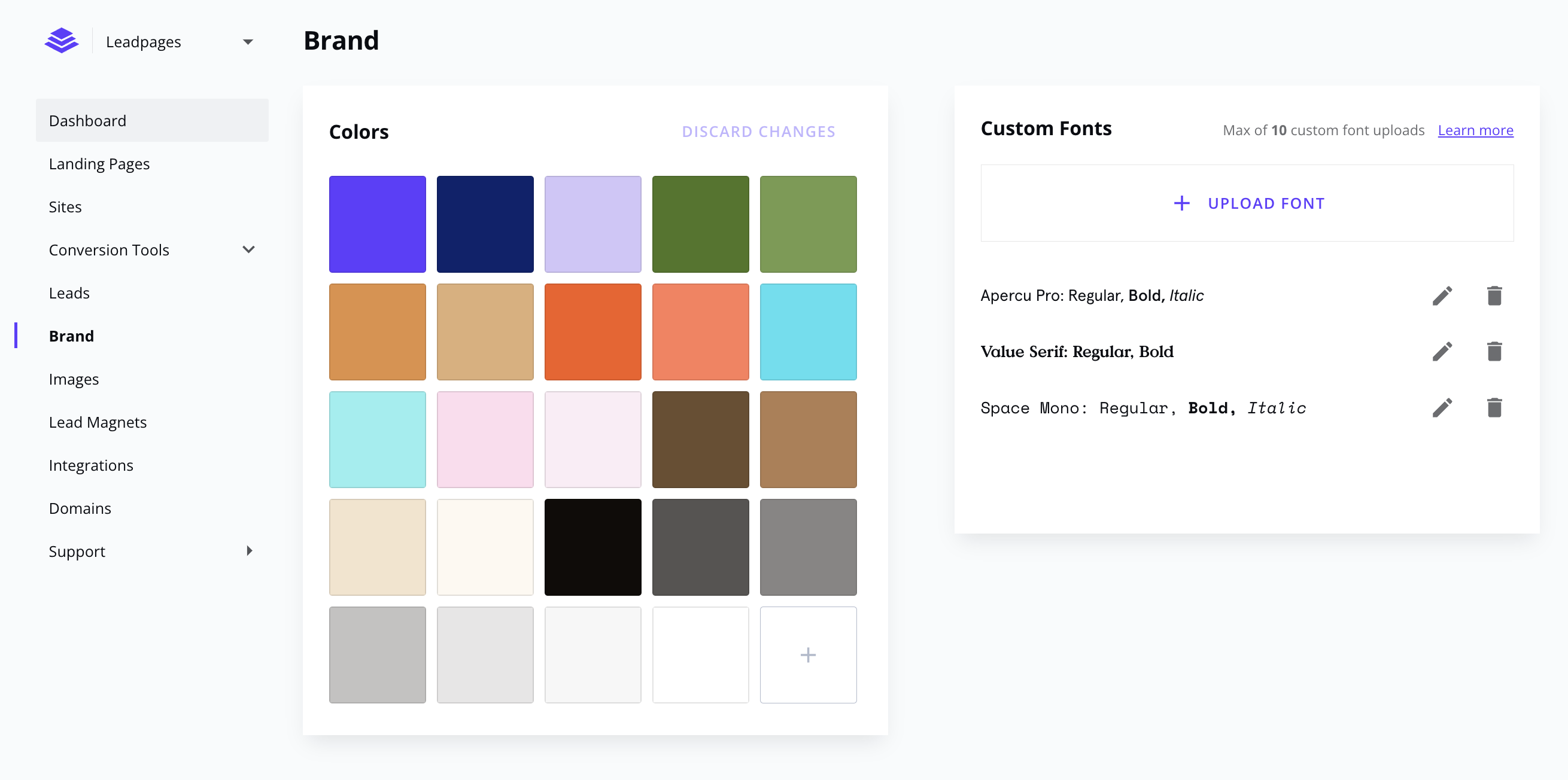
Some powerful features are left out of the Core plan that would be nice to be included (such as custom fonts and icons) - while Landingi needs to have incentives to get users to upgrade plans, it does add to the barrier to entry for smaller businesses who can't afford the larger plans right away.
While most of the editing functions are easy to figure out, some of the finer details to get spacing, sizing, alignment and layout just right can take some trial and error if you don't have formal training in the tool. A lot of the editing tools are collapsed into sections, and finding just what you're looking for can sometimes be a challenge.
I don't believe the version we used had a page optimizer or optimization score, which I have seen on other landing page builders. This may be a feature of a more premium version of the tool or may have been turned off by the product manager, but it would be a helpful feature.
Some scope for improvement in UX (colors are not very appealing). It is simple to use but design is a little dated. Especially in the builder section, I'd like to see modern design for buttons and maybe gradients also: as this is where visual motivation is also important
Some edits take effect only after pressing OK. That should be eliminated as it's an unnecessary addition. It's also kind of annoying to do that again and again, which can add up to a lot as we do so many small tweaks while building the website.
Few things (maybe glitches) in design. The rectangle below the footer was uneditable for me. I spent quite some time trying to figure it out so I'm convinced it's a glitch.
I would give it a 10, for me, I love all the features. For the average person, the number of choices on a landing page could create a decision paradox. Thankfully the pre-designed landing page templates do not require a lot of decisions for a landing page newbie.
I haven't ever reached out to Landingi support, so I really don't know what their support is like. I just didn't want to give them a lower score since I don't know how good or bad it is. They've created a great product and I haven't had any bugs or issues, and have been able to figure out how to utilize the features I'm interested in by messing around with the interface or looking at their blog posts/updates.
Leadpages support is helpful, they also created many resources to help people create good funnels and learn about small things that matter when doing marketing. The affiliate program is good and could be something which pays for your subscription. People like Leadpages because its been recommended by many influencers participating in affiliate program and also because it just works without problems and does the job. But right now alternatives should be taken in consideration, as there are many other projects that could do it better and cheaper.
1. The support person does not seem to understand the issues, and seems like they go off to talk to somebody and revert back every 5 to 10 minutes. It takes up a lot of time. 2. There is a lack of reading material to address simple issues like changing the website name in the dashboard, pasting a code, etc.
Landingi is more affordable and overall easier to use than ClickFunnels and, in my opinion, just as effective for most companies. As an agency, we have found great value in using a tool that is more affordable and super-fast. Overall, Landingi allows us to put pages up fast, get leads fast and optimize conversions with a couple of clicks.
I have used Mailchimp for clients, and use ActiveCampaign personally for my email marketing and have used it for clients, but prefer Leadpages for the frontend of the opt-in process because of its analytics and performance metrics. Leadpages makes it super easy to see what's performing well, without having to dive into Google Analytics or aggregate any other data. Leadpages also integrates really well with WordPress, my primary platform, with opt-in forms (wayyyy better than Mailchimp).
WordPress is a more flexible and adaptive content management system than Webwave. In addition to the functionalities that are already built-in, I am unable to add any customizable plugins or add-ons. However, in the majority of cases, the inherent features of Webwave are sufficient for developing a website that serves its intended purpose. Webwave also makes it possible for you to add animations and the appearance of each of your design elements, whereas WordPress builders require additional plugins in order for users to access most of such capabilities. Webwave has several essential design features available internally, thus saving money and time.
Quickly im[roves the number of leads received daily
We fell more confident about our page designs because they offer the option to built a secondary page deign to be tested (A/B test), so the page that converts better stays.
Our clients are very happy with the page built with Landingi, as well as the conversion, improving our client retention.
Leadpages, as long as you have it set up properly, will have a quick ROI within days of your first campaign.
For those that are not familiar, it is probably best to hire someone to take over this part and still your ROI will be very quick, including the cost of this professional.
Overall, Leadpages has a very fast ROI if used and implemented in a timely manner, and used to constantly evolve what you are doing with new fresh content.