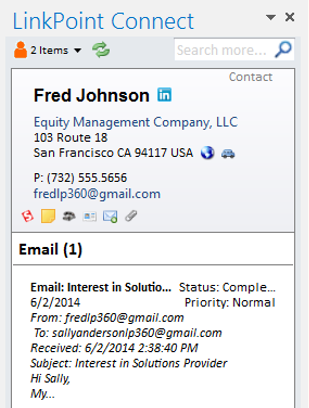
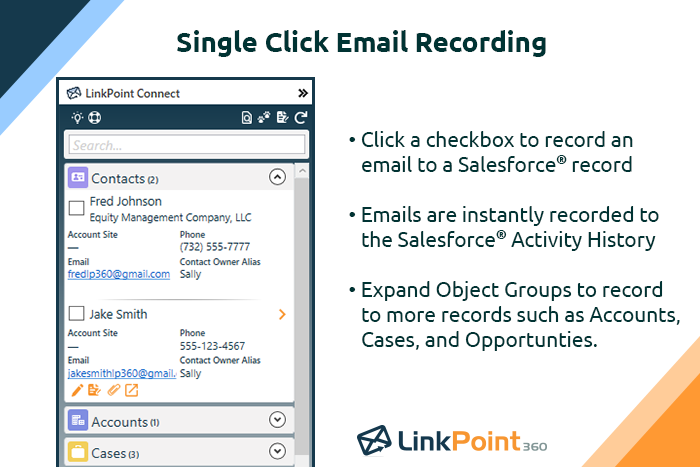
LinkPoint Connect promises to streamline data entry and access by enabling users to instantly view CRM data within their email client. This sales intelligence solution integrates Salesforce and Microsoft Dynamics CRM data in Outlook or IBM Notes. According to the vendor, key capabilities include: View real-time Salesforce data without ever leaving your email. Click on an email, and the LinkPoint Connect Side Panel instantly displays that contact’s information directly from…
$192
per user, per year
Yesware
Score8.3 out of 10
N/A
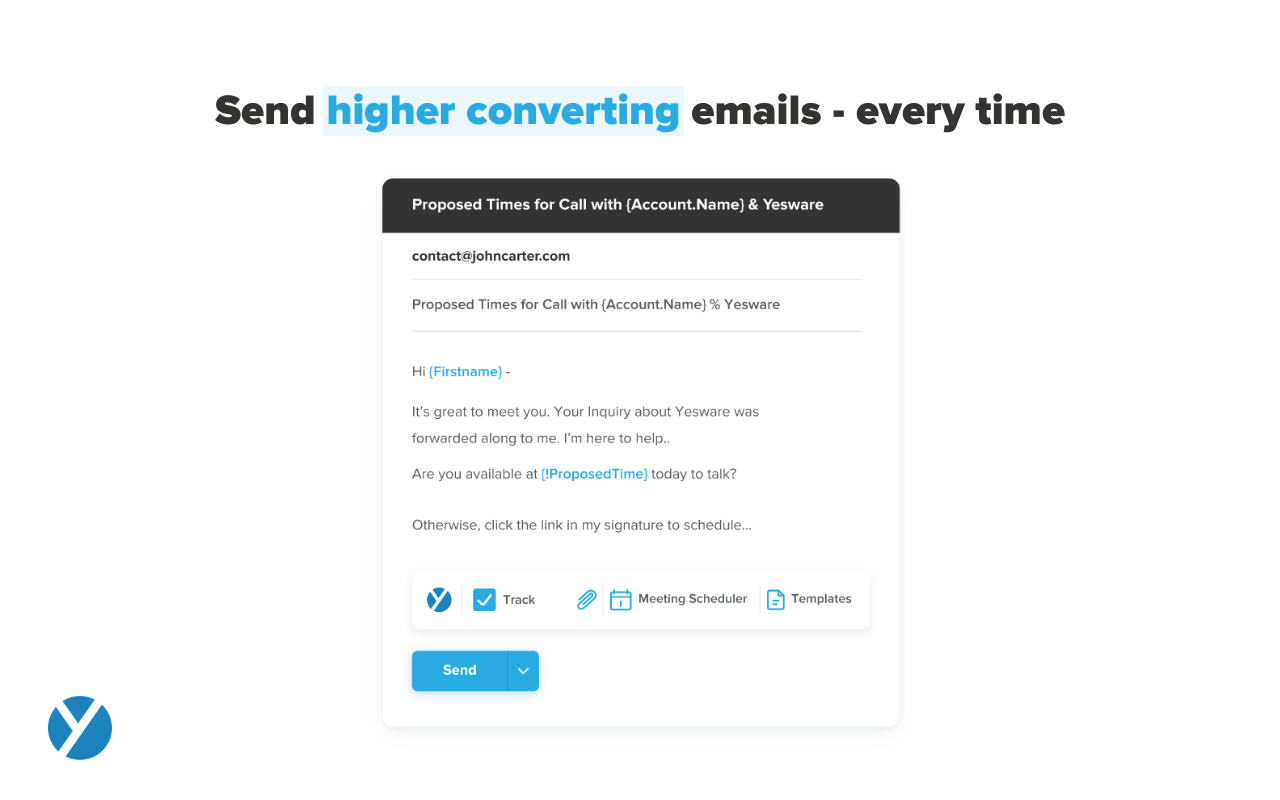
Yesware, from Vendasta since the October 2022 acquisition, is a service for salespeople that helps them close deals faster. An email service tracks email, templates responses and syncs to CRM.
$19
per month
Pricing
LinkPoint Connect
Yesware
Editions & Modules
LinkPoint Connect for Outlook + Salesforce
$192
per user, per year
LinkPoint Connect for Outlook + Microsoft Dynamics CRM
$192
per user, per year
LinkPoint Connect for IBM Notes + Salesforce
$228
per user, per year
LinkPoint Connect for IBM Notes + Microsoft Dynamics CRM
$228
per user, per year
Pro
$19
per month
Premium
$45
per month
Enterprise
$85
per month
Offerings
Pricing Offerings
LinkPoint Connect
Yesware
Free Trial
Yes
Yes
Free/Freemium Version
No
Yes
Premium Consulting/Integration Services
Yes
Yes
Entry-level Setup Fee
$16 per user per year
No setup fee
Additional Details
Subscriptions are billed annually. Discounts available for non-profits. Volume discounts available. LinkPoint Connect Solutions are available for Outlook and IBM Notes users. These include preconfigured implementations for Advologix, Apto, Apttus, FinancialForce.com, Jobscience, Navatar, Pardot, Salesforce Shield, and TaskRay.
LinkPoint is well suited to any situation where Outlook is used for email correspondence and calendar items and there is need to have a record of those items and/or perform connected actions (schedule tasks, follow up reminders, etc.) in Salesforce. Automating this process and removing as much duplication of work as possible is the primary goal and the primary benefit that LinkPoint provides. In addition to efficiency, automating the process also provides a pretty substantial increase in accuracy, removing ca. 50% of the chance for human error. It's pretty simple functionality in concept, but extremely valuable in execution.
A de minimis incentive was given to thank the reviewer for their time. The incentive was not used to bias or drive a particular response, nor was the incentive contingent on a positive endorsement. More Info
It works for my company and my problems. If you need a Sales CRM you can go for higher-end products that will give you what Yesware gives along with other stuff. Wherein we had specific problems we wanted to solve. -We needed a solution for a smaller team within our bigger sales team. -We needed a solution to be easy to use point and click and did not require any setup. -We needed to have a better solution to YAMM.
A de minimis incentive was given to thank the reviewer for their time. The incentive was not used to bias or drive a particular response, nor was the incentive contingent on a positive endorsement. More Info
A de minimis incentive was given to thank the reviewer for their time. The incentive was not used to bias or drive a particular response, nor was the incentive contingent on a positive endorsement. More Info
Tracking open rates, link click rates, and reply rates. This allows us to compare different templates in order to see which allows for the most interactions and meetings set directly from email engagement.
Seeing exactly when someone opens an email and whether it is in their normal location. Also if they are opening on a mobile device versus a computer to be able to organize the set up of the email in a more beneficial way.
Being able to save Templates for Mail Merges to avoid the duplication of effort that other mass email systems utilize.
A de minimis incentive was given to thank the reviewer for their time. The incentive was not used to bias or drive a particular response, nor was the incentive contingent on a positive endorsement. More Info
A de minimis incentive was given to thank the reviewer for their time. The incentive was not used to bias or drive a particular response, nor was the incentive contingent on a positive endorsement. More Info
The ability to unwrap iframe embeds on email (e.g. if I send a Vimeo link over email, have that video thumbnail show and link out to a video)
Removing recipients from a campaign. If my ruleset is to remove a contact from a sequence after he/she replies, sometimes a person will reply from another email and Yesware doesn't recognize it. (e.g. if I add jeff@amazon.com to my campaign and jeff.bezos@amazon.com replies to my thread, Yesware will still send an email to jeff@amazon.com unless he is manually removed)
A de minimis incentive was given to thank the reviewer for their time. The incentive was not used to bias or drive a particular response, nor was the incentive contingent on a positive endorsement. More Info
I like the product, but due to the limitations I don't love it. I'm curious to revisit other options, particularly in lieu of Yesware's recent price increases (although I'm on a legacy plan). Some of my challenges to be browser related (I'm on an older computer) -- I'll have to see how things go when I receive my new computer. If the glitches (especially with regard to tracking accuracy and send later feature) go away, I'd be much more inclined to renew
Yesware is easy to setup and get connected in existing systems. We were able to get started sending the day we puchased our subscription because of the addon for Gmail and easy connection to our CRM. It's also very easy to use in the day to day, kicking off campaigns and seeing their status to as about as easy as it gets. I have not concerns about usability
A de minimis incentive was given to thank the reviewer for their time. The incentive was not used to bias or drive a particular response, nor was the incentive contingent on a positive endorsement. More Info
A de minimis incentive was given to thank the reviewer for their time. The incentive was not used to bias or drive a particular response, nor was the incentive contingent on a positive endorsement. More Info
Because it deserves this rating. The features and functionality provided are great. Our Sales team is very satisfied with this software as it integrates very well with our other software like Outlook, Salesforce, etc. Yesware provides great follow up with customers, which is essential for sales. Meeting scheduling is also flawless.
A de minimis incentive was given to thank the reviewer for their time. The incentive was not used to bias or drive a particular response, nor was the incentive contingent on a positive endorsement. More Info
Prior to our move to LinkPoint, we used the Salesforce add-in for Outlook. This required manual syncing of email and calendar items and no easy to use interface between the two programs. It was very cumbersome for me to use, to the point where I quit using it altogether some time ago. I found it far less frustrating to just switch back and forth between Outlook and Salesforce and manually perform the requisite actions, create tasks or other items, enter the required data, etc.
A de minimis incentive was given to thank the reviewer for their time. The incentive was not used to bias or drive a particular response, nor was the incentive contingent on a positive endorsement. More Info
All of these tools do what Yesware does, and more; but Yesware does the follow-up email portion best, in my experience. It is reasonably priced and is regularly adding new functionality to make it a sticky license for us to have. Yesware does not have predictive analytics or a particularly strong dialer solution, but it does provide team-wide and template efficacy tracking, and a basic dialer.
A de minimis incentive was given to thank the reviewer for their time. The incentive was not used to bias or drive a particular response, nor was the incentive contingent on a positive endorsement. More Info
A de minimis incentive was given to thank the reviewer for their time. The incentive was not used to bias or drive a particular response, nor was the incentive contingent on a positive endorsement. More Info
I think net positive ROI from generating meetings that lead to closed deals. Ultimately very difficult to quantify the ROI since it is essentially automating a lot of the manual prospecting done by BDRs/AEs - so ROI is likely higher than just that quantifiable number around deals closed.
A de minimis incentive was given to thank the reviewer for their time. The incentive was not used to bias or drive a particular response, nor was the incentive contingent on a positive endorsement. More Info