
Ole Christian Valstad
Senior Data Scientist and BI Expert
Chose Logi Symphony
We choose Dundas mainly because:
- Dashboard flexibility
- Data preparation features
- Dashboard flexibility
- Data preparation features

| Product | Rating | Most Used By | Product Summary | Starting Price |
|---|---|---|---|---|
 Logi Symphony | N/A | Logi Symphony is a business intelligence and data visualization software that includes customizable dashboards, reporting, and visual data analytics. It can be integrated into users’ existing business applications and its visualization and reporting tools can be customized. | N/A | |
 SAS Visual Analytics | Enterprise companies (1,001+ employees) | SAS Visual Analytics provides a complete platform for analytics visualization, enabling users to identify patterns and relationships in data that weren't initially evident. Interactive, self-service BI and reporting capabilities are combined with out-of-the-box advanced analytics so everyone can discover insights from any size and type of data, including text. | $0 Annual By Users: 5, 10, 20 | |
 Yellowfin | Mid-Size Companies (51-1,000 employees) | Yellowfin is a cloud-based business intelligence and dashboarding platform. | $250 per month |
| Logi Symphony | SAS Visual Analytics | Yellowfin | ||||||||||||||||||||||
|---|---|---|---|---|---|---|---|---|---|---|---|---|---|---|---|---|---|---|---|---|---|---|---|---|
| Editions & Modules | No answers on this topic |
| No answers on this topic | |||||||||||||||||||||
| Offerings |
| |||||||||||||||||||||||
| Entry-level Setup Fee | No setup fee | No setup fee | Optional | |||||||||||||||||||||
| Additional Details | — | SAS Visual Statistics and SAS Office Analytics are also available as add-ons. | — | |||||||||||||||||||||
| More Pricing Information | ||||||||||||||||||||||||
| Logi Symphony | SAS Visual Analytics | Yellowfin | |
|---|---|---|---|
| Considered Multiple Products |  Logi Symphony Ole Christian Valstad Senior Data Scientist and BI Expert Chose Logi Symphony We choose Dundas mainly because: - Dashboard flexibility - Data preparation features  Joseph R. Sweeney Senior Analyst Chose Logi Symphony We were comparing Dundas BI against several other programs and eventually decided to go with Oracle as we were already using a host of their other products. Dundas was just as robust, we were just using more Oracle products and they all fit together very smoothly.  Gavin Steinberg Managing Director Chose Logi Symphony It is much more powerful to build more interactive and feature rich dashboards. Most of the above are great at ad hoc analysis but not for providing a full feature and rich guided dashboard experience. Dundas BI is great to build a suite of dashboards and easy to deploy …  Mat King, MBA, PMP Business Software Support and Development (BSSD) Manager Chose Logi Symphony Dundas BI stacks up well in functionality with all contenders that where evaluated. Where Dundas BI really provided value was with taking the level of functionality with the license structure. This pushes the value structure squarely toward Dundas BI. | SAS Visual Analytics No answer on this topic |  Yellowfin No answer on this topic |
| Logi Symphony | SAS Visual Analytics | Yellowfin | |||||||||||||||||||||||||||
|---|---|---|---|---|---|---|---|---|---|---|---|---|---|---|---|---|---|---|---|---|---|---|---|---|---|---|---|---|---|
| BI Standard Reporting |
| ||||||||||||||||||||||||||||
| Ad-hoc Reporting |
| ||||||||||||||||||||||||||||
| Report Output and Scheduling |
| ||||||||||||||||||||||||||||
| Data Discovery and Visualization |
| ||||||||||||||||||||||||||||
| Access Control and Security |
| ||||||||||||||||||||||||||||
| Mobile Capabilities |
| ||||||||||||||||||||||||||||
| Application Program Interfaces (APIs) / Embedding |
|
| Logi Symphony | SAS Visual Analytics | Yellowfin | |
|---|---|---|---|
| Small Businesses | Yellowfin Score 8.7 out of 10 | Yellowfin Score 8.7 out of 10 | Logi Symphony Score 8.9 out of 10 |
| Medium-sized Companies |  Reveal Score 10.0 out of 10 | Reveal Score 10.0 out of 10 | Reveal Score 10.0 out of 10 |
| Enterprises |  Kyvos Semantic Layer Score 9.5 out of 10 | Kyvos Semantic Layer Score 9.5 out of 10 |  Infor Birst Score 6.4 out of 10 |
| All Alternatives | View all alternatives | View all alternatives | View all alternatives |
| Logi Symphony | SAS Visual Analytics | Yellowfin | |
|---|---|---|---|
| Likelihood to Recommend | 8.3 (52 ratings) | 9.0 (17 ratings) | 8.6 (15 ratings) |
| Likelihood to Renew | 7.0 (1 ratings) | 9.3 (3 ratings) | - (0 ratings) |
| Usability | 8.0 (6 ratings) | 6.0 (1 ratings) | 8.4 (10 ratings) |
| Availability | - (0 ratings) | - (0 ratings) | 9.1 (1 ratings) |
| Performance | - (0 ratings) | - (0 ratings) | 8.2 (1 ratings) |
| Support Rating | 8.8 (11 ratings) | 8.0 (3 ratings) | 5.6 (7 ratings) |
| In-Person Training | - (0 ratings) | - (0 ratings) | 9.1 (1 ratings) |
| Online Training | - (0 ratings) | - (0 ratings) | 8.2 (1 ratings) |
| Implementation Rating | 7.3 (1 ratings) | - (0 ratings) | 9.1 (1 ratings) |
| Configurability | - (0 ratings) | - (0 ratings) | 8.2 (1 ratings) |
| Ease of integration | - (0 ratings) | - (0 ratings) | 9.1 (1 ratings) |
| Product Scalability | - (0 ratings) | - (0 ratings) | 8.2 (1 ratings) |
| Vendor post-sale | - (0 ratings) | - (0 ratings) | 9.1 (1 ratings) |
| Vendor pre-sale | - (0 ratings) | - (0 ratings) | 9.1 (1 ratings) |
| Logi Symphony | SAS Visual Analytics | Yellowfin | |
|---|---|---|---|
| Likelihood to Recommend | Insightsoftware, Inc
| SAS
| Idera, Inc.
 Luis Alcalá Senior Manager, HR Planning & Talent Management |
| Pros | Insightsoftware, Inc
 James Davis System Architect | SAS
 Raman Ahuja Associate Consultant | Idera, Inc.
 Samir Kumar Sahoo Co-Founder & Chief Executive |
| Cons | Insightsoftware, Inc
 Ric Ravier Cloud Advisor | SAS
 Tapan Jain Data Analyst | Idera, Inc.
|
| Likelihood to Renew | Insightsoftware, Inc No answers on this topic | SAS
 Nicole Jagusztyn Institutional Research Officer | Idera, Inc. No answers on this topic |
| Usability | Insightsoftware, Inc
| SAS
Raman Ahuja Associate Consultant | Idera, Inc.
|
| Reliability and Availability | Insightsoftware, Inc No answers on this topic | SAS No answers on this topic | Idera, Inc.
Samir Kumar Sahoo Co-Founder & Chief Executive |
| Support Rating | Insightsoftware, Inc
| SAS
Nicole Jagusztyn Institutional Research Officer | Idera, Inc.
|
| In-Person Training | Insightsoftware, Inc No answers on this topic | SAS No answers on this topic | Idera, Inc.
Samir Kumar Sahoo Co-Founder & Chief Executive |
| Online Training | Insightsoftware, Inc No answers on this topic | SAS No answers on this topic | Idera, Inc.
Samir Kumar Sahoo Co-Founder & Chief Executive |
| Implementation Rating | Insightsoftware, Inc
 Luis Silva BI developer and consultant | SAS No answers on this topic | Idera, Inc.
Samir Kumar Sahoo Co-Founder & Chief Executive |
| Alternatives Considered | Insightsoftware, Inc
 George Robbins Integration/Analytics Consultant | SAS
| Idera, Inc.
|
| Scalability | Insightsoftware, Inc No answers on this topic | SAS No answers on this topic | Idera, Inc.
Samir Kumar Sahoo Co-Founder & Chief Executive |
| Return on Investment | Insightsoftware, Inc
| SAS
 suva sahu Project Lead | Idera, Inc.
|
| ScreenShots | Logi Symphony Screenshots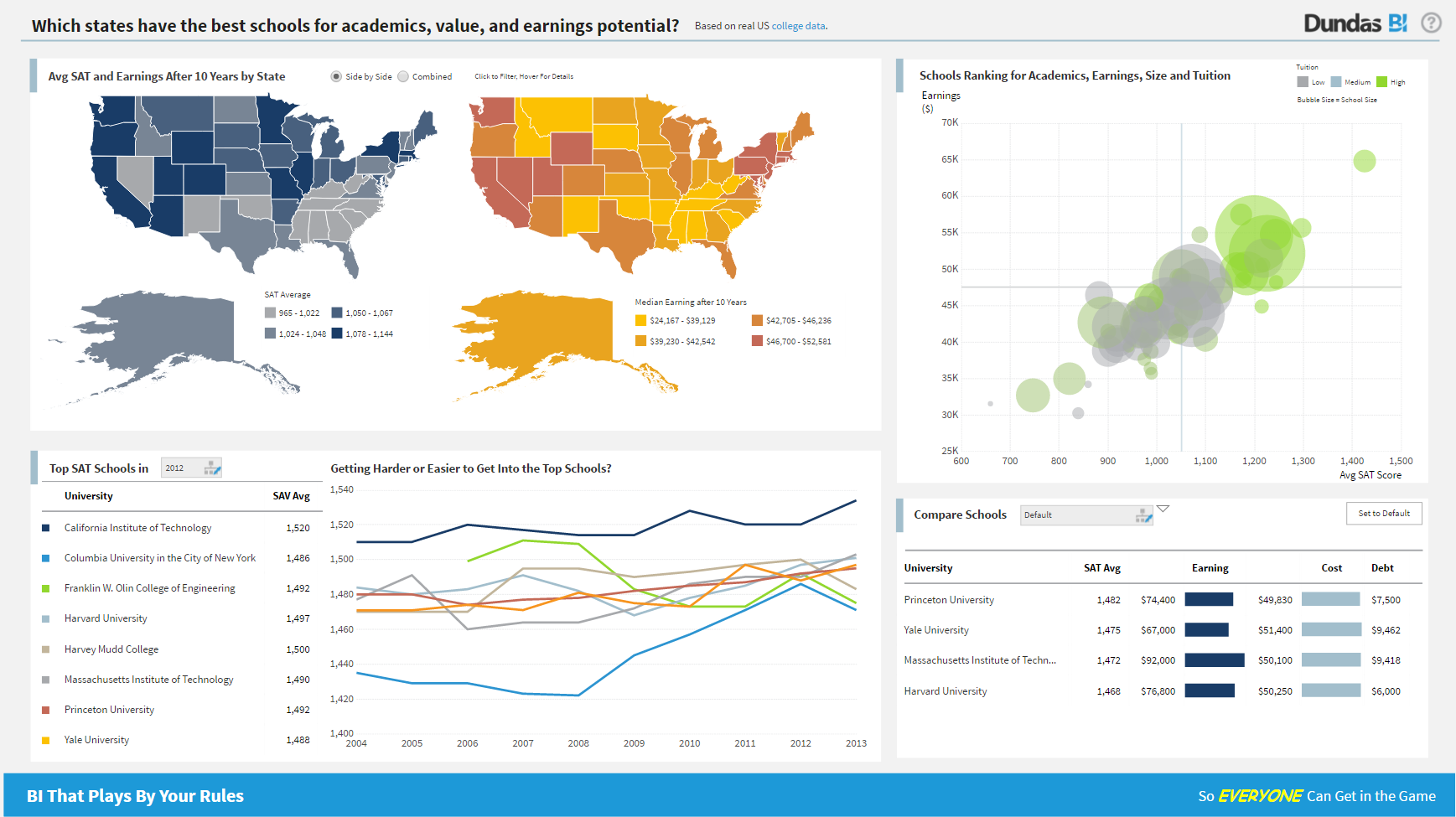 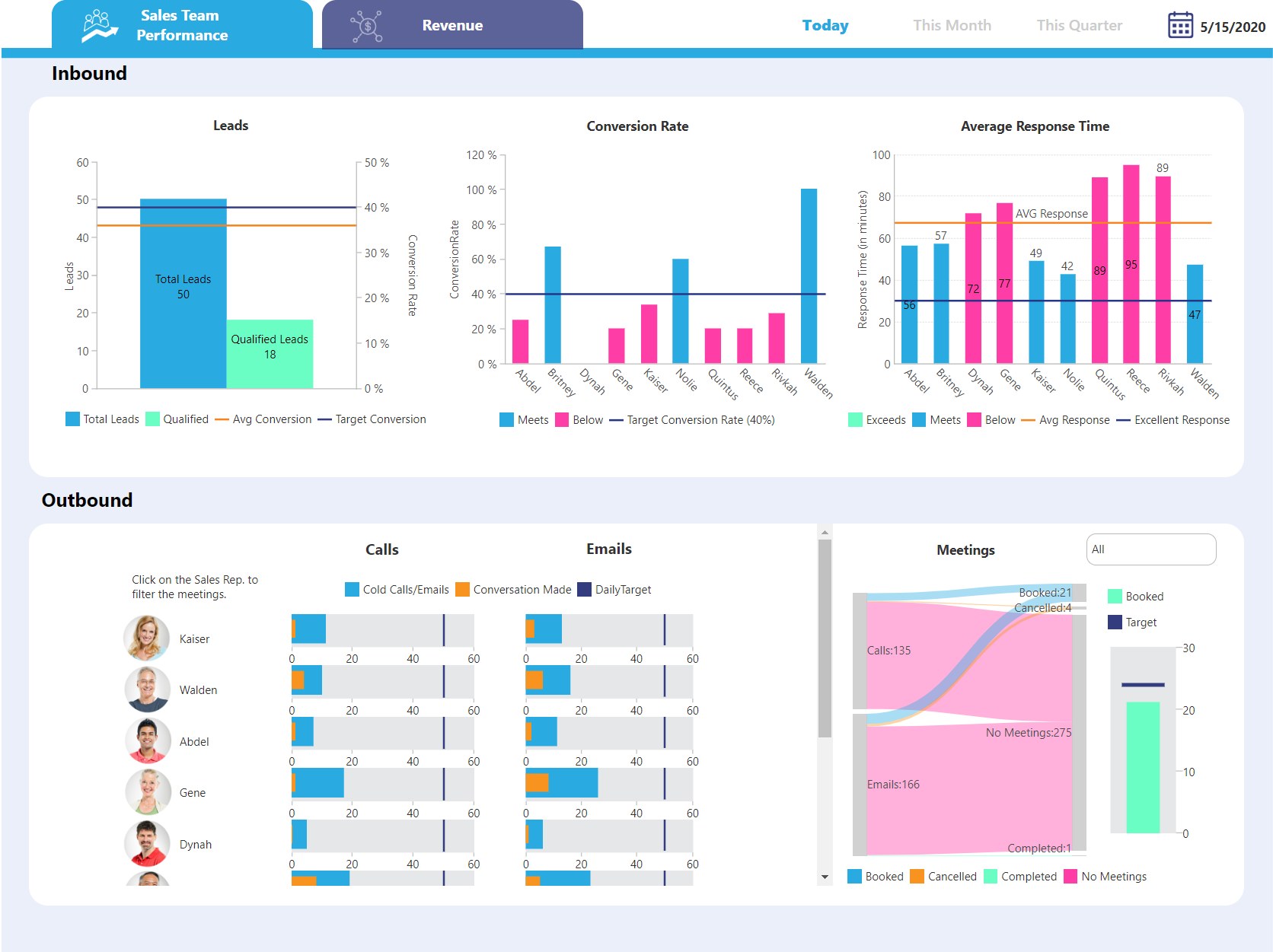  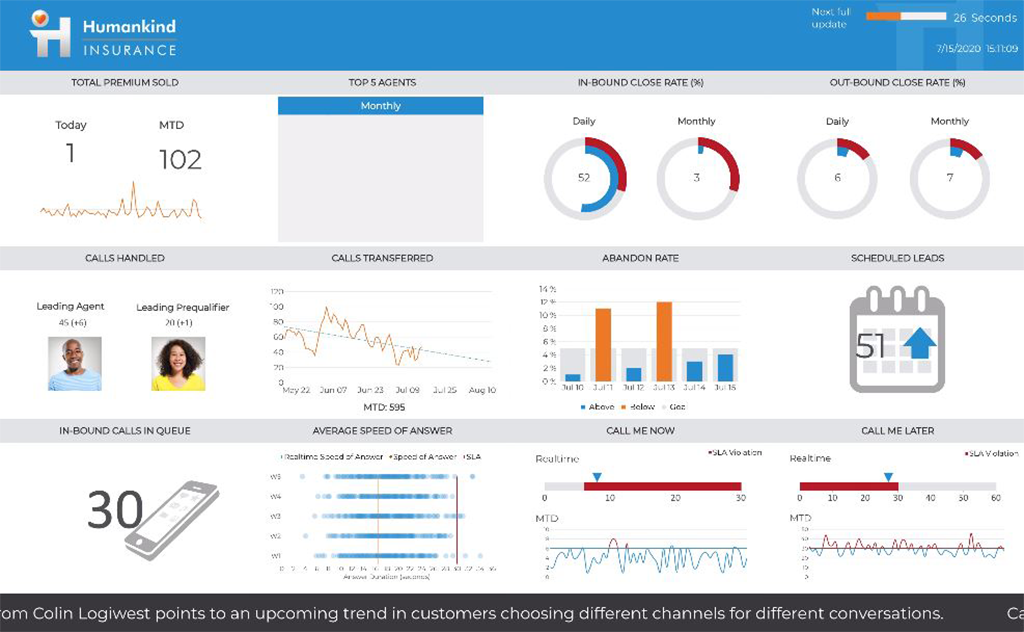   | SAS Visual Analytics Screenshots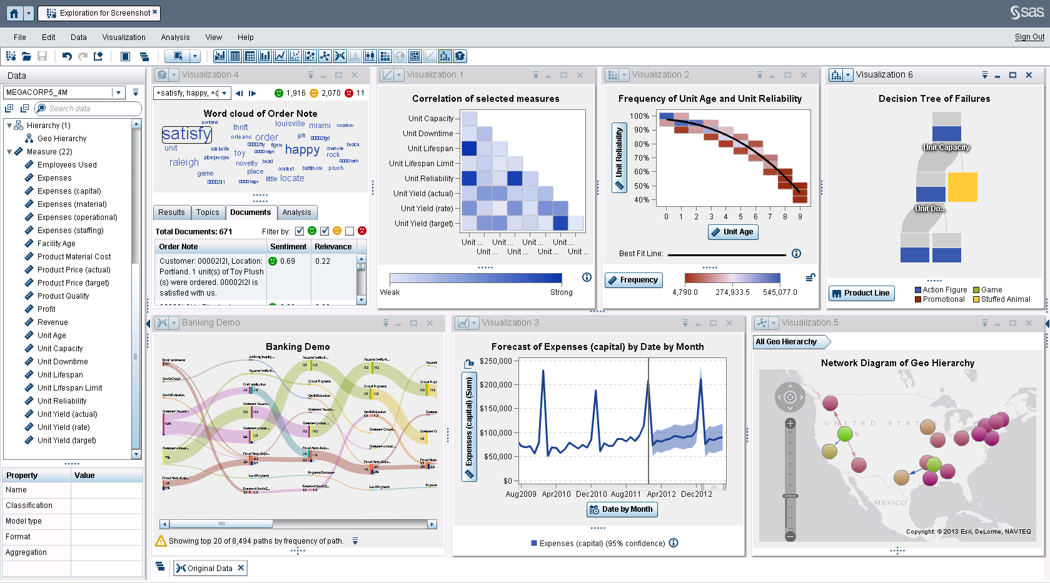 | Yellowfin Screenshots     |
