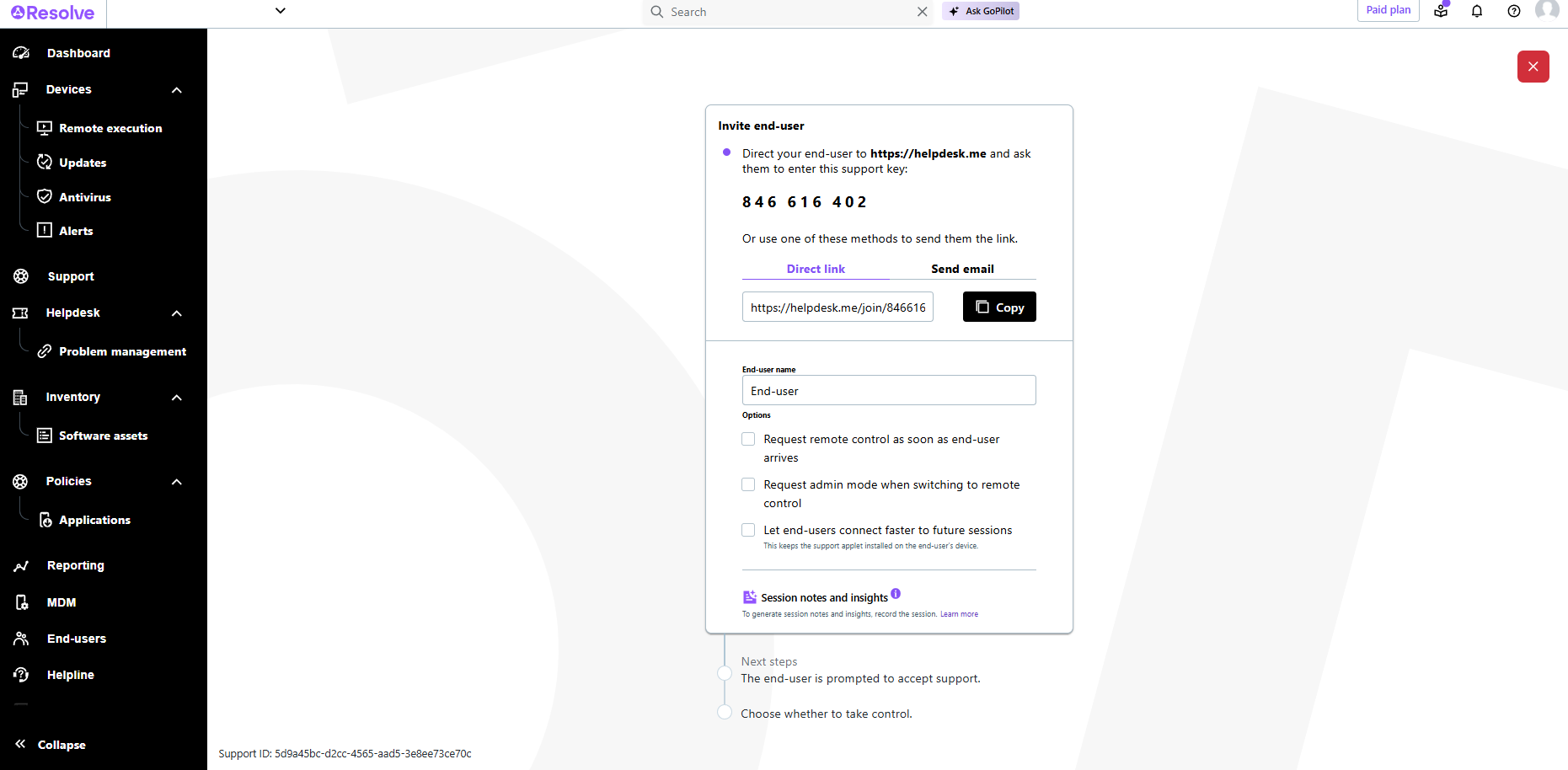
LogMeIn Resolve is an IT management and support solution designed to help organizations take control of their IT infrastructure. The platform combines features like remote monitoring, access, and support with tools such as ticketing, AI-assisted task automation, and patch management.
$29
per month
Verint Workforce Engagement (discontinued)
Score6.9 out of 10
N/A
Verint Workforce Engagement (formerly Workforce Optimization) was a suite of software, combines workforce management capabilities and analytics. The suite included Verint Knowledge Management, Verint Automated Quality Management (for agent improvement), and speech analytics capabilities.
The product is discontinued.
N/A
Pricing
LogMeIn Resolve
Verint Workforce Engagement (discontinued)
Editions & Modules
Starter
$29
per month
Growth
$55
per month
Advanced
$78
per month
Premium Endpoint Management
$78
per month
Complete
$94
per month
No answers on this topic
Offerings
Pricing Offerings
LogMeIn Resolve
Verint Workforce Engagement (discontinued)
Free Trial
Yes
No
Free/Freemium Version
No
No
Premium Consulting/Integration Services
No
No
Entry-level Setup Fee
No setup fee
No setup fee
Additional Details
Volume discounts are available. MDM is available as a standalone or as an add-on. Discount available for annual billing.
LogMeIn is well-suited for scenarios where remote support is needed. For example, a user submits a ticket about having an issue with Microsoft Word being unable to open documents on their PC. Since this is just a software issue on the device, LogMeIn is great for being able to fix the issue. Scenarios, I would say LogMeIn Resolve is not as well-suited for inventory management. But that's only because my organization has a proprietary system to manage assets.
A de minimis incentive was given to thank the reviewer for their time. The incentive was not used to bias or drive a particular response, nor was the incentive contingent on a positive endorsement. More Info
On a whole Verint WFO is well suited to our business, it provides exactly what we need for forecasting & scheduling along with an very intuitive holiday booking system, throw in the adherence piece and score cards that are available all in all the system is very robust. It is easy to use once you've received the proper training provided by Verint and they are always on hand to support when issues arise, but in the last 5 years I have had roughly 4 issues and 1 of those was my own mistake and not the system so I think that is a strong point for them.
A de minimis incentive was given to thank the reviewer for their time. The incentive was not used to bias or drive a particular response, nor was the incentive contingent on a positive endorsement. More Info
Allows easy, comprehensive access to Apple products via web-based applet. (It does require customer input and cooperation.)
It allows me to resolve issues remotely, most times within minutes instead of hours, without a physical location visit.
It allows the customer to view my activity, giving them peace of mind that nothing untoward occurs during my interaction. I also use the record feature so all sessions are recorded, especially on rare occasions when there is an issue or question from the session.
A de minimis incentive was given to thank the reviewer for their time. The incentive was not used to bias or drive a particular response, nor was the incentive contingent on a positive endorsement. TR verified that a representative sample of customers was invited. More Info
Verint Workforce Optimization has the ability to schedule blended shifts, e.g. agents could theoretically be on chats in the morning, phones for an hour after lunch, then back on chats in the afternoon.
Automated task scheduling - educated planning.
We'll be able to automate the scheduling of meetings, training, or coaching without impacting service levels. For team leaders, this will alleviate the need to guess the most appropriate timings.
Scorecard reporting –Visibility over performance.
Scorecards are a ‘one-stop-shop’ to view individual performance. They allow for performance-based data capture and reporting, giving greater transparency and access to data on performance at an agent level.
A de minimis incentive was given to thank the reviewer for their time. The incentive was not used to bias or drive a particular response, nor was the incentive contingent on a positive endorsement. More Info
The user interface is clunky and difficult to use in terms of CRITICAL functions that lie at the core of any remote access solution.
ctrl + key combos are currently terribly implemented and difficult to use - since this is one of the most common keys used in Windows - this presents MASSIVE usability issues that impede my workflow all day every single day.
And now - in a recent development - SHIFT + key combos are currently terribly implemented and difficult to use - since this is one of the most common keys used in Windows - this presents MASSIVE usability issues that impede my workflow all day every single day.
Things like frequently used key combos and shortcuts should work the same via remote access solutions as they do on a hardware keyboard. Anything else is an annoyance and an impediment to workflow and productivity.
A de minimis incentive was given to thank the reviewer for their time. The incentive was not used to bias or drive a particular response, nor was the incentive contingent on a positive endorsement. More Info
I think the system needs better documentation, hard to find all the features and where to configure things
I think the system should come with all the plugs in upgrades they change you extra for, a little to much nickel and dimeing on getting all the needed features
Email notifications for out of adherence were sometimes inconsistent, and this was not fixed with all the different upgrades and patches on WFM version 10.1
I would say yes, we would definitely renew, everyone likes it in the IT dept, and there are more features we have yet to put to use. I am expanding the Windows update / Endpoint features as I get time, and the remote PowerShell console is unbeatable for me at present when facing remote computers that are not letting create a new remote PSSession.
A de minimis incentive was given to thank the reviewer for their time. The incentive was not used to bias or drive a particular response, nor was the incentive contingent on a positive endorsement. More Info
Honestly, from what I hear from other industry experts, other WFO systems have the same support issues we have with Verint. We know the product and the system is maturing and becoming more stable. The business has no issue with the Verint product and is seeking to grow not only what we have in place today, but are very interested in other products, such as BackOffice Analytics, that Verint has to offer. I would just love to see a stronger partnership with Avaya.
The interface is clean, intuitive, and easy to navigate. Common actions are easy to locate and exactly where I would expect them to be. Starting a remote session is quick and smooth, which reduces the time users need to wait before receiving support. I also appreciate the single-pane dashboard showing remote access, session details, and device information.
A de minimis incentive was given to thank the reviewer for their time. The incentive was not used to bias or drive a particular response, nor was the incentive contingent on a positive endorsement. TR verified that a representative sample of customers was invited. More Info
Usually available without a problem, although sometimes calls get dropped or users sit in empty meeting rooms while waiting for an admin to arrive, while the call is actually going on.
If you are connected to someone with proper bandwidth, there are no issues at all. With all things, if you connect to someone with dial-up (yes, it still exists), the performance is terrible.
Ive used their tech support a handful of times, and each time they have been able to help me sort out any hiccups or kinks that arise. They have a resourceful knowledge base, and have experts available for training and troubleshooting. I often recommend them to my other coworkers and colleagues because of the ease of use and security
A de minimis incentive was given to thank the reviewer for their time. The incentive was not used to bias or drive a particular response, nor was the incentive contingent on a positive endorsement. More Info
A de minimis incentive was given to thank the reviewer for their time. The incentive was not used to bias or drive a particular response, nor was the incentive contingent on a positive endorsement. More Info
A de minimis incentive was given to thank the reviewer for their time. The incentive was not used to bias or drive a particular response, nor was the incentive contingent on a positive endorsement. More Info
GoToAssist SeeIt was very easy to implement. As long as your techs have a basic understanding of most remote support tools they will be able to understand this product easily.
A de minimis incentive was given to thank the reviewer for their time. The incentive was not used to bias or drive a particular response, nor was the incentive contingent on a positive endorsement. More Info
Although the SolarWinds help desk worked well for our help desk and inventory purposes, it did not provide remote access ability or remote execution of executable files or scripts. We were looking for a product that integrated all of these tasks in order to simplify our day to day IT functions.
A de minimis incentive was given to thank the reviewer for their time. The incentive was not used to bias or drive a particular response, nor was the incentive contingent on a positive endorsement. More Info
Nice - a little more costly than Verint. Qfiniti - no comparison - Verint is so much more!! Automony Aspect We selected Verint because of the options that were well suited for our organization. There are several providers that do not compare against these top providers so remember...you get what you pay for. You have to think of it in terms of the value in addition to the "need at hand" that this system can bring to you.
A de minimis incentive was given to thank the reviewer for their time. The incentive was not used to bias or drive a particular response, nor was the incentive contingent on a positive endorsement. More Info
A de minimis incentive was given to thank the reviewer for their time. The incentive was not used to bias or drive a particular response, nor was the incentive contingent on a positive endorsement. More Info
A de minimis incentive was given to thank the reviewer for their time. The incentive was not used to bias or drive a particular response, nor was the incentive contingent on a positive endorsement. More Info
LogMeIn Resolve has increased productivity for our support teams with the addition of camera share. Not only are we able to remote into workstations, but with camera share we can utilize end user and customer phones to visually see physical setups to troubleshoot some situations on the fly.
Unattended support now requires the agent to enter in a signature key as an extra layer of security before accessing a device, which further improves the safety of all devices registered for unattended.
A de minimis incentive was given to thank the reviewer for their time. The incentive was not used to bias or drive a particular response, nor was the incentive contingent on a positive endorsement. More Info