We focused on: Secure Access: Our organization prioritizes secure access to applications and files, Citrix Endpoint Management aligns well with this goal. Centralized Updates: The centralized update and patch management feature was appealing.
With a zero trust solution for the entire digital workspace, you can continually monitor and assess session activities before, during, and after login. Reduce risk, gain more control over every session, and get deeper insights across your entire application landscape. To …
Citrix Endpoint Management has given us exactly what we needed plus more! The connectivity options, mobile availability and security has bypassed our needs by far. It has been a very positive experience to use Citrix and no one in our office seems to have any complaints or …
Citrix Endpoint Management has flexible configuration which makes it more efficient and better fit. Other substitutes work well in the sandbox and testing environment, but XenMobile is a great device in all environments. Its integration with other Citrix apps like XenDesktop, …
Xenmobile was just more flexible; allowing us to use different devices and change our active data sync. The cost of a Blackberry enterprise server was also prohibitive, so we moved to XxenMobile.
We couldn't get airwatch to work for us, installation on the devices was much too complex, and support was lacking. I've heard other companies didn't have as much of an issue, but we certainly did. Mobile Iron was evaluated at the surface, but we never brought it in for a …
Because of its flexible configuration, XenMobile was a much better fit for us. ZixOne was a reliable, functional MDM product but only functioned in a sandboxed environment. Despite being sandboxed, it was able to push contacts into the native app; however, it could not do the …
Sure there are other Mobile Device Management solutions on the market, but only XenMobile can deliver Worx Apps, XenDesktop & XenApp so efficiently and securely. It's the only solution on the market (IMO) which can increase end user productivity while at the same time …
The price is more affordable and in range. Also came with all the features that company wanted. User friendly interface than the others make more easier to navigate all the features inside. Provide support as well as the others. Also, well-known products when it comes to …
We have selected Endpoint Central especially for the presence of OS deployment module and for the maturity of other components; moreover, NinjaOne doesn't offer an onprem installation, and some customer needed it. However, NinjaOne appears to be more 'modern' in the dashboard …
We selected Endpoint Central because we couldn't manage our patching with SCCM anymore; we noticed it was inconsistent and not working properly. Also, it wouldn't work out-of-network, which is an important factor for us. These products all helped us improve the quality of our …
Endpoint Central has a lot more functionality than PDQ. We've used PDQ for years, but we no longer see the cost as worth it since Endpoint Central handles inventory and software deployment just as well. Having everything in a single interface is also useful.
KACE SMA was beginning to feel quite dated and complicated. Some things started requiring advanced SQL queries to get sorted, and many of our old scripts stopped working because the SQL schema changed over the years. So far in ManageEngine Endpoint Central, I have not needed to …
The other applications perform limited activities such as vulnerability scanning management, but not mitigation in the case of Nessus; Intune controls device access and key management, but does not patch, does not provide remote support, and does not manage access to USB and …
For me, Endpoint Central belongs to the big three (WS1, Intune, Endpoint Central), so it's better in its own third-party app repo, Vulnerabilities report, Script deployment, OS Management, and Communication between the server and the endpoint. Is no worse than WS1 in Endpoint …
We were using Microsoft WSUS and SCCM but they lack reporting depth that ManageEngine Endpoint Central has and also they lack automation features. ManageEngine Endpoint Central complexity is mush less than SCCM and WSUS.
I was not a part of the initial selection process, but I understand the issue was related to cost per endpoint. As a user of the other solutions I would say that the other solutions do have other strengths that ManageEngine is missing. The remote access tools are superior but …
ManageEngine Endpoint Central is an on-premise
unified system. All modules are integrated into one central interface and detailed
reporting capability. It’s possible to manage all devices regardless of their OS
ManageEngine Endpoint Central is better than these products because of user experience and easy functionality. When I evaluated other products, I faced difficulty in exploring their features and there were too many things to do before a simple deployment unlike ManageEngine …
We evaluated multiple endpoint management solutions before selecting ManageEngine Endpoint Central, and the main reason for choosing it was its strong patch management capabilities combined with centralized endpoint control at a competitive cost. Compared to other solutions, …
Manage Engine is in a different league if I have to compare. Also, I am very secure, as most of what we do is very Security-oriented. It's not just a ticketing and remote support system; it's a Global Systems Monitoring, Updating, Securing, and Remote Support System that makes …
Remote Access Plus Cloud is a native cloud solution, lightweight agent and very competively priced. It supports both entra-joined and cloud-joined devices and has a comprehensive set of basic featues that I need. Though spotty, the system manager is fantastic, when it works and …
Malware on unmanaged and BYO devices can pose a serious risk to corporate resources. Citrix Secure Private Access provides the security controls you need to protect sensitive data—without compromising the employee experience. Monitoring access to applications creates complications for users and IT alike. Citrix Secure Private Access lets you go beyond SSO to provide adaptive authentication, without compromising the user experience.
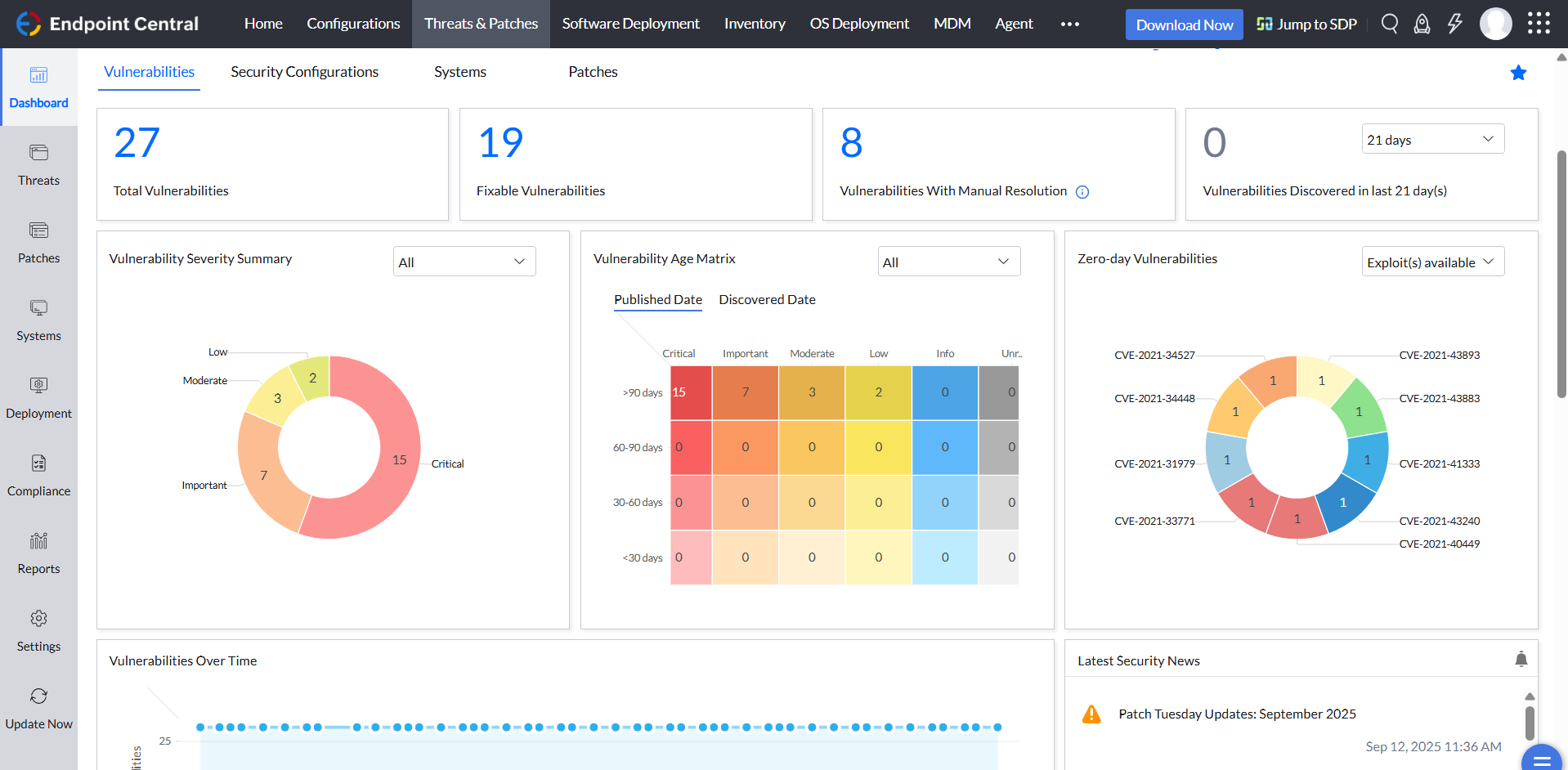
I think most scenarios are well-suited to Endpoint Central. Keep third-party applications upgraded, OS Deployment, Report Endpoint with vulnerabilities, check compliance with CIS, but it is much more, internal app deployment, much more compliance policy, Integration with Office 365 Conditional Access, Endpoint Configuration, Works fine with custom script even when you don't know any scripts, there are plenty of templates.
We set alerts when a devices gets low on disk space. That is automatic and creates a ticket in ME SDP. We are then able to Add space to a VM Desktop, and then go thru ManageEngine Endpoint Central to extend the drives so the entire process can be done without interruption to the end user.
Using the patch scans we can easily see what patches have been installed for all manufacturers not just Microsoft, without having to physically go to the device. It also allows us to choose which patches we want to push out and automate the process so we can be hands off, freeing up out time for other things.
Remote access to devices. This allows us to remotely make changes, not just via remote control but also make registry changes and clean up space without going to the device and without interruption to the end user.
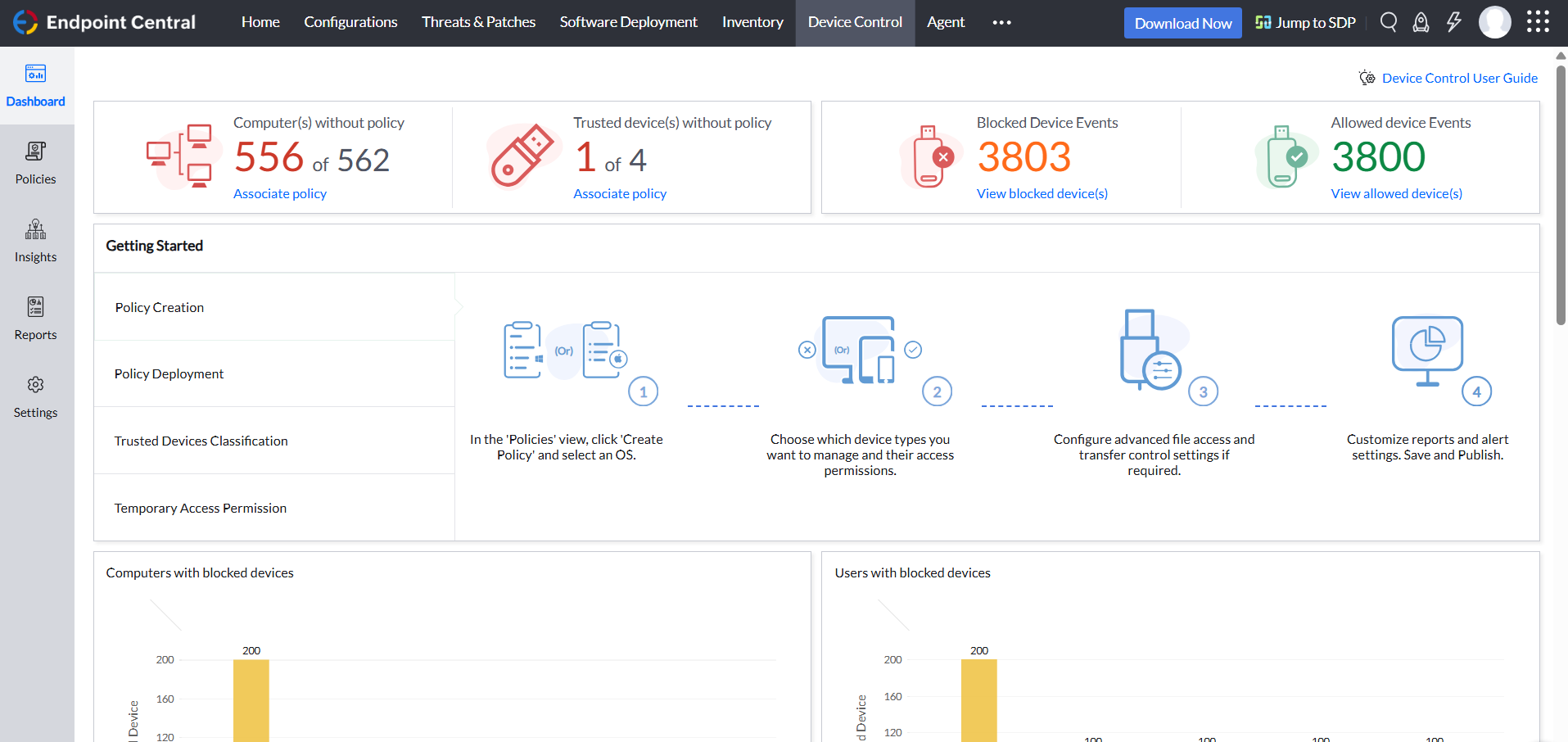
Alerts. We have set up to get email alerts when new hardware is plugged into any computers. This lets us know if someone is bringing in un-authorized equipment (thumb drives, hubs, etc) to better manage what is/is not on our network.
It has been a staple tool for maintaining the environment and as we grow it will be needed more. While trying to configure the system to allow us to access and support systems that are in locations outside of the primary network EndPoint Central will be crucial in facilitating that needed connection.
The software's usability is what we expected. We knew what our organization needed and Citrix was able to meet our needs. The ability to have the apps on a mobile device has been a great plus and Citrix seems to have really developed a software based on the every day needs of the user.
The product is really easy to set up and use. The web interface is relatively easy to use depending on the feature you are trying to use. The search features for inventory for both software and hardware are really good. You might get lost trying to navigate the file managers for endpoints because while the web interface is extremely easy to use, the feature set is very limited
Overall the support from the customer service team has been good. They are very timely and expert in resolving the tickets. They have appropriate knowledge to resolve issues in all stages to development. They were up to the point during the implementation stage of the XenMobile, all queries were answered in time to help finish the deployment. The support for last three years has been extraordinary in helping us use XenMobile effectively and efficiently.
The immediate chat support is great and very helpful. However, if you need escalated support or have a deeper need that the chat tool can't help with, you will experience significant wait times and slow responses. The time zone difference becomes painful to the point of often just giving up.
It seems that the services offered with the purchase change from what is covered to what is an additional cost. Somethings I thought we had ended up requiring an additional purchase if we wanted to continue using the feature.
Because of its flexible configuration, XenMobile was a much better fit for us. ZixOne was a reliable, functional MDM product but only functioned in a sandboxed environment. Despite being sandboxed, it was able to push contacts into the native app; however, it could not do the same with calendar data which was where our providers had the biggest heartburn. They could handle segregation of email but did not like having to review two separate calendar applications.
We selected Endpoint Central because we couldn't manage our patching with SCCM anymore; we noticed it was inconsistent and not working properly. Also, it wouldn't work out-of-network, which is an important factor for us. These products all helped us improve the quality of our work and efficiency.
It provided more safer environment to access corporate emails on personal device. This reduced costs for VPN and access control measures.
Most features are compliant with organizational security features, this reduced costs in third party vendor softwares.
Web based admin control portal is very efficient, there is no need to install desktop client for admin control. This saved a lot of time during initial deployment.