Launched in 2013, MEGA is a zero-knowledge cloud storage provider that delivers user-controlled end-to-end encryption, with an emphasis on easy accessibility.
N/A
vBoxxCloud
Score 8.2 out of 10
Small Businesses (1-50 employees)
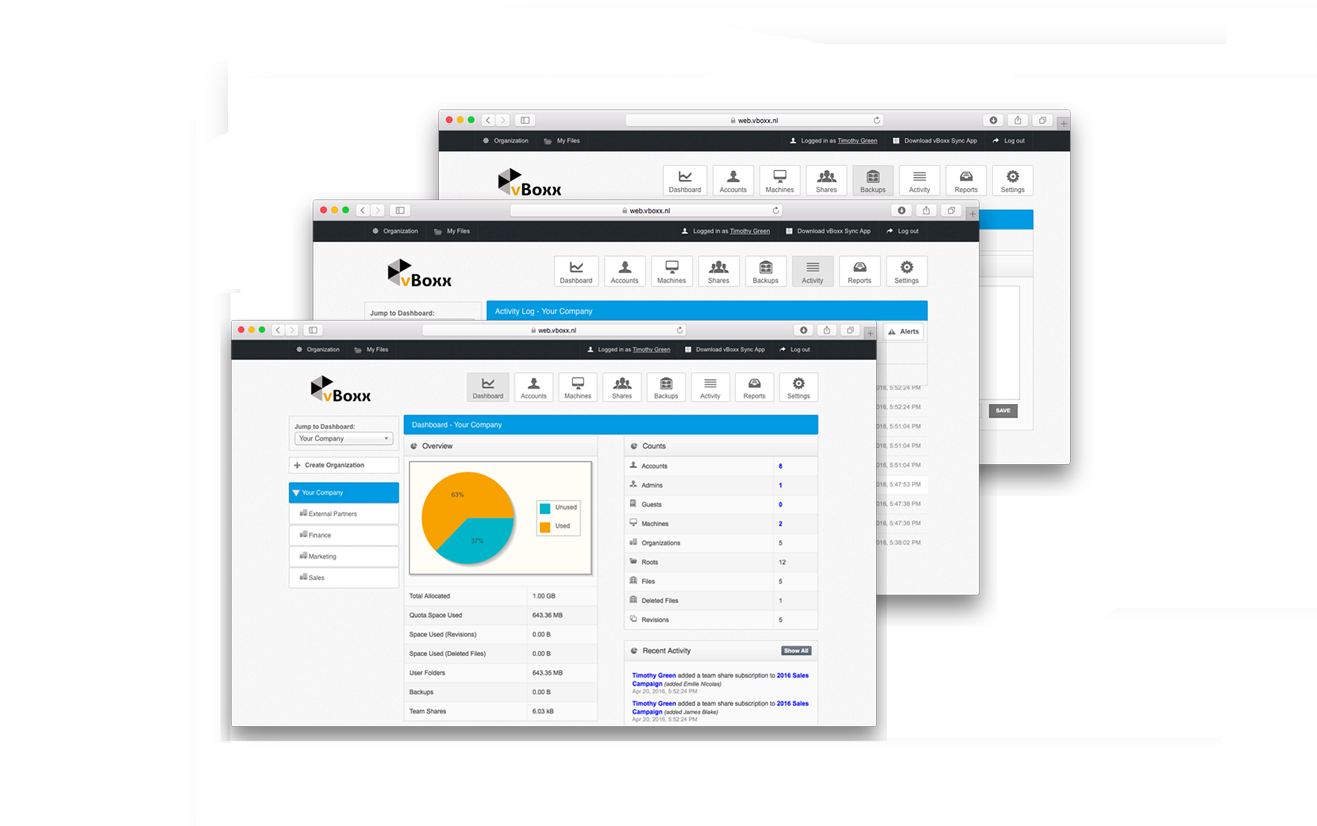
vBoxxCloud is a business solution for managing company files.The extensive online dashboard allows users to see who has access to which folders. Users can see who is connected with their Cloud and can even remove specific folders on systems or devices by adjusting the rights online.
Users can also set up shared folders and control how and from which device they can be accessed. Users can easily access shared documents through the sync tool or web browser. Admins can keep track of all…
$2
WeTransfer
Score 8.2 out of 10
N/A
WeTransfer offers a large file transfer service which includes up to 20 GB transfer with its Pro service, as well as 100 GB of cloud storage.
$12
per month
Pricing
MEGA
vBoxxCloud
WeTransfer
Editions & Modules
No answers on this topic
25 GB
$2.00
User
$7.50
Pro
$12.00
per month
Offerings
Pricing Offerings
MEGA
vBoxxCloud
WeTransfer
Free Trial
Yes
Yes
No
Free/Freemium Version
Yes
No
Yes
Premium Consulting/Integration Services
No
No
No
Entry-level Setup Fee
No setup fee
No setup fee
No setup fee
Additional Details
—
User:
The pricing is flexible, you can choose freely the amount of users and storage packs. The more users your order, bigger the discount, click here to customize your order.
Storage:
You can choose as many storage packs as you would like. You can assign it to one user through vBoxxCloud policies or share it among all the users.
Discount:
We support educational and non-profit organizations with special discounts. Contact us to learn about our special prices.
The listed alternative are also very good but we have specifically used WeTransfer for it's simple and straight to the point file hosting. All of the above services require registration and WeTransfer doesn't. We can just send our files quickly and call it a day. The files …
MEGA is great for storing and syncing files across devices. It has a great web interface, as well as a sync tool for desktop and a mobile app that works very well on iPhone. (I have not used the Android version of the app.) I like the overall usability, as well as some of the features like the QR code and contact list functionality. I like the file versioning and file management features as well. What works less well for me is collaboration with other users, and file sharing among users. I have not been able to find a way to view all files shared with me from other users in the same view as my own files. In fact, when files are shared with me, the only way I have been able to locate them is through Notifications, which is sub-par. I would much prefer to see all shared folders alongside my files, without having to make a copy of the shared folder, thus losing the ability to sync with another user's changes, as well as using up my storage space.
It is the most appropriate tool to quickly share documents with someone you don't want to give access to your company's own online library, yet you have to share files. It's great that there's no need to create a user, nor for uploading or downloading files. Just have in mind that the documents on the link have an expiration day!
To use vBoxx you have an interface as administrator. To add a user, you have to use another interface.
When you are accessing your files via the web (not via the sync folder on your laptop, pc or tablet), you have to download and upload the file, you can't change it without downloading it. Unless I don't know [how to do] it.
With the free version, you are limited to 2GB of file transferring. Likely if you are sending lots of files, you'll be upgrading to Plus instead.
Download links expire after a certain amount of time. It's important to download each link immediately and not forget where you left the downloaded files.
Clean, contemporary UI that is heavily polished and works great. You can tell they did a lot of user testing with this, and have a top notch UI design team that really cares about the customer. A highly user-friendly service across platforms and form factors, I found their web, desktop and mobile apps to all be impeccably designed and consistent.
WeTransfer is one of the most usable software. Incredibly smart and simple interface that I’m not sure has a comparable example that is as easy to use. The immediate ability to do what WeTransfer provides a solution for is a genius-level move from the creators. Well done, WeTransfer, well done.
WeTransfer is extremely reliable 99% of the time. There has been twice in 4 years that their service was unavailable due to server outage for several hours.
While I have never contacted customer support, there is a large user community that has posted solutions on third party websites to a number of common questions like how to share files, and how to access files that have been shared with you. When I received a 40 GB shared file, I was not able to find how to access it until I searched on Google to find a solution, which was easy to find. The large user community helps with support tremendously.
I've only reached out to WeTransfer support once, but they were prompt, courteous, and answered my question. I assume that future interactions would be the same, I'm looking forward to being a long term customer.
The two apps Google Drive and MEGA provided free cloud storage but Google Drive grants just 15 GB not more as free to try, At that time MEGA granted us 50 GB at the beginning of use, which gave us a chance to use it with high capacity.
Not used but evaluated: Dropbox (not secure enough + American servers) Google (not secure enough + American servers) OneDrive (not secure enough + American servers) Tresorit (is secure and has European servers) VBoxx won because of the availability by mail, chat and phone. That is the only thing that counts during emergencies.
While Dropbox does offer features that WeTransfer does not in terms of collaboration & organization, WeTransfer is the better option for simple file transfers. In my experience, WeTransfer is much faster for uploads & downloads. The premium version of WeTransfer also offers a lot of customization options that Dropbox does not.
When we've had our BETA testing programs for our products, we always used WeTransfer to send our BETA version of our products. Doing this using WeTransfer was free and we also didn't have to worry about unauthorized people later down the road downloading these versions as WeTransfer deletes the files after a small number of days.