TrustRadius: an HG Insights company

Save this comparison

Save this comparison

Add Product

Recommended Comparisons

    Overview
    ProductRatingMost Used ByProduct SummaryStarting Price

    Microsoft 365

    Score8.7 out of 10
    N/AMicrosoft 365 (formerly Office 365) is a Microsoft Cloud subscription service that includes Microsoft Office products (Word, Excel, PowerPoint, OneNote, Outlook, Publisher, and Access). The software can be installed across multiple devices and ensures that users always have the most up-to-date version of the included Office applications.

    $5

    Per User Per Month

    Resource Guru

    Score8 out of 10
    N/AResource Guru is presented as a fast, flexible way to schedule teams and projects. It enables users to: Manage people, equipment, and meeting rooms in one place Assign work, book time off, and edit schedules in seconds Track availability in real-time and avoid unrealistic workloads Keep a team up-to-date with personal dashboards and daily schedule emails Analyze utilization rates, clients, and projects for more accurate project forecasts and…

    $6

    per month per user

    Pricing
    Microsoft 365Resource Guru
    Editions & Modules
    Business Basic
    $5.00
    Per User Per Month
    Individual
    $5.84
    *Per Month
    Business - Apps
    $8.25
    Per User Per Month
    Enterprise - F3
    $10.00
    Per User Per Month
    Business Standard
    $12.50
    Per User Per Month
    Business Premium
    $20.00
    Per User Per Month
    Enterprise - E3
    $32.00
    Per User Per Month
    Enterprise - E5
    $57.00
    Per User Per Month
    Grasshopper Plan
    $6
    per month
    Blackbelt Plan
    $9.60
    per month
    Master Plan
    $14.40
    per month
    Offerings
    Pricing Offerings
    Microsoft 365Resource Guru
    Free Trial
    NoYes
    Free/Freemium Version
    NoNo
    Premium Consulting/Integration Services
    NoNo
    Entry-level Setup FeeNo setup feeNo setup fee
    Additional Details*When billed annually.Discount available for annual billing.
    More Pricing Information
    Community Pulse
    Microsoft 365Resource Guru
    Considered Both Products
    Microsoft
    No answer on this topic
    Resource Guru
    No answer on this topic
    Key User Insights
    Would buy again
    96%
    Would buy again
    195 Answers
    No answers on this topic
    Delivers good value for the price
    97%
    Delivers good value for the price
    179 Answers
    No answers on this topic
    Happy with the feature set
    98%
    Happy with the feature set
    198 Answers
    No answers on this topic
    Lived up to sales and marketing promises
    94%
    Lived up to sales and marketing promises
    134 Answers
    No answers on this topic
    Implementation went as expected
    95%
    Implementation went as expected
    142 Answers
    No answers on this topic
    Features
    Microsoft 365Resource Guru
    Project Management
    Comparison of Project Management features of Microsoft 365 and Resource Guru
    Feature
    Microsoft 365
    -
    Ratings
    Resource Guru
    8.8
    3 Ratings
    14% above category average
    Resource Management00 Ratings8.93 Ratings
    Scheduling00 Ratings8.63 Ratings
    Team Collaboration00 Ratings9.02 Ratings
    Professional Services Automation
    Comparison of Professional Services Automation features of Microsoft 365 and Resource Guru
    Feature
    Microsoft 365
    -
    Ratings
    Resource Guru
    8.0
    2 Ratings
    4% above category average
    Project & financial reporting00 Ratings8.02 Ratings
    Best Alternatives
    Microsoft 365Resource Guru
    Small Businesses
    Google Workspace
    Score9.1 out of 10
    Any.do
    Score8 out of 10
    Medium-sized Companies
    Google Workspace
    Score9.1 out of 10
    KanbanFlow
    Score7.3 out of 10
    Enterprises
    Microsoft 365 Business Premium
    Score9 out of 10
    Microsoft To Do
    Score7.9 out of 10
    All AlternativesView all alternativesView all alternatives
    User Ratings
    Microsoft 365Resource Guru
    Likelihood to Recommend
    8.4
    (262 ratings)
    8.0
    (3 ratings)
    Likelihood to Renew
    9.5
    (6 ratings)
    -
    (0 ratings)
    Usability
    8.7
    (30 ratings)
    -
    (0 ratings)
    Support Rating
    8.9
    (54 ratings)
    -
    (0 ratings)
    Implementation Rating
    9.0
    (2 ratings)
    -
    (0 ratings)
    User Testimonials
    Microsoft 365Resource Guru
    Likelihood to Recommend
    Microsoft
    Microsoft 365 would be well suited for medium to large enterprises. This is where there are several hundreds or thousands of people. Since most everyone has used one of the applications the learning curve would be reduced. Another reason would be the ability to implement security measures to prevent access to sensitive data. This could justify the cost of an Enterprise license.
    Incentivized
    Read full review
    Resource Guru
    It is very well suited when different branches of the company reside in different countries or time zones. It allows the project manager to efficiently keep track of the progress of their team members. It reduces the need for intensive calls where the manager asks for an extensive check in and update from each individual person. It also allows the project manager to update tasks and timelines as needed.
    Incentivized
    Read full review
    Pros
    Microsoft
    • Chat with teams and the integrations with the other apps, and many more smaller ones, like to-dos, news, and the recent Outlook integration.
    • Easy embedding on SharePoint to broadcast all the content created in the different tools.
    • The office package is still robust with the good things from the past and new additions.
    Incentivized
    Read full review
    Resource Guru
    • We can color by client, project, booker for clear picture.
    • There are filters to select particular resources for need of our event.
    • We can easily see booked and free time.
    Read full review
    Cons
    Microsoft
    • Slack is 1000x better than teams. Why put a 250 limit on a chat? Our company hasn't moved fully to channels and it's making us lose transparency. Plus, the teams channels we do have nobody is going to. 90% loss in visibility and engagement.
    • Teams for web meetings. I think the UI/UX should match Zoom which is the standard for all our customers. They don't like it when we use Teams.
    • Chats and Channels need to somehow be on one screen automatically without having to choose that view because majority of our company hasn't opened Teams Channels and only stays in chats.
    Incentivized
    Read full review
    Resource Guru
    • lacks real-time logging button
    Incentivized
    Read full review
    Likelihood to Renew
    Microsoft
    There are many features of Office that we cannot replicate in any other tool. Plus people know it already. It's not going away anytime soon.
    Incentivized
    Read full review
    Resource Guru
    No answers on this topic
    Usability
    Microsoft
    Microsoft 365 is the gold standard for performing project tasks in a professional environment, enabling the quick transfer and exchange of files and ideas for team members who work locally and remotely. Its suite of tools is familiar and has evolved to being cloud based, allowing for files to be updated in real time from near and far.
    Incentivized
    Read full review
    Resource Guru
    No answers on this topic
    Support Rating
    Microsoft
    Over the past 8 years of using Microsoft 365, I have noticed that they change vendors often. This always leads to a poor experience in the beginning, then levels out after some time for the company to get things worked out. As a customer, it is really frustrating because I don't have time when something isn't working to have them "look into my issue" and get back with me. They have even closed a ticket I specifically told them to keep open. Your applications are only as good as the support.
    Incentivized
    Read full review
    Resource Guru
    No answers on this topic
    Implementation Rating
    Microsoft
    Everything works and I use it all the time.
    Incentivized
    Read full review
    Resource Guru
    No answers on this topic
    Alternatives Considered
    Microsoft
    Its very user-friendly, collaborative and efficient that boosts productivity using cloud tools. their security is strong and it provides data protection. There are regular updates that shields us from attackers too. It offers a wealth of learning resources, including tutorials, help articles and video guide to help users make the most of the application and personally upgrade their skills.
    Read full review
    Resource Guru
    Resource Guru is the only product of it's kind that I have used regularly. Slack is comparable in allowing communication between teams, but doesn't have nearly the functionality of Resource Guru. Resource Guru is the only product that I am aware of that manages tasks and deadlines between various team members, and can be accessed by all members.
    Incentivized
    Read full review
    Return on Investment
    Microsoft
    • We have a lot of nonprofit users, so they have a good ROI.
    • I like the constant updates without having to purchase the software repeatedly.
    • I used to purchase each Office (insert year here) often, so the software was up to date and had the newest options and connectors. I think my return on investment would have been much better if Microsoft had updated those versions to keep them current; after all, we did pay for them.
    • Microsoft 365's offering a monthly fee or a discount for a year helps, and you can look at it as a free backup if you have everything set to back up to One Drive. (Cloud-based document filing you can access anywhere ( with an internet connection)—you Can't beat that!)
    Read full review
    Resource Guru
    • It's easy to assign work to the resources.
    • Resources can be filtered with various criteria as per the project needs.
    • We get clear picture of assigned tasks and hence project progress.
    Read full review
    ScreenShots

    Resource Guru Screenshots

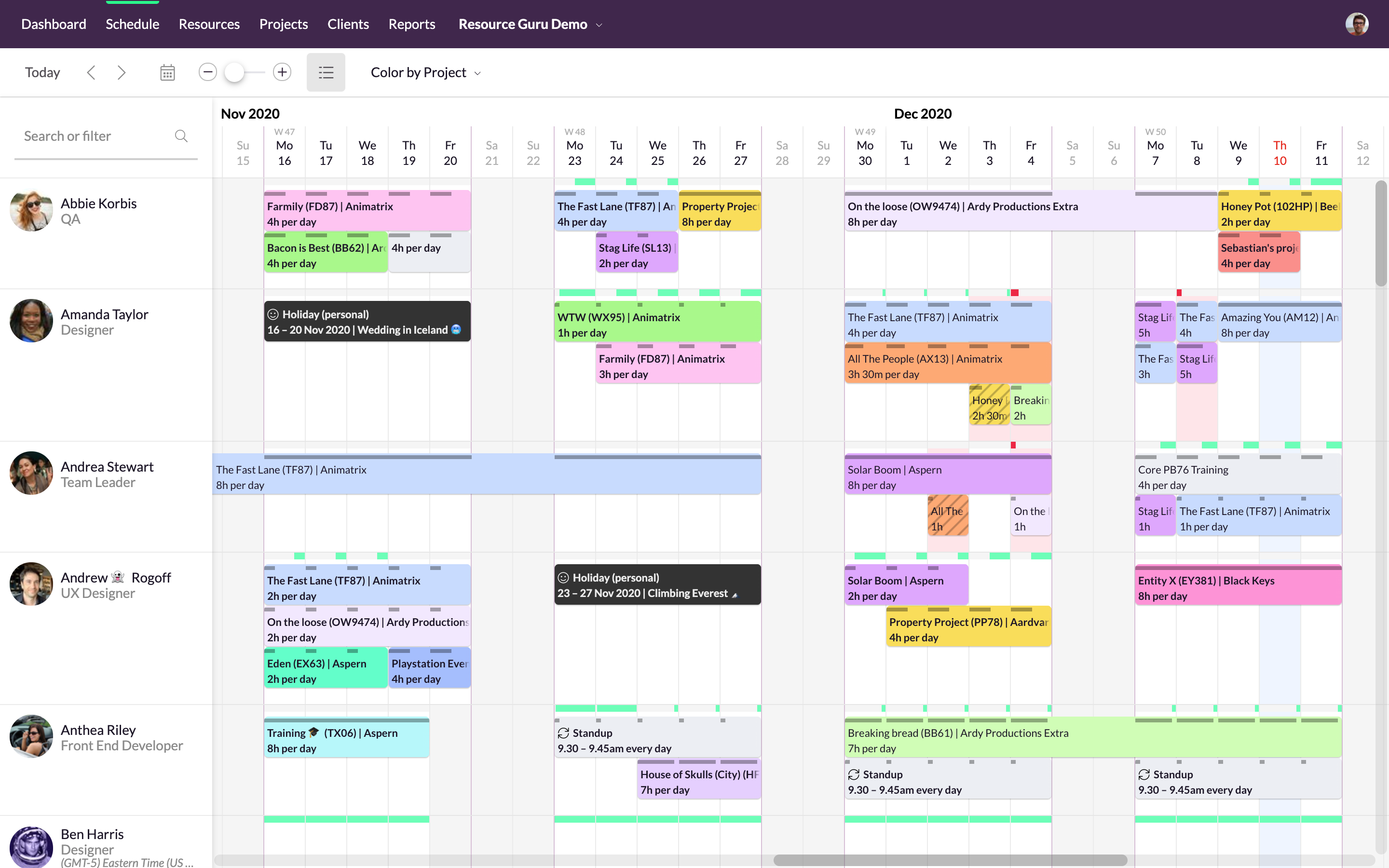
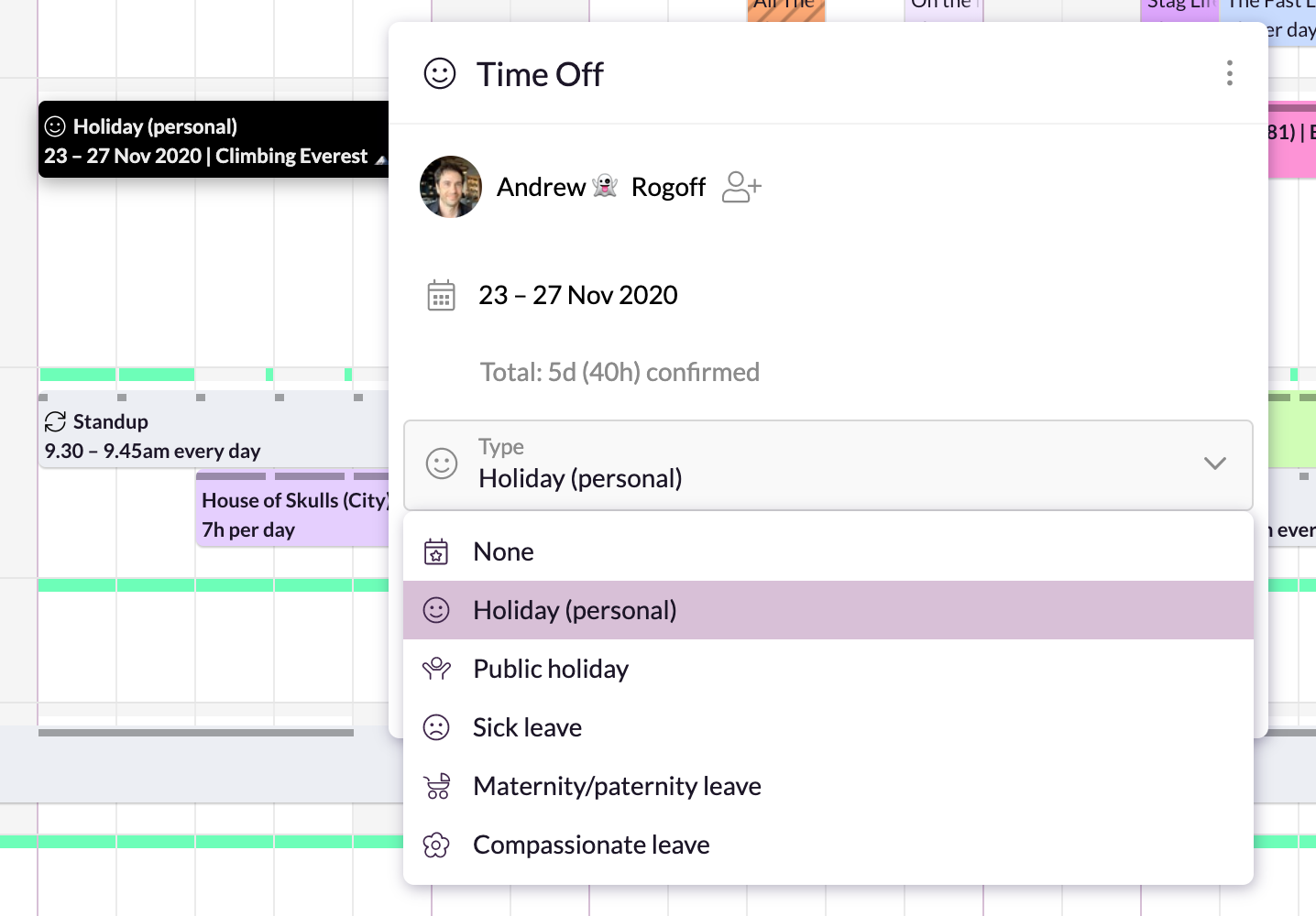
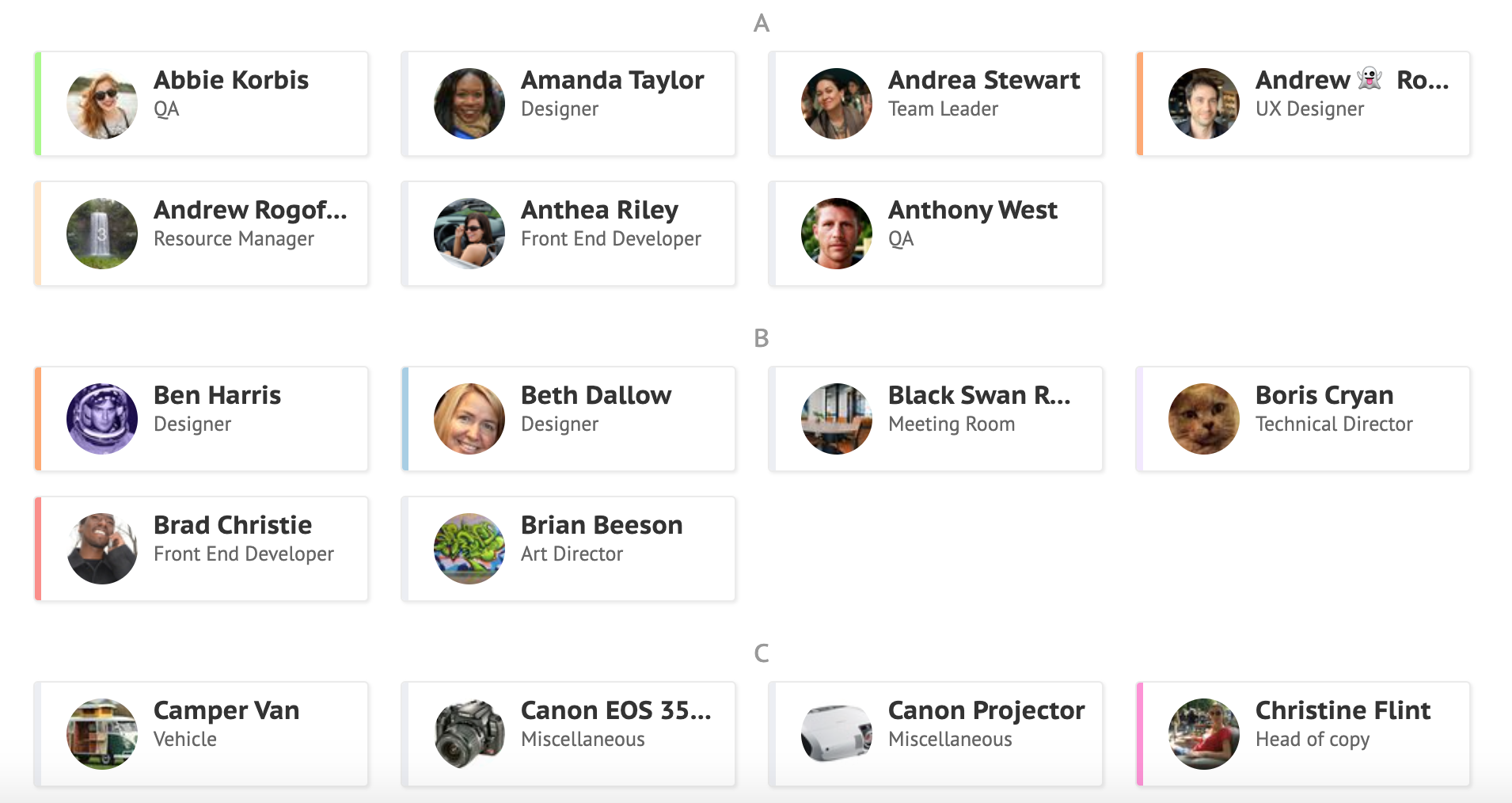
    Screenshot of Simple, drag-and-drop schedulingScreenshot of Focus in on specific groups of resourcesScreenshot of Helps with utilization and capacity managementScreenshot of Manages sick days, holidays, and any other types of time off.Screenshot of A single resource poolScreenshot of Repeats weekly, fortnightly, monthly and yearly