Microsoft Planner is presented as a solution to organize teamwork with intuitive, collaborative, visual task management. With it, users can create Kanban boards using task cards with files, checklists, and labels. Users can collaborate in Planner and Microsoft Teams and check visual status charts—all in the Microsoft cloud.
N/A
Zimbra
Score7 out of 10
N/A
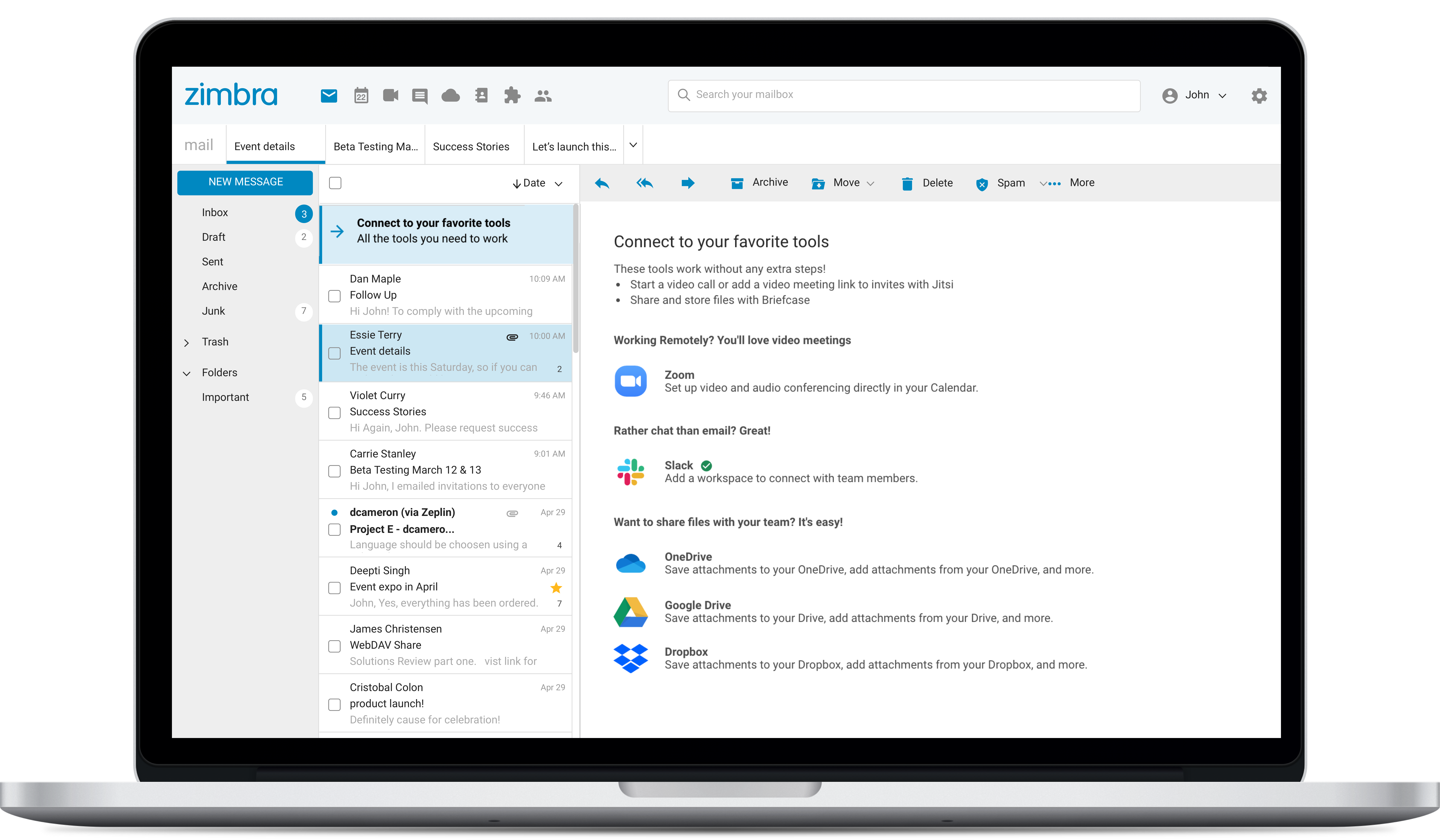
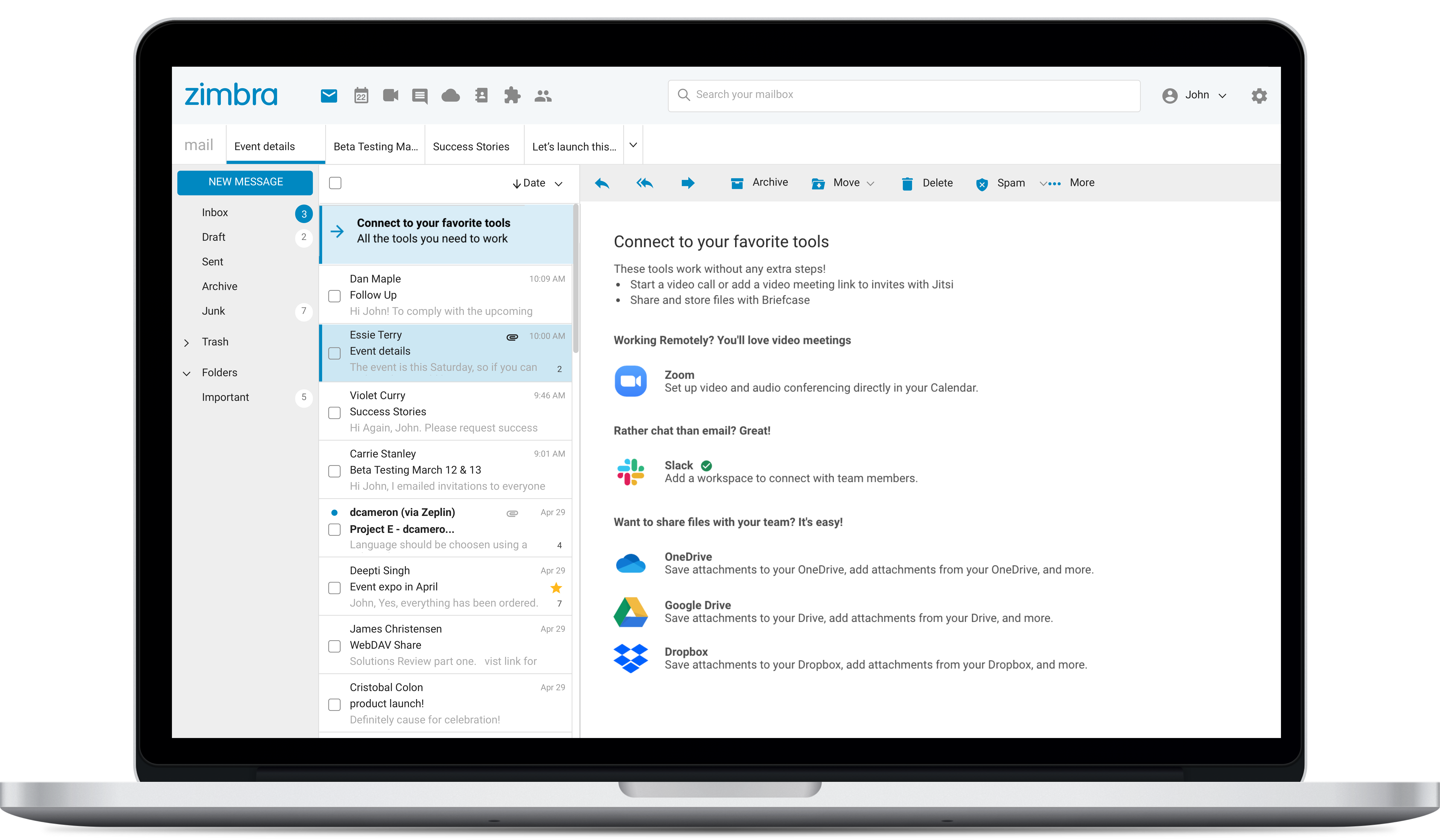
Zimbra is an email and collaboration platform and productivity suite that includes contacts, calendar, tasks, chat and file sharing, plus videoconferencing, document editing, and file storage.
There are a few examples where MS Planner would be suitable for employees at a mature organization. In my opinion, if you have Outlook or Teams, you already have built-in calendars and to-do lists. If you need a project management tool, you have two options: either pay for MS Project or use an alternative tool like Monday, Asana, or Jira. Regardless, their free versions are much more sophisticated than Microsoft's (MS Planner). Any team wishing to put together a halfway-decent project management board will need to look elsewhere, as MS Planner is only suitable for a personal to-do list.
A de minimis incentive was given to thank the reviewer for their time. The incentive was not used to bias or drive a particular response, nor was the incentive contingent on a positive endorsement. More Info
Zimbra is great for an email system for a medium or large organization with appropriate IT staffing. The system is easy to use for end-users, and has a fantastic web interface. Unfortunately, it is overly complex, when considering staffing requirements and price, when compared with Office 365 or Google Apps for smaller organizations. For other education customers, it is hard to compete with Microsoft and Google providing their services for "Free" now though
A de minimis incentive was given to thank the reviewer for their time. The incentive was not used to bias or drive a particular response, nor was the incentive contingent on a positive endorsement. More Info
A de minimis incentive was given to thank the reviewer for their time. The incentive was not used to bias or drive a particular response, nor was the incentive contingent on a positive endorsement. More Info
Would be nice to see a calendar view instead of a list view
Permissions aren't configurable, anyone can delete any task at any time and there is no recycle bin
Notifications aren't great, you have to be attached as an owner to a task to see comments and be notified of changes, and even then notifications aren't shown for a lot of things
A de minimis incentive was given to thank the reviewer for their time. The incentive was not used to bias or drive a particular response, nor was the incentive contingent on a positive endorsement. More Info
Zimbra's mobile application leaves much to be desired; it is its weakest point.
This forces the use of third-party applications on smartphones, which only offer a more or less complete integration with the ActiveSync protocol.
Zimbra allows for an on-premise scenario, which is not for everyone, especially considering that the trend nowadays is to outsource email; in any case, it also offers this alternative.
The cost of Zimbra as a SaaS solution comes too close to that of more widely adopted competing options.
Zimbra lacks a robust integrated chat system, which its competitors offer.
A de minimis incentive was given to thank the reviewer for their time. The incentive was not used to bias or drive a particular response, nor was the incentive contingent on a positive endorsement. More Info
It is a very useful tool that brings teams in sync with one another. The integration with other Microsoft products makes it an obvious choice because you don't have to purchase a license for a completely different tool that doesn't have cross-functional capabilities with the software you already use on a daily basis.
A de minimis incentive was given to thank the reviewer for their time. The incentive was not used to bias or drive a particular response, nor was the incentive contingent on a positive endorsement. More Info
The board-and-bucket layout makes it easy to organize tasks, track progress, and prioritize work at a glance, even for first-time users. I also appreciate how Planner seamlessly integrates with tools like Teams, Outlook, and SharePoint, enabling users to collaborate, schedule tasks, and access their plans without needing to switch platforms. I also like how it’s accessible not only on desktops, but also on mobile devices.
A de minimis incentive was given to thank the reviewer for their time. The incentive was not used to bias or drive a particular response, nor was the incentive contingent on a positive endorsement. More Info
The web usability of the solution is adequate, with all functions integrated into a single interface. However, it is important to note that in the desktop environment, it lacks its own application and relies on ActiveSync synchronization with reference solutions like Outlook or Thunderbird. Some features, such as the briefcase, will be excluded. The same happens on smartphones.It is also common for competing solutions to include integrated chat or video call tools, which Zimbra lacks. These shortcomings are among the most frequently requested by users.
A de minimis incentive was given to thank the reviewer for their time. The incentive was not used to bias or drive a particular response, nor was the incentive contingent on a positive endorsement. More Info
Overall, we were satisfied with the implementation. We perhaps should have spent more time consulting with Zimbra or others regarding best practices but as we got to know the system better we were able to make changes relatively easily after the fact.
A de minimis incentive was given to thank the reviewer for their time. The incentive was not used to bias or drive a particular response, nor was the incentive contingent on a positive endorsement. More Info
Many areas of the company still use Trello to organize their activities and tasks, but gradually Microsoft Planner must replace the activities. Users are often "attached" to familiar technologies, but Office 365 takes advantage of the more organized use of the tools. This year we will not renew the Trello contract.
Zimbra is a significantly cheaper option than one of the Microsoft solutions, such as Exchange. It is able to run in a free environment, as it is in the case of Linux. It offers the advantages of a powerful mail manager, such as indexed searches and the integration of contacts and notes, all in one platform. It is constantly updated and the operation of its connection in mobile equipment is remarkable and very efficient. Additionally, it is able to easily integrate with Outlook solutions with its connector, which brings all the benefits of Zimbra to the user under the interface known as "mail manager." So far, I have been using Zimbra for several years and I have not missed my previous work platforms.
A de minimis incentive was given to thank the reviewer for their time. The incentive was not used to bias or drive a particular response, nor was the incentive contingent on a positive endorsement. More Info
In my experience, productivity is negatively impacted because assigning subtasks aren't clear on Microsoft Planner
Managers aren't able to track direct reports' tasks across multiple boards -- leading to poor visibility for us
Notifications aren't always sent to inbox, so you rely on people's own project management skills to follow the communication on tasks they're assigned to. In my experience, this leads to missed deadlines impacting customer relationships.
A de minimis incentive was given to thank the reviewer for their time. The incentive was not used to bias or drive a particular response, nor was the incentive contingent on a positive endorsement. More Info
Zimbra is a cheaper email service than other similar platforms and in my point of view offers better features, that's why the company migrated services to this platform several years ago and without a doubt, it has been the best investment.
Zimbra has a more user-friendly interface for employees, this has improved response times to external customers of the company.
The implementation of Zimbra in the company motivated the IT engineering department to make improvements in open source to adapt it to the needs of the company.
A de minimis incentive was given to thank the reviewer for their time. The incentive was not used to bias or drive a particular response, nor was the incentive contingent on a positive endorsement. More Info