Microsoft Power BI is a visualization and data discovery tool from Microsoft. It allows users to convert data into visuals and graphics, visually explore and analyze data, collaborate on interactive dashboards and reports, and scale across their organization with built-in governance and security.
$168
per year per user
People.ai
Score9.9 out of 10
Enterprise companies (1,001+ employees)
People.ai is a revenue intelligence platform for go-to-market teams. The platform promises to help sales, marketing and customer success teams uncover every revenue opportunity from every customer. Customers include: Lyft, Gainsight, Tanium and Palo Alto Networks. People.ai helps them capture contacts, activity and engagement and drive actionable insights across all their revenue generation. Founded in 2016, People.ai is based in San Francisco and is backed by Y Combinator and…
N/A
Pricing
Microsoft Power BI
People.ai
Editions & Modules
Power BI Pro
$14
per month (billed annually) per user
Power BI Premium
$24
per month (billed annually) per user
No answers on this topic
Offerings
Pricing Offerings
Microsoft Power BI
People.ai
Free Trial
Yes
No
Free/Freemium Version
Yes
No
Premium Consulting/Integration Services
No
No
Entry-level Setup Fee
No setup fee
No setup fee
Additional Details
Power BI Desktop is the data exploration and report authoring experience for Power BI, and is available as a free download.
Has significantly improved collation of data and visualisation especially with business across Europe. Has given me the ability to see the Site availability at the click of a button to see which Site is in the "money" and seize opportunities based on Market data
A de minimis incentive was given to thank the reviewer for their time. The incentive was not used to bias or drive a particular response, nor was the incentive contingent on a positive endorsement. More Info
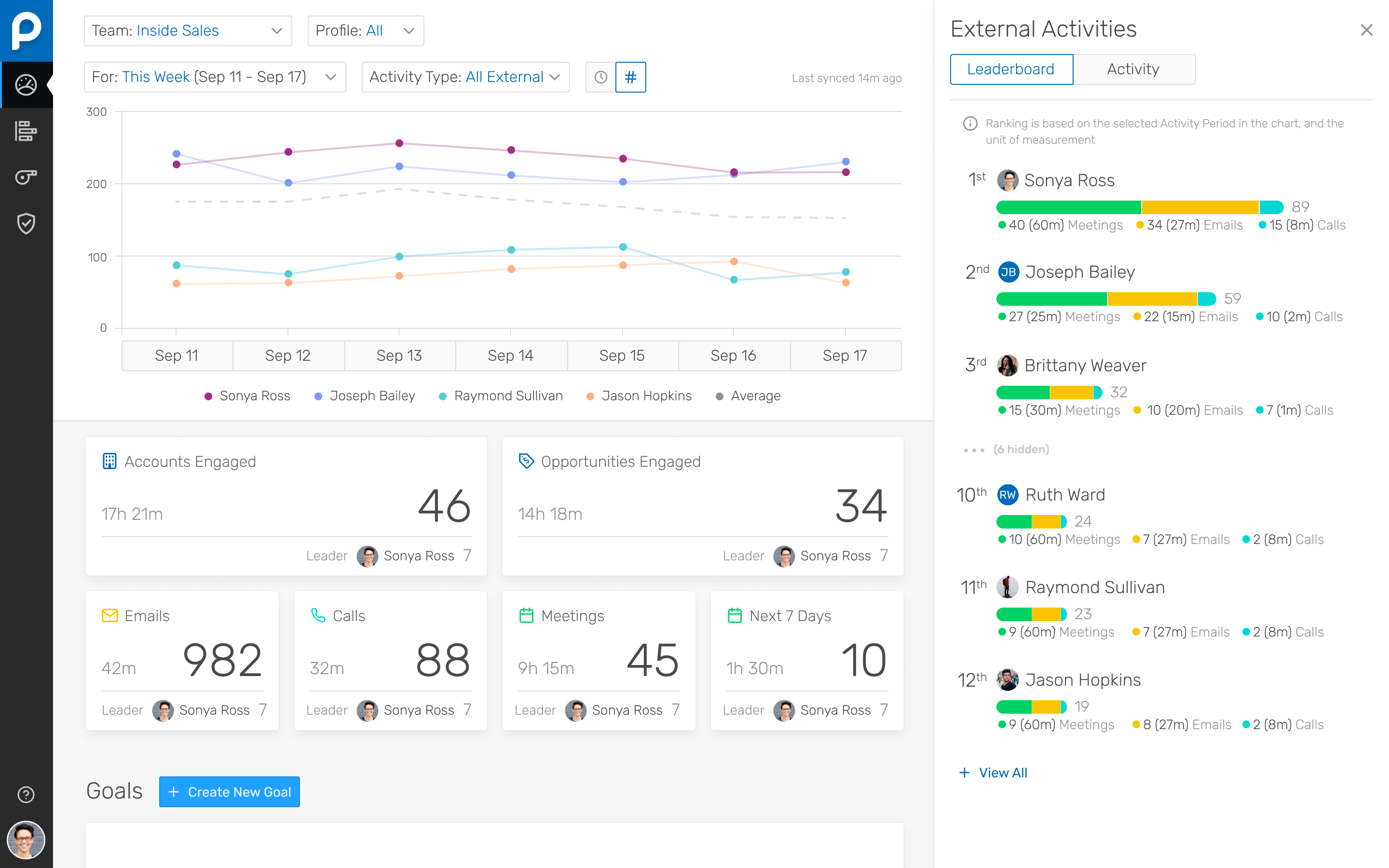
I've been using People.ai for a bit now, and I've been consistently impressed. I use it to track how my team is doing, how my clients are doing, and how I'm doing. I can create custom dashboards with any metric I want to see. I can set goals, and they'll track my progress towards those goals. I can set up competitions between my team, and they'll tell me who's winning and who's losing. You can share these dashboards with your team, which means that everyone can see how everyone else is doing.
A de minimis incentive was given to thank the reviewer for their time. The incentive was not used to bias or drive a particular response, nor was the incentive contingent on a positive endorsement. More Info
Options for data source connections are immense. Not just which sources, but your options for *how* the data is brought in.
Constant updates (this is both good and bad at times).
User friendliness. I can get the data connections set up and draft some quick visuals, then release to the target audience and let them expand on it how they want to.
A de minimis incentive was given to thank the reviewer for their time. The incentive was not used to bias or drive a particular response, nor was the incentive contingent on a positive endorsement. More Info
Their Deal Room presents times when you are multi-threaded, engaged with executives, and have an upcoming meeting scheduled rather than stalking your reps calendar and salesforce activities.
They allow you to create areas performance dashboard with custom KPIs you want to measure
A de minimis incentive was given to thank the reviewer for their time. The incentive was not used to bias or drive a particular response, nor was the incentive contingent on a positive endorsement. More Info
A de minimis incentive was given to thank the reviewer for their time. The incentive was not used to bias or drive a particular response, nor was the incentive contingent on a positive endorsement. More Info
People.ai has a robust platform, however, this requires sales reps to log into one more platform and the People.ai platform is not customizable for selecting what can be viewed by users. If People.ai were to make the features in their platform available in Salesforce it would be a huge win for leveraging the data they aggregate. Hoping an API will soon be on the Roadmap
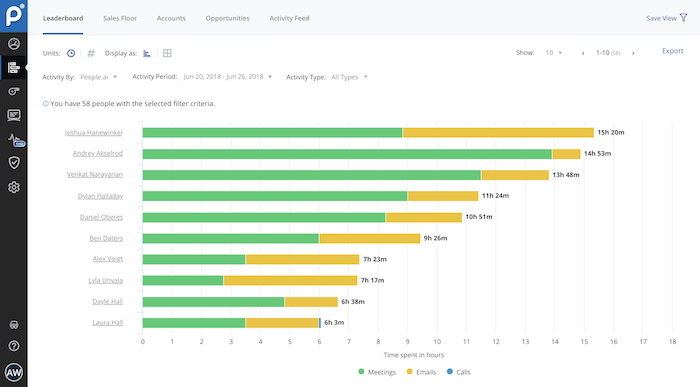
Time Spent. People.ai uses some logic to attribute values on the "time spent" on the activities being captured. They did improve their meeting aggregations so that they were not "double counting" time when multiple meetings were booked in the same time slot for a rep. Email time spent still seems to have some errors as the time spent on emails can show in excess of the weekly working hours of the reps.
Microsoft Power BI is an excellent and scalable tool. It has a learning curve, but once you get past that, the sky is the limit and you can build from the most simple to the most complex dashboards. I have built everything from simple reports with only a few data points to complex reports with many pages and advanced filtering.
Automating reporting has reduced manual data processing by 50-70%, freeing up analysts for higher-value tasks. A finance team that previously spent 20+ hours per week on Excel-based reports now does it in minutes with Microsoft Power BI's automated Real-time dashboards have shortened decision cycles by 30-40%, enabling leadership to react quickly to sales trends, operational bottlenecks, and customer behavior.
A de minimis incentive was given to thank the reviewer for their time. The incentive was not used to bias or drive a particular response, nor was the incentive contingent on a positive endorsement. More Info
It is a fantastic tool, you can do almost everything related with data and reports, it is a perfect substitutive of Power Point and Excel with a high evolution and flexibility, and also it is very friendly and easy to share. I think all companies should have Power BI (or other BI tool) in their software package and if they are in the MS Suite, for sure Power BI should be the one due to all the benefits of the MS ecosystem.
A de minimis incentive was given to thank the reviewer for their time. The incentive was not used to bias or drive a particular response, nor was the incentive contingent on a positive endorsement. TR verified that a representative sample of customers was invited. More Info
A de minimis incentive was given to thank the reviewer for their time. The incentive was not used to bias or drive a particular response, nor was the incentive contingent on a positive endorsement. More Info
Microsoft Power BI is free. If I didn't want to create a custom platform (i.e. my organization insisted on an existing platform that I *had* to use), I'd use Microsoft Power BI. For any start-up or SMB, I'd just use Claude & Grok to build it quickly, also for free. Would not pay for Tableau or Sigma anymore. Not worth it at all.
A de minimis incentive was given to thank the reviewer for their time. The incentive was not used to bias or drive a particular response, nor was the incentive contingent on a positive endorsement. More Info
The easiest comparison would be to email automation vendors like a SalesLoft, Outreach, or Groove. But People.ai doesn't have a template email send like a sequence or cadence feature you would find with them. It is more of a compliment to the email automation vendors than a competitor in my opinion. We want our SDRs to have the ability run sizable outbound campaigns so they still use Outreach. However, we deactivated the Outreach activity sync and run activity syncing through People.ai. If someone gets added into the email CC, People.ai will grab that person and create them as a contact against the matching Salesforce account. For our Sales reps, we want them to have the ability to track opens, link clicks, and send templated emails so we have them use Groove. Again, we deactivated the Salesforce sync and use People.ai syncing. This is a great way to automate the pain away from creating Opportunity Contact Roles and create all relevant contacts in Salesforce from CC's on emails to people added last minute on a calendar invite. My favorite part is how it ingests data directly from Google and doesn't allow a Sales Rep to not to sync an activity to Salesforce, it happens automagically
A de minimis incentive was given to thank the reviewer for their time. The incentive was not used to bias or drive a particular response, nor was the incentive contingent on a positive endorsement. More Info
A de minimis incentive was given to thank the reviewer for their time. The incentive was not used to bias or drive a particular response, nor was the incentive contingent on a positive endorsement. More Info
A de minimis incentive was given to thank the reviewer for their time. The incentive was not used to bias or drive a particular response, nor was the incentive contingent on a positive endorsement. More Info