Microsoft Teams Rooms vs. Zoho Meeting

Overview
ProductRatingMost Used ByProduct SummaryStarting Price
Microsoft Teams Rooms
Score 7.8 out of 10
N/A
A solution to turn any space into a meeting room designed for inclusive collaboration, where everyone can fully participate.
$40
per month (annual subscription) per room
Zoho Meeting
Score 8.4 out of 10
N/A
Zoho Meeting is a web-based online meeting solution.
$3
per month
Pricing
Microsoft Teams RoomsZoho Meeting
Editions & Modules
No answers on this topic
MEETING - 10
$3
per month
MEETING - 50
$9
per month
MEETING-100
$12
per month
MEETING - 250
$18
per month
Webinar -25
$19
per month
Webinar - 50
$29
per month
Webinar - 100
$39
per month
Webinar - 250
$79
per month
Webinar - 500
$125
per month
Webinar - 1000
$200
per month
Offerings
Pricing Offerings
Microsoft Teams RoomsZoho Meeting
Free Trial
YesYes
Free/Freemium Version
YesYes
Premium Consulting/Integration Services
NoNo
Entry-level Setup FeeNo setup feeNo setup fee
Additional DetailsYou can also get the toll-free add-on at $20/month and additional storage space for 200 sessions recording at $20/month for your organization.
More Pricing Information
Community Pulse
Microsoft Teams RoomsZoho Meeting
Features
Microsoft Teams RoomsZoho Meeting
Performance & Compatibility of Online Events Software
Comparison of Performance & Compatibility of Online Events Software features of Product A and Product B
Microsoft Teams Rooms
7.9
6 Ratings
0% below category average
Zoho Meeting
8.5
11 Ratings
7% above category average
High quality audio8.76 Ratings8.811 Ratings
High quality video8.26 Ratings00 Ratings
Low bandwidth requirements7.05 Ratings8.011 Ratings
Mobile support7.85 Ratings8.811 Ratings
Screen Sharing
Comparison of Screen Sharing features of Product A and Product B
Microsoft Teams Rooms
8.2
6 Ratings
4% above category average
Zoho Meeting
8.9
11 Ratings
12% above category average
Desktop sharing8.56 Ratings8.911 Ratings
Whiteboards7.86 Ratings00 Ratings
Online Meetings / Events
Comparison of Online Meetings / Events features of Product A and Product B
Microsoft Teams Rooms
8.4
6 Ratings
3% above category average
Zoho Meeting
8.9
11 Ratings
9% above category average
Calendar integration8.76 Ratings9.011 Ratings
Meeting initiation8.65 Ratings8.711 Ratings
Integrates with social media8.03 Ratings00 Ratings
Record meetings / events8.76 Ratings9.011 Ratings
Slideshows8.26 Ratings00 Ratings
Online Events Collaboration
Comparison of Online Events Collaboration features of Product A and Product B
Microsoft Teams Rooms
8.3
6 Ratings
3% above category average
Zoho Meeting
8.5
10 Ratings
5% above category average
Live chat8.06 Ratings8.59 Ratings
Audience polling8.36 Ratings8.510 Ratings
Q&A8.56 Ratings8.59 Ratings
Online Events Security
Comparison of Online Events Security features of Product A and Product B
Microsoft Teams Rooms
8.4
6 Ratings
5% above category average
Zoho Meeting
8.6
10 Ratings
7% above category average
User authentication9.26 Ratings8.69 Ratings
Participant roles & permissions8.26 Ratings8.610 Ratings
Confidential attendee list8.04 Ratings8.79 Ratings
VoIP system collaboration
Comparison of VoIP system collaboration features of Product A and Product B
Microsoft Teams Rooms
8.7
6 Ratings
14% above category average
Zoho Meeting
-
Ratings
Video conferencing8.76 Ratings00 Ratings
Audio conferencing8.76 Ratings00 Ratings
Video screen sharing8.56 Ratings00 Ratings
Instant messaging8.85 Ratings00 Ratings
Best Alternatives
Microsoft Teams RoomsZoho Meeting
Small Businesses
Intermedia AnyMeeting Pro
Score 7.4 out of 10
Intermedia AnyMeeting Pro
Score 7.4 out of 10
Medium-sized Companies
JioMeet
JioMeet
Score 9.7 out of 10
JioMeet
JioMeet
Score 9.7 out of 10
Enterprises
Webex Meetings
Webex Meetings
Score 8.6 out of 10
Webex Meetings
Webex Meetings
Score 8.6 out of 10
All AlternativesView all alternativesView all alternatives
User Ratings
Microsoft Teams RoomsZoho Meeting
Likelihood to Recommend
8.3
(6 ratings)
8.9
(11 ratings)
Usability
8.5
(6 ratings)
8.5
(11 ratings)
Support Rating
-
(0 ratings)
8.5
(11 ratings)
Contract Terms and Pricing Model
-
(0 ratings)
9.1
(1 ratings)
User Testimonials
Microsoft Teams RoomsZoho Meeting
Likelihood to Recommend
Microsoft
We use Microsoft Teams Rooms across all of our main conference suites. This ensure our staff have consistent meeting experiences in out part of the education sector - meetings generally become hybrid fairly frequently and can even extend to pupils or staff working from home. We did try some of the poly equipment in a classroom environment but due to noise levels and the amount of pupils and staff it quickly became a non starter. We were advised to stick with participant numbers aligned to our purchased hardware before we tried this.
Read full review
Zoho
Anyone who needs assistance with a work-related issue can take advantage of this service. Because of this, the entire company benefits from increased effectiveness, openness, and output in all areas. Sharing a computer's screen has been an enormous help. Stability issues increase when a major meeting occurs. Make sure you buy the paid version because you won't find a good free version.
Read full review
Pros
Microsoft
  • Camera view selection is a nice feature which allows remote users to choose the camera feedback to select for better experience.
  • Live reactions like hand claps, thumbs up, raised hands,etc can be used to indicate to presenters that a meeting attendee has a question. This is cool.
  • We can connect our laptop seamlessly to the Microsoft Teams Rooms to share our content or presentation which makes things very simple.
Read full review
Zoho
  • Embed meeting link feature- The feature is unique to Zoho Meeting and helps attach meeting link to website, thus anyone accessing [the] website can join the meeting with just one click of a button.
  • Surveys and questions are prepared pretty seamlessly in Zoho Meeting as compared to other video conferencing applications.
  • As mentioned earlier, webinar analytics i.e. the way all the questions and surveys data is presented in .csv file is very easy to understand and helps the team lead a lot in understanding and getting to know the team better.
Read full review
Cons
Microsoft
  • Improve AI Camera to frame participants in large rooms
  • no translation captions in real team for multilingual teams
  • new elements to introduce quizzes and help with engagement
Read full review
Zoho
  • It's interface is not that attractive.
  • We need a good bandwidth for this tool to use.
  • Since, we get the 14 days trial only so you need to pay for this app .
  • They charges as per the user and joinee.
Read full review
Usability
Microsoft
Microsoft Teams Rooms has been very useful for our small business. As mentioned, it has allowed us to connect with our team more regularly, share important information, and keep productivity up by allowing our team to get on remotely and not have to commute to be together in person.
Read full review
Zoho
Zoho Meeting is very easy to use and very effective collaborating tool. If I say about the usability, this application is highly usable because oaf it's cost effective nature, user friendly interface, empathetic customer services and amazing application features. Most importantly, it ensures data security for the company. Overall, the usability of the application is trustworthy.
Read full review
Support Rating
Microsoft
No answers on this topic
Zoho
Zoho Meeting's support team was always good their response time. Many of their customers come to them with a complete lack of knowledge and I think they're well aware of that. they were friendly and knowledgeable so it was always a good experience contacting them. but I think it's better if they can open a hotline for their paying customers
Read full review
Alternatives Considered
Microsoft
I consider MTR better because it first allows integration with all the Microsoft apps and is more cost-effective, considering all the included services such as the Office app, Cloud Storage, and email.
Read full review
Zoho
Zoho Meeting is very affordable and it suits better for the small business like ours. In addition to these, it offers the same features Microsoft Teams does. It has better adaptability compared to teams both in desktop and mobile applications. Moreover, it ensures data security as they do not rely on 3rd party
Read full review
Contract Terms and Pricing Model
Microsoft
No answers on this topic
Zoho
No, it's an amazing solution for the cost.
Read full review
Return on Investment
Microsoft
  • Increase in Staff confidence to use meeting equipment
  • less "device failures" during meetings
  • More and more staff have reduced the need to travel to each of our sites for a meeting.
Read full review
Zoho
  • It is a handy tool for online sessions, and it has become convenient in this uncertain period across the world.
  • Using the proper notification system has helped us increase the number of mentorship and speaker sessions and the productivity of our staff.
  • This application is designed to be easily installed and operated by anyone in the company. For business meetings, it has been a big help as well.
Read full review
ScreenShots

Zoho Meeting Screenshots

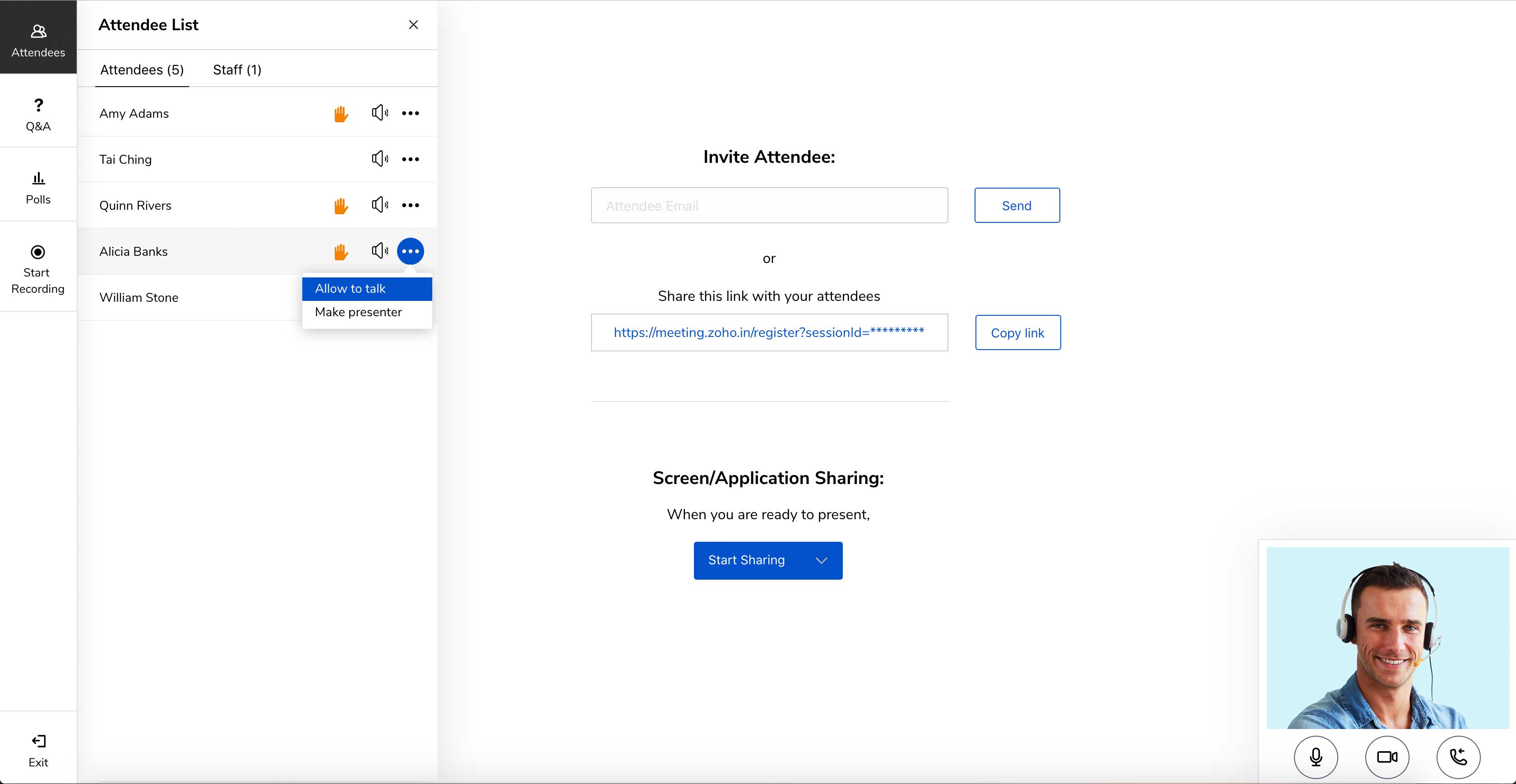
Screenshot of Meet across devices using Zoho MeetingScreenshot of Host moderator controlled meetings with Zoho MeetingScreenshot of Organize engaging webinars with Zoho MeetingScreenshot of Engage attendees during the webinarScreenshot of Meeting participant's viewing presenter's screen