SolarWinds Remote Monitoring & Management (RMM) is a cloud-based system monitoring offering for Managed Service Providers. It provides a full monitoring and management suite, including automation and threat detection capabilities, and can integrate with other SolarWinds products.
N/A
TOPdesk
Score 8.3 out of 10
Mid-Size Companies (51-1,000 employees)
TOPdesk is the flagship highly-modular cloud-based or installed ITSM service desk and asset management solution from the Dutch company of the same name, for enterprise companies.
$76
per month Per agent
Pricing
N-able N-sight RMM
TOPdesk
Editions & Modules
No answers on this topic
Essential
$76
per month Per agent
Engaged
$109
per month Per agent
Excellent
$155
per month Per agent
Offerings
Pricing Offerings
N-able N-sight RMM
TOPdesk
Free Trial
Yes
Yes
Free/Freemium Version
No
No
Premium Consulting/Integration Services
No
Yes
Entry-level Setup Fee
No setup fee
Optional
Additional Details
—
The TOPdesk license model:
- Modular: Organizations purchase only the modules needed
- Saas or On premise
- Supports unlimited number of assets.
- Service agents based.
- Discount available for annual pricing.
It's great for the basics of device management for Windows PCs, I wouldn't recommend it for Mac other than asset management. The patch management and monitoring templates are helpful for the day-to-day, and the "Take Control" feature for remote assistance allows us to provide fast service to clients - we often are on a machine within 5 minutes of receiving a ticket.
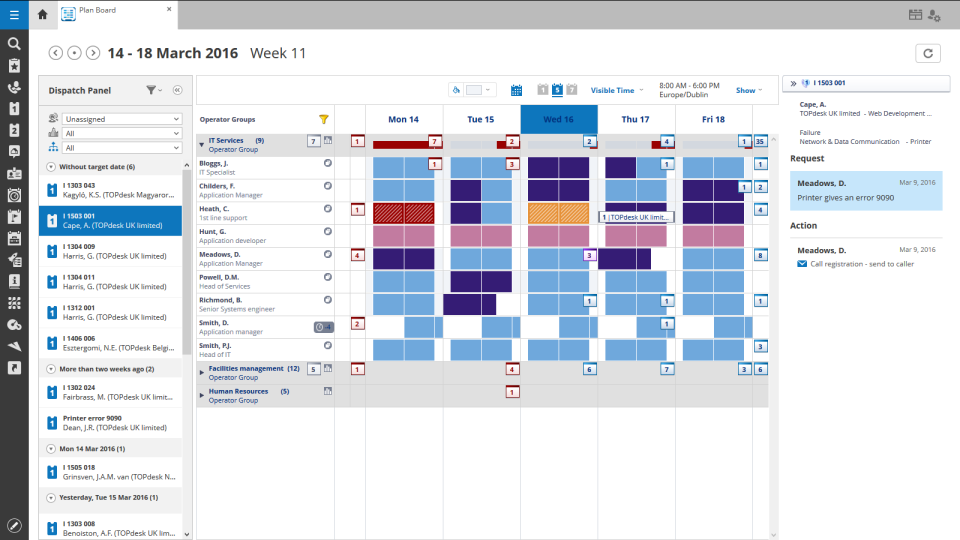
We had a smaller team of 6-7 people and for us it was perfect. It was very easy for us to book time per ticket and keep track of what we were spending the most of our time on. Escalating tickets was easy because of the prebuilt emails and message saving features. The typical features are all there of course such as incident, project management, etc. TOPdesk is highly customizable and we felt like we always had a good oversight of the KPI's, time management and customer satisfaction ratings. Our management liked the reporting features, the customizable dashboard and the data visualization. In my personal experience, TOPdesk also had the best search feature, and with the tags we were also very easily able to find the tickets we needed.
It provides fantastic remote access capabilities. The Take Control tool gives us a robust platform that is capable of remote controlling almost any endpoint we need to and the chat, file transfer, and screen recording tools are all exceptionally useful.
SolarWinds RMM is particularly useful as a single pane of glass solution that allows us to monitor and manage thousands of endpoints across dozens of different clients. It does a solid job of allowing us to sort, organize, and filter based off of who and what we want to see at any given time.
Due to its client based nature, the platform excels at in-depth monitoring of services, event logs, and the functionality of systems with custom script checks.
It just works, has some continuous development and an easy-to-use interface, which is important especially because not all our colleagues are technical experts (or in other words, "capable of more than switching on and off the computer"). We use a large range of functions and therefore it would be really hard to replace TOPdesk in our company.
The interface is easy to navigate. Setting up policies is straight forward. The antivirus and web filter are simple and exceptions are easy to make. Upgrading the agent is made simple and creating scripts is made fool proof. (Well, almost)
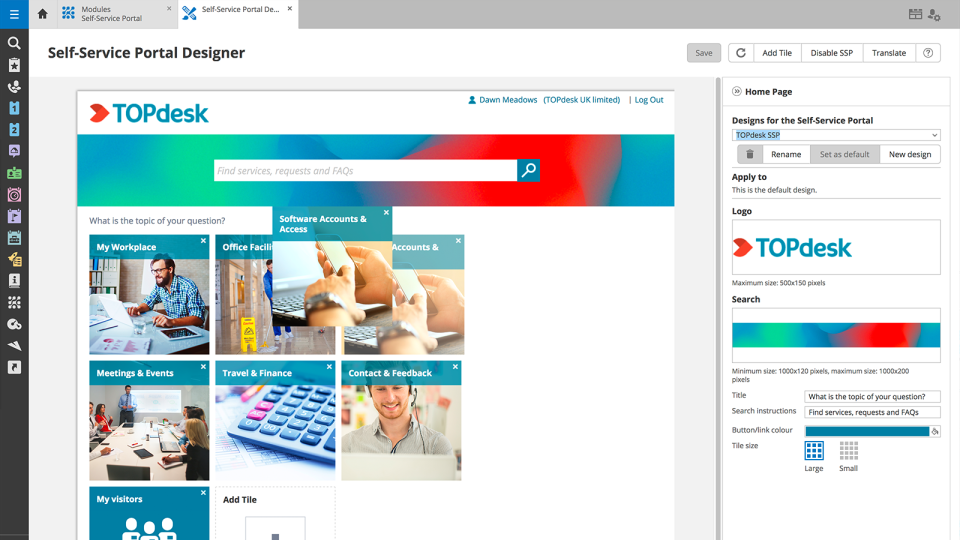
In short, we've been able to remove many pain points, automate multiple things, and empowered the end-user by being able to manage more items via the Self Service Portal. We've been able to do more than we were able to do with our previous ITSM platform. The TOPdesk development team added some things recently that will allow us to make some other things more efficient.
Like I said somewhere else in this review: the helpdesk of TOPdesk is top of the bill! In the Netherlands, that is. I can not plea for the helpdesks in other countries, but I guess the TOPdesk organization will make sure the quality of the helpdesk is the same in every country.
Although being a SAAS solution, TOPdesk performs pretty fast. One can imagine that any SAAS solution is slow or has hiccups, but we have not experienced such with TOPdesk. Pages load quickly, logging in goes smoothly. We have made reports on premise in the past - that always took some time, as you might expect with such complex tasks. It seems that in the SAAS solution TOPdesk somehow has managed to make it even faster!
The ease of use, full functionality, reliability and excellent support.[N-able RMM (formerly Solarwinds RMM)] gives users a full suite of tools with a single installable file. Unlike standard tools, you don't have to install several different executables to be able to have fully protected end points.
Most if not nearly all questions are answered within the same or a few days. The helpdesk is very knowledgable about their product and are always willing to help. The only downside is that for more difficult questions it can take a while due to the experts being further removed from the helpdesk. But they are always willing to answer questions, even if they are not directly related to a problem with the service.
We had Topdesk in-house here training staff for almost a month (2-3 hour meetings 3x a week.) It was invaluable and we were able to take that training and share with the rest of our IT staff. Once implemented we were able to fly from there. The challenges we found were in how to get started. Once started the knowledge base offered from Topdesk has been invaluable.
Online training documentation is easy to access and consume. There is no real challenges with finding information on how to use the product and some really helpful knowledge base items that show us how valuable these options are in our own implementation of it. The online training we've used has been self driven
It was a challenge to port over years of the same thing and we ended up keeping old ideas in Topdesk that we will eventually weed out as time passes and we learn how users view categories and flows of tickets. Planning is key but bear in mind that just because you used to do it this way doesn't mean you still have to
Ultimately, we chose to stay with N-able N-sight due to their competitive pricing and billing system that we integrated into our accounting. The other competitors do offer better-made modules/new technology, but we were not ready to make this big move because of the cost. In the future, perhaps, we will still consider NinjaOne.
Spiceworks is an easier-to-use Help Desk solution but it lacks all other features that Topdesk has. Freshdesk was just too much for our environment. It was cost-prohibitive for our intended use. TOPdesk fit our org size and budget better than the others.
TOPdesk is very flexible and scalable. Every department in you organization can you the software. Perhaps some persons need some training, but that can be provided by TOPdesk ot some keyusers.
The ROI is immediate for us. The advanced alerting alone makes this product an ace in our bag. The confidence you have in your network is wonderful.
Another big ROI we get from the advanced alerting is the peace of mind that our engineers feel. We are a 24/7 shop, so being on-call goes from being hectic to extremely manageable.
The only negative I can honestly say is when the time comes to patch the product. Micro-patches are easy enough, but jumping versions can be a bit taxing.