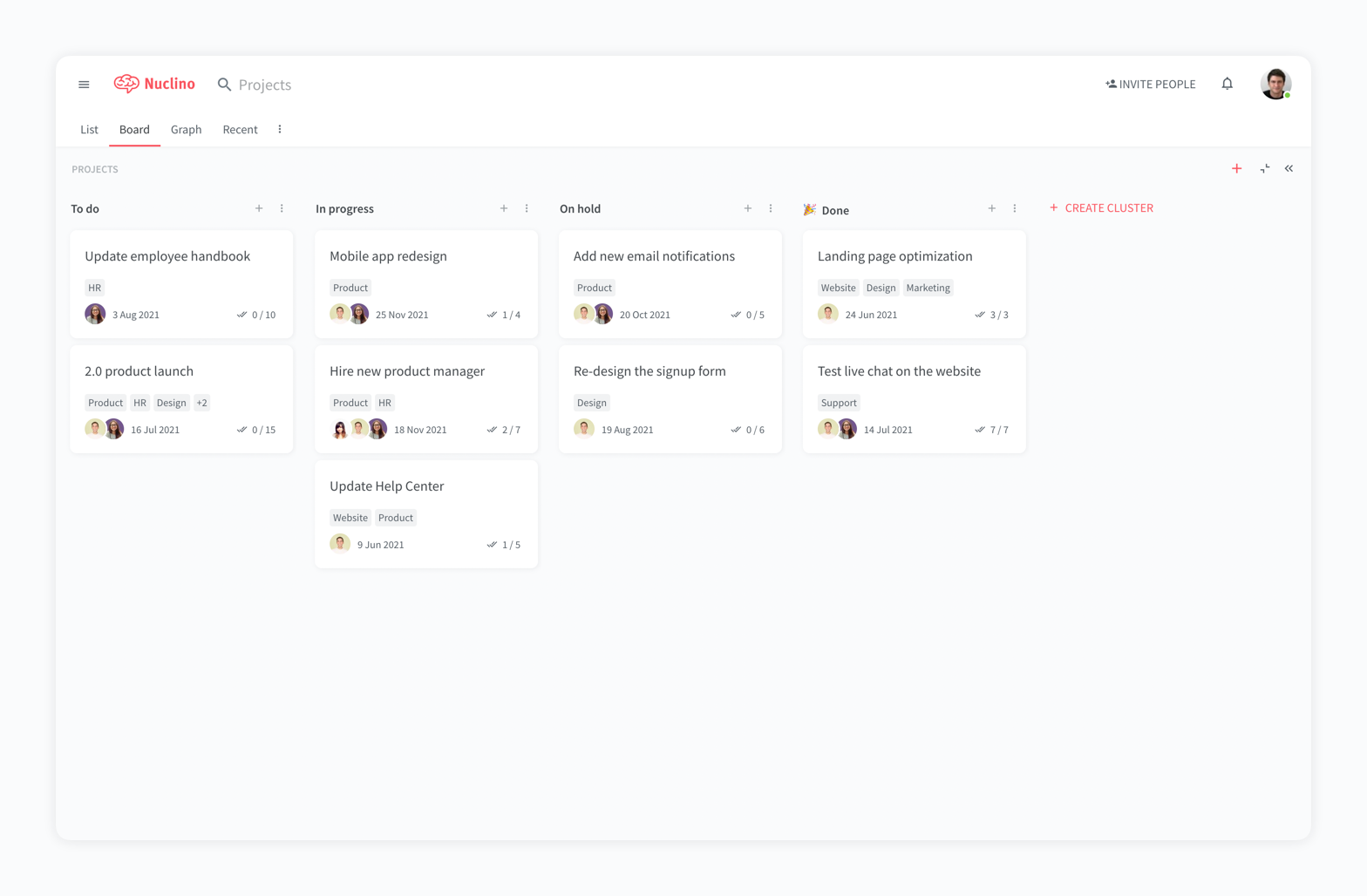
Nuclino is a unified workspace where teams can organize knowledge, manage projects, and share ideas. Progress can be tracked in a Kanban board, work structured in a hierarchical list, or data organized in a visual graph — Nuclino adapts to a team's workflow. Presented as simple and lightweight by design, Nuclino focuses on the essentials, doing away with clunky menus and rarely-used settings, to minimize the learning curve for new users. Teams from across the globe can use Nuclino…
$0
Workamajig
Score7.6 out of 10
N/A
Workamajig is a project management system with capabilities such as file sharing, resource management, and revenue projection.
$41
per month per user
Pricing
Nuclino
Workamajig
Editions & Modules
Free
$0
per month per user
Starter
$8
per month per user
Business
$12
per month per user
In-house
$41
per month per user
Agency
$41
per month per user
Enterprise
Contact
per month per user
Offerings
Pricing Offerings
Nuclino
Workamajig
Free Trial
Yes
No
Free/Freemium Version
Yes
No
Premium Consulting/Integration Services
No
No
Entry-level Setup Fee
No setup fee
No setup fee
Additional Details
Nuclino offers a free plan for up to 50 items and 2GB total storage. Commercial plans support unlimited items, advanced features, and 10GB storage per user. 25% discount for annual pricing.
For game design - Perfect for personal notes, recipes, snippets - Perfect for storing some organized data (for example, links to resources) - Perfect for a content playground powered by AI - Very good for diagrams - Very good. Don't know any bad examples. Tool really great. Rich functionality. Especially love different views (table, graph).
If you're looking for a system to help you address accounting that's not suited for marketing agency structures, this is the right tool. It is a bit cumbersome, but it has streamlined our reporting, billing, estimating, and tracking. As for project management, it's great that it integrates with the estimating and finances, but it's just not enjoyable to use. The interface is clunky. So if project management is your main criteria, I'd choose something else. We would never use it to collaborate with clients either because I'd be afraid of making them frustrated by the tool, so we use Basecamp to do that.
A de minimis incentive was given to thank the reviewer for their time. The incentive was not used to bias or drive a particular response, nor was the incentive contingent on a positive endorsement. More Info
The system is extremely fast. The application loads and displays data in milliseconds. This makes the system easy to work with.
It's also easy to edit documentation and information, as information can be editing directly without the use of an "edit" button.
Pricing: Loading speed, ease of use and quick editing are its main advantage that makes it stand out from competitors. Having said that, the pricing is very good as well.
A de minimis incentive was given to thank the reviewer for their time. The incentive was not used to bias or drive a particular response, nor was the incentive contingent on a positive endorsement. More Info
The Platinum version has a particularly robust time tracking system, down to a 'timer' function that can be critical for an agency like mine where you want to be accountable for billing a client arruately
The ability to make projects available only to those who are permitted to assign their time to it has apparently been very helpful during our revenue reconciliation meetings where time incurred is reviewed against scope
The mobile app, while I still feel needs some work, is pretty handy for a quick calendar check if I'm in a client meeting and cannot utilize my browser to get information
A de minimis incentive was given to thank the reviewer for their time. The incentive was not used to bias or drive a particular response, nor was the incentive contingent on a positive endorsement. More Info
A de minimis incentive was given to thank the reviewer for their time. The incentive was not used to bias or drive a particular response, nor was the incentive contingent on a positive endorsement. More Info
WMJ's interface is dated. Despite an html5 driven "sheets"-based interface, it takes a lot of time and effort to manage the interface, which could be streamlined considerably. On a UX/UI scale of 1 to 10, with 10 being the best, WMJ would earn a 6 from me.
Despite the amount of documentation available, there is a distinct lack of clarity in that documentation, and it doesn't fully cover everything you would expect. Branching thoughts, for instance, are not addressed. Additionally, because there are two editions of the software online, there are two support sites that aren't sequestered. So information from both commingles, creating confusion.
Support is available on an email and phone basis. They strongly encourage you to use email, however, and they are resistant to phone time. This is likely because the support staff is limited in number, but has a great depth of knowledge. If you want immediate phone support, however, YOU ARE OUT OF LUCK. You are placed in a queue and the odds of same-day help are low. For email, the response is usually within an hour, but when you are stuck with a configuration issue, or need to generate a report and don't know how to do something, waiting is not optimal. That said, the support team is TERRIFIC.
A de minimis incentive was given to thank the reviewer for their time. The incentive was not used to bias or drive a particular response, nor was the incentive contingent on a positive endorsement. More Info
It has a very clean UI for me, the multiple views are so so useful, we can collaborate freely, and fast. This app helped us to grow because now we are giving our time more on generating ideas and of course getting more projects and clients giving real ROI instead of focusing on organizing files. But just like all apps out there, it has some room for improvement
A de minimis incentive was given to thank the reviewer for their time. The incentive was not used to bias or drive a particular response, nor was the incentive contingent on a positive endorsement. More Info
My team has an individual dedicated to content management and Nuclino is one of her job descriptions. It's nice knowing she is able to handle any issues that arise before we even realize they exist. We haven't had any technical issues since implementation so that's been a very pleasant experience.
A de minimis incentive was given to thank the reviewer for their time. The incentive was not used to bias or drive a particular response, nor was the incentive contingent on a positive endorsement. More Info
Nuclino is the clear winner when it comes to ease of use for both the administrator and user. Less setup time and less "training" time. The streamlined interface is quick and intuitive to learn and is not cluttered as compared to Confluence. Every tool you need to use to create a page or administer the workspace is available immediately on screen or by right-clicking. In contrast, Confluence buries many tools in administrative interfaces and only allows use of some features once you make several clicks to include a "macro" or "plug-in". We use both tools and I get complaints constantly from my team about how complicated Confluence can get just to author a quick page.
A de minimis incentive was given to thank the reviewer for their time. The incentive was not used to bias or drive a particular response, nor was the incentive contingent on a positive endorsement. More Info
Workamajig was selected over a decade ago when there were very few project management platforms that has integrations with other platforms, support for Agile, KanBan, etc etc. Most of the other offerings did not offer the type of security available with us hosting an on premises server behind a VPN although now there are plenty of cloud based solutions that have security compliance greater than what we can provide (fedRamp, etc.)
A de minimis incentive was given to thank the reviewer for their time. The incentive was not used to bias or drive a particular response, nor was the incentive contingent on a positive endorsement. More Info
The agency switched to an hourly allocation so our clients were subject to a certain amount of hours each quarter. JIG helped us keep track of who was going over hours or who had some to spare. Once the clients went over we would use JIG to help charge the additional fees for going over. It helped keep clients accountable.
It was used to keep track of time sheets and through those time sheets, the directors were able to make a case for more employees on certain accounts. The corporate team hired 3 additional people that were truly needed and our time sheets helped reflect that.
A de minimis incentive was given to thank the reviewer for their time. The incentive was not used to bias or drive a particular response, nor was the incentive contingent on a positive endorsement. More Info