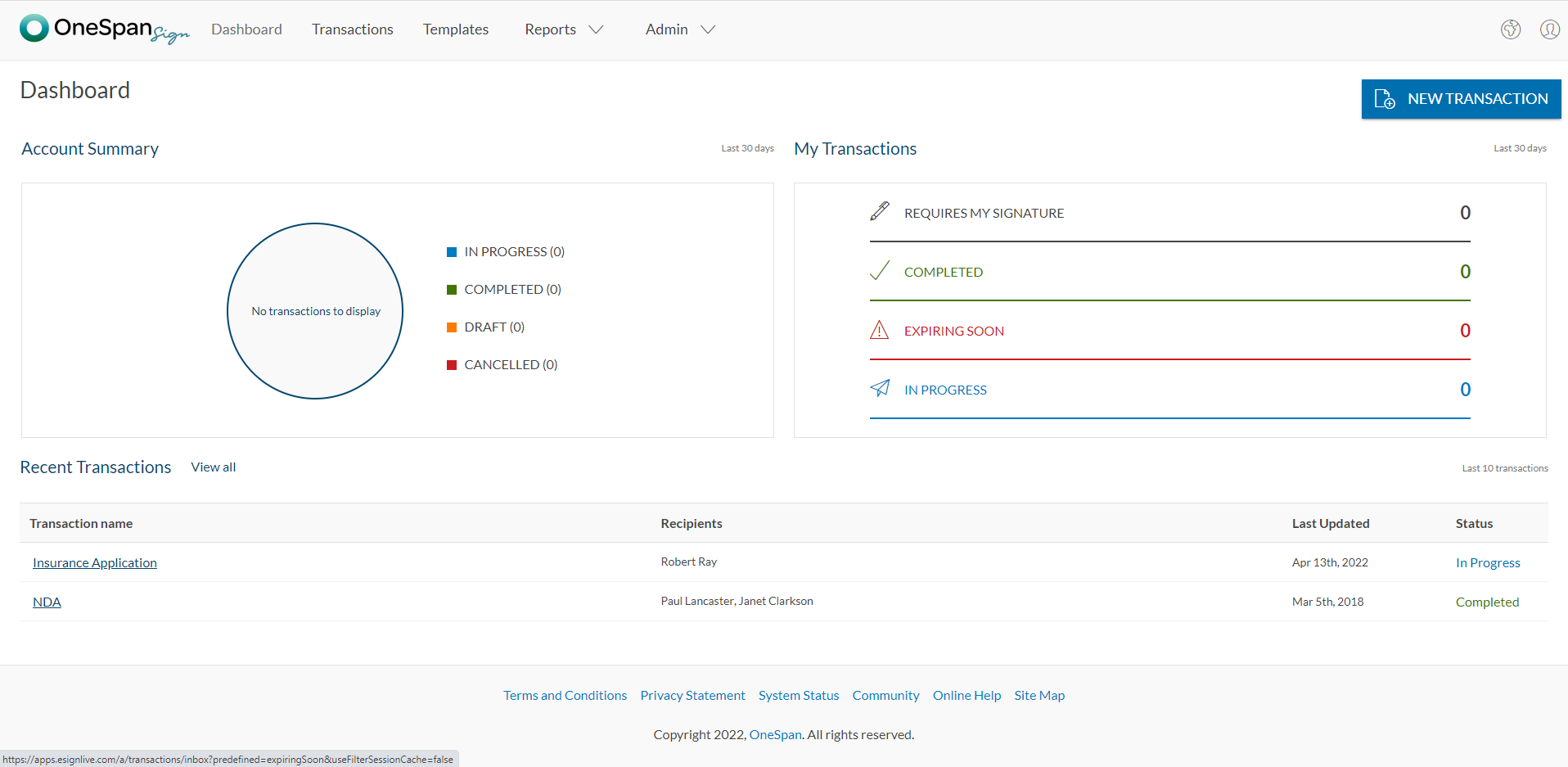
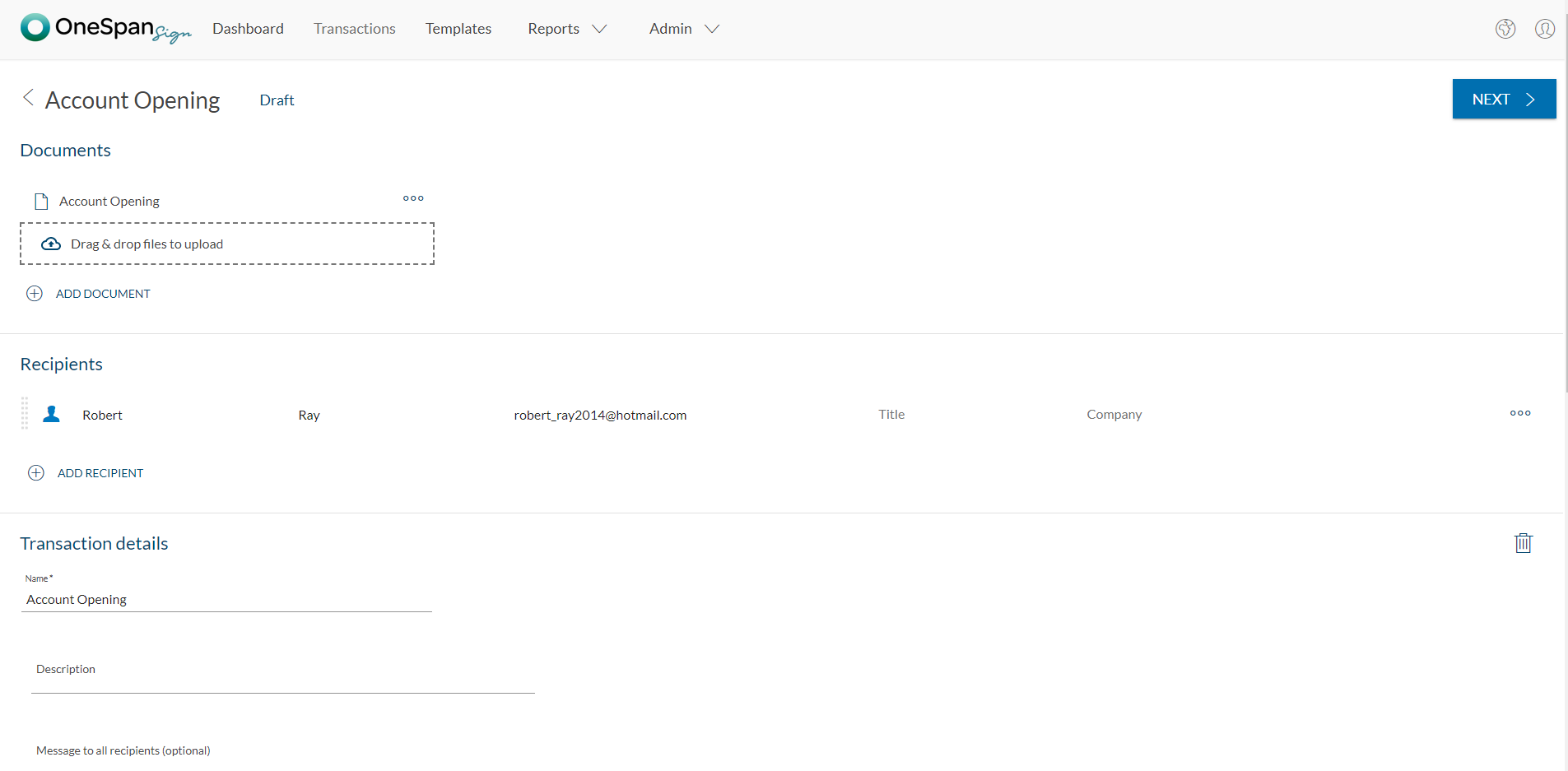
OneSpan Sign (formerly eSignLive) is an e-signature solution for secure document signing processes that enables organizations to digitize business processes and eliminate costly paper and inconvenient “wet” signatures.
$240
per year per user
Vyond
Score8.4 out of 10
N/A
Vyond (formerly GoAnimate) is a cloud-based platform for producing custom animated videos. It is used by educators as well as in business contexts by advertisers and content marketers, and for demos and presentations.
$99
per month single user
Pricing
OneSpan Sign
Vyond
Editions & Modules
Free Trial
$0
Free for 30 Days
Professionnal
$20
Per User per Month
Enterprise
Call for Pricing
Enterprise
Call for pricing
Contract
Starter
$99
per month
Professional
$199
per month
Enterprise
$1649
per year per user
Agency
$1999
per year per user
Offerings
Pricing Offerings
OneSpan Sign
Vyond
Free Trial
Yes
Yes
Free/Freemium Version
No
No
Premium Consulting/Integration Services
Yes
No
Entry-level Setup Fee
No setup fee
No setup fee
Additional Details
—
Discount available for annual billing on Starter and Professional plans.
OneSpan Sign is suited to many professional business situations. It is well used by the legal, security and compliance teams as well as many people within the financial functions. A lot of businesses have become very agile, and require a paperless environment to working. There are some companies and businesses who would prefer paper documents to be signed, which would not work as well as the paperless versions. I would use it in many different scenarios where I would prefer to have a paperless transaction
A de minimis incentive was given to thank the reviewer for their time. The incentive was not used to bias or drive a particular response, nor was the incentive contingent on a positive endorsement. More Info
As long as money isn't a major issue (this application is pretty expensive!), it's the best solution I've used so far for creating short explainer videos. It's pretty robust/full-featured and relatively easy to learn to use. Vyond is constantly adding assets and features, too. It would not really appropriate for making full-fledged e-learning, as there's no way to add any interactivity to it, and it's not something I'd used to create long, complex presentations.
A de minimis incentive was given to thank the reviewer for their time. The incentive was not used to bias or drive a particular response, nor was the incentive contingent on a positive endorsement. More Info
In the newest version, the timeline allows you to control each asset individually in a way that mimics video auditing software like Adobe Premiere Pro or Camtasia
I love the way you can replace an object and the new object will automatically take on the formatting of the object it is replacing including, location, size, expression, duration on the timeline, etc.
I really enjoy the spotlights on other user's videos. Even when I don't have time to read the full article, watch the full video, or attend the webinars, this is usually enough to give me new ideas to try out when making my own videos
I appreciate the ample notice when things are changing. For example, the platform will be updated at the end of the year, but I have had access to the new format since June(ish) so I've had time to play around with it and get used to it. By the time the legacy format is retired I won't have any problems adjusting to the new format or functionality.
A de minimis incentive was given to thank the reviewer for their time. The incentive was not used to bias or drive a particular response, nor was the incentive contingent on a positive endorsement. More Info
The fact that it's on a cloud server means that sometimes the software can get clunky/slow.
There may be extra work involved if you have multiple characters talking in one audio file and you want them to sync their mouths with their appropriate lines.
Characters having multiple actions/expressions means multiple scenes, which can be very cumbersome to manage.
A de minimis incentive was given to thank the reviewer for their time. The incentive was not used to bias or drive a particular response, nor was the incentive contingent on a positive endorsement. More Info
I don't see any reasons to change as their solution covers all my need for now. I could make even more integrations but that might be something that I will do down the road. I'm used to working with the interface and my data is all there as well.
I was recently at a conference where I learned that many of my peers also use Vyond, solidifying my opinion that it is the right tool for out needs. Further more, one of our content vendors also uses it, ensuring that I will continue to use it as I believe this will facilitate our collaborations in the future
A de minimis incentive was given to thank the reviewer for their time. The incentive was not used to bias or drive a particular response, nor was the incentive contingent on a positive endorsement. More Info
A de minimis incentive was given to thank the reviewer for their time. The incentive was not used to bias or drive a particular response, nor was the incentive contingent on a positive endorsement. More Info
This program is great when you have no video experience! There's only a little of a learning curve to the program. In general, the user interface is great and easier than using a program like Adobe premier. It's a great resource to use as a marketer.
A de minimis incentive was given to thank the reviewer for their time. The incentive was not used to bias or drive a particular response, nor was the incentive contingent on a positive endorsement. More Info
A de minimis incentive was given to thank the reviewer for their time. The incentive was not used to bias or drive a particular response, nor was the incentive contingent on a positive endorsement. More Info
Vyond is just an animated video creation tool. You have to use your video content and track its performance through other means. Because it is an online tool it doesn't hog your resources or slow down any other tools that I use. It is a stand-alone product and it doesn't need to integrate with any of our other tools. It does what it does and that is all we need.
A de minimis incentive was given to thank the reviewer for their time. The incentive was not used to bias or drive a particular response, nor was the incentive contingent on a positive endorsement. More Info
The product is so well designed and built that we rarely need to reach out to customer service. But we have reached out to them in case of downtime, and we have always gotten a satisfactory response. We never had to follow up, as customer service executives were very responsible.
I haven’t had any issues that required me to contact their support team. However, I believe support in any product starts before you have to call for help. Vyond provides an option for priority queue when you have their professional option. This is great for folks who need things done faster, especially when businesses can’t afford any downtime. Their Live chat feature is also reassuring, because I don’t always want to spend time on the phone or on hold if their call volume is high and I need to solve an issue.
A de minimis incentive was given to thank the reviewer for their time. The incentive was not used to bias or drive a particular response, nor was the incentive contingent on a positive endorsement. More Info
A de minimis incentive was given to thank the reviewer for their time. The incentive was not used to bias or drive a particular response, nor was the incentive contingent on a positive endorsement. More Info
My experience with OneSpan in the customer service has been very positive. However, since my experience with OneSpan is much more recent, most of my technical experience with OneSpan includes technical areas that were not available in other products at the time I was working with other products.
A de minimis incentive was given to thank the reviewer for their time. The incentive was not used to bias or drive a particular response, nor was the incentive contingent on a positive endorsement. More Info
Vyond is the best tool our company has used for creating animated explainer videos and social content. We have tried many other software solutions but Vyond offers the most options for animating characters, text, and scenes. Despite the lack of options for overall styles, it offers a consistent and professional video every time. Plus, Vyond it's constantly adding new templates to their already expanding library
A de minimis incentive was given to thank the reviewer for their time. The incentive was not used to bias or drive a particular response, nor was the incentive contingent on a positive endorsement. More Info
A de minimis incentive was given to thank the reviewer for their time. The incentive was not used to bias or drive a particular response, nor was the incentive contingent on a positive endorsement. More Info
A de minimis incentive was given to thank the reviewer for their time. The incentive was not used to bias or drive a particular response, nor was the incentive contingent on a positive endorsement. More Info
A de minimis incentive was given to thank the reviewer for their time. The incentive was not used to bias or drive a particular response, nor was the incentive contingent on a positive endorsement. More Info