Oracle SQL Developer is an integrated development environment (IDE) which provides editors for working with SQL, PL/SQL, Stored Java Procedures, and XML in Oracle databases.
N/A
SnapLogic
Score8.5 out of 10
N/A
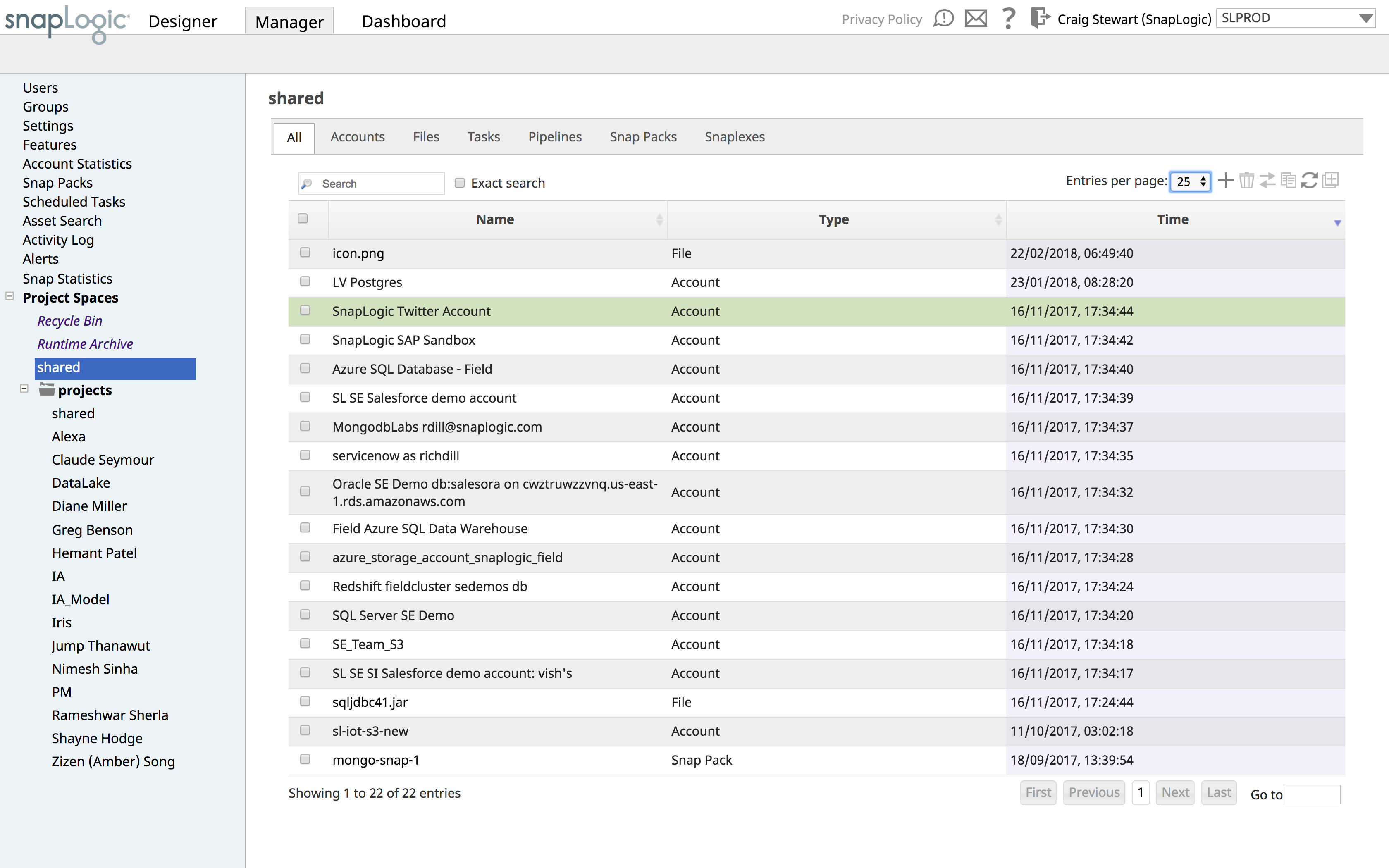
SnapLogic is a cloud integration platform with a self-service capacity supported by over 450 prebuilt modifiable connectors. SnapLogic also offers real-time and batch integration processes for interfacing with external data sources, a drag-and-drop interface, and use of the vendors’ Iris AI.
Almost all development activities (the tool is called "SQL Developer", not "DBA Toolset") can be done easily and quick with [Oracle] SQL Developer. From data model creation (tables, views) to development (creation of procedures, functions, packages) and then testing (SQL Developer includes an easy to use debugger), all tasks can be performed in a single tool.
It may not be as complete as other solutions for DBA tasks like instance monitoring, but it is usually OK for development and testing environments if you want to do some basic troubleshooting.
A de minimis incentive was given to thank the reviewer for their time. The incentive was not used to bias or drive a particular response, nor was the incentive contingent on a positive endorsement. More Info
Snaplogic is unique from other IPASS tools if you're very sensitive about data security as they have an on-premise option where your data never needs to leave your data center. And data pipelines can be quickly created if Snaplogic has the requisite connector to your data sources. On the downside, if you're transforming a large amount of data for example in training machine learning models, a tool with elastic compute capability is more appropriate.
Object Browser in SQL Developer allows you to explore the contents of your database using the connection tree.
The SQL Worksheet is an editor that allows for execution of SQL statements, scripts, and PL/SQL anonymous blocks. SELECT statements can be executed to return results in a spreadsheet-like 'grid' or can be executed as a script such to emulate SQL*Plus behavior and output
DBA Console allows users with administrative privileges to access DBA features such as database init file configuration, RMAN backup, storage, etc.
A de minimis incentive was given to thank the reviewer for their time. The incentive was not used to bias or drive a particular response, nor was the incentive contingent on a positive endorsement. More Info
A de minimis incentive was given to thank the reviewer for their time. The incentive was not used to bias or drive a particular response, nor was the incentive contingent on a positive endorsement. More Info
Inability to run multiple queries on the same database. You can only run one query on a given database.
Analytical models created from complex tables isn't accurate, and needs work.
Inability to view multiple tables of a database side-by-side. When trying to find correlations between tables, it would help to be able to see them at once on the same page.
A de minimis incentive was given to thank the reviewer for their time. The incentive was not used to bias or drive a particular response, nor was the incentive contingent on a positive endorsement. TR verified that a representative sample of customers was invited. More Info
A de minimis incentive was given to thank the reviewer for their time. The incentive was not used to bias or drive a particular response, nor was the incentive contingent on a positive endorsement. More Info
A de minimis incentive was given to thank the reviewer for their time. The incentive was not used to bias or drive a particular response, nor was the incentive contingent on a positive endorsement. More Info
This has been hands down the BEST software company I have ever used and dealt with. I am a 25 year IT veteran at this college. They go above and beyond in soliciting our feedback/input and proactively follow up about bugs, issues, etc. I have given multiple potential clients my thoughts and after seeing the SL demo they all sign up. I appreciate their support model, it's REFRESHING!
A de minimis incentive was given to thank the reviewer for their time. The incentive was not used to bias or drive a particular response, nor was the incentive contingent on a positive endorsement. More Info
Oracle SQL Developer is very easy to use and there are a wide range of courses available which can help you get started just within a day. Data can be exported in multiple formats based on user requirements. Organizational data can be stored and management effectively using Oracle SQL Developer. All the data, tables, sequences, indexes can be easily created and updated in Oracle SQL Developer.
A de minimis incentive was given to thank the reviewer for their time. The incentive was not used to bias or drive a particular response, nor was the incentive contingent on a positive endorsement. More Info
A de minimis incentive was given to thank the reviewer for their time. The incentive was not used to bias or drive a particular response, nor was the incentive contingent on a positive endorsement. More Info
A de minimis incentive was given to thank the reviewer for their time. The incentive was not used to bias or drive a particular response, nor was the incentive contingent on a positive endorsement. TR verified that a representative sample of customers was invited. More Info
They can be prompt but they have not been as useful as I've wanted. We had a bug that affected many of our customers through an API connection between SnapLogic and our platform. Eventually they were able to figure it out, but it took a long time of negotiating between our engineering team and theirs. Additionally, we installed the SnapLogic groundplex for our customers and we've run into a bunch of problems of connectivity. If SnapLogic offered to be on those calls with our clients to troubleshoot how to fix these problems, I would give them a better grade here.
A de minimis incentive was given to thank the reviewer for their time. The incentive was not used to bias or drive a particular response, nor was the incentive contingent on a positive endorsement. More Info
A de minimis incentive was given to thank the reviewer for their time. The incentive was not used to bias or drive a particular response, nor was the incentive contingent on a positive endorsement. More Info
A de minimis incentive was given to thank the reviewer for their time. The incentive was not used to bias or drive a particular response, nor was the incentive contingent on a positive endorsement. More Info
I have started to use Toad for Oracle recently because it is easier to sort and filter results, due to their memory sort feature that puts the results from your query in memory so that you don't have to rerun your query. I have used SQL Developer to easily update records in tables that I need to fix. I haven't found an easy way to do this in Toad other than writing SQL insert statements.
A de minimis incentive was given to thank the reviewer for their time. The incentive was not used to bias or drive a particular response, nor was the incentive contingent on a positive endorsement. More Info
We opted for SnapLogic due its ease of use and the flexibility it offers, it was the platform that was strongest in both application integration and data integration and both were use cases we wanted to be able to cover.
A de minimis incentive was given to thank the reviewer for their time. The incentive was not used to bias or drive a particular response, nor was the incentive contingent on a positive endorsement. More Info
A de minimis incentive was given to thank the reviewer for their time. The incentive was not used to bias or drive a particular response, nor was the incentive contingent on a positive endorsement. More Info