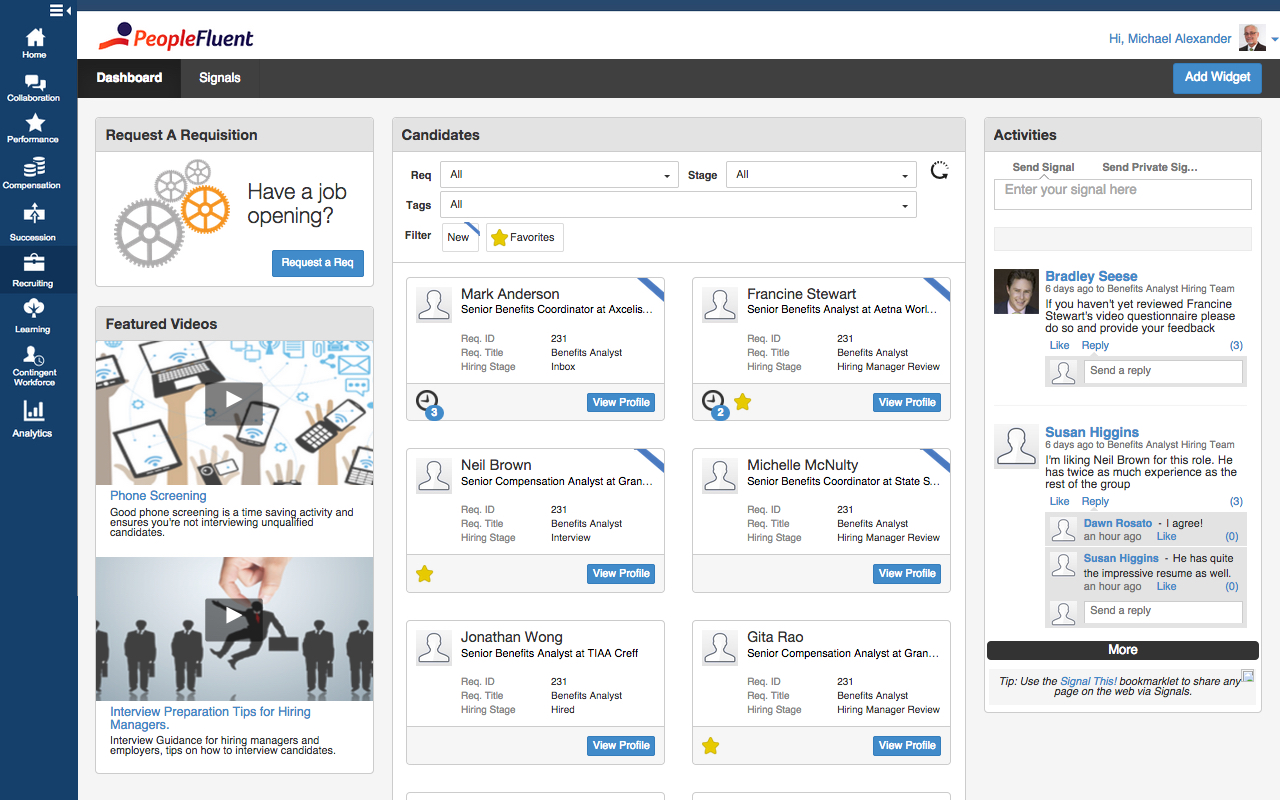
PeopleFluent includes modules for recruiting, performance management, compensation, learning, succession, and vendor management, as well as workforce planning and diversity. These modules can be purchased separately or bundled, and integrate with other HR systems.
N/A
WorkBright
Score10 out of 10
Mid-Size Companies (51-1,000 employees)
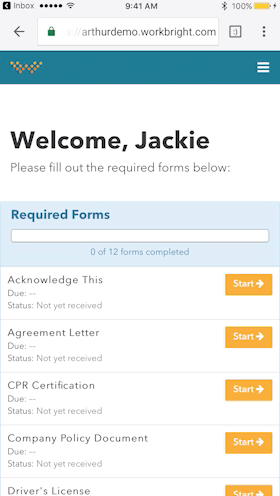
WorkBright is a purpose-built I-9 compliance and E-Verify platform designed to help organizations maintain audit readiness, improve accuracy and efficiency, and confidently manage employment eligibility across complex, high-volume, and distributed workforces. The platform performs more than 150 automated compliance checks to identify and resolve errors before submission, supports all three Section 2 completion workflows, and features industry-first document verification…
N/A
Pricing
PeopleFluent
WorkBright
Editions & Modules
No answers on this topic
No answers on this topic
Offerings
Pricing Offerings
PeopleFluent
WorkBright
Free Trial
No
No
Free/Freemium Version
No
No
Premium Consulting/Integration Services
Yes
No
Entry-level Setup Fee
No setup fee
Required
Additional Details
—
Our pricing is based off the number of hires in a given contract year. All contracts are annual but can be billed on a monthly basis.
PeopleFluent has eliminated the use of paper reviews. It is also eliminated the use of scanning, emailing or interoffice mail. It is a great tool for communication and I highly recommend it. However, in some ways, the product can be improved. Some processes are tied to each other and could function in tandem. For example, while completing the self-review, the employee has to capture multi-raters. If self-review is submitted without listing multi-rater names then multi-rater review has to be captured separately on paper. In my opinion, these two processes can be different. Multi-raters should be added/removed/modified after submitting self-review.
A de minimis incentive was given to thank the reviewer for their time. The incentive was not used to bias or drive a particular response, nor was the incentive contingent on a positive endorsement. More Info
Workbright is well suited because of the following reasons: 1. Data transmission between browser and application is highly encrypted 2. Bank grade data encryption for maximum security 3. Data is backed up at various locations 4. Database security is maintained to the highest standards with Engineers 5. Automated reminders and user correction error flow system
A de minimis incentive was given to thank the reviewer for their time. The incentive was not used to bias or drive a particular response, nor was the incentive contingent on a positive endorsement. More Info
It was very easy to go through resumes, choose the people you wanted to interview and set up the interviews.
It is great at keeping track of people that have come through hiring process in the past so you do not waste time on those that have already been declined or are sent in by multiple vendors.
The handling of time sheets and expense reports is very easy to manage.
A de minimis incentive was given to thank the reviewer for their time. The incentive was not used to bias or drive a particular response, nor was the incentive contingent on a positive endorsement. More Info
The interface is a little confusing. I'm not sure if it's something that can be fixed in implementations, or if it's inherent to PeopleFluent, but there are almost too many tabs asking for too much information. A lot of it can be repetitive as well.
Changing your password/resetting your password seems to be nightmarish. It requires an organization ID as well as security questions, and forces you to reset your password far too often. I really dislike that feature.
Honestly, PeopleFluent itself looks pretty outdated. I feel as though the entire application really needs a facelift to be more current.
A de minimis incentive was given to thank the reviewer for their time. The incentive was not used to bias or drive a particular response, nor was the incentive contingent on a positive endorsement. More Info
Onboarding Paperwork - It would be great if there was only one website we had to log into. For example, I have to log into one to send paperwork, and then log into another domain to check the paperwork sent.
Note Timeline - Anytime any application is touched, viewed, etc. a note is made. We also utilize the note feature to communicate about each applicant. However, it gets quite messy when their are over 40 notes and you are not able to sort or organize them.
Attachments - Can't attach items in notes, would be nice feature for attaching images, snippets, pdfs, etc.
A de minimis incentive was given to thank the reviewer for their time. The incentive was not used to bias or drive a particular response, nor was the incentive contingent on a positive endorsement. More Info
PeopleFluent continues to develop an already high quality product and works to continually improve the user experience. The different modules integrate well, and the administrative functions are easy to understand and perform resulting in less time spent with KTLO functions. They provide world class customer service and work hard to keep you engaged as a customer.
PeopleFluent seems to have all the functionality one would need, but it can be a bit overwhelming. Depending on the client implementation, it can be downright confusing and not intuitive. My 6 rating comes from the fact that it seems like the system can be configured to actually be confusing and not make sense. I think a VMS should be set up not to allow a customer to configure it in such a way as to not really work, or to allow users to circumvent steps. I also really don't like the "organization key" that needs to be entered every time you log in. Why is a login and password good enough for 99% of the systems out there, but PeopleFluent requires an extra field?
A de minimis incentive was given to thank the reviewer for their time. The incentive was not used to bias or drive a particular response, nor was the incentive contingent on a positive endorsement. More Info
I would rate this ATS system a 9 as there's some room for improvement as mentioned prior. I really love the design and its functionality buttons and the way I can integrate it with other systems. I would really love to see a more detailed reporting metrics long with super candidate filters when searching profiles.
A de minimis incentive was given to thank the reviewer for their time. The incentive was not used to bias or drive a particular response, nor was the incentive contingent on a positive endorsement. More Info
Its great, its very versatile and stacks up very well against the competition. In terms of usability and ease of use, anyone can quickly learn how to use PeopleFluent. Again, the faults against the system would be when a client who is running the tool customizes it to their liking. Not to mention it's a very popular tool that i have had the pleasure of working in twice now with two different organizations.
A de minimis incentive was given to thank the reviewer for their time. The incentive was not used to bias or drive a particular response, nor was the incentive contingent on a positive endorsement. More Info
WorkBright was selected as the primary HR software within our company. One of the main reasons it was selected is the intuitive user interface and dashboard. Additionally, the software had excellent features for the cost such as custom reporting, notifications, enhanced security, and training. WorkBright offered many features that other HR software in the same price range did not.
A de minimis incentive was given to thank the reviewer for their time. The incentive was not used to bias or drive a particular response, nor was the incentive contingent on a positive endorsement. More Info
I do believe that goal setting and the workflow of following up, going through the process yearly is as good as you make it. If you set good goals, or help your team make good goals then the experience can go well. Otherwise it's just another thing that an employee is doing to make their manager happy.
I am not sure the cost of the product, but if it is really expensive I am not sure that we are getting fully what we should be for what the product offers. Make sure you are using what is offered.
A de minimis incentive was given to thank the reviewer for their time. The incentive was not used to bias or drive a particular response, nor was the incentive contingent on a positive endorsement. More Info
A de minimis incentive was given to thank the reviewer for their time. The incentive was not used to bias or drive a particular response, nor was the incentive contingent on a positive endorsement. More Info