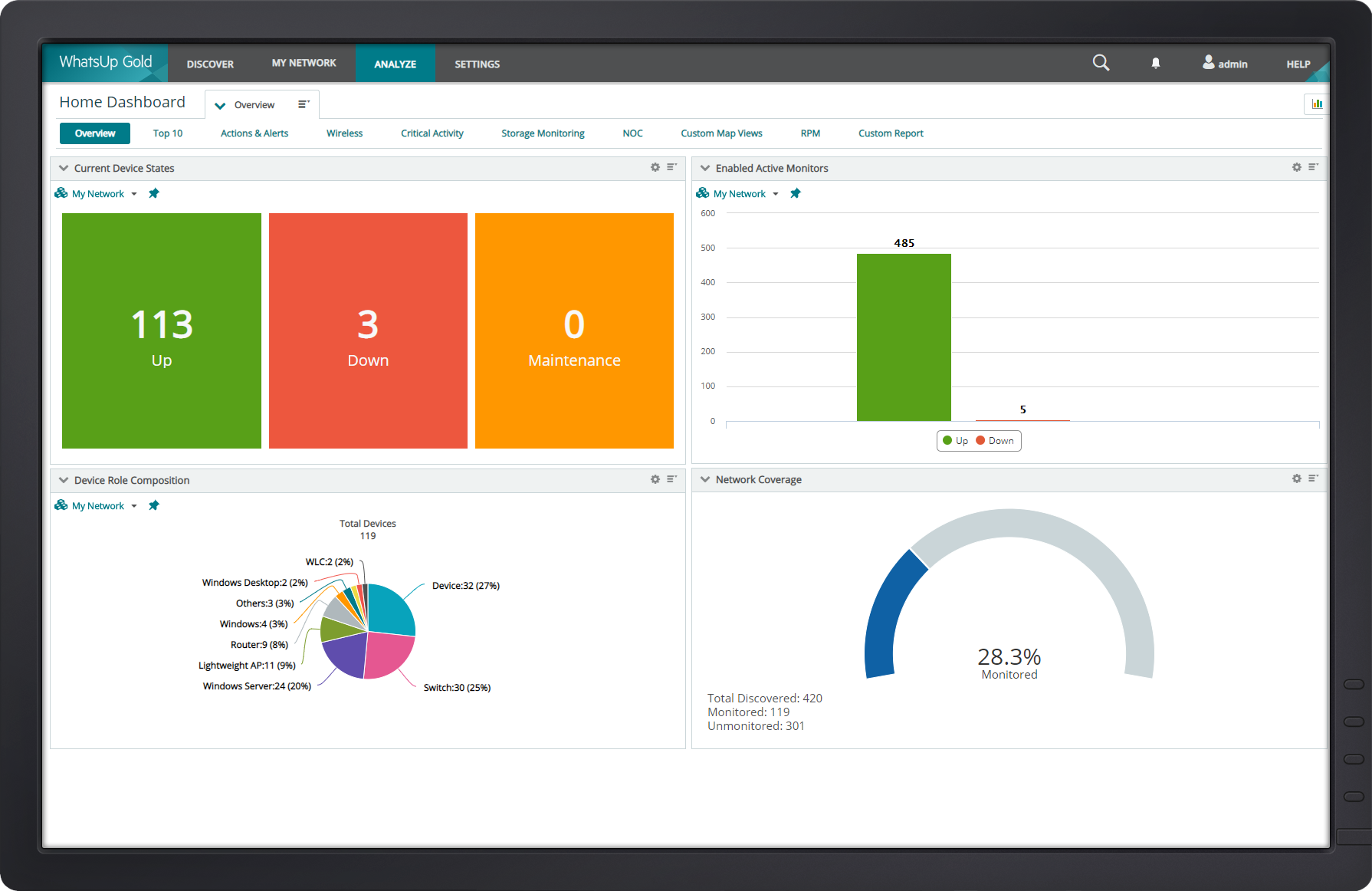
WhatsUp Gold developed by Ipswitch (acquired by Progress Software May 2019) offers network performance monitoring and mapping. It supports core monitoring features, including automated workflows and network capacity planning, and monitors across hybrid environments.
N/A
Splunk Cloud Platform
Score 8.0 out of 10
N/A
Splunk Cloud Platform is a data platform service thats help users search, analyze, visualize and act on data. The service can go live in as little as two days, and with an IT backend managed by Splunk experts.
N/A
Splunk Enterprise
Score 8.6 out of 10
N/A
Splunk is software for searching, monitoring, and analyzing machine-generated big data, via a web-style interface. It captures, indexes and correlates real-time data in a searchable repository from which it can generate graphs, reports, alerts, dashboards and visualizations.
From a initial setup, WhatsUp takes Splunk down. I had WhatsUp up within minutes of monitoring and rebooting. From a PRTG perspective, setup was about the same. Now PRTG doesn't have all the bells and whistle WhatsUp has but for tracking and monitoring Netflow and Syslog …
I believe there is no existing competitor of Splunk and the way Splunk Cloud provides support is way better than all the other competitors. No one can beat Splunk Cloud!!
I have used several Solar Winds tools in the past to monitor and track similar things. Both tools are comparable in their performance. Each one has it's own set of challenges when getting set up for the first time as well as a learning curve to get comfortable with usage.
We originally used Kiwi Syslog but this was not able to keep up with the level of logs that were being sent to it. Also Kiwi does not allow you to search through logs, create alerts, etc. or any of the other features Splunk has. It is purely just a web GUI for syslog.
[Progress WhatsUp Gold (formerly Ipswitch WhatsUp Gold)] is good for what it is. An inexpensive but accurate monitor for alerting on systems and services. However, it is time consuming to configure, The GUI leaves a lot to be desired and the formatting for txt alerts stinks (I just use it now as an alert to check my email to view the actual alert.)
Splunk is excellent when all your data is in one location. Its ability to correlate all that data is intuitive (once the hurdle of learning the query language is overcome). It is also easy to standardize the presentation of information to the company. When data is siloed/standalone, other systems can be cheaper and faster to implement.
I'm liking the newer products, and I'm looking forward to how they integrate with the overall product when they come together. Just log in and be able to query a large number of systems for similar issues or a unique one. That is a great fit for Splunk Enterprise, looking for a simple case or a simple String or something of that nature across multiple machines. It's a great fit for that to identify issues or particular software, whatever your scenario is, String, to find it across any particular server or group of servers, so that you can update or do a deployment or whatever it is you're looking to do.
Monitoring the connection; performance, switching, and issues. We use a broadband connection for our primary and a cellular backup for the secondary. While we use routing protocols to make this switch and WhatsUp isn't used for Syslog monitoring. it alerts us within seconds.
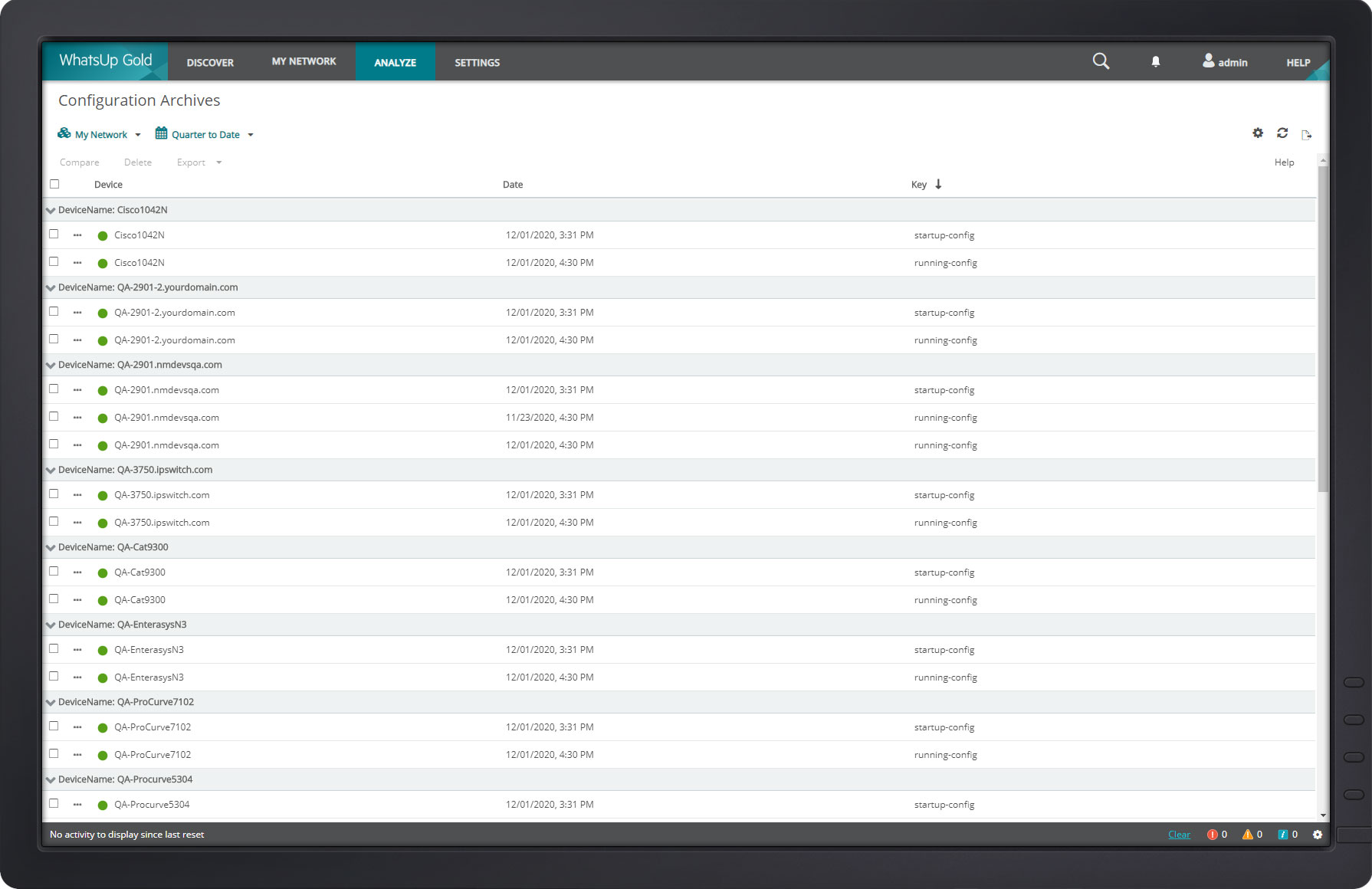
Backup configurations and archiving. WhatsUp does this particularly well. I use it for both Cisco routers and switches.
The diagram feature is nice. Though I don't use it as much because of the size of our structure, it does come in handy for mapping routes of all traffic.
This SIEM consolidates multiple data points and offers several features and benefits, creating custom dashboards and managing alert workflows.
Splunk Cloud provides a simple way to have a central monitoring and security solution. Though it does not have a huge learning curve, you should spend some time learning the basics.
Splunk Cloud enables me to create and schedule statistical reports on network use for Management.
Navigating the new WhatsUp Gold 2018 is a bit complicated and not user-friendly. The best part about using a software is the user's ability to use it with ease.
You cannot click sites being monitored from Map Dashboard View. This feature was previously possible in the older version.
We are using Splunk extensively in our projects and we have recently upgraded to Splunk version 6.0 which is quite efficient and giving expected results. We keep track of updates and new features Splunk introduces periodically and try to introduce those features in our day to day activities for improvement in our reporting system and other tasks.
The web interface is really good, there are a few areas that could use a bit of polish but overall it is well designed and easy to navigate and use, even for a new user.
You can literally throw in a single word into Splunk and it will pull back all instances of that word across all of your logs for the time span you select (provided you have permission to see that data). We have several users who have taken a few of the free courses from Splunk that are able to pull data out of it everyday with little help at all.
Splunk Cloud support is sorely lacking unfortunately. The portal where you submit tickets is not very good and is lacking polish. Tickets are left for days without any updates and when chased it is only sometimes you get a reply back. I get the feeling the support team are very understaffed and have far too much going on. From what I know, Splunk is aware of this and seem to be trying to remedy it.
Splunk maintains a well resourced support system that has been consistent since we purchased the product. They help out in a timely manner and provide expert level information as needed. We typically open cases online and communicate when possible via e-mail and are able to resolve most issues with that method.
The online course was simple clear and described the main capabilities of the solution. There is also an initial module that can be done for free so anyone can familiarize themselves with the functionality of this solution. On the other hand, however, there could be more free online courses. Maybe even with a certificate, this would broaden the group of people who are familiar with the platform while increasing familiarity with the solution itself.
Progress WhatsUp Gold (formerly Ipswitch WhatsUp Gold) is more network focused than some of the other products we looked at, which had basic capabilities but were not as strong on the reporting or programmatic resolution of issues. Progress WhatsUp Gold (formerly Ipswitch WhatsUp Gold) is cost effective compared to some of the other upmarket solutions.
Search Processing Language really is a game changer for writing easy-to-understand and maintainable queries on your data base logs. Once understood, setting up and validating a query can be done in no time- which leaves us the option to focus on more monitoring and improved services. We have no other tools that utilizes data this efficiently
A lot of products have natively inside their own dashboards and or their own logging repositories. And each one is difficult to learn or they're too complex or they're not verbose in the sense that they're not easy to mine the data that you're looking for. So that could be anything from the native logging that you find in other Cisco products. It's easier to use Splunk to draw the data that you're looking for as opposed to going to the individual's products themselves to get the logs that you're looking for.
Splunk has allowed developers to diagnose production issues when access of control was taken away from them to be allowed to view items in production environments and I believe that is invaluable.
At times some developers weren't super happy about using it, but it was more of the fact that they were used to having production access and not creating their splunk queries to get information.
Going one place to view logs was very beneficial to have.