Reply.io helps sales teams book more meetings by automating outreach with smart AI. It finds leads, writes personalized messages, handles replies, and books meetings, so you can focus on closing deals. Reply.io's AI SDR learns the product, targets its potential users, and engages across email, LinkedIn, SMS, WhatsApp, and calls. Additionally it: Handles replies, books meetings, and works in multiple languages Has access to 1B+ leads with…
$59
per month per user (1000 active contacts/month)
Agentforce Revenue Management
Score 8.6 out of 10
Mid-Size Companies (51-1,000 employees)
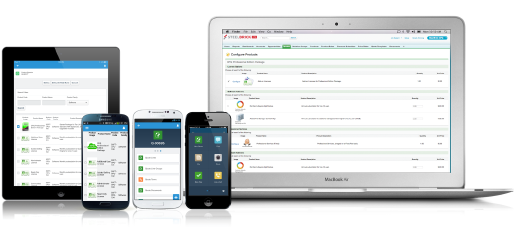
Salesforce Revenue Cloud (formerly Salesforce CPQ or SteelBrick) is built and delivered on the Salesforce Platform and Salesforce1 Mobile App which enables users to create accurate sales quotes quickly and submit error-free orders on the fly from any device.
$30
Per User per Month
Pricing
Reply
Salesforce Agentforce Revenue Management
Editions & Modules
AI Chat
$50
per month
Email Volume
$59
per month per user
Multichannel
$99
per month per user
Agency
$166 (starts at)
per month (billed annually) per account
AI SDR Starter
starting with $800
per month 1000 active contacts
AI SDR Growth
Starts from $2500
per month 5000 active contacts
Basic
$30
Per User per Month
Professional
$50
Per User per Month
Enterprise
$75
Per User per Month
Offerings
Pricing Offerings
Reply
Agentforce Revenue Management
Free Trial
Yes
Yes
Free/Freemium Version
Yes
No
Premium Consulting/Integration Services
Yes
Yes
Entry-level Setup Fee
Optional
Optional
Additional Details
Discount available for annual pricing.
—
More Pricing Information
Community Pulse
Reply
Salesforce Agentforce Revenue Management
Features
Reply
Salesforce Agentforce Revenue Management
CPQ
Comparison of CPQ features of Product A and Product B
Reply works best for structured outbound to a defined ICP, where reps personalize the opener, then let multi-step cadences run across email, calls, and LinkedIn with reply detection and CRM sync. It excels for time-sensitive triggers, event follow ups, closed-lost recycling, and A/B testing to standardize winning copy. It is less suited to bespoke enterprise pursuits that need deep research or legal signoff on every touch, or to untargeted high-volume blasts. In those cases, keep Reply for light structure and handle core outreach manually.
What I like best is the ease of use to be able to track all opportunities and quotes in my daily sales tracker I also like the fact that you can reorganize the view for your opportunities. For instance, it is very similar to a spreadsheet where you can filter them by date, dollar amount, name, and several other ways. I found this to be less appropriate when we have to do multiple roles while assigning one task to multiple users. Column resizing within the Quote Line Editor is not supported in the Salesforce mobile app.
To automatically sync our data, and keep records up to date, it offers a variety of native CRM connections, seamless integration with other tools, a robust API, and the power of Zapier.
I'm impressed by it, because it includes all of the capabilities I needed, as well as multivariate testing and, most significantly, an excellent reporting system.
It offers an extensive set of features for efficient outbound and inbound marketing automation.
With reporting and lead qualifying, the automation component is pretty powerful.
Syncing to other programs. You cannot interrelate Reply with other software in a simple way. Zapier is required and even then it’s not perfect.
Similar to syncing, there’s no way to export results of particular campaigns. This is awful. If I send out a campaign to a group, I’d like to export the results to enter into a CRM since I can’t sync the contacts. One of these features must be added ASAP.
Organization. While Reply itself is user-friendly, keeping campaigns and contacts and results organized is not. You cannot organize campaigns or file them away when they are done. Therefore you have to delete campaigns to stay organized and lose results, which you cannot even export.
Our Salesforce is very messy, which tells me it's not super easy to clean up.
I always have a really hard time removing a contacts from an account - it seems like you can't simply remove the relationship so we have lots of people named DO NOT CONTACT or things of that nature.
Sometimes when saving it doesn't seem like things actually save.
Reply’s overall usability is strong. The interface is intuitive, and most features are easy to navigate without much training. Creating and managing sequences is straightforward, and the automation flow saves a lot of manual effort. Occasionally, the dashboard can feel a bit cluttered, and reporting could be more flexible. But overall, it’s a user-friendly tool that allows teams to get started quickly and operate efficiently day to day
Because it looked almost impossible to integrate it with Zoho CRM while our Sales Operations team was working on it. But thankfully it worked at last but at the expense of a month's time. However, it has made every possible Revenue operations task simpler now. And that has ultimately made our team more efficient in terms of work hours spent on manual work.
I generally receive a reply in no time at all and found not only the support org. but the sales team to be extremely helpful. Additionally I found a great onboarding process with plenty of resources to consume.
There have been some issues with multi-year pricing of certain products and services which we have been assured will be resolved but I guess are still underway, the support team apart from this has not been needed much and in the rare scenarios, it has been needed the resolutions of conflicts has been prompt and quick, so the overall support would have my high regards for being so helpful and customer-oriented so as to assure good performance of their toolset and customer satisfaction.
Reply is a very good and widely known platform. I find it to be a lot more sophisticated and composed. I believe this tool works great for both large and small companies, which makes it stand out. There are so many other tools that work great, but they are restricted to the type and size of certain companies. With Mailchimp the email chain automation was not up to the mark and we faced a lot of problems due to it. However, Reply has solved all those issues.
There is no comparison to a fully functional instance of CPQ. Nothing comes close due to the amount of customization and ease of use that CPQ offers once it's fully built out. Other solutions may be easier to build or administer, but for the users and business needs, CPQ is the best solution possible.
Reply.io has been a lot more effective than MailChimp in terms of the follow-ups for the email chains. We use them to contact the people who said they wanted to do business with us and MailChimp's emails usually went to Promotions on Gmail. With Reply.io, we overcame this problem and the open rate improved 30%.
Easy access to reporting on closed-won, closed-lost, and open quotes.
Accuracy in data referenced in a quote - it's typically accurate as it is pulled directly from opportunity, looking up to associated subscription start/end dates, etc..
We lose valuable time in creating quotes ourselves. Quotes were requested and created through sales ops previously, sales did not have access to the excel templates used to generate quotes.