TrustRadius: an HG Insights company

Save this comparison

Save this comparison

Add Product

Recommended Comparisons

    Overview
    ProductRatingMost Used ByProduct SummaryStarting Price

    SAP CPQ

    Score7.9 out of 10
    N/ASAP CPQ (replacing the former CallidusCloud CPQ solution) has been built to be independent of any CRM. The vendor says that this makes their solution more flexible. The vendor also says their solution provides businesses the flexibility to customize and enhance the solution without the constraints of CRM code. Pricing and product catalog changes can also be made by the users without having to rely on a CRM administrator.N/A

    UiPath Task Capture

    Score9.9 out of 10
    N/AUiPath Task Capture (formerly StepShot, acquired October 2019) is a tool designed for quick and easy step-by-step documentation. During a recording mode, the software creates a separate screenshot on every click, groups them into a manual with automatically added metadata. Users can annotate captured images and structure documents in the way they want them to look.N/A
    Pricing
    SAP CPQUiPath Task Capture
    Editions & Modules
    No answers on this topic
    No answers on this topic
    Offerings
    Pricing Offerings
    SAP CPQUiPath Task Capture
    Free Trial
    YesYes
    Free/Freemium Version
    NoYes
    Premium Consulting/Integration Services
    YesYes
    Entry-level Setup FeeOptionalNo setup fee
    Additional Details—We have some discounts available all the time depending on the amount of ordered licenses.
    More Pricing Information
    Community Pulse
    SAP CPQUiPath Task Capture
    Considered Both Products
    SAP
    No answer on this topic
    UiPath
    No answer on this topic
    Key User Insights
    Would buy again
    100%
    Would buy again
    8 Answers
    No answers on this topic
    Delivers good value for the price
    100%
    Delivers good value for the price
    6 Answers
    No answers on this topic
    Happy with the feature set
    88%
    Happy with the feature set
    7 Answers
    No answers on this topic
    Lived up to sales and marketing promises
    100%
    Lived up to sales and marketing promises
    5 Answers
    No answers on this topic
    Implementation went as expected
    100%
    Implementation went as expected
    8 Answers
    No answers on this topic
    Features
    SAP CPQUiPath Task Capture
    CPQ
    Comparison of CPQ features of SAP CPQ and UiPath Task Capture
    Feature
    SAP CPQ
    8.4
    8 Ratings
    4% below category average
    UiPath Task Capture
    -
    Ratings
    Quote sharing/sending8.88 Ratings00 Ratings
    Product configuration8.48 Ratings00 Ratings
    Configuration options8.78 Ratings00 Ratings
    Pricing rules8.08 Ratings00 Ratings
    Price adjustment8.78 Ratings00 Ratings
    Purchase history and open contracts8.57 Ratings00 Ratings
    Guided selling/Sales portal7.16 Ratings00 Ratings
    CPQ reporting & analytics8.36 Ratings00 Ratings
    CPQ-CRM integration8.37 Ratings00 Ratings
    Attachments to quotes9.27 Ratings00 Ratings
    Order capturing8.77 Ratings00 Ratings
    Best Alternatives
    SAP CPQUiPath Task Capture
    Small Businesses
    QuoteWerks
    Score9.7 out of 10
    Sendspark
    Score10 out of 10
    Medium-sized Companies
    QuoteWerks
    Score9.7 out of 10
    Snagit
    Score9.7 out of 10
    Enterprises
    Agentforce Revenue Management
    Score8.6 out of 10
    Snagit
    Score9.7 out of 10
    All AlternativesView all alternativesView all alternatives
    User Ratings
    SAP CPQUiPath Task Capture
    Likelihood to Recommend
    8.0
    (8 ratings)
    8.0
    (6 ratings)
    Likelihood to Renew
    9.5
    (2 ratings)
    -
    (0 ratings)
    Usability
    7.8
    (8 ratings)
    -
    (0 ratings)
    Support Rating
    8.0
    (2 ratings)
    10.0
    (1 ratings)
    Implementation Rating
    10.0
    (1 ratings)
    -
    (0 ratings)
    User Testimonials
    SAP CPQUiPath Task Capture
    Likelihood to Recommend
    SAP
    I would recommend SAP CPQ because it is powerful and works really well for handling complex pricing quotes and approvals. It save time and keep everything in one systems.
    Incentivized
    Read full review
    UiPath
    StepShot is perfect for showing your audience how they are supposed to navigate a new system you have implemented. You can take them from a login screen all the way through any technical process you want them to follow. The product is not ideal, however, for documenting a process that does not have tangible steps. For example, a process we have created includes some reflective thinking about alignment or outcomes in order to work, this can be articulated in the text area of the screen captures but doesn't really capture our message.
    Incentivized
    Read full review
    Pros
    SAP
    • Simple order entry
    • Fast order entry
    • Quick contracts creations and pricings
    Incentivized
    Read full review
    UiPath
    • Easily capture process as you're going through it
    • Easily edit the captured process
    • Add new steps/slides into the process as needed after it's captured
    Incentivized
    Read full review
    Cons
    SAP
    • It is a complex solution and could do better on ease of use
    • Perhaps give mini explainer tutorials as you begin using it
    Incentivized
    Read full review
    UiPath
    • The "export & publish" button is kind of tiny and tucked away. It should be more prominent. After not using it for a couple weeks, I always forget where it is.
    • Updates aren't as frequent. Which is fine, since I haven't come across many bugs, it would just be cool to see some added features/functionality a bit more often.
    • The blur looks fine in the preview mode, but when exported, it's not the best.
    Incentivized
    Read full review
    Likelihood to Renew
    SAP
    We definitely want to renew based on the functionality and the use we give to it. However you never know 100% so that's why it is not a 10. Let's imagine if pricing changed significantly or they made sudden changes to the product which we considered negative... Then we would move elsewhere. This is highly unlikely though
    Read full review
    UiPath
    No answers on this topic
    Usability
    SAP
    it make the pricing and quoting part easier and able to integrate with other sap products easily but the ui could have been better and the customizations is not straight forward, requires deep expertise. which make the work more difficult. but instead of custom designing. this way we can reduce the coding and can go straight ahead with custom pricing part
    Incentivized
    Read full review
    UiPath
    No answers on this topic
    Support Rating
    SAP
    Not used
    Read full review
    UiPath
    I have only run into an issue once, which I believe was due to a newly released feature (cloud storage). I was running into issues with the functionality on my Mac. The team was incredibly helpful in both troubleshooting the issue by jumping on screen sharing sessions, as well as providing multiple releases for me to test to fix the problem!
    Incentivized
    Read full review
    Alternatives Considered
    SAP
    It connect much better with our existing SAP system like ERP and S/4HANA. keeping everything in sync automatically. Approval processes and automation are faster. reducing email and manual work.
    Incentivized
    Read full review
    UiPath
    • UiPath Task capture helped me in my requirement gathering in a project.
    • Helped to record the process
    • Capture the Screen
    • Process recording for future reference while developing the tasks
    Incentivized
    Read full review
    Return on Investment
    SAP
    • Helped us make a lot of sales easier and quicker
    • More revenue we have made since doing this
    • Only negative is sometimes can be slow or want to attach custom email templates for send outs
    Incentivized
    Read full review
    UiPath
    • This has saved us MANY HOURS in either walking clients through processes in person or having to create a one-off guide through taking screenshots and creating our own documents with the screenshots hand placed.
    • Client satisfaction is high when they receive these guides. It is documentation that they can refer to at anytime that is personalized to their use or individual needs.
    Incentivized
    Read full review
    ScreenShots

    SAP CPQ Screenshots

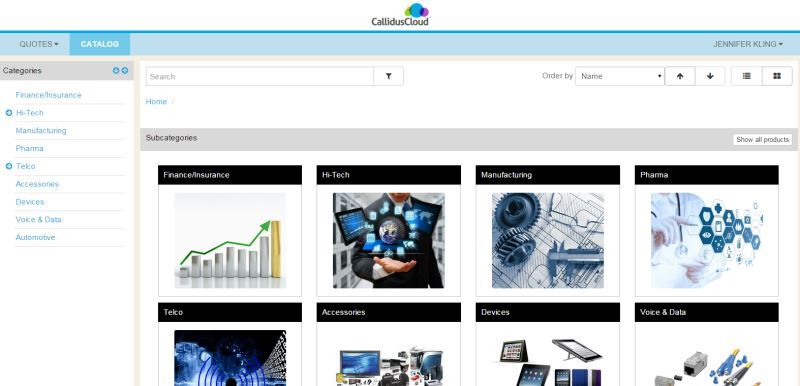
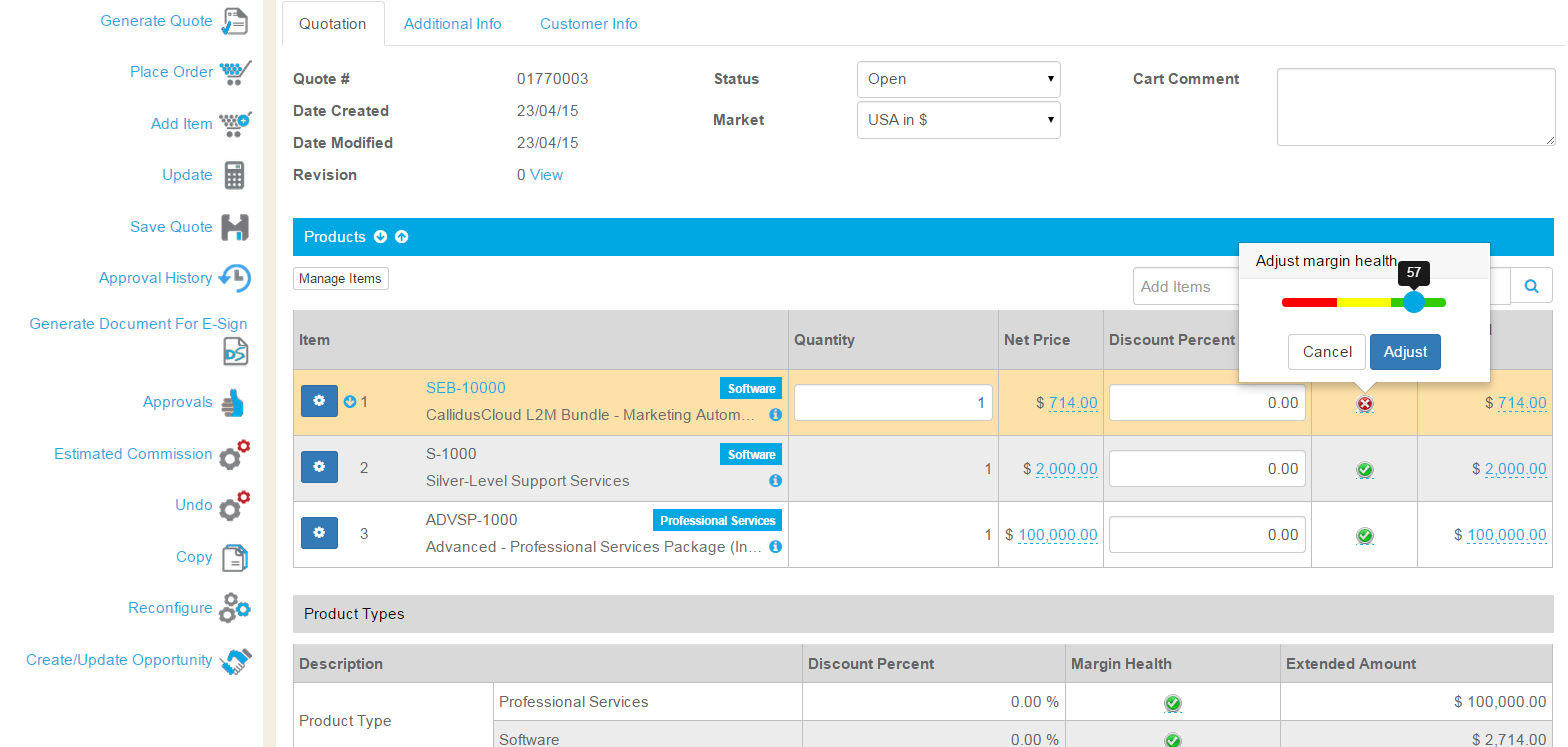
    Screenshot of CPQ Catalog - configurable to support multiple catalogs, graphics, and easy to follow guides.Screenshot of CPQ Configurator - guides users through configuration, indicating when a valid configuration is met, and showing commissions in real-time.Screenshot of CPQ Margin Health Indicator - sliding scale to make pricing easy while protecting margins.Screenshot of CPQ and Salesforce integration is seamless. Users never need to leave Salesforce to create a quote.

    UiPath Task Capture Screenshots

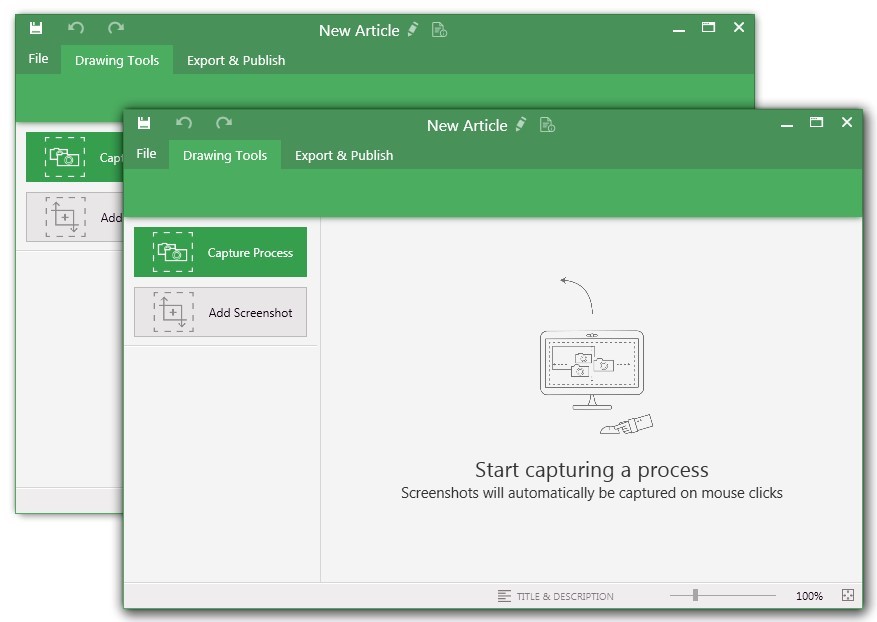
    Screenshot of You may record the needed area of take a separate screenshotScreenshot of Open menu (1) to be able to save this document to another location, share or publish it somewhere on your computer or remote service.
To create your documentation, use recording buttons (2) (discussed in "Recording" article later). All recorded steps and single screenshots are displayed in the outline panel (3). To group steps into sections, right click on empty space inside the outline panel and click on "Add section" option.
Annotate the selected step image (5) with drawings (7). Then update step title and description (6) to tell the user what he/she needs to do.Screenshot of Create manuals that contain guidesScreenshot of Exporting options. Choose the template (1) and set export settings such as quality and image size (2). Then export the document (3) to a specific location. 
Export settings are the same for all export formats.