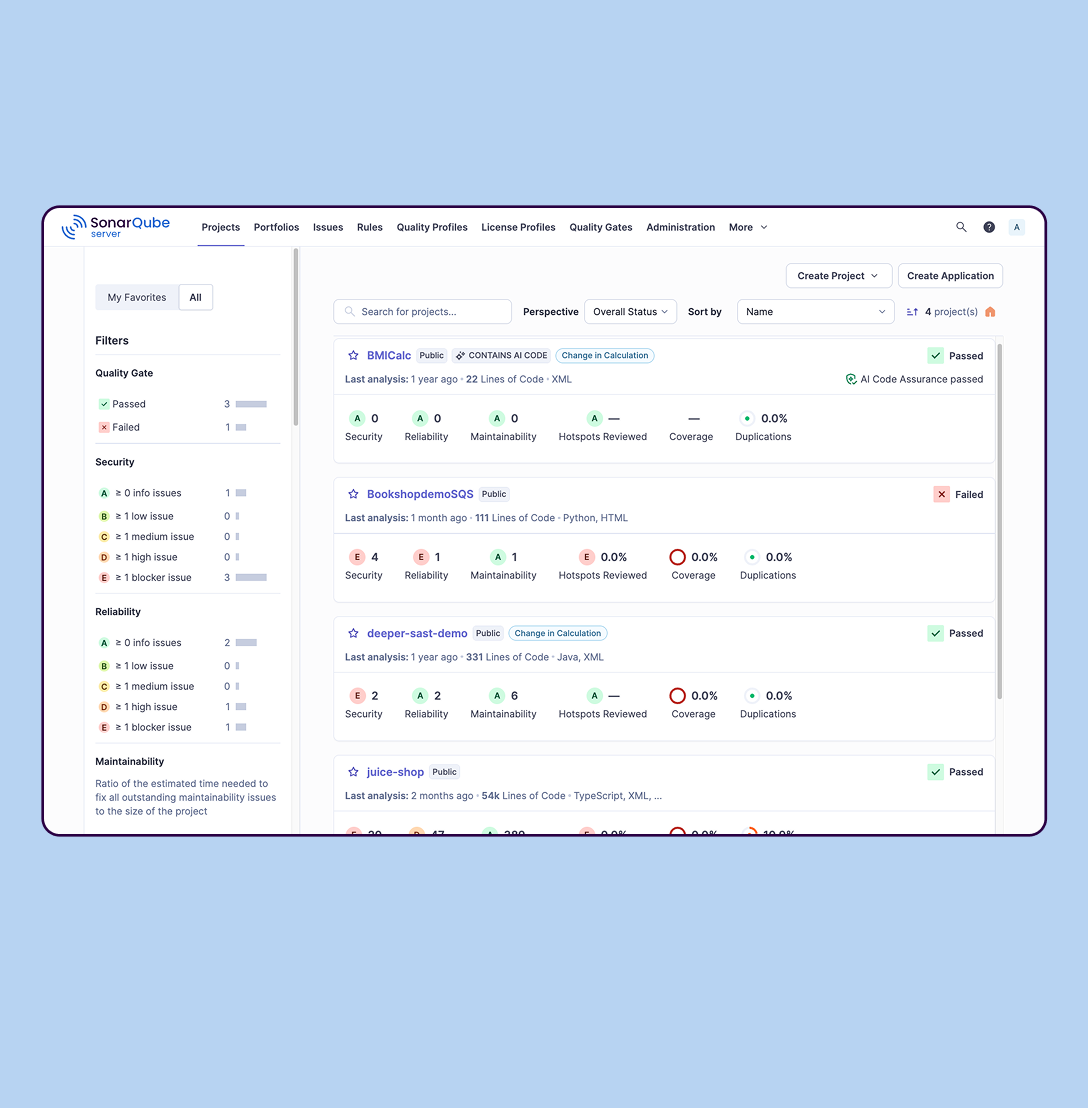
SonarQube is an automated code review solution, serving as the verification layer for code quality and SDLC security. SonarQube is used to ensure that code is secure, reliable, and maintainable. It is available through SaaS or self-managed deployment.
$34
per month Recommended for teams <50 developers
WP Engine
Score7.4 out of 10
N/A
WP Engine is a website hosting service built to host WordPress for companies of any size, with features such as daily backups, firewall,SSL, and proprietary caching technology.
$35
per month
Pricing
SonarQube
WP Engine
Editions & Modules
SonarQube Community Build
$0
(open source)
Self-managed: Developer
Starting at $720 annually
per year per installation
Self-managed: Enterprise
Contact sales for pricing
per year per installation
Cloud-based: Enterprise
Contact sales for pricing
per year per installation
Cloud-based: Teams
Starting at $34 per month
per month per installation
Self-managed: Data Center
Contact sales for pricing
per year per installation
Startup
$35
per month
Core
$400
per month (annual contract)
Enterprise
Custom
*Per Month
Offerings
Pricing Offerings
SonarQube
WP Engine
Free Trial
Yes
Yes
Free/Freemium Version
Yes
No
Premium Consulting/Integration Services
No
No
Entry-level Setup Fee
No setup fee
No setup fee
Additional Details
—
Discount available for annual billing on the Startup plan.
SonarQube is excellent if you start using it at the beginning when developing a new system, in this situation you will be able to fix things before they become spread and expensive to correct. It’s a bit less suitable to use on existing code with bad design as it’s usually too expensive to fix everything and only allows you to ensure the situation doesn’t get worse.
A de minimis incentive was given to thank the reviewer for their time. The incentive was not used to bias or drive a particular response, nor was the incentive contingent on a positive endorsement. More Info
I am an enterprise user of WordPress and host over 7000 sites with WPEngine. Areas that I think they are well suited for include customers that need enterprise-level support and uptime and have more complex needs than a simple blog. They also manage scale well with a variety of isolated install options that you can scale up or down depending on your contract needs. They also provide premier support for enterprises and have highly knowledgable Technical Account Managers that provide a significant value add. If I were to look at where it isn't as appropriate for usage I would focus on the low-end needs and say while they do support small sites, there are options out there for cheaper hosting that lack the support a WPEngine gives you.
A de minimis incentive was given to thank the reviewer for their time. The incentive was not used to bias or drive a particular response, nor was the incentive contingent on a positive endorsement. More Info
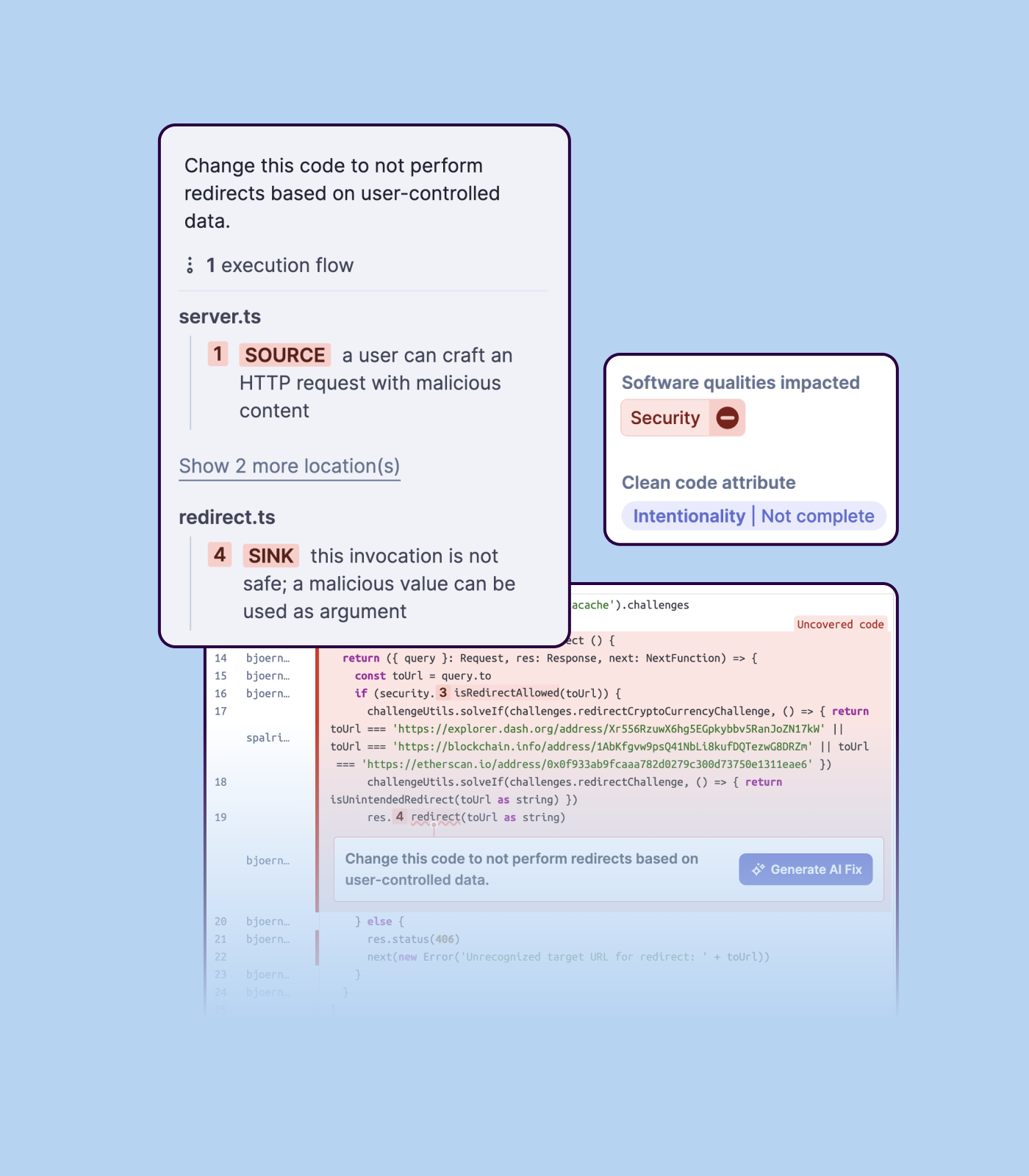
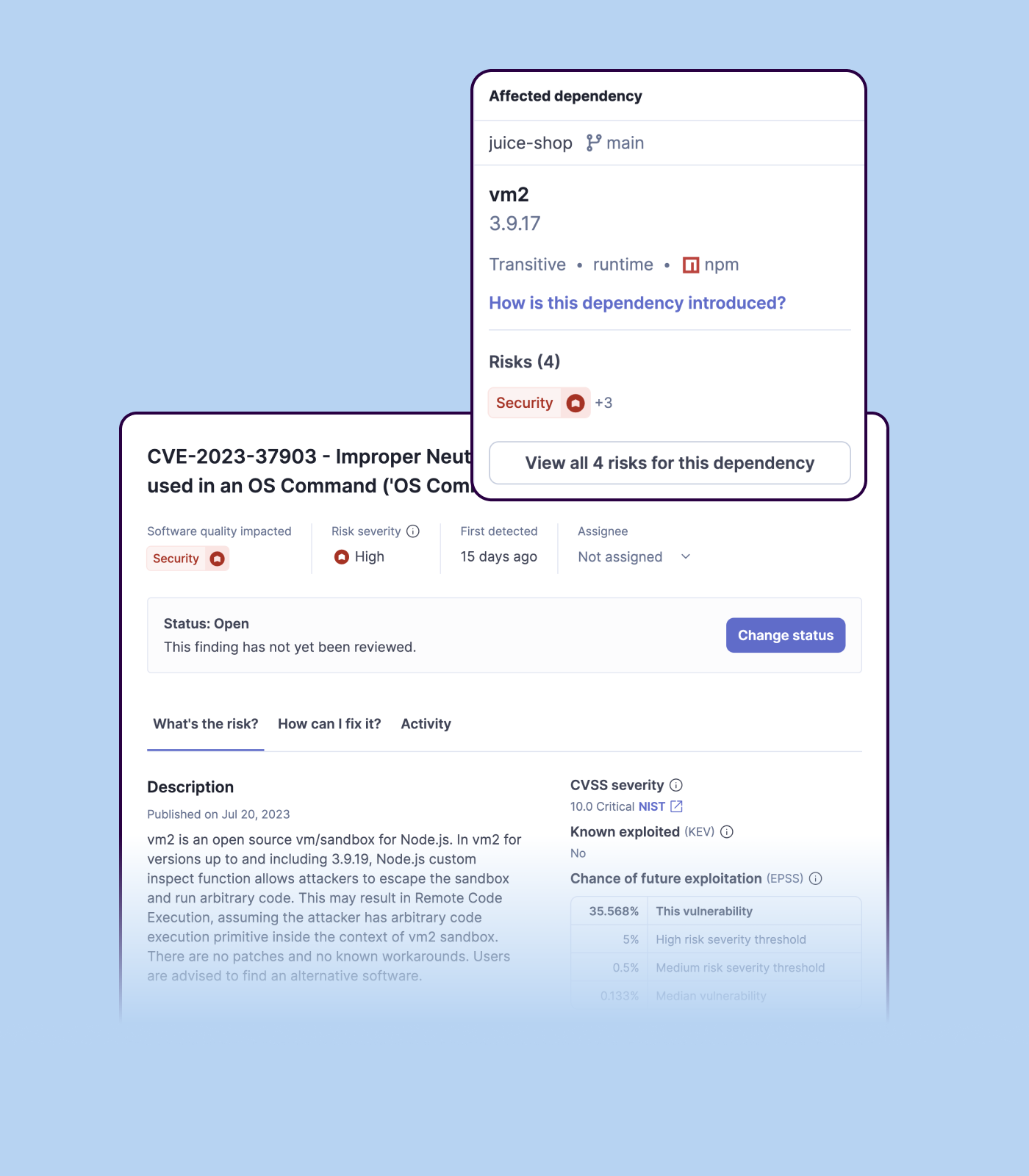
Detecting bugs and vulnerabilities: SonarQube can identify a wide range of bugs and vulnerabilities in code, such as null pointer exceptions, SQL injection, and cross-site scripting (XSS) attacks. It uses static analysis to analyze the code and identify potential issues, and it can also integrate with dynamic analysis tools to provide even more detailed analysis.
Measuring code quality: SonarQube can measure a wide range of code quality metrics, such as cyclomatic complexity, duplicated code, and code coverage. This can help teams understand the quality of their code and identify areas that need improvement.
Providing actionable insights: SonarQube provides detailed information about issues in the code, including the file and line number where the issue occurs and the severity of the issue. This makes it easy for developers to understand and address issues in the code.
Integrating with other tools: SonarQube can be integrated with a wide range of development tools and programming languages, such as Git, Maven, and Java. This allows teams to use SonarQube in their existing development workflow and take advantage of its powerful code analysis capabilities.
Managing technical debt: SonarQube provides metrics and insights on the technical debt on the codebase, enabling teams to better prioritize issues to improve the quality of the code.
Compliance with coding standards: SonarQube can check the code against industry standards like OWASP, CWE and more, making sure the code is compliant with security and coding standards.
A de minimis incentive was given to thank the reviewer for their time. The incentive was not used to bias or drive a particular response, nor was the incentive contingent on a positive endorsement. More Info
I love the database backups and how quickly & easy it is to restore from an old backup point. This gives me & my clients confidence that any change can be rolled back.
The built in caching & CDN mean that I have to spend less time worrying about the speed of the server & site. The caching has some side-effects that take getting used to (on-page dynamic PHP code sometimes needs to be moved to API endpoints), but this is true for most caching systems.
They have really good support for multiple environments. It's very easy to have separate production & staging environments. It's also very simple to deploy from staging to production, making product launches and large scale website copy changes much easier to coordinate.
A de minimis incentive was given to thank the reviewer for their time. The incentive was not used to bias or drive a particular response, nor was the incentive contingent on a positive endorsement. More Info
Importing a new custom quality profile on SonarQube is a bit tricky, it can be made easier
Every second time when we want to rerun the server, we have to restart the whole system, otherwise, the server stops and closes automatically
When we generate a new report a second time and try to access the report, it shows details of the old report only and takes a lot of time to get updated with the details of the new and fresh report generated
A de minimis incentive was given to thank the reviewer for their time. The incentive was not used to bias or drive a particular response, nor was the incentive contingent on a positive endorsement. More Info
I'd like to see WP Engine offer their own monitoring solution. When I say monitoring, I mean specific use cases that may end up being something you could script. This would keep customers from having to pay for additional services like Pingdom, New Relic, etc.
I would like to see some proactive analysis done by WP Engine on their customer sites - at least on their home pages, and offer up suggestions. This kind of goes along with the other example.
Finally, it would be nice to see a "lighter" offering, perhaps a plan that costs $49 for those who want to host only a few sites, or even 1 site.
A de minimis incentive was given to thank the reviewer for their time. The incentive was not used to bias or drive a particular response, nor was the incentive contingent on a positive endorsement. More Info
I was in a situation where I had to bolt Wordpress on to an existing infrastructure that could not support it. If I ever end up in that situation again, please kill me. Other than that reasonably common use case, I don't think it offers a lot of value over robust shared hosting, virtual private server (VPS) or dedicated servers.
A de minimis incentive was given to thank the reviewer for their time. The incentive was not used to bias or drive a particular response, nor was the incentive contingent on a positive endorsement. More Info
From the onboarding and in the days afterward, it was very easy to get into the platform and begin creating important websites and configuring user options. The interface is easy to navigate, and the platform pages load quickly. Since the platform is built for Word plus press, it has features including backup, staging, maintenance mode, and direct WP-Admin login to make configuration and site management faster. We have never had any issues on the billing side of the account.
A de minimis incentive was given to thank the reviewer for their time. The incentive was not used to bias or drive a particular response, nor was the incentive contingent on a positive endorsement. More Info
We we easily able to integrate the SonarQube steps into our TFS process via the Microsoft Marektplace, we didn't have the need to call SonarQube support. We've used their online documentation and community forum if we ran into any issues.
A de minimis incentive was given to thank the reviewer for their time. The incentive was not used to bias or drive a particular response, nor was the incentive contingent on a positive endorsement. More Info
Support is generally great. Enterprise support is fantastic, with little to no wait times. I find that chat support can almost always take care of the problem without escalating to a ticket for a higher level of troubleshooting. The chat support for many other hosting providers can only handle basic issues. This is a big bonus for us to get quick and helpful answers.
A de minimis incentive was given to thank the reviewer for their time. The incentive was not used to bias or drive a particular response, nor was the incentive contingent on a positive endorsement. More Info
SonarQube is an open-source. It's a scalable product. The costs for this application, for the kind of job it does, are pretty descent. Pipeline scan is more secured in SonarQube. Its a very good tool and its support multiple languages. Its main core competency is of static code analysis and that is why SonarQube exists and it does it exceedingly well. The quality of scan on code convention, best practices, coding standards, unit test coverage etc makes them one of the best competent tool in the market
A de minimis incentive was given to thank the reviewer for their time. The incentive was not used to bias or drive a particular response, nor was the incentive contingent on a positive endorsement. More Info
While we still use GoDaddy for some services, WP Engine definitely has been a major upgrade for our WordPress hosting. In addition to faster load speeds, WP Engine has been more adept at allowing us to manage a high number of websites without straining the system. We have never used Network Solutions for our own hosting needs, but when we do interact with them on behalf of our clients, their systems always seem to be clunky and hard to use, and they often overcharge customers by selling them products they do not need.
A de minimis incentive was given to thank the reviewer for their time. The incentive was not used to bias or drive a particular response, nor was the incentive contingent on a positive endorsement. More Info
Positive ROI from the standpoint of flagging several issues that would have otherwise likely been unaddressed and caused more time to be spent closer to launch
Slightly positive ROI from time-saving perspective (it's an automated check which is nice, but depending on the issues it finds, can take developers time to investigate and resolve)
A de minimis incentive was given to thank the reviewer for their time. The incentive was not used to bias or drive a particular response, nor was the incentive contingent on a positive endorsement. More Info