DiskStation is a line of network-attached storage (NAS) solutions from Synology headquartered in Taiwan.
N/A
HPE Zerto Software
Score9.4 out of 10
Enterprise companies (1,001+ employees)
HPE Zerto Software aims to enable customers to run an always-on business by simplifying the protection, recovery, and mobility of on-premises and cloud applications.
The Synology DiskStation is well suited as a NAS solution, easy enough to mirror a Windows file server shares setup. Access to the Hyperbackup utility eliminates the need to purchase a tape backup solution. A portable USB drive can be used as the initial backup target. For air gap purposes can connect Hyperbackup to the various cloud providers such as AWS, Azure, GCP to copy backup data there. Utilizing it as a backup solution has also been great, instead of purchasing a tape solution, tapes and an offsite tape repository. Active Backup for Business is another excellent backup utility for physical servers, VMWare virtual machines, etc. Restoring files is fairly intuitive. Until Synology introduced the dual controller setup, using it as a SAN was less appropriate as there was occasional downtime when the controller had an issue but this was less important for the scenarios we were using it for. It would be more of a concern if we had used it for things that require more robust uptime requirements. Overall we are happy with the features of the Synology DiskStation.
A de minimis incentive was given to thank the reviewer for their time. The incentive was not used to bias or drive a particular response, nor was the incentive contingent on a positive endorsement. More Info
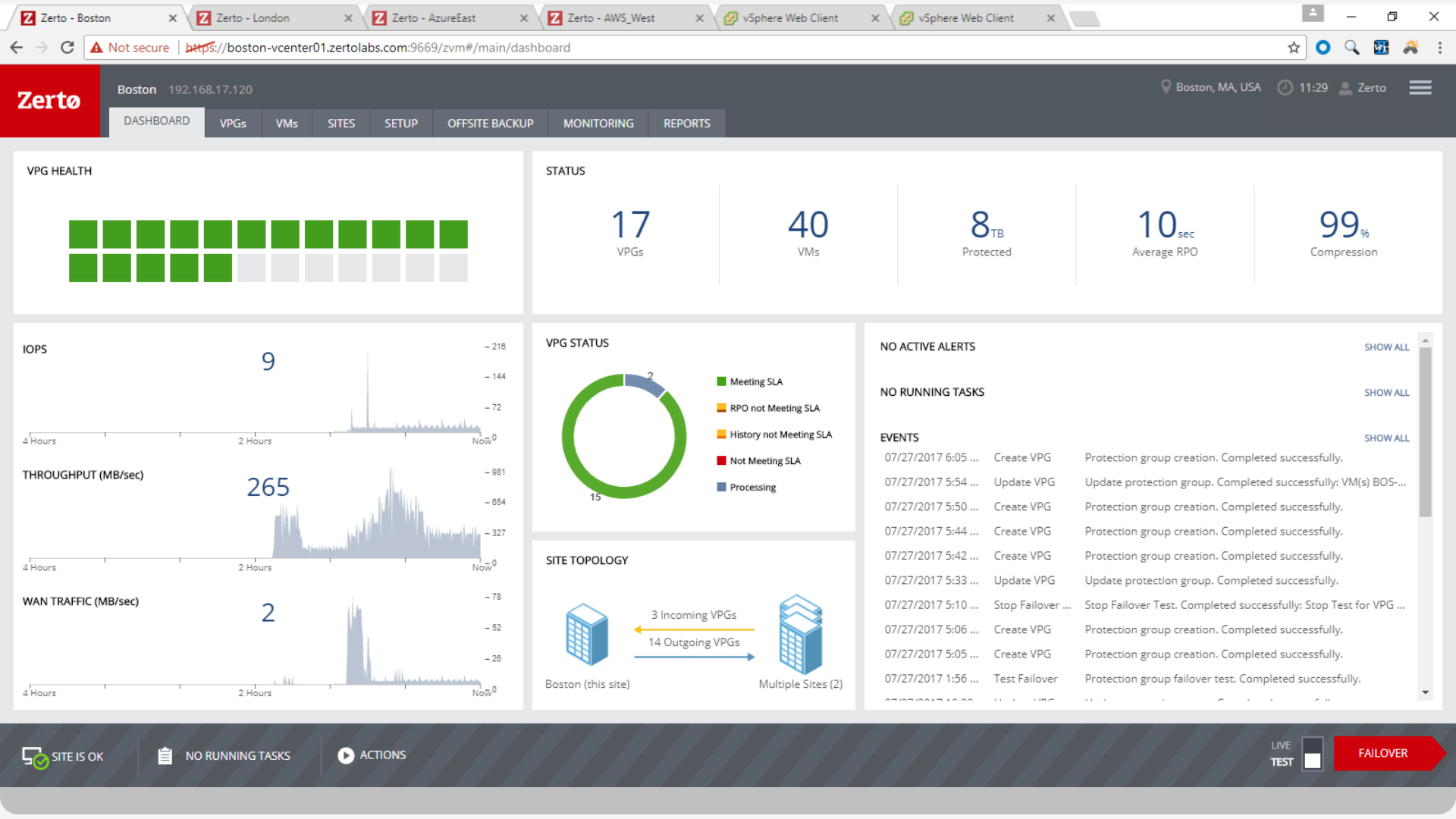
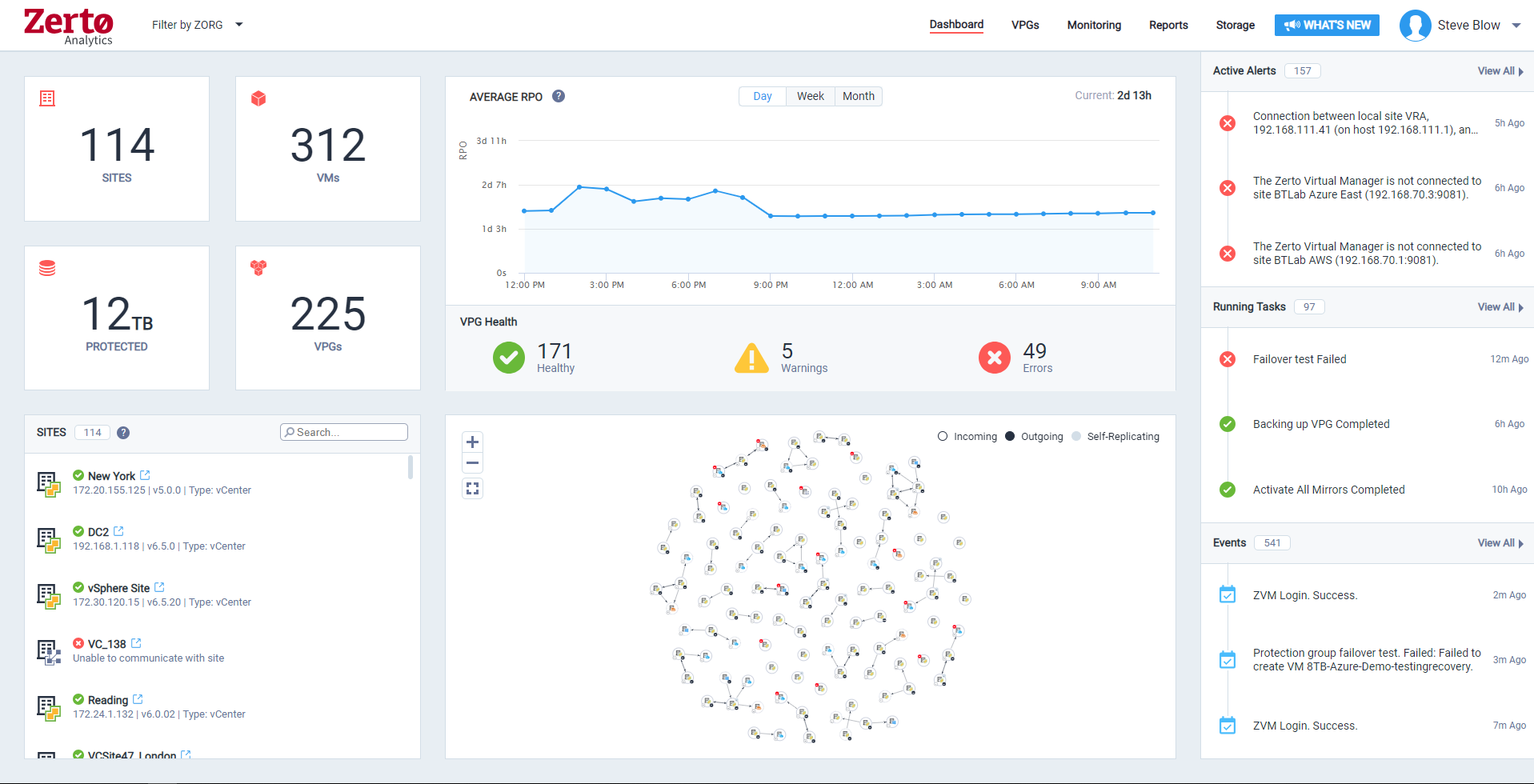
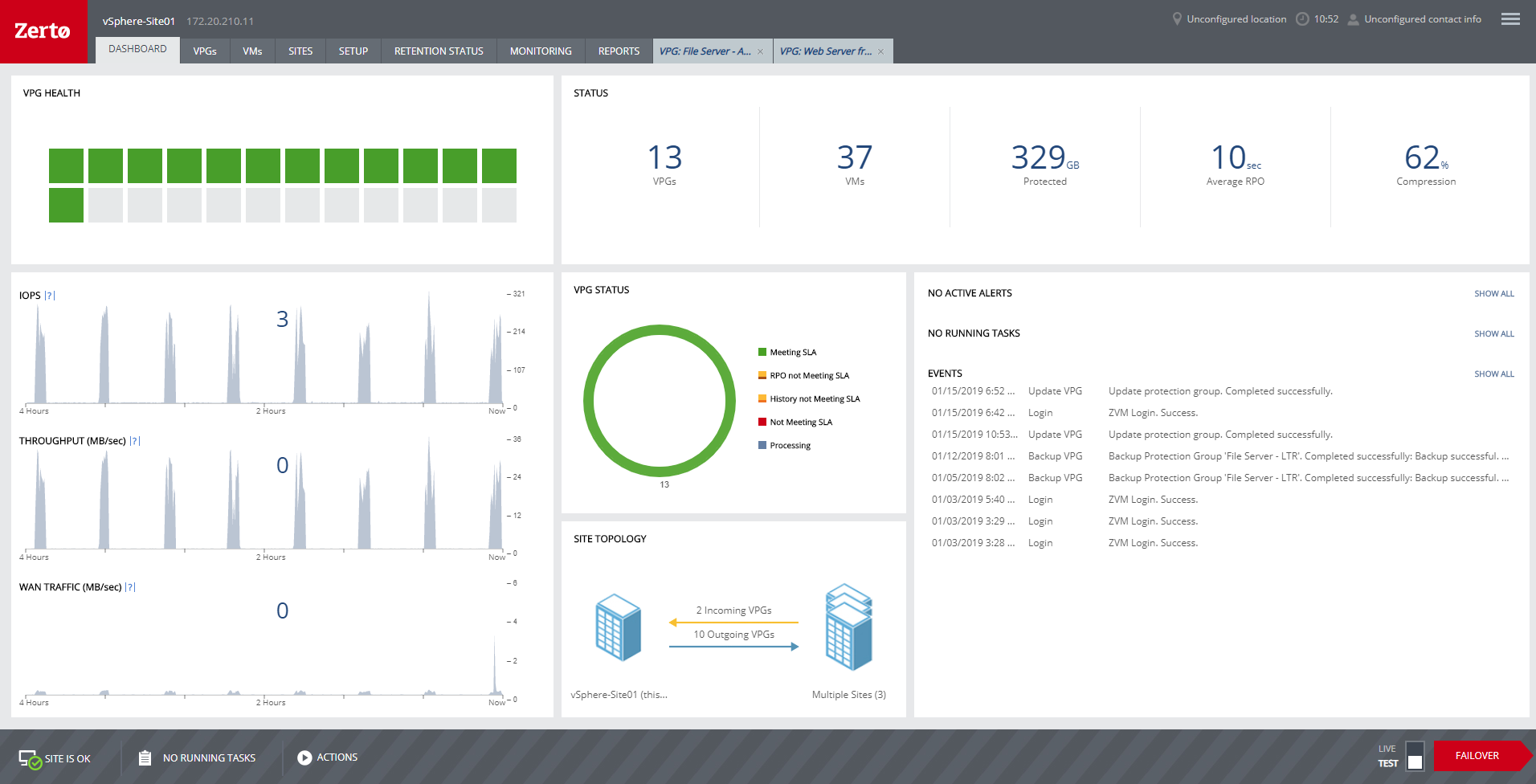
Zerto is well suited for disaster recovery and virtual machine replication between multiple data centers. DR testing for audit or regulations is much easier with Zerto, great reporting, dashboard etc. It is not well suited for physical server replication for disaster recovery or as a primary backup solution.
A de minimis incentive was given to thank the reviewer for their time. The incentive was not used to bias or drive a particular response, nor was the incentive contingent on a positive endorsement. More Info
Synology DiskStation offers lots of options for creating links to share files or request that some uploads files. It makes it really easy to just share a link that can have an expiration or a set number of times it is accessed.
We always had enough storage on our Synology DiskStation, we never had to worry about something being too big to upload or share.
Love how you can create folders that are shared and also have some that are private. This makes it so easy to have shared collaborations with coworkers or clients, but also allows you to have a private place to save things that only you need.
A de minimis incentive was given to thank the reviewer for their time. The incentive was not used to bias or drive a particular response, nor was the incentive contingent on a positive endorsement. More Info
Anyone with a large disk (VMDK) knows the issues of VMware snapshots. Most backup software is a "point in time backup" that uses snapshots. While the backup can be run multiple times per day the stress of the snapshot on the host and storage is eliminated by the continuous protection of Zerto log replication.
A client had a the disks on a VM go missing for some reason. We had them "flip the switch" for a real fail over and press the fail over button. The VM on our DR site started to come alive as the VM at the customer site was brought down. When the DR VM was fully up, automatic reverse replication started. The DR machine was available in a few minutes (to take into account different host hardware) for access. One the vm at both sites were in sync, we had the customer again repeat the fail over process and the DR site VM was turned off and the Production site VM was brought back on line. This was a 200 GB VM and the whole process was finished in about 3 hours.
Zerto also allows for "Test" fail overs that can be configured on many different functions, such as host, datastore, network and IP usage. Configuring the IPs is crucial to avoid inadvertent site cross contamination of the same VM.
Zerto can also retrieve files from any VM disk on the DR site without starting a VM. Very handy for retrieving files or directories.
Since Zerto is running continuous log replication, changes on the production VM are nearly instantaneously copied to the DR site. As with any data process, having sufficient bandwidth for "churn" peaks minimizes the delay in updating the DR site.
A de minimis incentive was given to thank the reviewer for their time. The incentive was not used to bias or drive a particular response, nor was the incentive contingent on a positive endorsement. More Info
While BTRFS is a more advanced file system than ext4, it also is in a perpetual state of development, with many features not fully functional and a plethora of bugs. Synology has managed to overcome many of these limitations by placing BTRFS on top of a LVM, but there are much better file systems that Synology could have used, such as OpenZFS.
DSM's built-in backup software, HyperBackup, while robust, oftentimes runs into issues. Specifically, backups can be working fine for months or years, and then suddenly the backups will fail. Sometimes these failures can be resolved, but oftentimes the backups need to be completely restarted. Fortunately, even when the backup fails, the existing backups are still accessible, it is just that new backups can not be performed.
The underlying Linux OS provides significant benefits, but also adds a fair amount of complexity. Most of that complexity is wonderfully hidden by the DSM interface, but when certain problems arise, delving into the Linux command line is not out of the question.
Perhaps the biggest issue with Synology DiskStation is Synology's support. The issue isn't that the support is bad, but it can be frustratingly slow when dealing with a major issue. Synology does have a very active community that is always willing to help, but nothing beats first-party support.
A de minimis incentive was given to thank the reviewer for their time. The incentive was not used to bias or drive a particular response, nor was the incentive contingent on a positive endorsement. More Info
A de minimis incentive was given to thank the reviewer for their time. The incentive was not used to bias or drive a particular response, nor was the incentive contingent on a positive endorsement. More Info
As long as Synology give us support for our hard drivers we will not change. I know Synology has now forced their hands to buy their own hard drivers and their new line of products. But if we still have support for old hard drivers from other manufacturers then we will still use Synology Nas. Otherwise we change manufacturers
We really like the easy setup of this replication solution, as well as the ease of management. Not to mention, our internal IT Economist determined that the Zerto solution would provide the best ROI out of the competing solutions we analyzed. So far, his calculations have been spot on, and we have saved substantially
A de minimis incentive was given to thank the reviewer for their time. The incentive was not used to bias or drive a particular response, nor was the incentive contingent on a positive endorsement. More Info
The Synology DiskStation is easy to set up and manage. The interface is clean and features are well documented. These units are reliable and can be set up to do scheduled integrity checks so failures can be mitigated before they halt business operations. The available packages for expanded roles makes these devices versatile.
A de minimis incentive was given to thank the reviewer for their time. The incentive was not used to bias or drive a particular response, nor was the incentive contingent on a positive endorsement. More Info
Zerto is very easy to implement and support. Uses are broad, only issues are once something doesn't sync it is difficult to get assistance until your reach tier 2 or tier 3 support. Basic file and folder recovery is great. Live and test fail overs are also easy to implement without issue.
A de minimis incentive was given to thank the reviewer for their time. The incentive was not used to bias or drive a particular response, nor was the incentive contingent on a positive endorsement. TR verified that a representative sample of customers was invited. More Info
Unfortunately, the one time I've had to reach out to DiskStation support, it did not go well. My NAS appliance wasn't appearing on the network, and no matter what the support team tried, they could not get it back online. Instead of offering to send me a new unit, they told me to go buy a new one - obviously, this was a disappointing response and not very eco-friendly either! Fortunately, through some internet research of my own, and some ingenuity, I figured out I could restore my NAS to factory settings by removing all the drives and resetting. Only then did I realize I had a bad disk. I had to experiment for a while to figure out which one it was. Once I had done that, though, I was able to get the latest DiskStation loaded back on, no thanks to the DiskStation support crew. If notifications were rock solid, I suspect I would have caught the bad disk before it because an OS problem, but I never received a bad-disk notification.
A de minimis incentive was given to thank the reviewer for their time. The incentive was not used to bias or drive a particular response, nor was the incentive contingent on a positive endorsement. More Info
Overall support is very good. We sometimes get pushback when asking Level 1 support to escalate to Level 2. This causes undue frustrations when you need a more knowledgeable support person to get involved. We've had to escalate to account reps a few times for this scenario. Zerto is very responsive and normally handles our requests very quickly.
A de minimis incentive was given to thank the reviewer for their time. The incentive was not used to bias or drive a particular response, nor was the incentive contingent on a positive endorsement. More Info
A de minimis incentive was given to thank the reviewer for their time. The incentive was not used to bias or drive a particular response, nor was the incentive contingent on a positive endorsement. More Info
Synology DiskStation packs a punch with the latest and greatest feature set which goes above and beyond many other vendors. It allows for a turn-key solution to cover almost every use case in the SMB market leaving other vendors behind.
A de minimis incentive was given to thank the reviewer for their time. The incentive was not used to bias or drive a particular response, nor was the incentive contingent on a positive endorsement. More Info
We started out using Backup Exec which was in service until we virtualized our environment where it didn't perform as well at the time. Then we switched to Veeam which worked well, but then as we started needing to do migrations and off-site DR, we found ourselves relying on Zerto more often.
A de minimis incentive was given to thank the reviewer for their time. The incentive was not used to bias or drive a particular response, nor was the incentive contingent on a positive endorsement. More Info
For my organization, the pricing model was an upfront investment for the Zerto licenses. My organization prefers to pay upfront and not deal with month-to-month or year-to-year pricing models that most companies are moving to. But for some, the investment may be more than they can afford, and would prefer the year-to-year pricing model.
A de minimis incentive was given to thank the reviewer for their time. The incentive was not used to bias or drive a particular response, nor was the incentive contingent on a positive endorsement. More Info
I mean, it was 6 years ago, but we were up and going with all applications synchronizing in short order. The longest tasks was getting the 30 TB of application data synchronized between the datacenters.
A de minimis incentive was given to thank the reviewer for their time. The incentive was not used to bias or drive a particular response, nor was the incentive contingent on a positive endorsement. More Info
A de minimis incentive was given to thank the reviewer for their time. The incentive was not used to bias or drive a particular response, nor was the incentive contingent on a positive endorsement. More Info
Zerto is like having the best possible insurance ... it just works, and often provides the backups taken overnight that are key in recovering data/work between overnight backups.
Zerto easily enabled the move of primary datacenters by allowing easy failover to a secondary site, and failback to the primary site.
A de minimis incentive was given to thank the reviewer for their time. The incentive was not used to bias or drive a particular response, nor was the incentive contingent on a positive endorsement. More Info