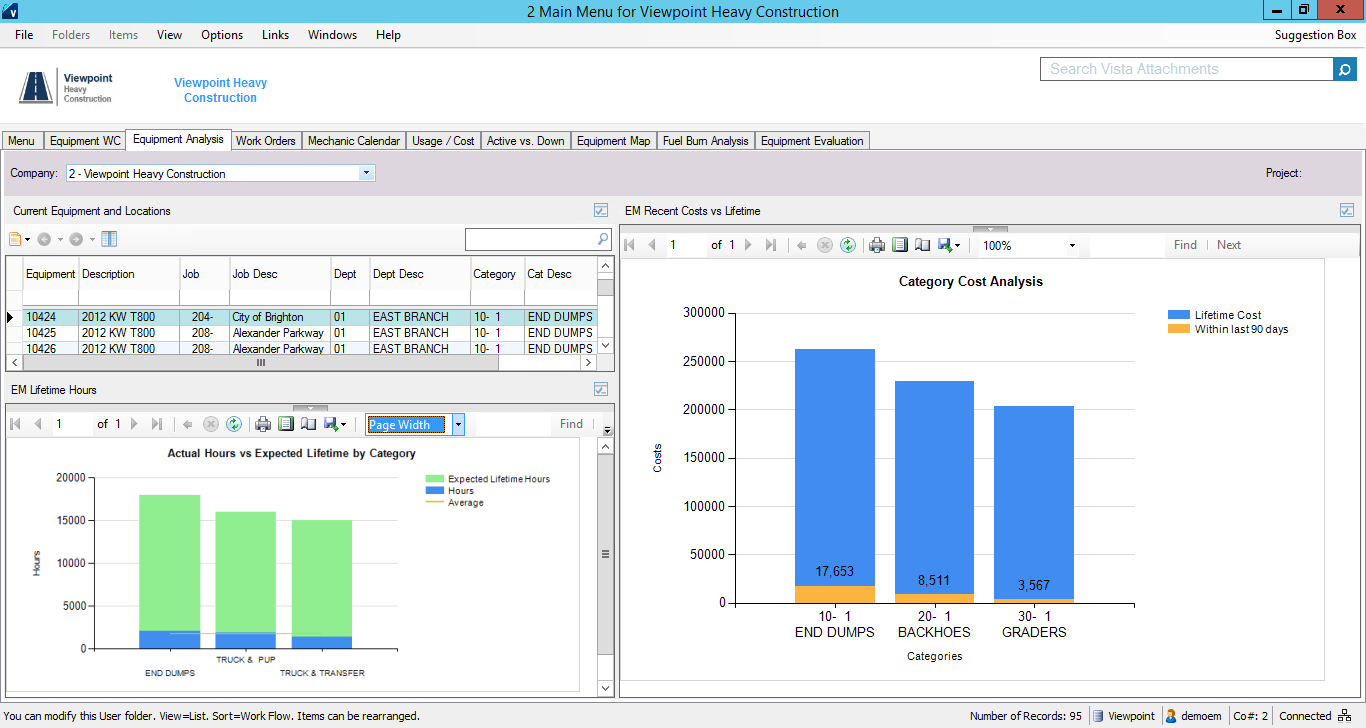
Viewpoint’s Vista is a construction accounting software. Vista’s core accounting features include accounts receivable and payable, general ledger, payroll and time management, and cash management. It also provides tools for document management, including document templates and reporting.
N/A
Pricing
UDA Construction Suite
Vista
Editions & Modules
No answers on this topic
No answers on this topic
Offerings
Pricing Offerings
UDA Construction Suite
Vista
Free Trial
No
No
Free/Freemium Version
No
No
Premium Consulting/Integration Services
No
No
Entry-level Setup Fee
No setup fee
No setup fee
Additional Details
—
Prospective buyers may contact Viewpoint directly for a price quote.
The company has made a commitment to the use of the Vista products and continue to move forward trying to implement more with the Vista HR Management. From timekeeping to onboarding in the near future we strive to look for better ways to utilize the products for our accounting and payroll purposes.
A de minimis incentive was given to thank the reviewer for their time. The incentive was not used to bias or drive a particular response, nor was the incentive contingent on a positive endorsement. TR verified that a representative sample of customers was invited. More Info
Their spell checker creates a squiggly line to tell you that you have a misspelled word, but, doesn't allow you to correct it.
The spell checker lets you add custom words to a dictionary, but, it can only use one dictionary at a time to check spelling. So the default dictionary gets used, and your custom words still show up as being spelled wrong!
You can't select-copy addresses, in order to paste them somewhere else.
Using duplexing on my printer doesn't work right. It works for every other software I own, but not in UDA.
There is a bug in the WIP date range that doesn't pull accurate data.
"Options" in the estimate show only cost, not margin. So if you show your customer that report, you are revealing cost info, not selling price!!
You can't import a PDF into bid notes, even though the premise of UDA is to try to make it a single repository for all your information.
You can't use the arrow key to browse photos in UDA. You need to close, and click into the next one. No inuitive functionality.
The estimating module separates material and labor, in ways that create a very confusing Scope of Work. You need to select the labor item from your database, then separately select the material from your database. You end up with two line items in your Scope of Work for the same thing. Instead of writing, "Supply and Install a new window" you have "Supply a new window" and then "Install a new window." It's hard for my estimator, and confusing for my client.
UDA will WREAK HAVOC on your contacts in Outlook.
It does a terrible job of managing husband/wife or partner/partner situations. You can't mail merge them properly, or, you get forced into combining their contact into into a single contact-- and then how do you know whether the cell phone is his or hers???
There is no good way to credit design fees against the construction contract, if you happen to use that paradigm for your contracts.
There is no way to filter contracts by their date created. So, how do you find your newest contacts for entering them into something such as Constant Contact?
If you try to use integration of QuickBooks(QB) and UDA, your ITEMS list in QB will either get expanded to hundreds or even THOUSANDS of items... or, your POs in QB will get created in a summary form such that they are virtually meaningless.
The "lead funnel" graphic may look cool, but there is not a good way to actually report on the lead status, track the activities and calls that you make, note significant emails that you write, or keep track of when you send out thank-you cards or spiffs/gifts!
They might tell you that these things work, but, after spending MONTHS with UDA, I found out that these problems are deal breakers.
Within their customer service department, the left hand doesn't know what the right hand is doing. They do not use a structure such as Zendesk that so many other great companies use. Even though I was paying for priority support, there were often days going by where I could not get a call or email back to assist me with a support request or provide a tutorial on how to do something. Had I not paid extra for support, this would be acceptable. But when paying for "TotalCare" priority support, there are times when the software had me stuck, and I was stuck for a day at a time waiting for an answer. Sometimes no answer ever arrived.
Their payroll module is terribly slow and very clunky.
Job costing parameters are very strict and limited.
Each module interface has too many forms and screens.
There is too much flexibility regarding where to put information into the system. There isn't one place to do anything, which creates confusion for staff.
A de minimis incentive was given to thank the reviewer for their time. The incentive was not used to bias or drive a particular response, nor was the incentive contingent on a positive endorsement. More Info
It is extremely customizable and tracks so many complicated costs very well, more-so than other construction software programs out there that we've used in the past. It is also not an easy program to use for those even slightly not comfortable with a computer. The help sections/knowledge base could be better organized and updated more. It is a very powerful software program for our business and we rely on it hugely to see how our projects are running in real-time.
A de minimis incentive was given to thank the reviewer for their time. The incentive was not used to bias or drive a particular response, nor was the incentive contingent on a positive endorsement. More Info
I think that Vista's is an easy program to use very user friendly with lots of help features to allow the user to fix an issue without having to put a support call into Vista. The reporting and exporting capability's are strong.
A de minimis incentive was given to thank the reviewer for their time. The incentive was not used to bias or drive a particular response, nor was the incentive contingent on a positive endorsement. TR verified that a representative sample of customers was invited. More Info
Only issue is when there is an upgrade - it takes several times to get back logged in. Otherwise no issues with getting on to the program. We are set up on lap top or on the remote desk top. Works 90% of the time
No issue downloading the reports - I do find sometimes it is easier to export and save than it is to print to a pdf. Options on the different reports not consistent. You can print a couple projects on the JC Contract Status Report - but you have to do each project for the JC Cost by contract item - when neither one is a drill down - not a big deal
When privately owned, it was very good, then dropped when owned by Bane Capital Investments. Now that it has been bought by Trimble and has a home, support is back up again. Response time is better than most software companies, and the information provided is good. They have Chat support for quick answers, and a good Knowledge Base and video libraries.
Excellent training! They keep you on track to insure your implementation is going as planned. There are ample ways to receive additional training and training can be provided by position type. If you put on the effort, the training is there.
The trainer Viewpoint sent did not understand the processes, he only knew where the modules were located. He had no understanding of the actual process itself.
A de minimis incentive was given to thank the reviewer for their time. The incentive was not used to bias or drive a particular response, nor was the incentive contingent on a positive endorsement. More Info
QuickBooks has great quality assurance and while they don't provide support, their software is nearly flawless. Co-construct provides great support and solves problems. In comparison, UDA Construction Suite is full of flaws, and their customer service department is disorganized and overworked.
I personally have not used another ERP system other than Viewpoint Vista. I am sure there are others out there, but from listening to my managers experiences before Great Basin Industrial implemented Viewpoint, the other options were less superior to what Viewpoint offers. I think if you are looking for an ERP system in the construction industry, then Viewpoint is the way to go
A de minimis incentive was given to thank the reviewer for their time. The incentive was not used to bias or drive a particular response, nor was the incentive contingent on a positive endorsement. TR verified that a representative sample of customers was invited. More Info
A de minimis incentive was given to thank the reviewer for their time. The incentive was not used to bias or drive a particular response, nor was the incentive contingent on a positive endorsement. More Info
For a small business - this program is well used in the accounting and operations. The two different work plans are set up for success. Alot of the programs we do not use - but like the reports that are generated - one disadvantage if you do not know crystal reports you cannot edit your form to meet your needs so there is a lot of printing different several forms to get all the information you need.
A de minimis incentive was given to thank the reviewer for their time. The incentive was not used to bias or drive a particular response, nor was the incentive contingent on a positive endorsement. More Info
Not sure I can speak to this as the company moved to Viewpoint before I began here. I think it is helpful for the Project Management and Superintendent staff to easily review how specific job items went, which we do in the PM contract drilldown analysis
A de minimis incentive was given to thank the reviewer for their time. The incentive was not used to bias or drive a particular response, nor was the incentive contingent on a positive endorsement. More Info