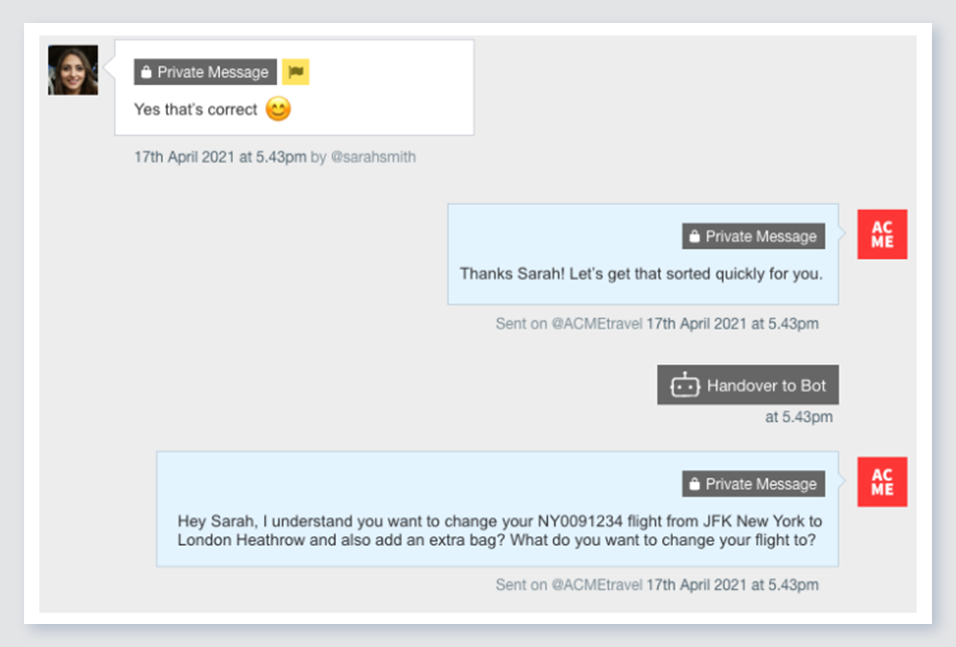
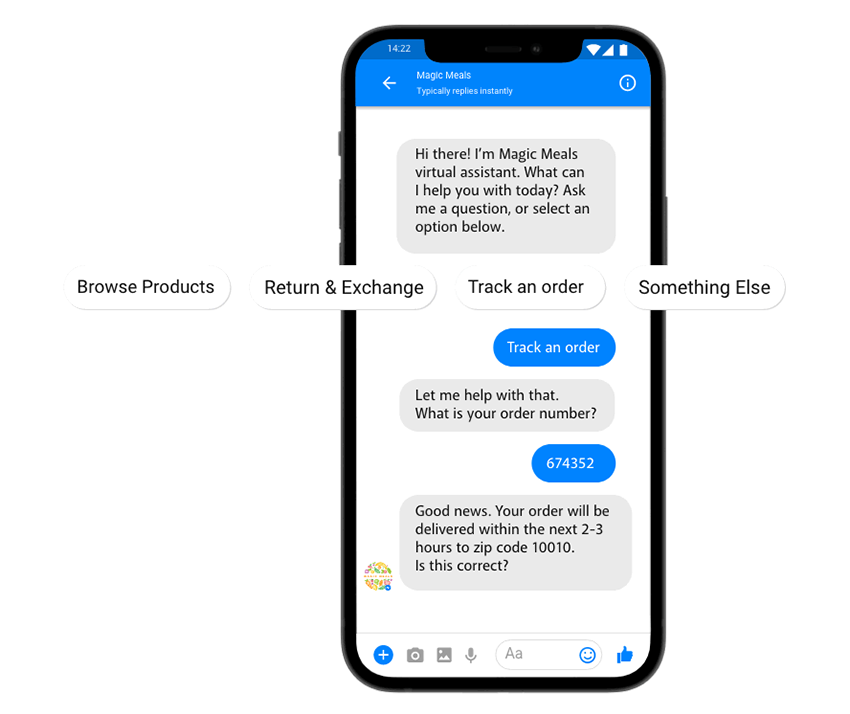
Verint Channel Automation is a social customer service software that enables companies to engage in large volumes of social media conversations with their customers. The cloud-based software combines intelligent prioritization with team management workflows.
N/A
Zendesk Suite
Score 8.7 out of 10
N/A
Zendesk is a customer support solution with built-in ticketing, conversational messaging, and live chat, designed to help businesses of all sizes and industries deliver personalized service at scale. Zendesk's AI agents are trained in CX to help Service teams resolve customer issues faster and more accurately while still providing a human-centered experience. Zendesk ultimately aims to help businesses improve time to value, reduce effort per ticket, and keep costs low.
ZenDesk, Hootsuite. Conversocial allowed us to work 7-10X faster than we had previously while still maintaining the "socialness" of the platform, rather than converting the experience into a traditional customer service interaction.
Zendesk Suite
No answer on this topic
Features
Verint Channel Automation
Zendesk Suite
Incident and problem management
Comparison of Incident and problem management features of Product A and Product B
Verint Channel Automation
-
Ratings
Zendesk Suite
8.9
172 Ratings
8% above category average
Organize and prioritize service tickets
00 Ratings
9.3171 Ratings
Expert directory
00 Ratings
8.2118 Ratings
Subscription-based notifications
00 Ratings
8.7119 Ratings
ITSM collaboration and documentation
00 Ratings
8.2122 Ratings
Ticket creation and submission
00 Ratings
9.4172 Ratings
Ticket response
00 Ratings
9.3171 Ratings
Self Help Community
Comparison of Self Help Community features of Product A and Product B
Verint Channel Automation
-
Ratings
Zendesk Suite
8.4
156 Ratings
5% above category average
External knowledge base
00 Ratings
8.3150 Ratings
Internal knowledge base
00 Ratings
8.5143 Ratings
Multi-Channel Help
Comparison of Multi-Channel Help features of Product A and Product B
From experience, you may ask the Conversocial team to make recommendations on licenses for larger vs. smaller social customer service teams. The need for support and the amount of usage you may get from the tool's robust offering may differ as a result of those precedents. The tool is adaptable in both scenarios it would seem.
Being a customer support agent, I found it very good when it comes to send an email or call or chat- with the user. I can do all that from the one single platform which is so easy and time saving for you. It does not take much time to use this, We can chat- with the user and at the same time we can send an email to them as well.
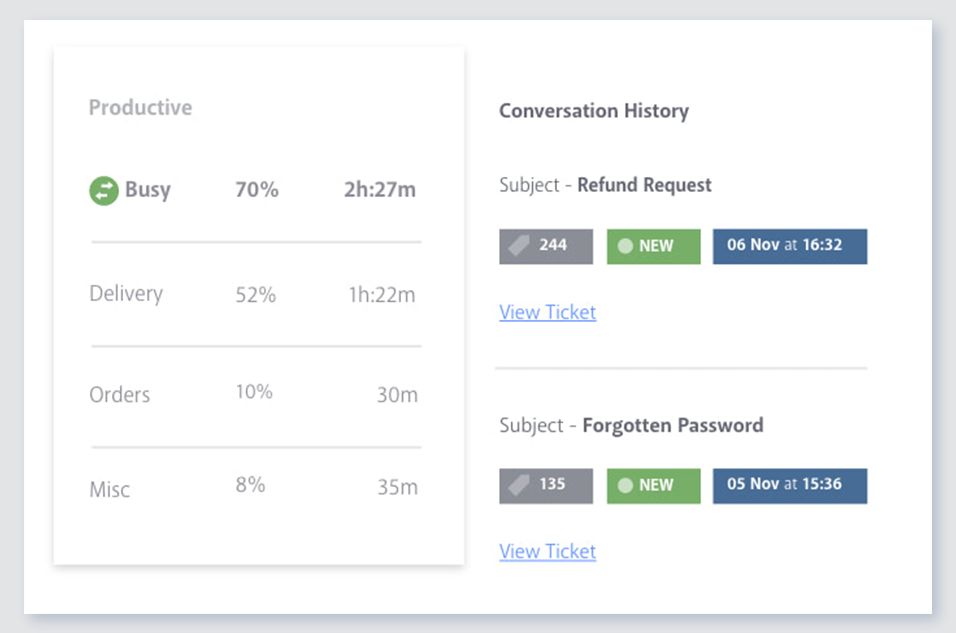
Previous conversations: This is one of the main reasons why I personally love Conversocial over Hootsuite and other social media engagement tools. Conversocial pulls in all previous interactions we've had with community members and it helps us identify if we've already addressed their problem, if they are a detractor/advocate, and so much more. With other engagement tools, it's frustrating as a community member may repost the same thing over and over again, but at different time periods. If you're unable to see what someone has said in the past, we may waste our time replying to the same thing multiple times, or we also risk responding with the same general advice, when we could try a different approach.
Tags and filters: Conversocials use of tags and filters are extremely simple to use. They have shortcuts which help you easily assign a tag to an item and then you can easily pull up each of those tags within Conversocial itself or your can open up an external report. If my team is in a hurry and wants to quickly see a certain tag, we can use the filter option and within seconds we have all the information we need.
Simple shortcuts: Conversocial has several shortcuts that save my team a lot of time. One single button on my keyboard can apply sentiment and archive something so it's out of my way. I can also use shortcuts to apply a tag, assign an item, and do other tasks. It may seem like a small benefit but each second saved really adds up throughout each day and week.
Communication: As we know, technology has issues and every tech issue Conversocial has experiences has been handled extremely well. I've never encountered any issues contacting Conversocial, we're always notified when they are working on a solution and once the problem has been fixed. We also receive random pop-ups within Conversocial to notify us of known issues before our team experiences them, and when there is a new feature that we should be aware of. Their communication is always on point and it's great to know that we can always rely on them.
I would like to see an improvement in the reporting dashboard which is something I mentioned to Josh (the CEO) on a call back in April. He said that it is something they are working on but to remember that this is truly a customer service social media platform so some of the features that I would like to see may not fit well with the users of the product.
Is there a way for AEs and CSMs to be informed in a weekly summary of all their accounts and any tickets? Example: Disney submitted a ticket on XYZ. Google has an urgent issue on X still unresolved.
Is there a way for CSMs or AEs to have a Dashboard that's specific to their accounts instead of seeing all the tickets in the queue that are not relevant to them?
The only two reasons we would not continue using Conversocial are it's lack of comprehensive analytics and its lack of Radian6's categorization tools. Tags make up for the categorization pretty well, however, and we're considering switching everything over to this now that we've tested tags for a couple months within Conversocial. (I previously wrote that Conversocial lacks support for some social channels like Instagram, LinkedIn, and YouTube, but they have now added Instagram and YouTube.)
Zendesk is an amazing tool for communicating with your customers easily. The communication tickets from sellers to us or from us to sellers are stored, and there are statuses used to make communication easy. We have internal conversations between departments, linked with useful software such as Zingtree, Talkdesk, and Webs.
Because of the number of features it offers and the manner in which they're presented. I've explored a number of other tools that just don't do it as well. When sorting through and responding to hundreds of social media messages each day, the number of clicks it takes to do something really matters. Conversocial does a great job of minimizing clicks and presenting the data we need without having to click to find it
Pros: The agent interface is sleek, contemporary, and relatively easy to learn compared to many other enterprise tools. For common tasks, admins are given point-and-click options- adding fields, modifying workflows, constructing macros. The knowledge base (Guide) editor is easy to use for non-developers. Drawbacks: Once you move past the initial things - complex automations, reporting/analytics in Explore, and/or customizations integrating the API, it requires much more advanced training to use successfully. Navigating between the different modules (Support, Explore, Chat, Guide) can feel very disconnected; often you are reminded that it really is a "suite" of products brought together -not really one unified platform. If you're using multiple brands managing simultaneous support tickets, or heavily customizing workflows to meet your brand, you may run into a bit of struggle with usability. So: it's a lot more user friendly than the palaces (Salesforce Service Cloud, ServiceNow), but is not used as quickly or with as much streamlined flow as a product made for a small shop. So if you are looking for a great balance, this is a good option if you are a net new organization or an organization on their way to scaling from 15 - 50 employee. Expect some elbow grease from the admin team once learning, adapting, and working efficiently once you move past the basics with your support tickets and initial customizations.
Our account rep at Conversocial has set up a call with me every two weeks to check in, talk about new features, or answer questions. I know I can email or call her for help anytime. Their support team also responds quickly.
We rarely need to contact their support team, but when we do they are responsive. However there have been notable times when communication between myself and the support rep was challenging despite me providing clear explanation of the issue, screenshots, and a thorough explanation of the goal we hope to achieve. It took several back and forth attempt, on a few occasions, to get resolution on an otherwise simple request
Comprehensive training in all aspects of the software and general usages (including social media) for both agents and managers. Simulation workshops really made the live deployment process very smooth.
Zendesk has tons of available material for training - videos, webinars, articles, etc. The only reason this is not a 10 is because it can be hard to figure out how to navigate to these things and find what you are looking for.
I was very satisfied. They have a free trial for 30 days and I recommend you do that and use it. It is very easy to get started with the basics and the build on over time.
The only thing technically complex was single sign-on and integration to Salesforce.com required some tweaks – otherwise setting up system was very easy
Early on we did comparisons with Hootsuite and later with Adobe. While they have similarities, the difference at the time and likely currently, was the personal interest and general accessibility of Conversocial's platform and people. The combination of an effective CRM solution and a team that was readily available to help proved to be the winning formula for our business.
The customisable reporting every time. Our leadership reply on me to run my team and want to know what customers are telling us so they can elevate our products. We have extensive custom reports that tie up all aspects of our product and customer journeys. I've not found another product that allows me as much freedom as Zendesk Suite explore does, so far.
One of the biggest benefits we are seeing is that we have reduced the number of post-holiday complaints coming into head office. Since we are responding to issues and concerns as they arise, we can impact overall customer satisfaction.
The efficiencies gained from using a centralized platform for managing the response process has enabled us to reduce our team by 50%.
We can track that we are responding to a fan's first message within 30 minutes.
We can track the number of messages each user engages with.
We can see the most effective times of day to post and reply.
Integrating other AI solutions for an organization with high volumes can cost about USD5000 monthly. With Zendesk AI and by building onto the same with AI powered apps built for Zendesk Suite we save a projected USD4000 monthly.
Robust Zendesk APIs have enabled us to integrate our internal system with a customized app saving us hundreds of hours every quarter spent loading customer profiles that are not loaded instantly from the app.
Plug and play apps like Round robin save us weeks of sprint delay timelines as they do not require additional coding or developer support to install and start using.