TrustRadius: an HG Insights company

Save this comparison

Save this comparison

Add Product

Recommended Comparisons

    Overview
    ProductRatingMost Used ByProduct SummaryStarting Price

    Vivantio

    Score7.3 out of 10
    Mid-Size Companies (51-1,000 employees)
    Founded in 2003, Vivantio is a provider of customer service optimization software and solutions for B2B service teams. By combining enterprise-level software with the flexibility of a cloud-based solution, Vivantio provides a unified service management platform. The platform scales to meet the complex business needs of large, multi-site organizations, to optimize workflows across several departments including IT, operations and customer service.

    $588

    per year per user

    RealVNC Connect

    Score8.9 out of 10
    N/ARealVNC® Connect is a secure remote access solution from RealVNC. It can be used to connect to a remote device anywhere in the world to view its desktop in real-time and take control as though sitting in front of it.

    $99

    per year (one concurrent session)

    Pricing
    VivantioRealVNC Connect
    Editions & Modules
    No answers on this topic
    Essentials
    $8.25
    per month (billed annually) per concurrent session
    Plus
    $16.50
    per month (billed annually) per concurrent session (add up to 3)
    Premium
    $29.75
    per month (billed annually) per concurrent session (add up to 5)
    Enterprise
    Custom Pricing
    per year
    Enterprise
    Custom Pricing
    Offerings
    Pricing Offerings
    VivantioRealVNC Connect
    Free Trial
    YesYes
    Free/Freemium Version
    NoYes
    Premium Consulting/Integration Services
    YesNo
    Entry-level Setup FeeRequiredNo setup fee
    Additional DetailsVivantio pricing ranges from $49–$99 per agent, per month, billed annually. Pricing applies to technical agents only; self-service portal users, requestors, and customers do not require a license. Every Vivantio customer receives access to the full platform and feature set, including ITSM, AI, automation and approval workflows, CRM, asset management and CMDB, self-service and knowledge management, reporting and dashboards, integrations, and API access. There are no feature-based modules or tiers to purchase separately. Vivantio offers named, concurrent, and pooled licensing, which can be mixed to match different teams and usage patterns. Volume discounts begin at 15 agents and scale up to 40%. Educational institutions receive a 5% discount, and registered non-profits receive a 10% discount. Dedicated onboarding by Vivantio's in-house professional services team, a Customer Success Manager, and US and UK technical support are included. Enterprise pricing and the appropriate license mix are available through a custom quote.Plans work on a Per Concurrent Session basis. Each plan gives access to a bundled number of devices, but limits apply to the amount of devices that can be connected at any given time. The Premium plan includes On-Demand Assist, a useful tool for providing just-in-time remote support to end-users without them needing RealVNC Connect installed on their device.
    More Pricing Information
    Community Pulse
    VivantioRealVNC Connect
    Considered Both Products
    Vivantio
    No answer on this topic
    RealVNC
    No answer on this topic
    Key User Insights
    Would buy again
    No answers on this topic
    100%
    Would buy again
    11 Answers
    Delivers good value for the price
    No answers on this topic
    100%
    Delivers good value for the price
    10 Answers
    Happy with the feature set
    No answers on this topic
    100%
    Happy with the feature set
    11 Answers
    Lived up to sales and marketing promises
    No answers on this topic
    100%
    Lived up to sales and marketing promises
    7 Answers
    Implementation went as expected
    No answers on this topic
    100%
    Implementation went as expected
    11 Answers
    Features
    VivantioRealVNC Connect
    Incident and problem management
    Comparison of Incident and problem management features of Vivantio and RealVNC Connect
    Feature
    Vivantio
    7.6
    1 Ratings
    7% below category average
    RealVNC Connect
    -
    Ratings
    Organize and prioritize service tickets8.21 Ratings00 Ratings
    Expert directory6.41 Ratings00 Ratings
    Subscription-based notifications8.21 Ratings00 Ratings
    ITSM collaboration and documentation7.31 Ratings00 Ratings
    Remote Administration
    Comparison of Remote Administration features of Vivantio and RealVNC Connect
    Feature
    Vivantio
    -
    Ratings
    RealVNC Connect
    7.3
    32 Ratings
    8% below category average
    Screen sharing00 Ratings9.028 Ratings
    File transfer00 Ratings8.015 Ratings
    Instant message00 Ratings6.119 Ratings
    Secure remote access with Smart Card authentication00 Ratings7.05 Ratings
    Access to sleeping/powered-off computers00 Ratings6.09 Ratings
    Over-the-Internet remote session00 Ratings9.030 Ratings
    Initiate remote control from mobile00 Ratings9.019 Ratings
    Remote management of servers & workstations00 Ratings4.76 Ratings
    Centralized management dashboard00 Ratings7.116 Ratings
    Session record00 Ratings8.02 Ratings
    Annotations00 Ratings5.36 Ratings
    Monitoring and Alerts00 Ratings7.03 Ratings
    Multi-platform remote control00 Ratings9.011 Ratings
    Best Alternatives
    VivantioRealVNC Connect
    Small Businesses
    Agiloft Service Desk (discontinued)
    Score9 out of 10
    N-able Take Control
    Score7.2 out of 10
    Medium-sized Companies
    ManageEngine ServiceDesk Plus
    Score9.2 out of 10
    Remote Desktop Manager
    Score9.6 out of 10
    Enterprises
    Ivanti ITSM
    Score6.4 out of 10
    BeyondTrust Privileged Remote Access
    Score9.1 out of 10
    All AlternativesView all alternativesView all alternatives
    User Ratings
    VivantioRealVNC Connect
    Likelihood to Recommend
    8.2
    (1 ratings)
    9.7
    (38 ratings)
    Likelihood to Renew
    -
    (0 ratings)
    8.0
    (8 ratings)
    Usability
    9.1
    (1 ratings)
    8.0
    (4 ratings)
    Support Rating
    -
    (0 ratings)
    8.0
    (2 ratings)
    Online Training
    -
    (0 ratings)
    7.0
    (2 ratings)
    Implementation Rating
    -
    (0 ratings)
    8.0
    (2 ratings)
    User Testimonials
    VivantioRealVNC Connect
    Likelihood to Recommend
    Vivantio
    I’d recommend Vivantio as an ITSM platform because it combines powerful functionality with ease of use. Its customizable workflows and automation streamline IT service management, saving time and improving efficiency. The platform scales well, making it suitable for businesses of all sizes, and it integrates seamlessly with other tools, ensuring smooth operations. Vivantio also offers excellent reporting capabilities, helping teams track performance and identify areas for improvement. If you’re looking for a reliable, flexible, and user-friendly ITSM solution, Vivantio is a great choice.
    Read full review
    RealVNC
    It is very easy to use if the remote device is already set up to receive connections, so if you are setting up devices before deploying them, it is a great tool to have. It is well-suited to use when shadowing users or using it as a teaching tool. There are other products that are better if you are trying to help someone on a one-use basis.
    Incentivized
    Read full review
    Pros
    Vivantio
    • Incident Tracking
    • Reporting
    • Customisation
    Read full review
    RealVNC
    • VNC Connect does an excellent job in remotely connecting to a computer through either your local area network or even another computer on the internet. As long as the VNC Connect services is installed and the client is running in the background.
    • VNC Connect provides password protection to prevent unauthorized users from attempting to remotely access your computer. There's an option to have a separate password to remotely view vs view & access a computer. You can even add an additional level of security by turning on the feature to require Windows login credentials.
    • VNC Connect provides an additional set of controls after a remote connection has been established with another computer. You can have special keystrokes like Ctrl+Alt+Del sent as a command sequence to the other computer as well as access more than a single screen when in use at the remote computer location.
    Incentivized
    Read full review
    Cons
    Vivantio
    No answers on this topic
    RealVNC
    • Its a pretty straight forward product - I would like to see more tools with a "wow" factor.
    • Panel colors are blah - I would like more eye-catching colors.
    • A more consistent look with all platforms - like Mac & PC.
    Incentivized
    Read full review
    Likelihood to Renew
    Vivantio
    No answers on this topic
    RealVNC
    VNC is a solid product for the price. It simply works and its reliable across different platforms. Some products state they work well in the Mac environment but don't deliver. This one does what it says. Connections are reliable, but of course, this depends on internet connections. The product works well over wireless connections as well. It delivers on what a remote tool should deliver on. My technicians are happy with the product and customers appreciate the ease of use when letting us connect to their systems. Some also appreciate the remote support while they are multi-task.
    Incentivized
    Read full review
    Usability
    Vivantio
    i find the system easy to navigate and customise
    Read full review
    RealVNC
    It's a niche product and in that niche they try to cater to as many use cases as they can. Other as a TCO aspect i don't see many use cases where you can't use this product as the one tool for all remote session use cases in your company
    Incentivized
    Read full review
    Support Rating
    Vivantio
    No answers on this topic
    RealVNC
    VNC Connect is a reliable product that has been around for a long time. It is reasonably priced and works well in the Mac & PC environment. When you have a small team that supports many users we need tools that we can rely upon and that will get the job done on the first try. Many customers appreciate the quick assistance and can multi-task while our team works on their computer issues remotely. From a customer service point of view, this tool gives us transparency and efficient effectiveness.
    Incentivized
    Read full review
    Online Training
    Vivantio
    No answers on this topic
    RealVNC
    The training is very informative, quick and to the point. All of the details one would need are present so the user doesn't have to go searching for additional information just to use the application. The layout of the training was also neat and concise, some of the other training sessions for other companies I've done in the past were confusing and not well thought out, this one is much more superior
    Read full review
    Implementation Rating
    Vivantio
    No answers on this topic
    RealVNC
    No problem at all, love the product.
    Incentivized
    Read full review
    Alternatives Considered
    Vivantio
    Vivantio's extensive customization features ensure it always balances in its favor by allowing businesses to tailor workflows, forms, and processes to their unique needs. This flexibility means the platform adapts to your organization, not the other way around, enabling seamless alignment with changing requirements and maximizing efficiency over time.
    Read full review
    RealVNC
    VNC is light and sleek with the quick setup, was impressed with the quick setup despite poor Internet connection outdoor. TeamViewer is good, but the pricing is not as good as VNC. Both do the basic job, but VNC still outperform TeamViewer in terms of performance and ease of use.
    Incentivized
    Read full review
    Return on Investment
    Vivantio
    • Positive - Reporting
    Read full review
    RealVNC
    • I have just used the software for about 1 month and so far so god. I am saving time whenever I can access my client's computers from my desk as opposed to having to leave my office to go to their offices. Saves me time and the client money.
    Incentivized
    Read full review
    ScreenShots

    Vivantio Screenshots

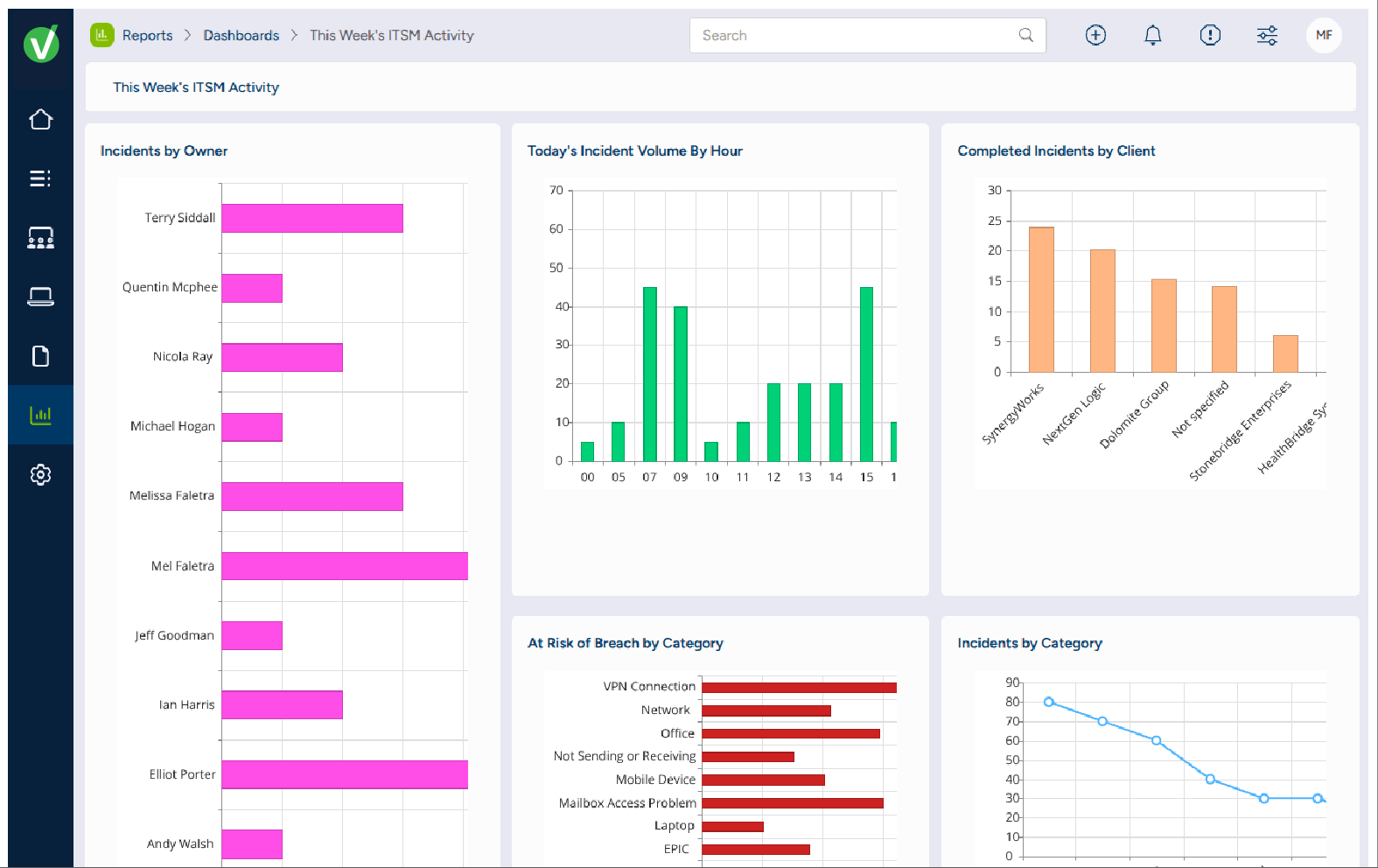
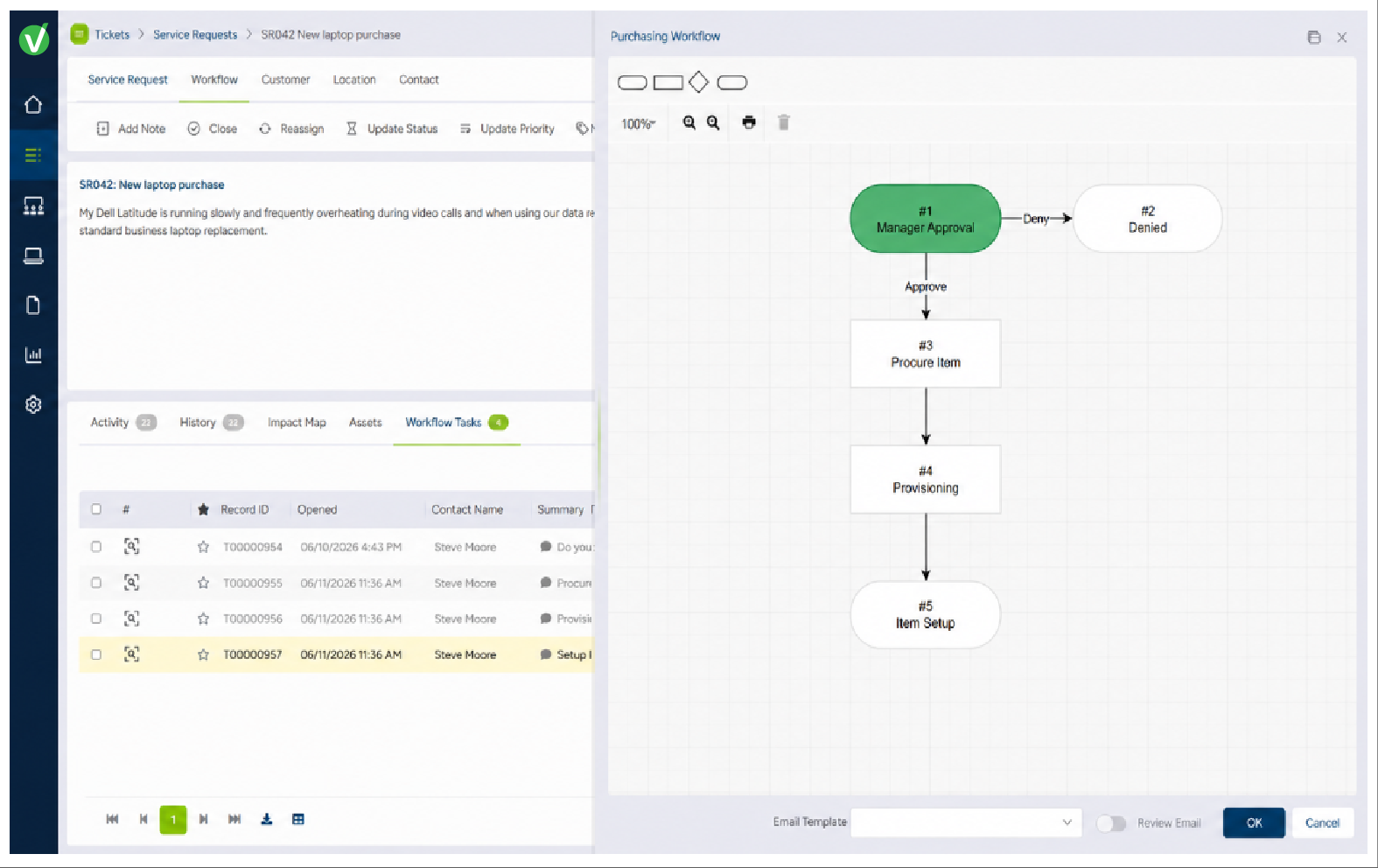
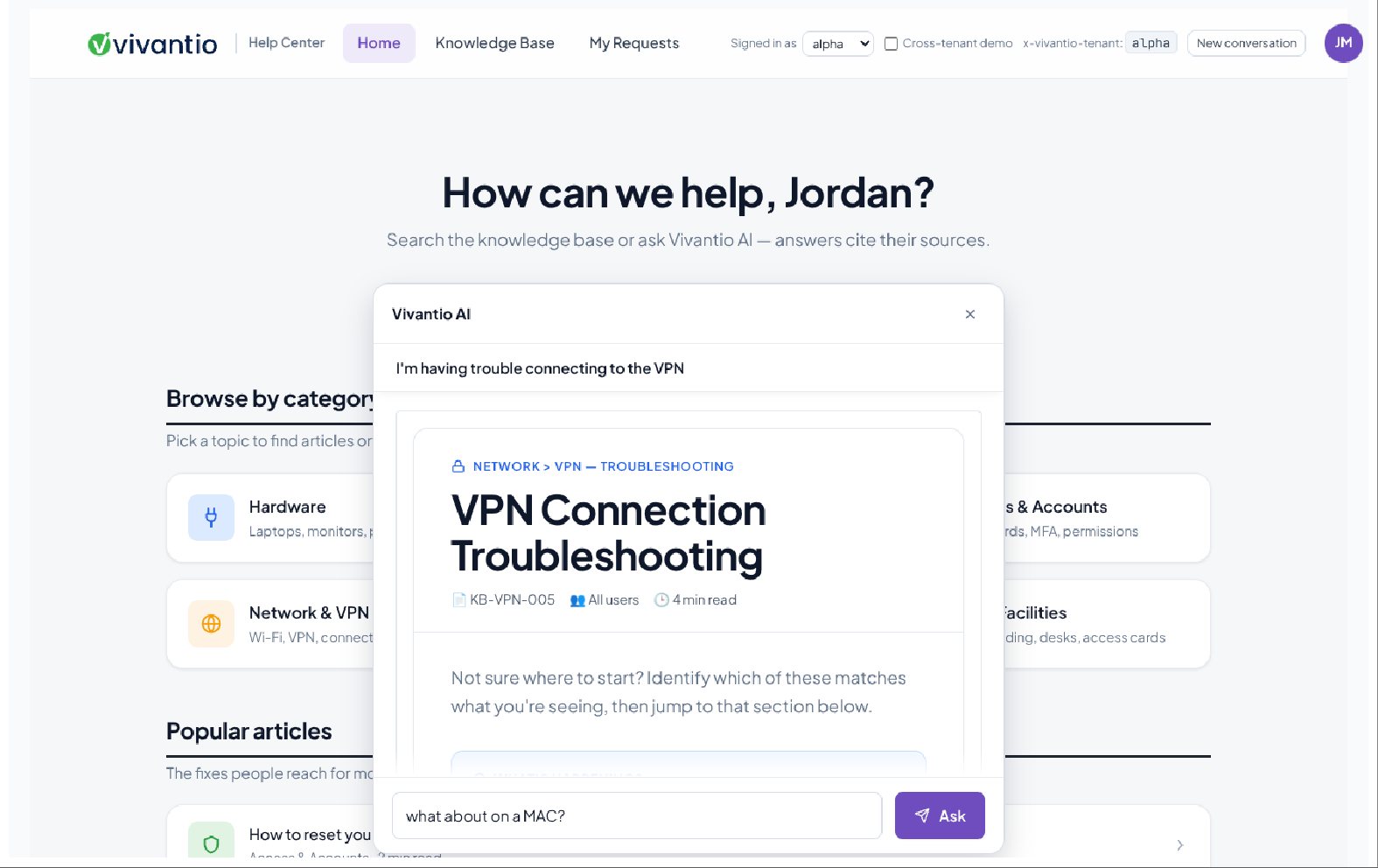
    Screenshot of the dashboard to monitor service performance at a glance with configurable dashboards that surface workload, trends, SLAs, and the metrics that matter to each team.Screenshot of the self-service experience with access to requests, knowledge, services, and AI-assisted support from one branded portal.Screenshot of the dashboard to manage requests from one configurable workspace with the context, ownership, status, and service information agents need to move work forward.Screenshot of the editor used to build and visualize multi-step service processes with configurable workflows, automation, approvals, and routing.Screenshot of reporting and analytics for tracking performance, identifying trends, and improving service over time.Screenshot of Vivantio AI, which helps service teams Assist, Enrich, and Optimize service delivery.

    RealVNC Connect Screenshots

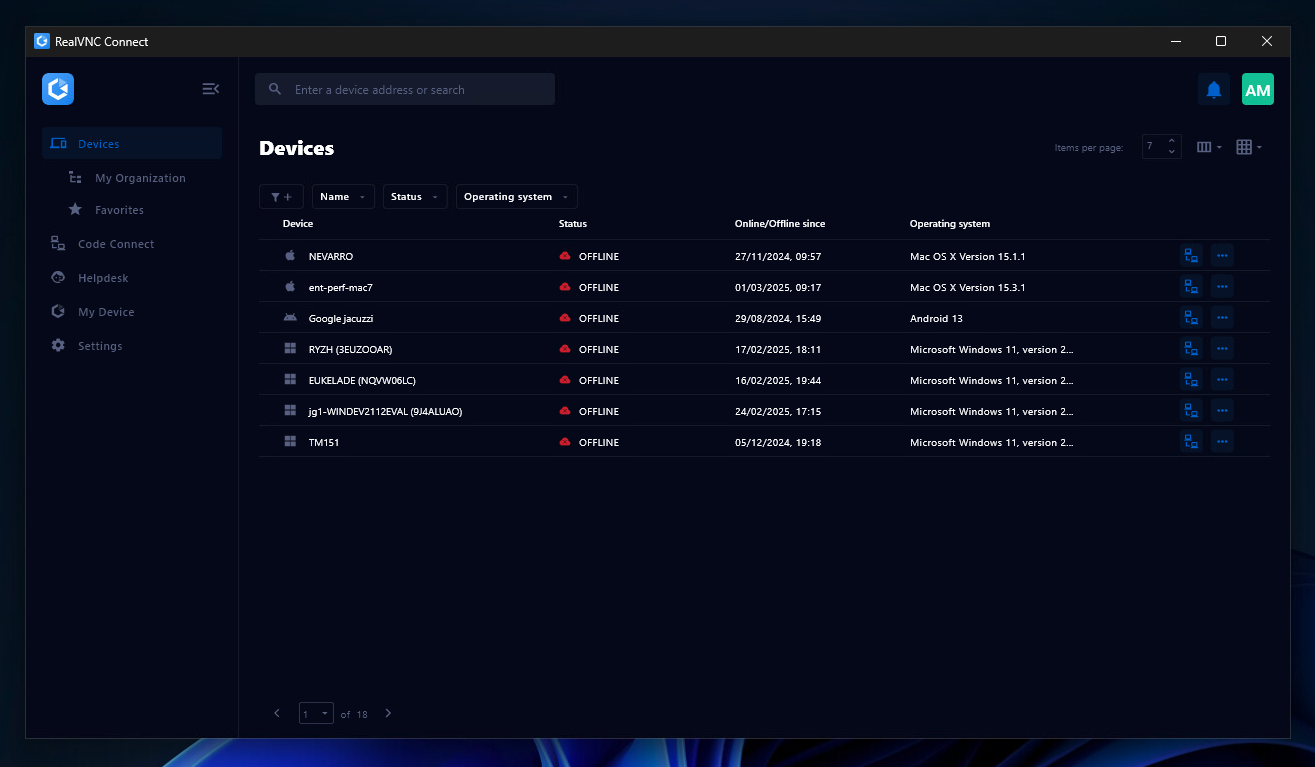
    Screenshot of the Device List in the Connect v8 desktop appScreenshot of On-Demand Assist, which can be used to start a remote support session using a single-use code.