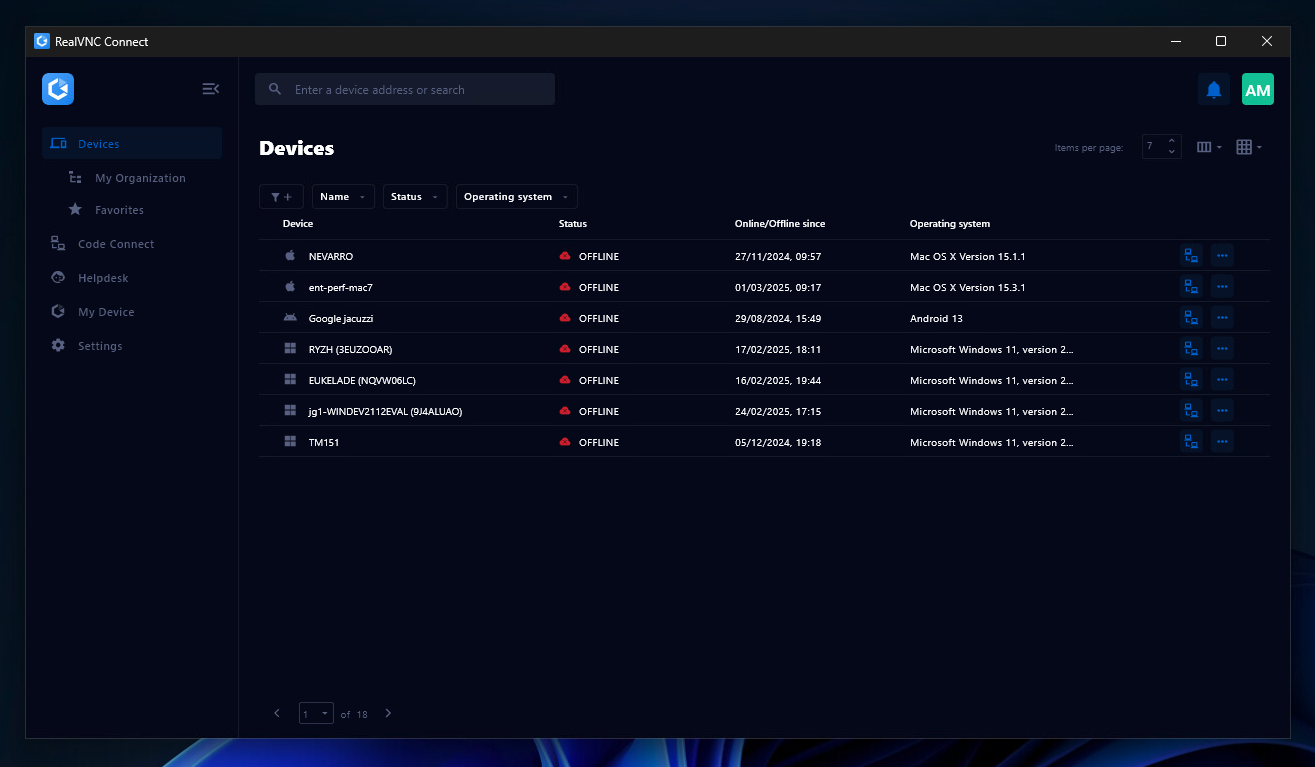
RealVNC® Connect is a secure remote access solution from RealVNC. It can be used to connect to a remote device anywhere in the world to view its desktop in real-time and take control as though sitting in front of it.
$99
per year (one concurrent session)
Whatfix
Score10 out of 10
N/A
Whatfix is the AI-native Digital Adoption Platform built for the modern enterprise. The platform unifies pre-production simulation training, in-workflow guidance and support, and adoption analytics for continuous optimization.
N/A
Pricing
RealVNC Connect
Whatfix
Editions & Modules
Essentials
$8.25
per month (billed annually) per concurrent session
Plus
$16.50
per month (billed annually) per concurrent session (add up to 3)
Premium
$29.75
per month (billed annually) per concurrent session (add up to 5)
Enterprise
Custom Pricing
per year
Enterprise
Custom Pricing
No answers on this topic
Offerings
Pricing Offerings
RealVNC Connect
Whatfix
Free Trial
Yes
Yes
Free/Freemium Version
Yes
Yes
Premium Consulting/Integration Services
No
Yes
Entry-level Setup Fee
No setup fee
Optional
Additional Details
Plans work on a Per Concurrent Session basis. Each plan gives access to a bundled number of devices, but limits apply to the amount of devices that can be connected at any given time.
The Premium plan includes On-Demand Assist, a useful tool for providing just-in-time remote support to end-users without them needing RealVNC Connect installed on their device.
All Pricing models are customized and tailor-made according to the customer's requirement.
It is very easy to use if the remote device is already set up to receive connections, so if you are setting up devices before deploying them, it is a great tool to have. It is well-suited to use when shadowing users or using it as a teaching tool. There are other products that are better if you are trying to help someone on a one-use basis.
A de minimis incentive was given to thank the reviewer for their time. The incentive was not used to bias or drive a particular response, nor was the incentive contingent on a positive endorsement. More Info
Currently, we are only using Whatfix with Salesforce but are in the process of implementing on other systems. It is an excellent tool to organize and provide in-app access to training materials already created. It excels at providing guidance about tasks users don't complete often and, therefore, forget what they were trained about the process. The only sort of system it might not work well is one that provides its own robust in-app assistance. More than one type of tip icon being displayed, for instance, could be confusing.
VNC Connect does an excellent job in remotely connecting to a computer through either your local area network or even another computer on the internet. As long as the VNC Connect services is installed and the client is running in the background.
VNC Connect provides password protection to prevent unauthorized users from attempting to remotely access your computer. There's an option to have a separate password to remotely view vs view & access a computer. You can even add an additional level of security by turning on the feature to require Windows login credentials.
VNC Connect provides an additional set of controls after a remote connection has been established with another computer. You can have special keystrokes like Ctrl+Alt+Del sent as a command sequence to the other computer as well as access more than a single screen when in use at the remote computer location.
A de minimis incentive was given to thank the reviewer for their time. The incentive was not used to bias or drive a particular response, nor was the incentive contingent on a positive endorsement. More Info
A de minimis incentive was given to thank the reviewer for their time. The incentive was not used to bias or drive a particular response, nor was the incentive contingent on a positive endorsement. More Info
The possibility to select content/widgets at the time for "push to production" (some we would like to p2p for one single content, that is not possible at the moment).
I wish the filters in the dashboard would stay when you choose a content, currently you have to filter again and again.
In the analytics area, I would like the system to remember this for a certain time window after selecting the start date.
VNC is a solid product for the price. It simply works and its reliable across different platforms. Some products state they work well in the Mac environment but don't deliver. This one does what it says. Connections are reliable, but of course, this depends on internet connections. The product works well over wireless connections as well. It delivers on what a remote tool should deliver on. My technicians are happy with the product and customers appreciate the ease of use when letting us connect to their systems. Some also appreciate the remote support while they are multi-task.
A de minimis incentive was given to thank the reviewer for their time. The incentive was not used to bias or drive a particular response, nor was the incentive contingent on a positive endorsement. More Info
[We feel like] even though Whatfix has its flaws, we are impressed by the speed of development [and] their openness about their future improvements, [but] most important their proactive customer service and customer success team. Whatfix acts more like a partner than a supplier of a 3rd party tool, and we welcome that experience.
It's a niche product and in that niche they try to cater to as many use cases as they can. Other as a TCO aspect i don't see many use cases where you can't use this product as the one tool for all remote session use cases in your company
A de minimis incentive was given to thank the reviewer for their time. The incentive was not used to bias or drive a particular response, nor was the incentive contingent on a positive endorsement. More Info
While they've made a lot of improvements in the last year, there are still challenges with walkthroughs and how beacons can be created. They are aware of these limitations and are actively soliciting customer feedback to help them remedy these shortcomings.
A de minimis incentive was given to thank the reviewer for their time. The incentive was not used to bias or drive a particular response, nor was the incentive contingent on a positive endorsement. More Info
VNC Connect is a reliable product that has been around for a long time. It is reasonably priced and works well in the Mac & PC environment. When you have a small team that supports many users we need tools that we can rely upon and that will get the job done on the first try. Many customers appreciate the quick assistance and can multi-task while our team works on their computer issues remotely. From a customer service point of view, this tool gives us transparency and efficient effectiveness.
A de minimis incentive was given to thank the reviewer for their time. The incentive was not used to bias or drive a particular response, nor was the incentive contingent on a positive endorsement. More Info
Whatfix is THE best vendor I've ever worked with when it comes to supporting their customers. The support team is friendly, helpful and always willing to listen to your suggestions and ideas. This also applies to the Engineering team who I've spent several hours on calls with debugging a few of the more challenging scenarios we have in place. Nothing is ever too much trouble for Whatfix and they are truly best-in-class when it comes to their support model.
The training is very informative, quick and to the point. All of the details one would need are present so the user doesn't have to go searching for additional information just to use the application. The layout of the training was also neat and concise, some of the other training sessions for other companies I've done in the past were confusing and not well thought out, this one is much more superior
While helpful, the feedback from our employee was, that [they felt] the training was very high-level - sometimes confusing. It would be great to have some kind of sandbox environment for new users to train certain scenarios.
A de minimis incentive was given to thank the reviewer for their time. The incentive was not used to bias or drive a particular response, nor was the incentive contingent on a positive endorsement. More Info
Although Whatfix make the process relatively straightforward (they will provide Group Policy Scripts to install a Google Chrome extension specific to your organisation) its important to ensure your network deployment teams (if you have more than one) understand their role and what they need to do to test deployment once they undertaken the work.
VNC is light and sleek with the quick setup, was impressed with the quick setup despite poor Internet connection outdoor. TeamViewer is good, but the pricing is not as good as VNC. Both do the basic job, but VNC still outperform TeamViewer in terms of performance and ease of use.
A de minimis incentive was given to thank the reviewer for their time. The incentive was not used to bias or drive a particular response, nor was the incentive contingent on a positive endorsement. More Info
There is no comparison - Whatfix is the clear winner with us from the very beginning. As Whatfix continues to grow and innovate their product, engage with it's customers on a level beyond any I have every seen. They work as Partners with us, their teams from bottom to top are incredible - Customer Service, Collaboration Teams, Innovation, Sales, Success Mangers and everyone I missed are incredible. One team in particular I want to call out for there outstanding service, care and innovation to help us launch one of our systems is the Professional Services Team. Ganish, Joel, and everyone else who has been on our calls and worked behind the scenes to hit our incredible tight deadline in August - KUDOs for a job well done, You ROCK, THANK YOU words cannot describe how great you guys have been with us on this project, but on all of them. Whatfix's team definitely understands, the customer is first, they align with our values and we will continue to grow with them
A de minimis incentive was given to thank the reviewer for their time. The incentive was not used to bias or drive a particular response, nor was the incentive contingent on a positive endorsement. More Info
I have just used the software for about 1 month and so far so god. I am saving time whenever I can access my client's computers from my desk as opposed to having to leave my office to go to their offices. Saves me time and the client money.
A de minimis incentive was given to thank the reviewer for their time. The incentive was not used to bias or drive a particular response, nor was the incentive contingent on a positive endorsement. More Info
Reduced Training Costs: By cutting traditional training time by 40%, Whatfix has saved significant resources while increasing learning efficiency.
Improved User Productivity: Faster onboarding and fewer errors have led to a 25% improvement in user performance metrics, directly contributing to operational efficiency.
Decreased Support Requests: Self-service guidance has reduced support tickets by 30%, freeing up teams to focus on strategic initiatives and cutting support costs.