Chose Wrike
Wrike does not compare with anything I've used in the past, everything can be managed in one platform across your Organization.

| Product | Rating | Most Used By | Product Summary | Starting Price |
|---|---|---|---|---|
 Wrike | Mid-Size Companies (51-1,000 employees) | Wrike is a project management and collaboration software. This solution connects tasks, discussions, and emails to the user’s project plan. Wrike is optimized for agile workflows and aims to help resolve data silos, poor visibility into work status, and missed deadlines and project failures. | $0 per month per user | |
 Zenkit | N/A | Zenkit is a collaborative SaaS platform for project management, database building and more. This solution enables users to follow their data through its entire lifecycle. Zenkit allows users to manage their data in any way they need to – build their own CRM, reporting system, or financial planner. Users can share their data and assign tasks to colleagues. | $9 per user |
| Wrike | Zenkit | |||||||||||||||
|---|---|---|---|---|---|---|---|---|---|---|---|---|---|---|---|---|
| Editions & Modules |
|
| ||||||||||||||
| Offerings |
| |||||||||||||||
| Entry-level Setup Fee | No setup fee | $9 per user | ||||||||||||||
| Additional Details | Every premium plan begins with a 14-day trial period. | — | ||||||||||||||
| More Pricing Information | ||||||||||||||||
| Wrike | Zenkit | |
|---|---|---|
| Considered Both Products |  Wrike  Aayush Modh Senior Data Engineer Chose Wrike Asana provides user friendly interface and suitable platform for software engineering teams. But Wrike stood out because it provides good balance of project planning, workflow automation and dashboard functionalities in a single place.  Deanna Reis Production Director Chose Wrike We have been using Wrike for over seven years, so I don't recall the specific reason why we chose it over Asana. I recall that the functions were similar, but I think we found that Wrike offered flexibility and structure that we felt would function the best for our department. |  Zenkit  Damoon Rastegar Project Engineer Chose Zenkit Trello  Dr. Marcel Gültig Co-Founder and Managing Director Chose Zenkit As described before, Zenkit adds a lot more flexibility to the things the other applications can do. But this also means that there is no predefined structure which might be helpful for some people. Zenkit is working on that and is releasing some apps building on the core, so …  Matt Seilback Director of Film Chose Zenkit More team members were already using Asana, so I migrated over to that. It also has robust reminders setup on their software. Many of the capabilities are similar to Zenkit, but the preference (as a company) is for Asana, so I switched over to it. Zenkit has a nice GUI and Is …  Hoang Lo Co-Founder Chose Zenkit I really like that it's simple, user-friendly, and flexible, because it helps me view my data. You can visualize and customize your tasks. It also has a mind-map view which can be very helpful for planning your project. With the integration with other services like Slack and …  Vince McConville Advisor / Director Chose Zenkit In a previous review for Trello I said it was great, which it is. Zenkit, however, is Trello on steroids and previously only thing holding me back from moving totally to Zenkit was the fact they didn't have mobile apps. They now have a both Android & Iphone apps. So I will be … |
| Wrike | Zenkit | |||||||||||||||||||||||||||||||||||||||||||||
|---|---|---|---|---|---|---|---|---|---|---|---|---|---|---|---|---|---|---|---|---|---|---|---|---|---|---|---|---|---|---|---|---|---|---|---|---|---|---|---|---|---|---|---|---|---|---|
| Project Management |
| |||||||||||||||||||||||||||||||||||||||||||||
| Professional Services Automation |
|
| Wrike | Zenkit | |
|---|---|---|
| Small Businesses |  Stackby Score 8.8 out of 10 | Stackby Score 8.8 out of 10 |
| Medium-sized Companies |  InEight Score 8.2 out of 10 | InEight Score 8.2 out of 10 |
| Enterprises | InEight Score 8.2 out of 10 | InEight Score 8.2 out of 10 |
| All Alternatives | View all alternatives | View all alternatives |
| Wrike | Zenkit | |
|---|---|---|
| Likelihood to Recommend | 8.6 (0 ratings) | 9.1 (0 ratings) |
| Likelihood to Renew | 8.5 (0 ratings) | - (0 ratings) |
| Usability | 8.5 (0 ratings) | - (0 ratings) |
| Availability | 8.2 (0 ratings) | - (0 ratings) |
| Performance | 6.6 (0 ratings) | - (0 ratings) |
| Support Rating | 9.4 (0 ratings) | 8.8 (0 ratings) |
| In-Person Training | 8.2 (0 ratings) | - (0 ratings) |
| Online Training | 8.3 (0 ratings) | - (0 ratings) |
| Implementation Rating | 9.9 (0 ratings) | - (0 ratings) |
| Configurability | 7.5 (0 ratings) | - (0 ratings) |
| Ease of integration | 6.9 (0 ratings) | - (0 ratings) |
| Product Scalability | 8.1 (0 ratings) | - (0 ratings) |
| Vendor post-sale | 9.1 (0 ratings) | - (0 ratings) |
| Vendor pre-sale | 7.6 (0 ratings) | - (0 ratings) |
| Wrike | Zenkit | |
|---|---|---|
| Likelihood to Recommend |
Deanna Reis Production Director |
|
| Pros |
 Alysen Boston Content marketing writer |
Damoon Rastegar Project Engineer |
| Cons |
 Alicia Stacy Account Executive |
Hoang Lo Co-Founder |
| Likelihood to Renew |
| No answers on this topic |
| Usability |
| No answers on this topic |
| Reliability and Availability |
 Cristi Radulian Senior Design Engineer | No answers on this topic |
| Performance |
 Mark Ferrer Senior Web Developer | No answers on this topic |
| Support Rating |
 Sherrie Besecker Creative Technology Manager |
Dr. Marcel Gültig Co-Founder and Managing Director |
| In-Person Training |
 Ashley Pauls Assistant director of communications | No answers on this topic |
| Online Training |
| No answers on this topic |
| Implementation Rating |
| No answers on this topic |
| Alternatives Considered |
|
|
| Scalability |
 Nikos Taskos Head of SEO | No answers on this topic |
| Return on Investment |
|
Vince McConville Advisor / Director |
| ScreenShots | Wrike Screenshots      | Zenkit Screenshots 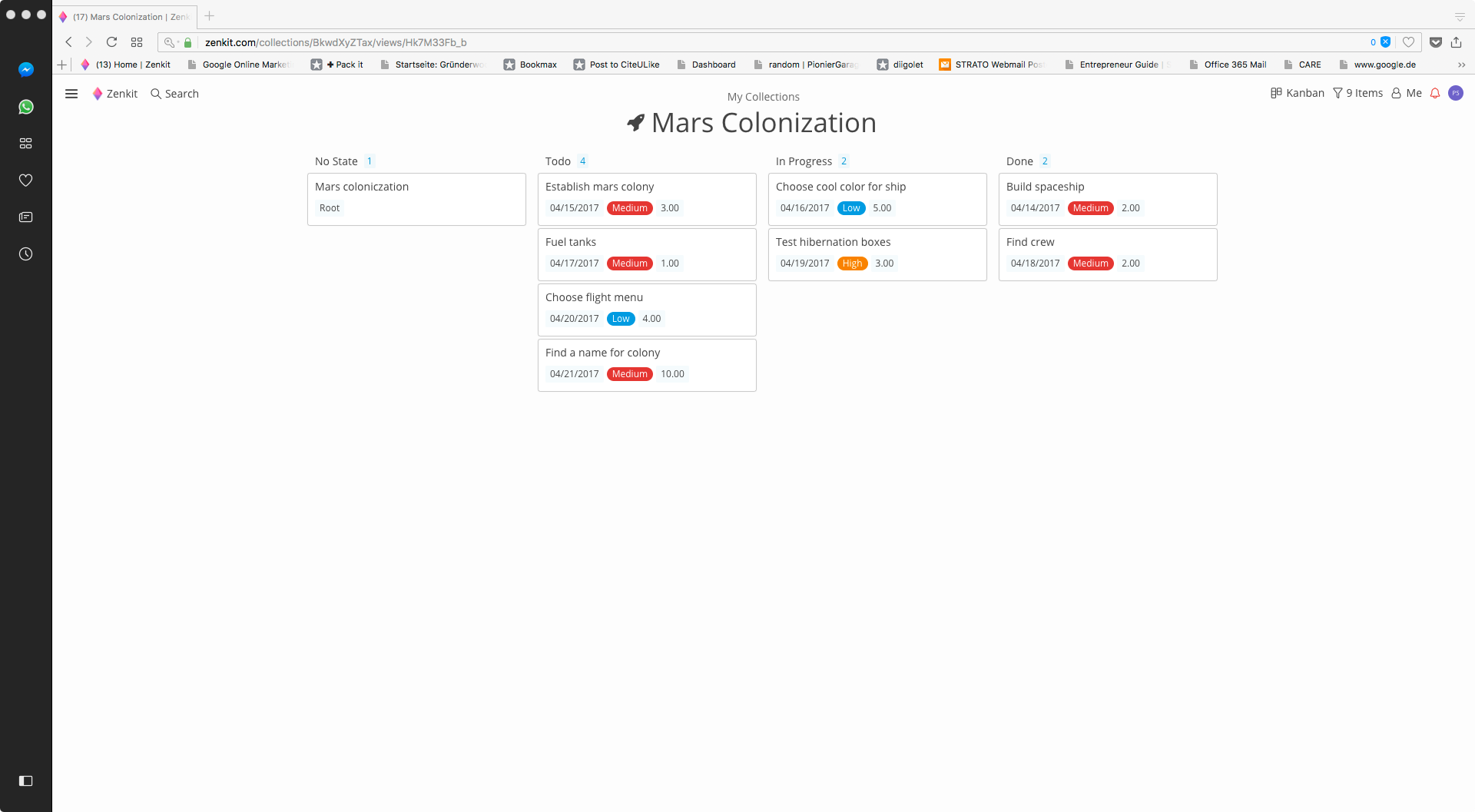 |