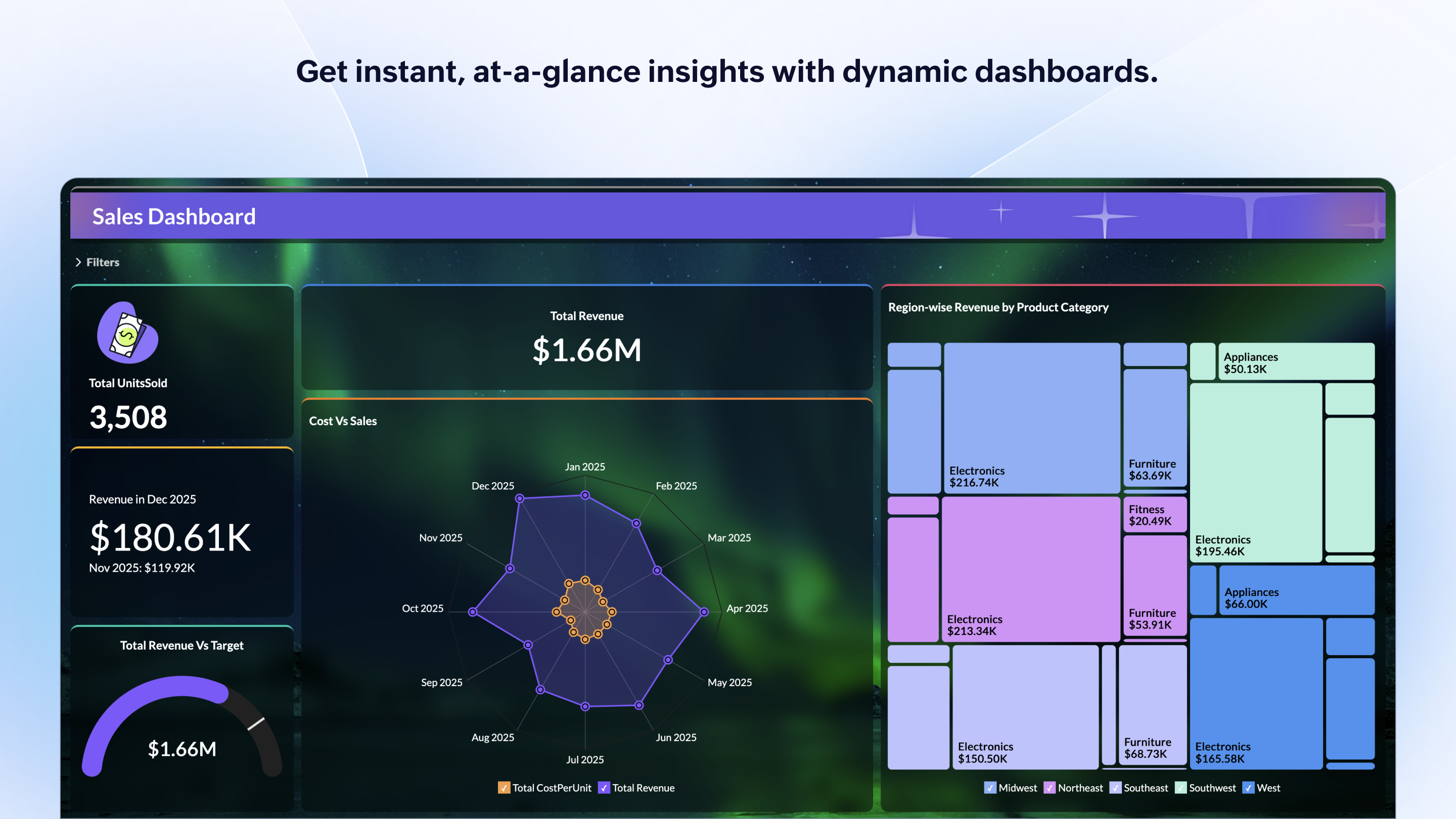
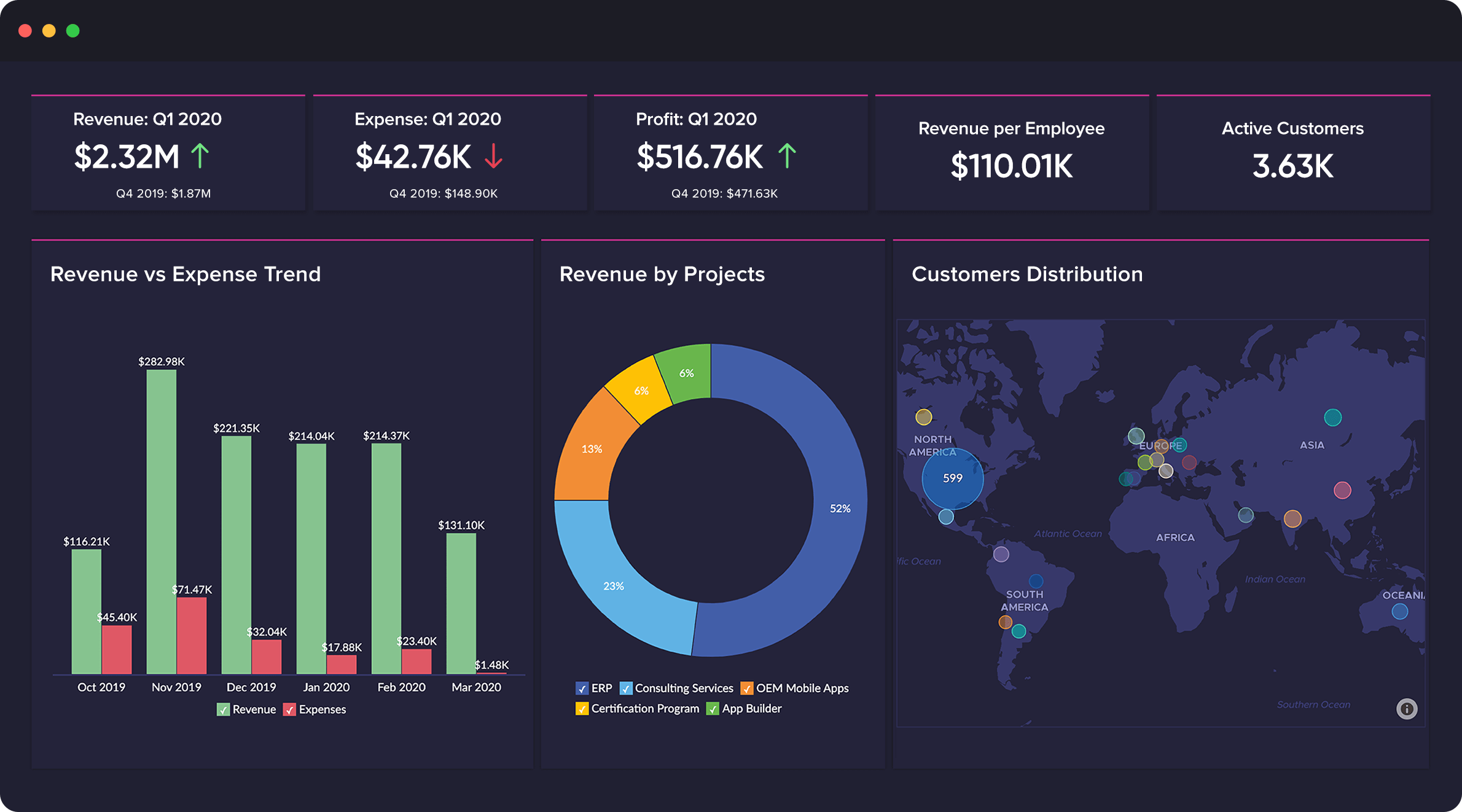
Zoho Analytics is a self-service BI and analytics platform that uncovers patterns, spots emerging trends, tracks business metrics, and detects anomalies. Designed for ease of use, it enables business users to create reports and dashboards independently, without relying on IT.
$60
per month 5 users
Zoho Creator
Score7.7 out of 10
Mid-Size Companies (51-1,000 employees)
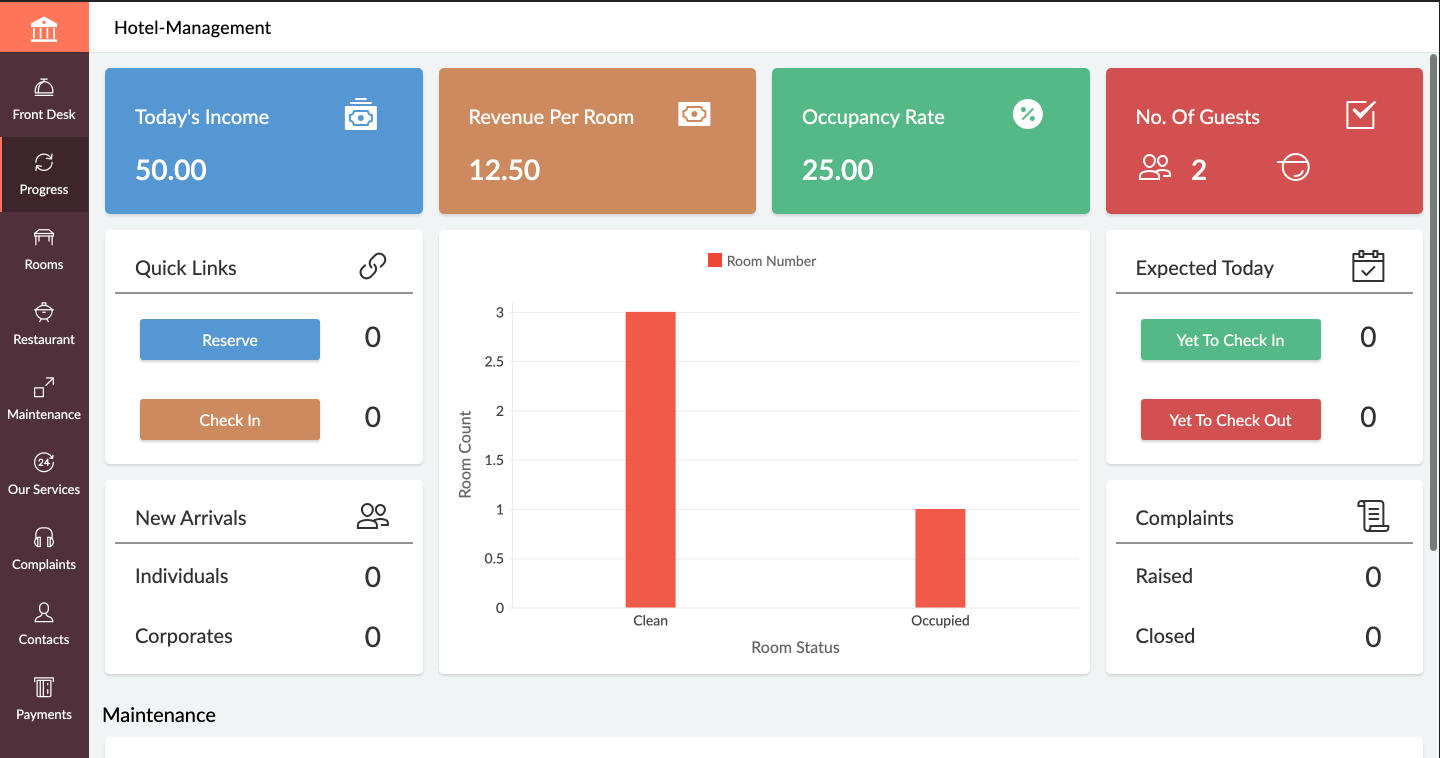
Zoho Creator is a low-code application development platform for building enterprise-class applications that run on mobile, tablet, and web. It is designed to allow users to create custom forms, configure workflows, build pages, and deploy apps quickly.
$12
per month per user
Pricing
Zoho Analytics
Zoho Creator
Editions & Modules
Standard
$60
per month Starts at 5 Users
Premium
$145
per month Starts at 15 Users
Enterprise
$575
per month Starts at 50 Users
Standard
$12
per month per user
Professional
$30
per month per user
Enterprise
$37
per month per user
Offerings
Pricing Offerings
Zoho Analytics
Zoho Creator
Free Trial
Yes
Yes
Free/Freemium Version
Yes
Yes
Premium Consulting/Integration Services
Yes
Yes
Entry-level Setup Fee
No setup fee
Optional
Additional Details
There is a 20% discount for all plans if subscribed yearly. Customers can buy add-on rows and users, in addition to the plans listed above.
Add-ons:
Customer Portal: $100/month onwards
Premium Support : 20% of license fees
Enterprise support: 25% of license fees
More Pricing Information
Community Pulse
Zoho Analytics
Zoho Creator
Considered Both Products
Zoho
Verified User
Chose Zoho Analytics
Being a Zoho One customer we've not ever evaluated any other BI tool. I've looked at tools from Google, Microsoft, and Saleforce but not deep enough to consider has alternatives to Zoho Analytics.
A de minimis incentive was given to thank the reviewer for their time. The incentive was not used to bias or drive a particular response, nor was the incentive contingent on a positive endorsement. More Info
Verified User
Chose Zoho Analytics
Substantially more cost-effective and very similar functionality. The graphs and dashboards are definitely not as pretty as the ones mentioned above but we found it hard to justify tens of thousands of dollars more.
A de minimis incentive was given to thank the reviewer for their time. The incentive was not used to bias or drive a particular response, nor was the incentive contingent on a positive endorsement. More Info
CEO (Chief Executive Officer) in Product Management at TalantonCore (Entertainment, 1-10 employees)
Chose Zoho Creator
It is almost same and easy to use. Anyone can deploy the application and use the services in the platforms. It depends on the company use case that how they will use the products to use services. But a lot of improvement can be done to introduce multiple management and white …
A de minimis incentive was given to thank the reviewer for their time. The incentive was not used to bias or drive a particular response, nor was the incentive contingent on a positive endorsement. More Info
Gerente de Operações in Product Management at MUV (Marketing & Advertising, 11-50 employees)
Chose Zoho Creator
We decided that proprietary programming language and develop the software from scratch would cost us more than our budget, and also it would take a lot of time we didn't have. Zoho Creator was chosen besides any other proprietary way to develop a software because it's low code …
A de minimis incentive was given to thank the reviewer for their time. The incentive was not used to bias or drive a particular response, nor was the incentive contingent on a positive endorsement. More Info
Verified User
Chose Zoho Creator
I've looked into this app but never really considered using it. Zoho Creator has met and exceeded all our expectations as a database management app there's been no need to stack it up against others.
A de minimis incentive was given to thank the reviewer for their time. The incentive was not used to bias or drive a particular response, nor was the incentive contingent on a positive endorsement. More Info
Zoho Analytics is the best way to consume data created by Zoho products . It's robust and quick build formula libraries and auto generated reports. A data source can be integrated and be ready for consumption within minutes. This gives a well developed baseline for organizing to develop advance analytics. It's mobile dashboards are very intuitive and useful for leaders who are on the move.
If you are using some application of Zoho and want some more functionality into it, Use Zoho creator to develop a separate app as per requirement and integrate it with your Zoho App. Small organization can use creator to make apps but it can be used for small range of storage, For Large organization , it may be not feasible.
A de minimis incentive was given to thank the reviewer for their time. The incentive was not used to bias or drive a particular response, nor was the incentive contingent on a positive endorsement. TR verified that a representative sample of customers was invited. More Info
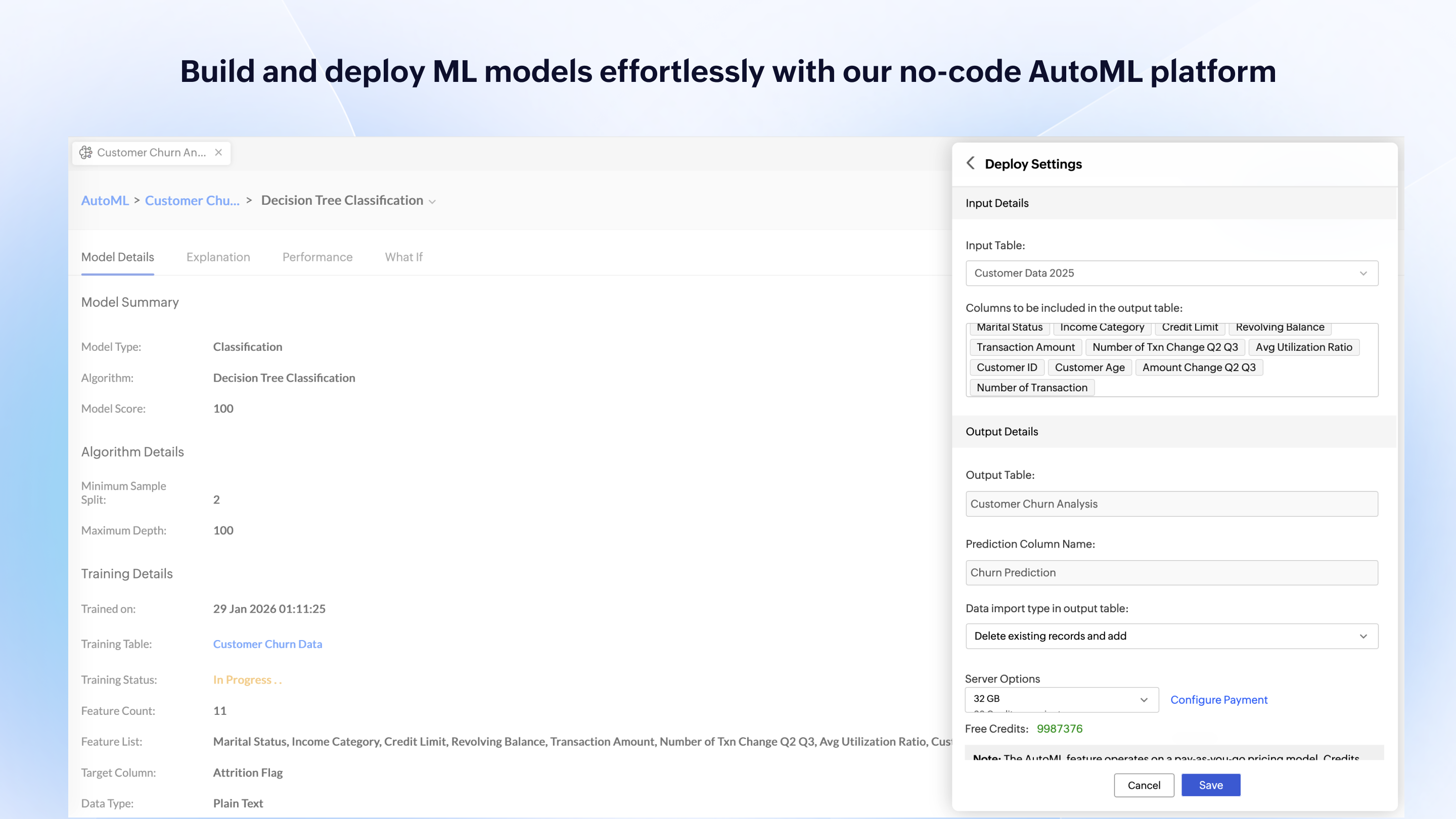
Zoho Analytics’ predictive analytics capabilities can help forecast future trends, allowing for proactive planning and risk management.
Performance Monitoring: We can track key performance indicators (KPIs) across departments, such as sales, marketing, finance, and HR. This aids in identifying bottlenecks and areas for improvement.
A de minimis incentive was given to thank the reviewer for their time. The incentive was not used to bias or drive a particular response, nor was the incentive contingent on a positive endorsement. More Info
A de minimis incentive was given to thank the reviewer for their time. The incentive was not used to bias or drive a particular response, nor was the incentive contingent on a positive endorsement. More Info
I'm guessing it's out there somewhere but I really could have used a 'quick start guide' or guided start.
Once I figured it out, it makes sense how to make sure the right data is provided in order to make dashboards quite flexible--- but without examples, I found it quite a challenge
The initial organization of Analytics is NOT intuitive. Once in context, the organizational features make sense, but (at least initially) it would have been most useful if the organization of Analytics reports in Zoho Analytics had saved me a lot of time.
A de minimis incentive was given to thank the reviewer for their time. The incentive was not used to bias or drive a particular response, nor was the incentive contingent on a positive endorsement. More Info
In C6, the new setup of permissions is not logical. Admins now have access to every application rather than specific applications, which impacts data confidentiality.
In C6, the new feature for having multiple environments is very limited as it does not work for ZOHO Creator applications that are linked to other Zoho Creator applications in the same workspace - which is not logical at all.
In C6, the revised permissions for Developers do not allow the developer to assign permissions to users or to publish forms, reports, pages, etc....which again is not logical.
A de minimis incentive was given to thank the reviewer for their time. The incentive was not used to bias or drive a particular response, nor was the incentive contingent on a positive endorsement. More Info
I'd give this an 11 if I could! As our business moves forward we hope to use Zoho Analytics more then we do now. Creating better reports and dashboards for our management team to evaluate the health of our business and to provide more insightful reports for our customers. The possibilities are endless with this tool
A de minimis incentive was given to thank the reviewer for their time. The incentive was not used to bias or drive a particular response, nor was the incentive contingent on a positive endorsement. More Info
Today Zoho Creator is included in our current plan from Zoho One, but if it was needed to pay apart it should be done because the software we created became very important for our team. The use of Zoho Creator contributes to endorse the Zoho One subscription year after year.
A de minimis incentive was given to thank the reviewer for their time. The incentive was not used to bias or drive a particular response, nor was the incentive contingent on a positive endorsement. More Info
For an end user, Zoho Analytics is pretty easy to use and very easy to access the dashboard. Linking data from multiple sources is very convenient. Multiple people can work on preparing and publishing the dashboards simultaneously, which helps delegate tasks.
A de minimis incentive was given to thank the reviewer for their time. The incentive was not used to bias or drive a particular response, nor was the incentive contingent on a positive endorsement. More Info
Its quite easy if one has the need, interest and passion to build applications and solutions through low-code. One example would be, that my finance head who has absolutely nothing to do with tech and apps, is now able to create apps and manage Zoho Creator all by himself. So its all about the interest and how much time we put to learn the tool. Having said that, its quite easy to learn the tool and create anything that's within our scope of knowledge.
A de minimis incentive was given to thank the reviewer for their time. The incentive was not used to bias or drive a particular response, nor was the incentive contingent on a positive endorsement. More Info
ZOHO is a very reliable company/product. We never had any issues with downtime or inaccessibility to our data. Any type of maintenance that they had to perform was clearly communicated and never an issue. We use a lot of external hooks and we've never had any issues with getting ZOHO to communicate with any of those hooks.
A de minimis incentive was given to thank the reviewer for their time. The incentive was not used to bias or drive a particular response, nor was the incentive contingent on a positive endorsement. More Info
In an earlier comment, I mentioned Zoho's excellent uptime. I have been using the system for over 6 years, and have experienced only momentary outages, and of those, only a hand full over the years. It is extremely reliable
A de minimis incentive was given to thank the reviewer for their time. The incentive was not used to bias or drive a particular response, nor was the incentive contingent on a positive endorsement. More Info
ZOHO has obviously invested a lot of time effort and money in to creating a reliable infrastructure with high availability. We've never had any issues with performance and all of our data crunching small to large has always been well within reason. We have come to appreciate the performance of ZOHO and will continue to use it for all of our data needs.
A de minimis incentive was given to thank the reviewer for their time. The incentive was not used to bias or drive a particular response, nor was the incentive contingent on a positive endorsement. More Info
We do not integrate Zoho with other systems at this time, but rarely are searches, database exports, record edits or creation tasks ever slow enough to notice. It is quite usable
A de minimis incentive was given to thank the reviewer for their time. The incentive was not used to bias or drive a particular response, nor was the incentive contingent on a positive endorsement. More Info
The support team is honestly not that great. At times, it seems as if members of our own team know more about the product than the support team. They must not have a lot of training or the turnaround is quick
A de minimis incentive was given to thank the reviewer for their time. The incentive was not used to bias or drive a particular response, nor was the incentive contingent on a positive endorsement. More Info
I recommend Zoho Creator very often. A lot of companies go big earlier than they need to and spend way too much on SalesForce & Marketo. I worked for a small company with some limited budget that pivoted to sell it's product to the Enterprise. Zoho Creator was incredibly easy to set up, intuitive to use, and contains all the most essential features that most users need and seek in SalesForce. We integrated with MailChimp & Unbounce and were able to be incredibly useful in acquiring leads, nurturing them, and tracking pipeline in Zoho Creator. Our small sales team found it very easy to use and loved it.
A de minimis incentive was given to thank the reviewer for their time. The incentive was not used to bias or drive a particular response, nor was the incentive contingent on a positive endorsement. More Info
If your external data sources are previously organized and correlated (e.g.: in your datawarehouse or database) your implementation will be easier. Of cource some not previously predicted correlation would be necessary to be done during the implementation, but if your organization let it to be all done into Zoho Analytics, it will take more time from your team.
A de minimis incentive was given to thank the reviewer for their time. The incentive was not used to bias or drive a particular response, nor was the incentive contingent on a positive endorsement. More Info
Even if it is a easy to use platform, it got some issues on the implementation that could easily handle by IT teams. In our scenario this team don't exist anymore, and the business/marketing team had their expectations that it was quickier to be implemented. So, consider a professional help on this implementation could be cost more (of cource) but it would be helpful to manage the issues and expectations.
A de minimis incentive was given to thank the reviewer for their time. The incentive was not used to bias or drive a particular response, nor was the incentive contingent on a positive endorsement. More Info
Zoho Analytics has the best UI and user friendly to create reports and dashboard along with features like Zia Assistance that guide in creating reports and dashboard and also help in the forecasting of the data based on the past records.
Zoho Creator stands out for its balance of affordability, ease of use, and powerful customization options. While it may not offer the same level of enterprise-scale features as platforms like OutSystems or Mendix, it provides a robust solution that meets the needs of many businesses, especially those looking for an integrated, cost-effective low-code platform with strong support for both simple and complex applications.
A de minimis incentive was given to thank the reviewer for their time. The incentive was not used to bias or drive a particular response, nor was the incentive contingent on a positive endorsement. More Info
As far as I know, Zoho Analytics has been able to fulfill every need we've had for it. Our reports have gotten better and more detailed with pretty much every new issue of our magazine. It just keeps getting better, and we keep feeding it more data to digest and present to us.
A de minimis incentive was given to thank the reviewer for their time. The incentive was not used to bias or drive a particular response, nor was the incentive contingent on a positive endorsement. More Info
Zoho is incredibly versatile. Much thought was put in to the way the platform functions. I've yet to face a situation where Zoho would not be able to do what I needed. That being said, because of its power, it can also be a bit intimidating technically. Simple needs are simple. More complex needs are ... more complex! Overall, it's a powerful, robust platform
A de minimis incentive was given to thank the reviewer for their time. The incentive was not used to bias or drive a particular response, nor was the incentive contingent on a positive endorsement. More Info
A de minimis incentive was given to thank the reviewer for their time. The incentive was not used to bias or drive a particular response, nor was the incentive contingent on a positive endorsement. More Info
With using Zoho Creator we are able to build apps that we may otherwise pay a pretty penny for. We may risk some features we could get from a 3rd party app but the fact that the data we do collect can easily syn with our CRM and Accounting systems makes up for this.
Negatively speaking, it takes time to fine tune and really craft your application. I am not a coder, nor do I have a coding background, so patience is key as you design and build out your application.
A de minimis incentive was given to thank the reviewer for their time. The incentive was not used to bias or drive a particular response, nor was the incentive contingent on a positive endorsement. More Info