
TrustRadius: an HG Insights company

Streams.AI by PanTerra

Score8.2 out of 10

144 Reviews and Ratings

About Streams.AI

Contact about Streams.AI by PanTerra

Please fill out the form below to get in touch.

PanTerra Networks

Connect with PanTerra Networks

What are you interested in?

Already have an account?

You hereby consent to have TrustRadius share the information supplied on this form with PanTerra Networks so that PanTerra Networks and TrustRadius may contact you in regard to the information requested.

What is Streams.AI by PanTerra?

PanTerra is a provider of unified cloud-based services for communications, enterprise file sharing and mobility solutions for mid-market enterprises (MME), headquartered in Santa Clara. The Company's Streams service provides - Unified Communications and SmartBox - Communications-Enabled Content Management solutions which are delivered securely from the cloud through a browser-based client as well as mobile apps for smartphones and tablets, are designed to eliminate any on-premises deployed hardware or software.

Media

Screenshot of some of the advanced collaboration features. Streams is an end-to-end cloud communications, collaboration, and file-sharing suite.
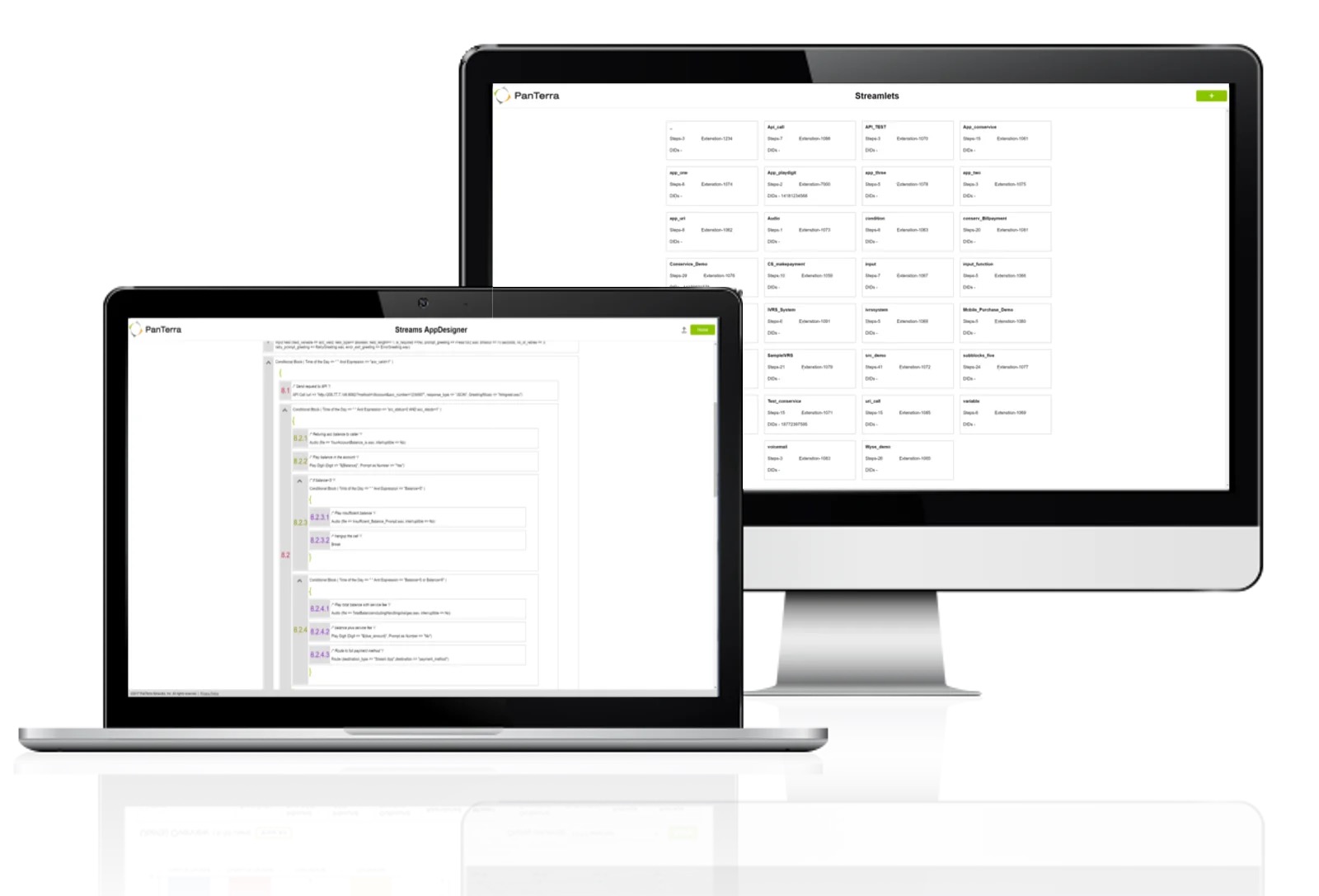
Screenshot of the AppDesigner. PanTerra can set up the platform before deployment, but turnkey tools are also available to do more with its open API.
Screenshot of the analytics and reporting dashboards. These offer access to customizable analytic performance data available for the life of an open account.
Screenshot of PanTerra IP Phones, which feature safeguards like TLS, HTTPS certificates, call server redundancy, and SRTP for voice security. They also include mobile security options such as device lockout and admin tools for quick reassignment.

1 / 4

Screenshot of some of the advanced collaboration features. Streams is an end-to-end cloud communications, collaboration, and file-sharing suite.

Top Performing Features

  • Hosted PBX

    Hosted telephony infrastructure obviated the need for local PBX hardware

    Category average: 8.5

  • Directory of employee names

    Voice directory of all employees for self-service dialing

    Category average: 8.5

  • Answering rules

    Ability to enter rules to route calls to main number or other extensions in case of absence

    Category average: 8.6

Areas for Improvement

  • Team messaging

    Team members can send each other messages.

    Category average: 8.6

  • Mobile app for Android

    Android app

    Category average: 8.6

  • Business SMS/External Messaging

    Unlimited SMS and/or MMS with clients

    Category average: 7.8

Crucial business tool that works

Use Cases and Deployment Scope

Streams.AI by PanTerra operates our phone system so we can efficiently manage calls and voicemails. Streams.AI by PanTerra is also integrated with our computer system so it works wherever you need it to. It's very convenient to have a phone system that is so interconnected across different devices, especially if you're on the move.

Pros

  • It works
  • Integrated to email
  • Integrated to computer
  • Functional anywhere

Cons

  • Easier to manage voice mail
  • Faster
  • Easier login

Return on Investment

  • Reliability
  • Organization
  • Funcitonality

Usability

Streams Review

Use Cases and Deployment Scope

We use Streams for all of our phone needs for our offices in our nonprofit. It routes all our calls effectively and provide interoffice intercom communication. Most useful is the feature that sends our voicemails to our outlook inboxes so if we're working remote or offsite we recieve all voicemails timely.

Pros

  • email voicemail
  • interoffice intercom
  • call transfer

Cons

  • password reset is difficult

Return on Investment

  • easy of use
  • clarity

Usability

Poor Service, Overpriced, and Technical Issues

Use Cases and Deployment Scope

telephone VOIP

Pros

  • nice staff

Cons

  • poor follow up
  • poor issue resolution
  • restrictive and high priced plans

Return on Investment

  • Only platform I am aware of currently
  • would leave if another solution found

Usability

PanTerra Networks Use Review and Recommendation

Use Cases and Deployment Scope

We are a church/non profit and we've had the PanTerra Networks System for 3 years. I've been here for 2 years and the system and features have been pretty easy to use. I like the voicemail to email feature. They offer us an affordable service and I think that is the biggest benefit because the monthly cost is very affordable.

Pros

  • Call Transfers
  • Voice Recording Quality and Delivery
  • Easy to Use Automation System/Auto Attendant

Cons

  • I don't like having to login to download invoices

Return on Investment

  • Affordable Pricing
  • Consistent Pricing

Usability

We do not recommend

Use Cases and Deployment Scope

We use 85 phone lines from PanTerra Networks in 8 offices. We started using it a year ago. First of all, in my experience, their onboarding process is extremely slow, and the assigned tech for us was awful. I felt that he ignored our emails and phone calls. Even if he answered, he knows less. The charge starts on the contract day, and the porting takes a couple of weeks to a month. I feel like we have to pay the first month's fee for nothing. The sales guy will give some credit as if we get free months, but since they take so long to transport everything and provision the numbers and extensions, the free months do not mean anything. They give us Yealink phones, but the software integrations are bad, and we can not use the full functions of Yealink phones. Overall, I personally feel that, this company is awful, and we will change the provider as soon as the 3-year contract is over.

Cons

  • We are not able to use some of Yealink phone functions. change them
  • We are suppose to be able to answer a phone that is ringing in other desk even if mine is not ringing with Yealink phones, but I was told no.

Return on Investment

  • Phone voice quality goes bad often(our network is fine)
  • They provide us equipment(Phones) but they, in my experience, do not want to do troubleshooting. they just give us a link for Yealink support team

Usability

Alternatives Considered

RingCentral Contact Center