
TrustRadius: an HG Insights company

Readymode

Score10 out of 10

5 Reviews and Ratings

What is Readymode?

Readymode (formerly Xencall) is a cloud-based predictive dialer used to connect sales and call center agents with more leads in less time. The outbound call center platform helps agents dial smarter and connect faster, so call centers can increase contact rates and make every call count.

Read more details.

Media

Screenshot of the custom profile fields for info on leads and customers.
Screenshot of productivity data on call center agents.
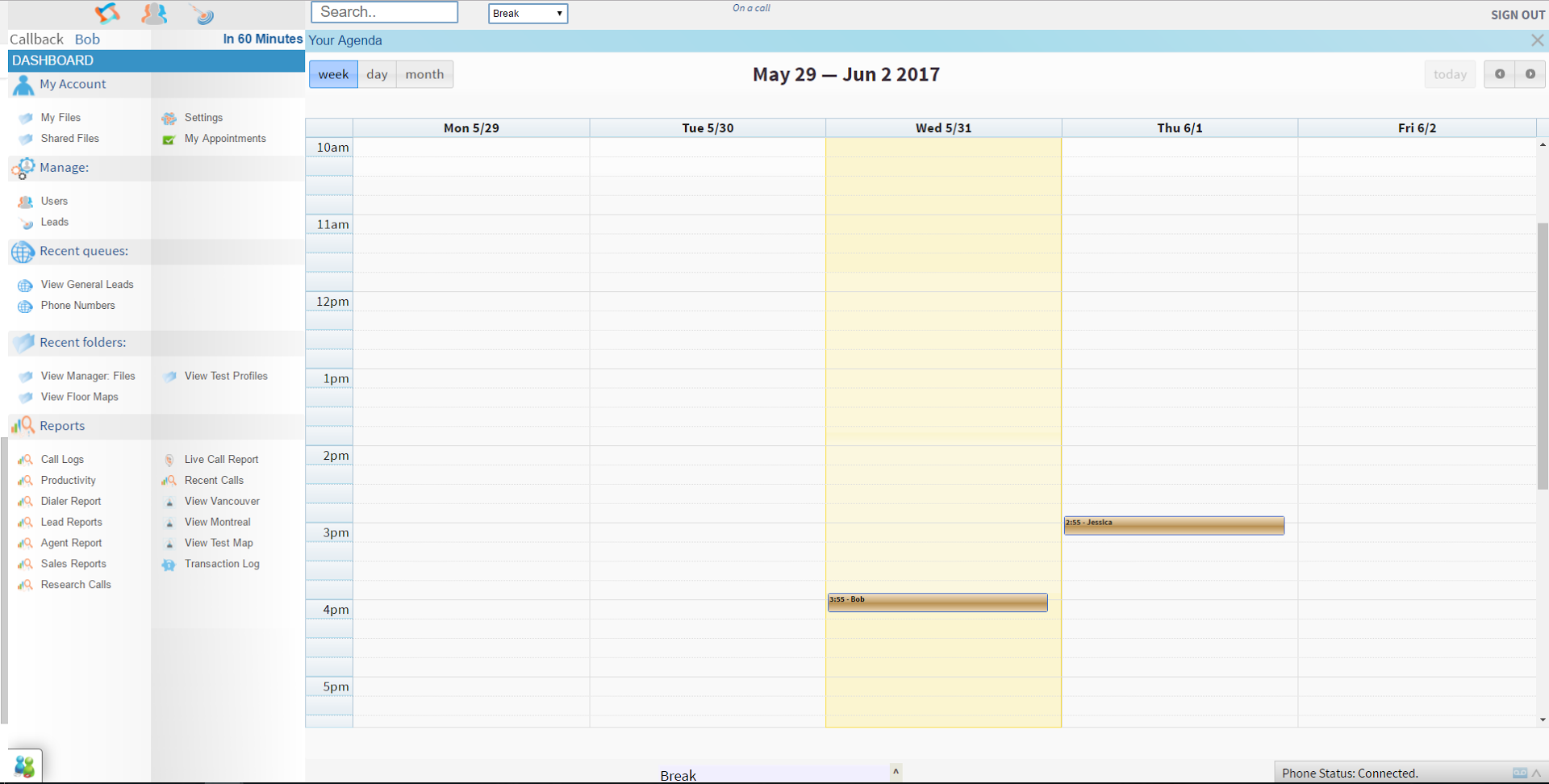
Screenshot of the custom calendars for appointments and phone meetings with leads and clients.
Screenshot of info and performance data on call center agents.

1 / 4

Screenshot of the custom profile fields for info on leads and customers.

Top Performing Features

  • Campaign & list management

    Users can create and modify contact lists/calling campaigns.

    Category average: 7.3

  • Outbound dialing

    Allows reps to quickly and automatically make outbound sales calls based on call lists.

    Category average: 8.4

  • Inbound routing

    Routes inbound calls, often callbacks, to agents based on availability and/or expertise or existing relationships.

    Category average: 7.4

Areas for Improvement

  • Contact preview

    Users can view information about the contact they’re calling; aggregated contact information pops-up to provide context for the sales call.

    Category average: 7.8

  • Dialer compliance

    The software supports FTC regulations around time zones and dropped calls.

    Category average: 8.2

  • Dialer reporting & analytics

    Includes dashboards and/or functionality for generating reports on dialer speed, call/list success rates, sales performance, etc.

    Category average: 7.2

Great & Easy to Use

Use Cases and Deployment Scope

Good program for my first time using it. Made it relatively simple to use after learning the program. We make and receive several calls and chats a day and this has been a very helpful, easy-to-use software. There have been some talks of changes of our systems and then was a great choice I felt. Help keeps everything in a centralized location with easy accessibility.

Pros

  • Easy Access.
  • Everything in one central location.
  • Easy to use and easy to learn.

Cons

  • Less dropped calls.
  • System tends to slow down with multiple agents working.
  • Not much else at the moment.

Most Important Features

  • All in one place.
  • Easy to use.
  • Accessibility.

Return on Investment

  • Improved customer contact.
  • QA improvement.

Alternatives Considered

UJET

Other Software Used

Google Authenticator, Verint Community (Telligent)

Improve customer service and put chat service on your website.

Use Cases and Deployment Scope

XenCall is mostly used for sales calls outbound and inbound and customer support by the sales and support team. We had a very good experience until the quality of service was dropped. Customers complained that no one answer our call and when we go to check we only received notification but the phone never rang. We put in complaints several times but didn't get a proper response so we switched to AirCall now.

Pros

  • User Experience.
  • User Friendly.
  • Easy to use.

Cons

  • Customer Support.
  • Complaints team.

Most Important Features

  • Voice Quality

Return on Investment

  • Customers complaints no one return their calls.

Alternatives Considered

Aircall and RingCentral Contact Center

Other Software Used

Aircall, RingCentral Contact Center

For a good time use XenCALL!

Pros

  • Call logging
  • Agent monitoring
  • Agent reporting
  • File organization

Cons

  • Agent reporting in terms of dropped call/lost phone number- always an issue
  • Dispatching boards - confirmation boards
  • System lagging when low amount of agents on system

Return on Investment

  • Lots of calls for new clients
  • Burning through leads quickly
  • Emailing clients' promos directly from CRM

Other Software Used

Wintac, HubSpot CRM, Insightly

Extremely Difficult to Use and Poor Customer Service

Pros

  • Multi-line dialing.
  • Unlimited users.
  • Calendar integration.
  • Advanced capabilities.

Cons

  • Poor user interface.
  • Clunky.
  • Extremely difficult to navigate and keep track of settings.
  • Poor customer service.
  • Poor design.

Return on Investment

  • Negative ROI as I hired a cold caller and she could not even use it for 2 days.
  • Wasted hours of my time trying to figure it out and set it up, watched all the videos, read all the guides and it still didn't work.

Alternatives Considered

Mojo Dialer

Other Software Used

Mojo Dialer