Act! CRM (formerly Swiftpage) aims to empower small businesses to build and manage client relationships and leads, so the user always has a pipeline of new, repeat, and referral business under control. Users can manage their businesses with Act! CRM every day, since it’s more than a CRM – it’s designed to present everything needed to stay on top of relationships, see what’s most important and actionable, and run sales and marketing in one place.
$30
per month (billed annually) per user
Kintone
Score 9.7 out of 10
N/A
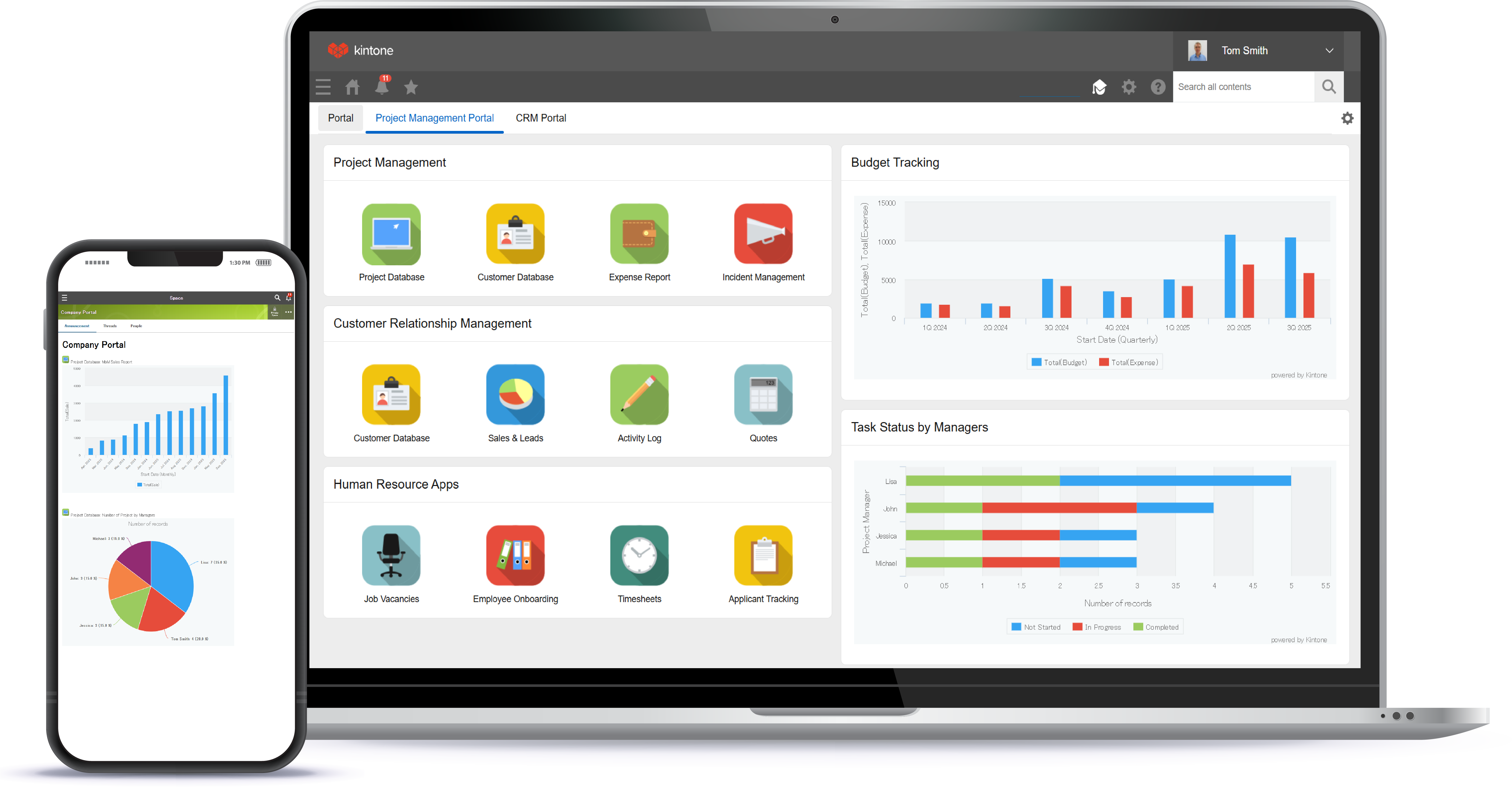
Kintone is a customizable digital workplace platform used to manage data, tasks, and communication. The no-code drag-and-drop interface can be used to create custom applications.
$120
per month for 5 users (minimum)
Pricing
Act! CRM
Kintone
Editions & Modules
Standard
$30
per month (billed annually) per user
Act! Premium Desktop
$39
per month (billed annually) per user
Professional
$45
per month (billed annually) per user
Ultimate
$60
per month (billed annually) per user
Advanced - Extra Features
$399
per user, per month (billed annually)
Professional Subscription
$24
per month per user
Offerings
Pricing Offerings
Act! CRM
Kintone
Free Trial
Yes
Yes
Free/Freemium Version
No
No
Premium Consulting/Integration Services
No
Yes
Entry-level Setup Fee
No setup fee
Optional
Additional Details
—
Minimum requirement of 5 users. Kintone offers a free prototype to build with using existing process.
Swiftpage ACT! would be well suited if you are using a desktop computing environment. ACT! is an old product and they were on the desktop for many years (and still are). Also, ACT! would also be well suited if you are not as concerned about implementing a CRM product that might require a little more training (e.g. if you had employees/salespeople that needed to be trained). Also, ACT! seems to be more generic than some of the industry focused products you see nowadays. For example, MethodCRM works well with non-profits that are on the cloud.
I recommend Kintone for companies that need the ability to customize standalone applications or to provide a 'hub' to employees as a jumping-off point. I also recommend Kintone for any company that is drowning in spreadsheets, or is using 10 apps for 10 different purposes - you can consolidate everything into one place. Kintone, I think, needs a larger team for customization as your company grows. If you are a small office of 20 people, using it out of the box will likely be just fine for your needs. If you're working with 200 people out of an office, it'd likely be good to have someone with a bit of CSS, Java, and API experience in order to maximize what you get out of it - though you won't need that if you're keeping it simple.
Integrated Email Marketing: For a small business, you can have a strong method to handle email marketing in an integrated non-disparate solution.
Tailoring: There are no limits on what data you can store in the system and the ease of making changes can be done by a nontechnical person.
User Interface: The tool is easy to get around in both the desktop (fat client) and (webclient) which both are quite similar in functionality.
Integration: The tool integrates with Word, Excel, and Outlook nicely. And, it integrates with Google Mail and Contacts. There is a nice selection of third party tools available for various needs like AddressGrabber which allows for easy input of contacts from various sources such as email signatures, webpages, etc.
Templates: I have enjoyed being able to store tons of various templates for letters which we use over and over for various communications like sales proposals, quotes, and nudging clients along the funnel and sales process.
Automation: SwiftPage ACT! has a small business automation engine which allows for reminders and workflow to be administered by the system. It's not as sophisticated as some enterprise workflow automation solutions but for the price it's an awesome addition.
Maintenance: Very rarely have a problem which needs to be dealt with and costs to upgrade are minimal at best. We hosted the system internally for the web client and implemented it ourselves initially but had upgrades subsequently done by a local partner simply due to time/cost scenario. In other words, less to have someone else do it.
Once our current subscription expires, we no longer plan to use ACT. We are moving to a more complete CRM system that allows us, as a project based service company, to track projects, contacts, time and employees all with one software program. ACT has very limited modules to integrate these functions and therefore is no longer a good fit for us.
We have been quite happy with our use of Kintone thus far. We looked at several options before choosing Kintone and believe it had the best value and best features, while allowing for complete customization, rather than being locked into preformatted apps that may not address exactly what we need or be more than what we need.
I am giving this rating because it has great features and it is most liked by the employee due to its best GUI. Recent survey within the organisation put this in the last best crm tools. And it also has other features as explained earlier . The call summary or interaction summary is a plus. There are scope for improvement .
I love everything bout it. I love that if there is something I don't feel is working well enough, we are able to change it. The ONLY thing I would say is that if you were able to make it so every time I click on anything in the website/app it stayed in the same page, that would be great, but I don' think it is possible and I think this is due to using so many external APIs
There has been an ongoing problem with Google synchronisation which no one seems to be bothered about fixing, even though it clearly states on the website that the software synchronises with Google. When the customer-facing support team are on the phone, they are brilliant, it's the back-end development support which is severely lacking.
I am very happy with Kintone and support it fully. I think that it is a great place for any company that wants to create a platform for better management. It is easy to use and pretty affordable. It is straightforward and has many tools that can be used by anyone. There are many helpful tutorials available too to guide users
Everyone has their own tastes of things and way they want to work. Asking them to adapt to the changes with the new tools or apps is always difficult. We would want to start with a very small but best example within the organization, which in our case was that the employees will not be bothered by the bosses by being asked to find the documents, status of the progresses, or major things/requests/projects.
ACT! CRM is more cost effective than like a Salesforce, but that is for a reason, it lacks a lot of the functionality that a Salesforce has. Pipedrive is actually another cost effective platform I've been evaluating as a potential ACT! CRM replacement. I like it's modern day look and feel versus ACT!.
Kintone is the easiest product to create from and the cost is the lowest I believe. In addition, reconfigurability and extendability are great. If you look for a low code tool, you can try Kintone. But as same as another low code tool, don't expect too much.
Very poor return on investment. It is now quite costly and the support service no longer offers assistance except if the program crashes.
Swiftpage seems to have replaced their skilled UK based support team with a call centre?? The service I got was dreadful. This is a difficult program to use and support is vital.
You will need some IT skills to properly use ACT! Don't rely on their support which is not good.