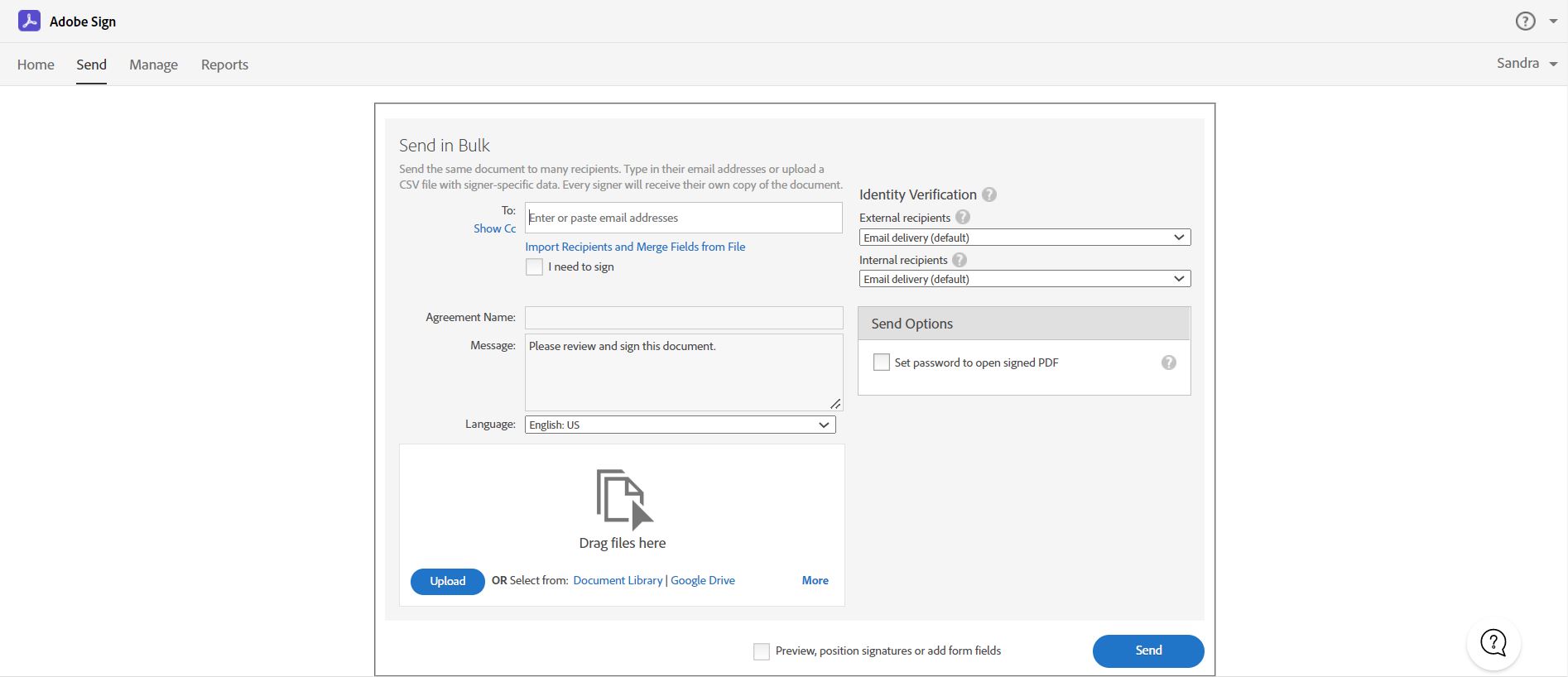
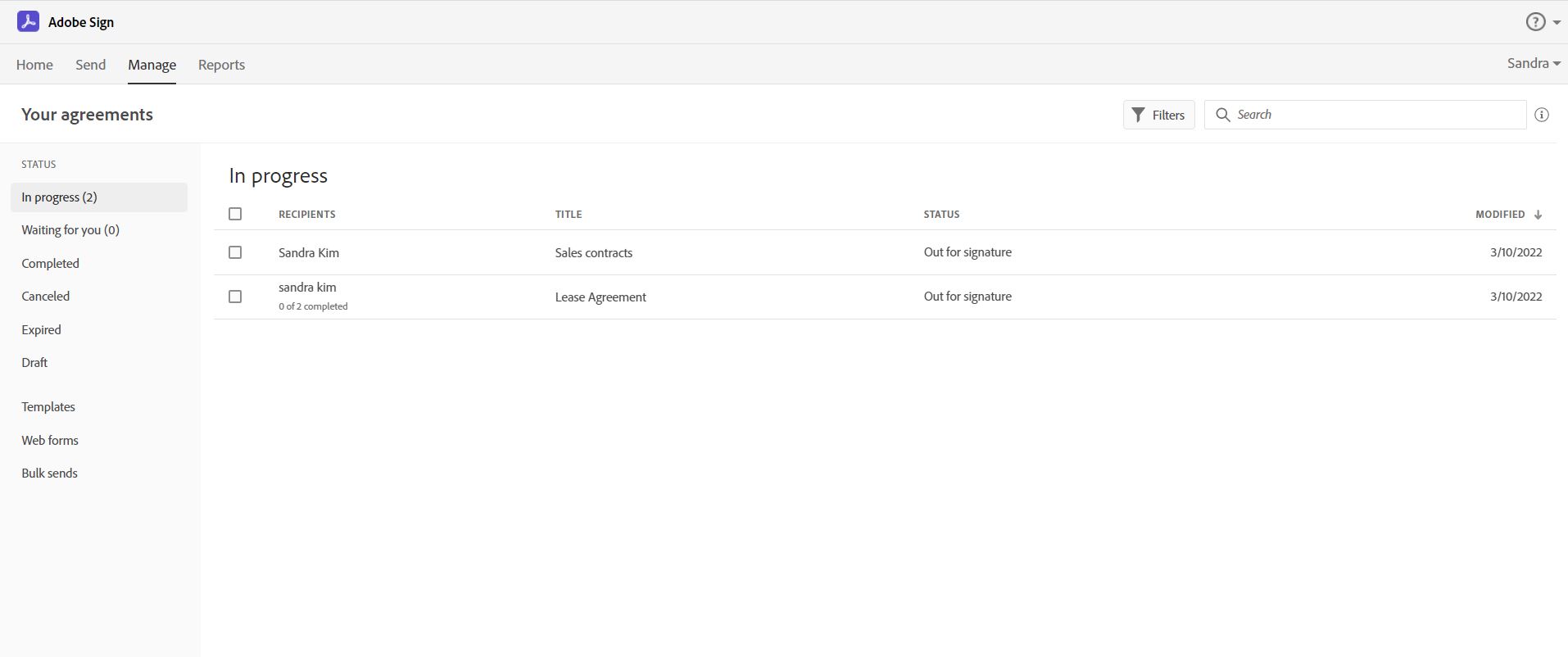
Acrobat Sign is an e-signature solution that combines simple and secure e-signatures with Adobe Acrobat. With Acrobat Sign, the user can create, sign, send for signature, manage, and track documents from one Adobe platform. The user can create signing experiences for customers and teams by enabling them to sign documents on any device or browser – anytime, anywhere. No additional software download or accounts are needed. As Microsoft’s e-signature solution, Acrobat Sign…
$14.99
per month license
Microsoft Entra ID
Score8.8 out of 10
N/A
Microsoft Entra ID (formerly Microsoft Azure Active Directory or Azure AD) is a cloud-based identity and access management (IAM) solution supporting restricted access to applications with Azure Multi-Factor Authentication (MFA) built-in, single sign-on (SSO), B2B collaboration controls, self-service password, and integration with Microsoft productivity and cloud storage (Office 365, OneDrive, etc) as well as 3rd party services.
Director of IT in Information Technology at Audigy (Management Consulting, 51-200 employees)
Chose Adobe Acrobat Sign
The feature sets were very comparable but at the time - two-ish years ago - that had us side with Adobe Sign was the integration to Salesforce, so we could integrate digital signatures into our CRM system that we were implementing. At that time, DocuSign did not have such an …
A de minimis incentive was given to thank the reviewer for their time. The incentive was not used to bias or drive a particular response, nor was the incentive contingent on a positive endorsement. More Info
Operations Security Engineer in Information Technology at MediaPRO (Information Technology & Services, 51-200 employees)
Chose Adobe Acrobat Sign
Both are easy to use, however the biggest difference I see is the name. Adobe is more recognized. For me, when I used DocuSign, it feels the same for scrolling to sign, but from the set up it tends to be a little more confusing.
A de minimis incentive was given to thank the reviewer for their time. The incentive was not used to bias or drive a particular response, nor was the incentive contingent on a positive endorsement. More Info
Acrobat Sign isn't quite as user friendly as other E-Sign platforms I have used. However, it offers a wide range of features that provide convenience and efficiency. For example, I can have multiple people receive the same document separately, or I can have multiple people receive and review the exact same document. I also like that I can choose to set a signing order or not, this is important for when I send Offer Letters and other things that require order of approvals.
Overall, the Microsoft Entra ID platform is best utilized by people looking to have one platform that manages all interactions between other platforms. The Microsoft Entra ID platform allows for a seemless SSO integration, and can also integrate with Intune for MDM. Additionally, and probably the most easy to understand integration, is the integration with Active Directory, and controls associated with that.
A de minimis incentive was given to thank the reviewer for their time. The incentive was not used to bias or drive a particular response, nor was the incentive contingent on a positive endorsement. TR verified that a representative sample of customers was invited. More Info
Adobe Acrobat Sign tracks whether or not a signer has viewed a document
Adobe Acrobat Sign tracks when a signer has signed, and the document has been sent to the next signer
Adobe Acrobat Sign sends you confirmation emails and progress update emails along the way
Adobe Acrobat Sign provides a "confirmation of signing" page at the end of the document package you put together, to prove the signatures are authentic
A de minimis incentive was given to thank the reviewer for their time. The incentive was not used to bias or drive a particular response, nor was the incentive contingent on a positive endorsement. More Info
Application integration is really good for single sign-on and managing identity overall. The correlation with Active Directory on-prem is really good, so we can manage it in a single place. It's easy to manage the users and integrate other Microsoft products. It is the base of everything else.
A de minimis incentive was given to thank the reviewer for their time. The incentive was not used to bias or drive a particular response, nor was the incentive contingent on a positive endorsement. More Info
Builds on Adobe platform so it is easy to utilize, but many features require enterprise subscription.
Integrations available but your CRM integration is only available with enterprise license.
Lots of templates but there are additional templates with enterprise only and there was no drag and drop editor.
Adobe captures some analytical metrics but many of the analytics we required were not available - specifically metrics related to how the tool converts and reduces use time by our team and the impact on clients.
A de minimis incentive was given to thank the reviewer for their time. The incentive was not used to bias or drive a particular response, nor was the incentive contingent on a positive endorsement. TR verified that a representative sample of customers was invited. More Info
I would like more risk policy suggestions. I guess that situation where we had outsourced employees in a country where somehow their location was changing too often, that we would have room to go, “Hey, this needs to be a lower risk.” Or maybe having easier options to let people log in when they're deemed high risk. It’s tricky because I feel like it’s really easy to do that wrong, but it’s the main area that I think could be improved. I guess also a little bit tighter administrative integration with other Microsoft products.
A de minimis incentive was given to thank the reviewer for their time. The incentive was not used to bias or drive a particular response, nor was the incentive contingent on a positive endorsement. More Info
It is by far the easiest service we have used to obtain digital signatures from employees. In the past we had done it by hand (a process I would not recommend for 1500+ employees) and with another company that would not allow us to create our own forms and would charge us for each form.
A de minimis incentive was given to thank the reviewer for their time. The incentive was not used to bias or drive a particular response, nor was the incentive contingent on a positive endorsement. More Info
MSFT Entra ID has been essential for managing our geographically dispersed team. We're confident that it will scale with us as grow, and we'll be able to take advantage of additional security and ID management features as they become necessary. Being able to centrally manage our user access from anywhere with a small support team is such a relief.
A de minimis incentive was given to thank the reviewer for their time. The incentive was not used to bias or drive a particular response, nor was the incentive contingent on a positive endorsement. More Info
I've had very little trouble with it in all my uses with it. I do wish the text boxes you add wouldn't cut off the text if you entered too many words and that it would adjust it's size to fit within the space you've provided. However, that just takes a little refining in the initial set up of the document before you send it out.
A de minimis incentive was given to thank the reviewer for their time. The incentive was not used to bias or drive a particular response, nor was the incentive contingent on a positive endorsement. TR verified that a representative sample of customers was invited. More Info
From a user perspective, 10. From an admin perspective, 7 or 8. From the user perspective, it's very easy to use, but from the admin perspective, there's a lot of things that are not easily clear, testable, or verifiable without just trying a whole bunch of scenarios.
A de minimis incentive was given to thank the reviewer for their time. The incentive was not used to bias or drive a particular response, nor was the incentive contingent on a positive endorsement. More Info
I would have rated this a 9 or greater had they not had had such critical outages. They have taken steps to resolve this so I may come in and revise this
A de minimis incentive was given to thank the reviewer for their time. The incentive was not used to bias or drive a particular response, nor was the incentive contingent on a positive endorsement. TR verified that a representative sample of customers was invited. More Info
The Adobe Acrobat Sign's performance are excellent.
When we send electronic document by email for signature all the customers receive it regularly, nobody has any issue to open it and the signature phase was very easy. The user-friendly aspect of this product reduce or reset the call for IT support
A de minimis incentive was given to thank the reviewer for their time. The incentive was not used to bias or drive a particular response, nor was the incentive contingent on a positive endorsement. TR verified that a representative sample of customers was invited. More Info
A de minimis incentive was given to thank the reviewer for their time. The incentive was not used to bias or drive a particular response, nor was the incentive contingent on a positive endorsement. TR verified that a representative sample of customers was invited. More Info
It is a great tool to get signatures from the client and has reduced a lot of overhead that was caused before resulting in very long delays. With the integration of Adobe Acrobat Sign, we have reduced this delay making the process much smoother and more efficient.
A de minimis incentive was given to thank the reviewer for their time. The incentive was not used to bias or drive a particular response, nor was the incentive contingent on a positive endorsement. More Info
I have not needed to engage support for anything at this time. I have been able to find the answers either online or in a knowledgebase. I tried to skip the question but it would not let me, so I rated a 9 based on other interactions with Microsoft support I have had
A de minimis incentive was given to thank the reviewer for their time. The incentive was not used to bias or drive a particular response, nor was the incentive contingent on a positive endorsement. TR verified that a representative sample of customers was invited. More Info
The best types of training are well integrated into the product and Echosign does this well. As mentioned earlier in my review - there are some areas of functionality that can be difficult to understand ("only I sign") for the novice user. Other areas such as macro usage, bulk signature and so on were easily learned and understood via the online tools.
A de minimis incentive was given to thank the reviewer for their time. The incentive was not used to bias or drive a particular response, nor was the incentive contingent on a positive endorsement. TR verified that a representative sample of customers was invited. More Info
We did not use it in the manner that most companies do, so I am pleased with how our company handled implementation. We will be pushing the full company over into Echosign for various processes which will incorporate more of an implementation effect.
Make sure you use a good partner. Our implementation was a bit longer and more problematic than we expected. Our partner got it done, but, in my opinion, some of their inexperience and staffing issues were evident.
A de minimis incentive was given to thank the reviewer for their time. The incentive was not used to bias or drive a particular response, nor was the incentive contingent on a positive endorsement. TR verified that a representative sample of customers was invited. More Info
They are just different. Adobe's number one feature that puts it above it's competitors is that your document, the signing process, all of it exists within Adobe. There is no need to go from Word, to Adobe, to DocuSign. It saves you time and makes life easy for you (and for your clients).
A de minimis incentive was given to thank the reviewer for their time. The incentive was not used to bias or drive a particular response, nor was the incentive contingent on a positive endorsement. TR verified that a representative sample of customers was invited. More Info
We've done stuff with Okta for Identity and Duo. Those would probably be the two big ones that I would say that people would recognize and stuff. There's some other smaller players we've talked to, but those are the two big ones that we play with. We're still using it. So, because it was integrated into everything we've already done, it just made it almost indispensable.
A de minimis incentive was given to thank the reviewer for their time. The incentive was not used to bias or drive a particular response, nor was the incentive contingent on a positive endorsement. More Info
At the beginning we assigned Adobe Acrobat Sign just to Purchase Office Department because at that moment we needed a tool that supported us to avoid manual signature and was compliance with remote working.
Now we are using it also in other situation because it help us with time and we can also reduce cost
A de minimis incentive was given to thank the reviewer for their time. The incentive was not used to bias or drive a particular response, nor was the incentive contingent on a positive endorsement. TR verified that a representative sample of customers was invited. More Info
A de minimis incentive was given to thank the reviewer for their time. The incentive was not used to bias or drive a particular response, nor was the incentive contingent on a positive endorsement. TR verified that a representative sample of customers was invited. More Info
Microsoft Professional Services' technical knowledge is appreciable as consultants design the solution as per customer requirements. Mapping of features per user specifications and assisting Customer IT engineers to implement so they can manage and administer the services.
A de minimis incentive was given to thank the reviewer for their time. The incentive was not used to bias or drive a particular response, nor was the incentive contingent on a positive endorsement. TR verified that a representative sample of customers was invited. More Info
We are doing a lot of sign-ins and working on it, and it worked quite well. We do have Microsoft support, so yes, we can handle all of the small issues we are sometimes having. But if you want to define it, I would say yes, we like it. Overall positive.
A de minimis incentive was given to thank the reviewer for their time. The incentive was not used to bias or drive a particular response, nor was the incentive contingent on a positive endorsement. More Info