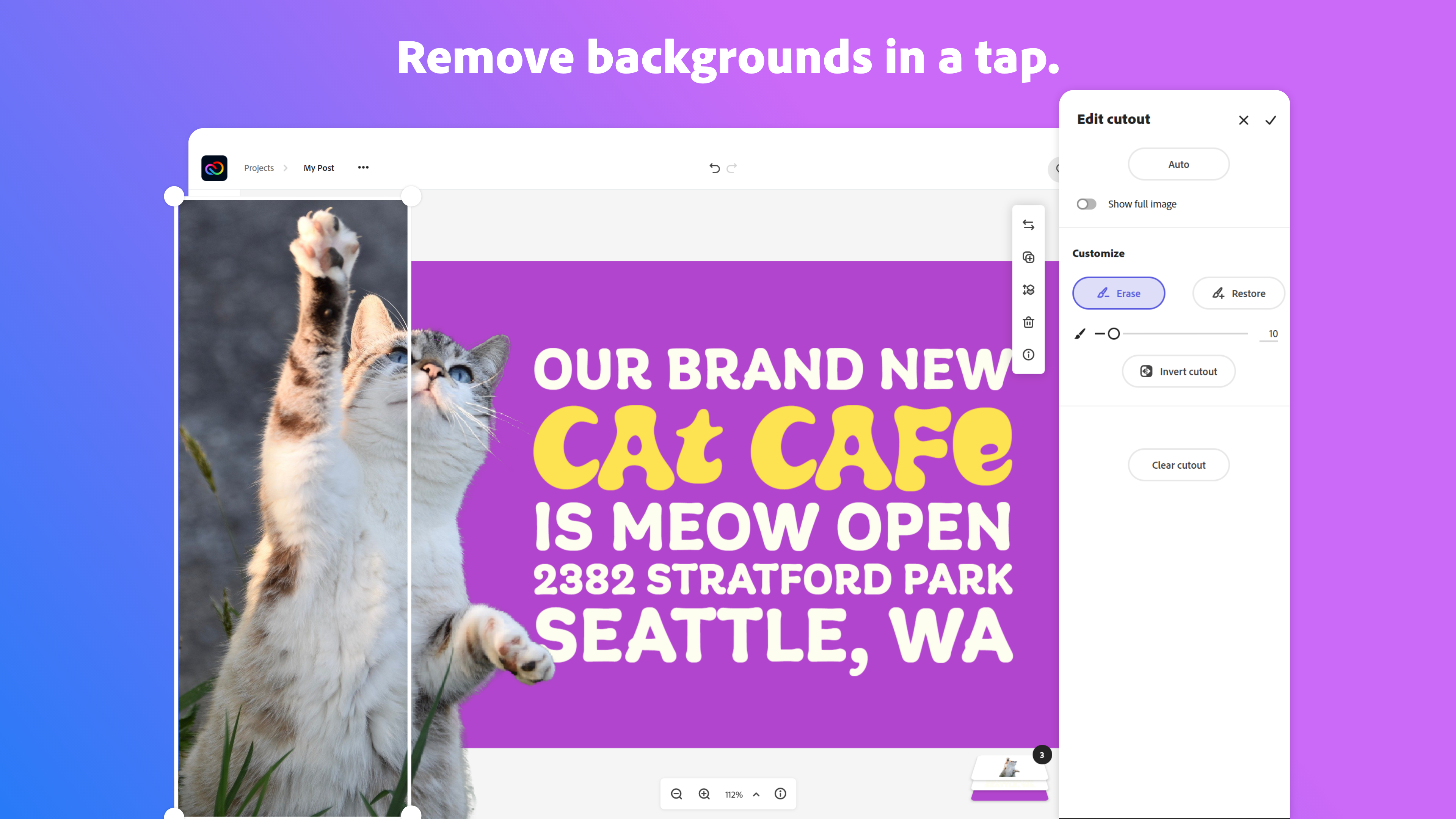
Adobe Creative Cloud Express (formerly Adobe Spark) is a task-based, web and mobile product used to create and share rich multimedia content – from social media posts and stories to invitations to marketing materials like logos, flyers and banners.
$0
Pexels
Score8 out of 10
N/A
Pexels, headquartered in Berlin, offers stock photos and video under the Creative Commons Zero license, from a global network of creators.
N/A
Pricing
Adobe Express
Pexels
Editions & Modules
Free
$0.00
Premium
$9.99 / $99.99
per month
Teams
$9.99
per month per user
No answers on this topic
Offerings
Pricing Offerings
Adobe Express
Pexels
Free Trial
Yes
No
Free/Freemium Version
Yes
No
Premium Consulting/Integration Services
No
No
Entry-level Setup Fee
No setup fee
No setup fee
Additional Details
Contact Adobe directly for Enterprise pricing plan details.
Marketing and Communications Manager in Marketing at Hendricks Power Cooperative (Utilities, 51-200 employees)
Chose Adobe Express
I used Canva for a long time, but since we already had the Adobe Creative Suite and Adobe Creative Cloud Express was included, I went ahead and started using Adobe Creative Cloud Express, as it was more cost-effective. Unfortunately, Adobe Creative Cloud Express doesn't offer …
A de minimis incentive was given to thank the reviewer for their time. The incentive was not used to bias or drive a particular response, nor was the incentive contingent on a positive endorsement. TR verified that a representative sample of customers was invited. More Info
It works amazing for the creation of attention grabbing, clean, and professional looking flyers or infographics. Especially when you need to create a few graphic organizers, like a workflow, or a reference sheet for new members, it is awesome. I have created a few in one day, and honestly, even though you can utilize AI tools to do so, I love that I get to choose what the end product looks like during the process, and it's still easy and fast. It falls short with multi-page brochures, and while illustrator can take on branding quite well, it needs to be pre-made and imported to work in Express.
A de minimis incentive was given to thank the reviewer for their time. The incentive was not used to bias or drive a particular response, nor was the incentive contingent on a positive endorsement. TR verified that a representative sample of customers was invited. More Info
1. Small businesses with small or non-existent budgets still need assets to create content 2. Individual content makers or freelancers who need stock assets 3. Corporate eLearning wants to modernize and replace all old-fashioned, outdated, brightly lit studio photos with more realistic and relevant imagery that will resonate with modern audiences and learners.
A de minimis incentive was given to thank the reviewer for their time. The incentive was not used to bias or drive a particular response, nor was the incentive contingent on a positive endorsement. More Info
High-resolution images – Pexels is full of images that are high enough in resolution to look beautiful on their own, but also high quality enough to be combined with other images without distracting pixelization
Stock videos – other free stock sites are often limited to just images, but Pexels has a wide range of videos available as well, which we use to plus up decks
Good search functions – while not as robust as some paid sites, Pexels' search functions make it pretty easy to track down what you need
Licensing – it's very straightforward to know what you can and can't do with a Pexels photo, which protects my company and our clients
A de minimis incentive was given to thank the reviewer for their time. The incentive was not used to bias or drive a particular response, nor was the incentive contingent on a positive endorsement. More Info
The only improvement that I wish that Adobe Express could make would be to increase the number of video and audio tracks their Video application could have. Even adding one extra track for both would totally increase the overall professional output of the video, while allowing for a more engaging and memorable product.
A de minimis incentive was given to thank the reviewer for their time. The incentive was not used to bias or drive a particular response, nor was the incentive contingent on a positive endorsement. More Info
A de minimis incentive was given to thank the reviewer for their time. The incentive was not used to bias or drive a particular response, nor was the incentive contingent on a positive endorsement. More Info
I foresee Adobe Express becoming the "go-to" platform for everyone except professional, high-level designers. It is a relatively easy-to-use tool that allows users to create a wide variety of visuals quickly. Because it is a template-driven tool, the in-house design team has the ability to make brand kit available to keep visuals on point
A de minimis incentive was given to thank the reviewer for their time. The incentive was not used to bias or drive a particular response, nor was the incentive contingent on a positive endorsement. More Info
The user interface is pretty straightforward to use. It has easy to navigate navigations, and the canvas UX is also pretty good. One thing i would like to add it to use shortcuts to add elements on canvas. Like if I am on canvas and I press 'T' on my keyboard the text box should be added automatically
A de minimis incentive was given to thank the reviewer for their time. The incentive was not used to bias or drive a particular response, nor was the incentive contingent on a positive endorsement. More Info
Pexels is extremely easy to use. Because it integrates with Canva, it makes our workflow smoother. This also saves us a significant amount of time running our business. The interface is also clean and easy to understand and follow, leading to an increase in productivity and much greater efficiency. Overall, this saves us time and money
A de minimis incentive was given to thank the reviewer for their time. The incentive was not used to bias or drive a particular response, nor was the incentive contingent on a positive endorsement. More Info
Overall, the Adobe Creative Cloud Express is worth a try and may be a good fit for many organizations and businesses. At a monthly rate, the cost is not prohibitive, but the tools are somewhat limited and not necessarily worthwhile when compared to standard applications and software that are often available free or through a package of services commonly found on workplace computers.
A de minimis incentive was given to thank the reviewer for their time. The incentive was not used to bias or drive a particular response, nor was the incentive contingent on a positive endorsement. More Info
I think Adobe Express is a bit behind Canva, but as an Adobe Community Expert, I try to provide as much feedback as I can to help improve Adobe Express. ADobe Express does a better job than InShot and a few other apps, but isn't quite there against Canva, I'm sorry to say!
A de minimis incentive was given to thank the reviewer for their time. The incentive was not used to bias or drive a particular response, nor was the incentive contingent on a positive endorsement. More Info
Pexels has a few unique features that stand out, the most important being a 1-click download from the search results. No need to navigate to another page to find a "download" button. This reduces the time required to find and download an appropriate image. The search results load fast, with lazy loading, so there's no annoying pagination at the bottom. I often travel as I work, and at times my internet connection can be slow or unstable. This kind of feature may seem minor to some users, but when on a slower connection, it makes a big difference. If a search term is too broad, it can recommend related keywords to search for - this helps to find the right image faster.
Adobe Creative Cloud Express is included with an Adobe Creative Cloud account. Our company has a corporate team membership so it is nice to have a professional and powerful tool that anyone on our team can use for free. The pricing structure of giving the tool away for free will be fundamental to users utilizing the tool. Similar tools, such as Canva, cost significantly more but do not offer the same features
A de minimis incentive was given to thank the reviewer for their time. The incentive was not used to bias or drive a particular response, nor was the incentive contingent on a positive endorsement. More Info
The professional services for Adobe Creative Cloud Express is top notch and should be highly commended. I am thoroughly impressed with how far Adobe has come. In the past, I had several issues with how something were handled, but in the past few years things have been better than ever and they get no complaints from me
A de minimis incentive was given to thank the reviewer for their time. The incentive was not used to bias or drive a particular response, nor was the incentive contingent on a positive endorsement. More Info
A de minimis incentive was given to thank the reviewer for their time. The incentive was not used to bias or drive a particular response, nor was the incentive contingent on a positive endorsement. More Info
Social media campaigns created with photos from Pexels achieves 40% higher engagement vs others.
Thanks to faster and easier content sourcing provided by Pexels, our campaign generation period has dropped to an average of 4 hours, instead of 2 days.
Their stock images adorn our offices.... and it's a much lore cheerful space for that reason. Staff are happier, and stay in the office longer.
A de minimis incentive was given to thank the reviewer for their time. The incentive was not used to bias or drive a particular response, nor was the incentive contingent on a positive endorsement. More Info