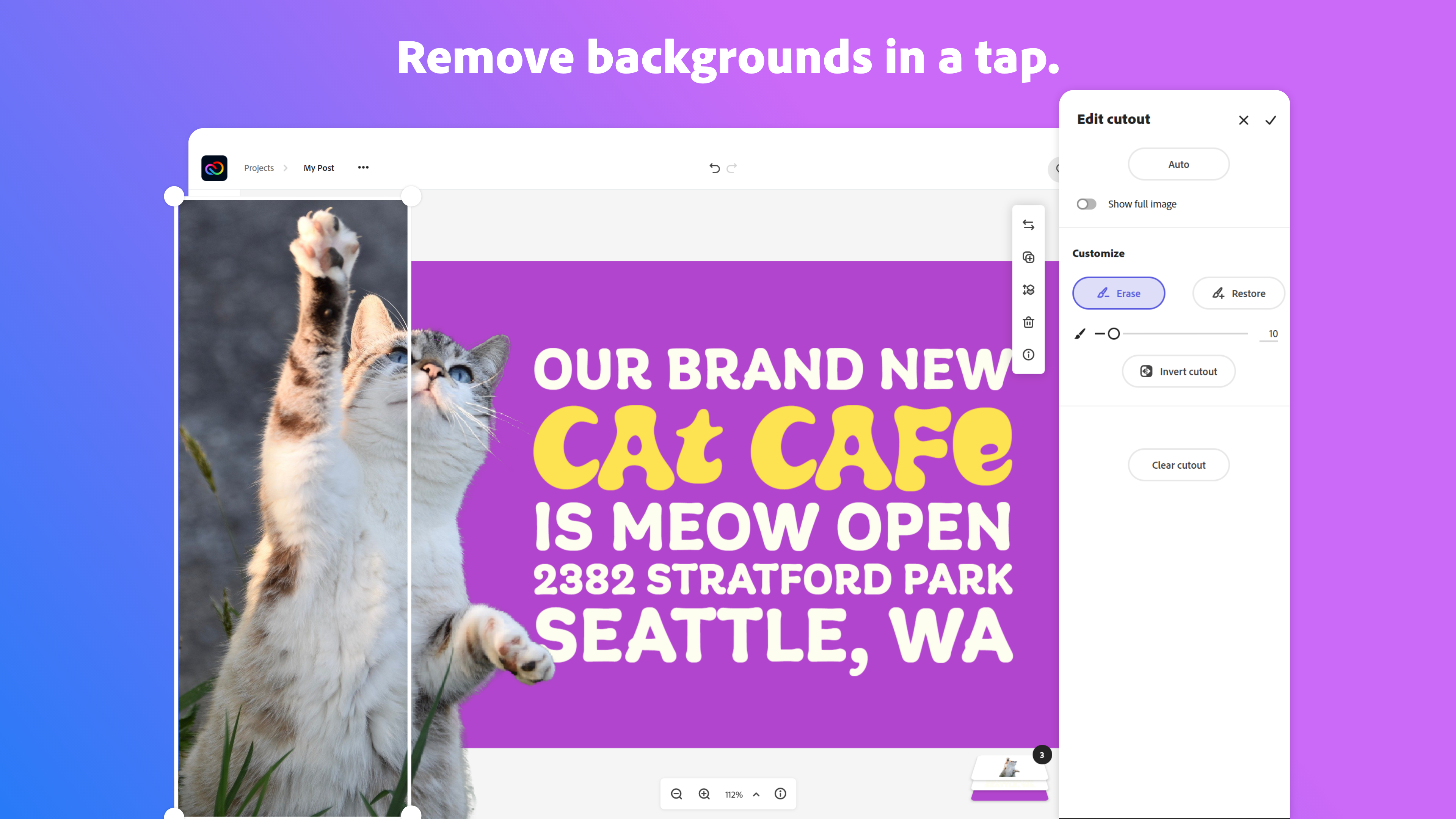
Adobe Creative Cloud Express (formerly Adobe Spark) is a task-based, web and mobile product used to create and share rich multimedia content – from social media posts and stories to invitations to marketing materials like logos, flyers and banners.
$0
Venngage
Score10 out of 10
Small Businesses (1-50 employees)
Venngage is an infographics creation platform. Users can create inforgraphics for their marketing team from scratch or from a template.
$19
per month per user
Pricing
Adobe Express
Venngage
Editions & Modules
Free
$0.00
Premium
$9.99 / $99.99
per month
Teams
$9.99
per month per user
Premium
$19
per month per user
Business
$49
per month per user
Enterprise
starting at $499
per month 10+ seats (billed yearly)
Offerings
Pricing Offerings
Adobe Express
Venngage
Free Trial
Yes
Yes
Free/Freemium Version
Yes
Yes
Premium Consulting/Integration Services
No
No
Entry-level Setup Fee
No setup fee
No setup fee
Additional Details
Contact Adobe directly for Enterprise pricing plan details.
50% discount for Premium and Business plans for annual pricing.
Every team I work with gets the Express welcome and walkthrough and becomes a permanent Adobe Express user. I have my own workflow when creating content for social, and it is great when others I am working with can hop on and follow the same workflow. We can collaborate on projects, schedule posts, and manage brand assets easily from our own devices. As long as we have access to the same files, we can build campaigns faster and more easily, onboard new designers, and scale our impact on social media.
I find it great for personal use especially when you are a visual person. As an assistant that needs a lot of organizing, it's wonderful. It helped me a lot and I usually don't require a lot of features. I also find it great for accessibility stuff, I respect that since I have a relative who has special needs. I didn't really need that specifically, but it's nice to know it was considered.
I have used Adobe Express to help maintain my creative catalogs and files, brand management by saving my color scheme palettes, to have full access to its free assets and huge template library.
The main business issue is brand consistency and accessibility, and Adobe Express helps greatly with both of those by providing an option to create brand libraries for various projects, and it has a huge Adobe font catalog to accommodate basically every brand and project scope.
I like how I am able to create a project folder for storing various iterations of a graphic or logo, and being able to view thumbnails of each iteration below the current graphic that I am working on. Plus, it also allows for easy thumbnail rearrangement for exporting selected images in the order of my choice. And it has many editing tools such as a generative AI tool using prompts to help create original art, and both the Effects and Animation tools have many options for colorations and animations. Plus other awesome and easy to use tools such as the Quick Action tool that easily removes backgrounds, and other tools like the Resizing, Quick Replace, Translate, Bulk Create.
Another feature of Adobe Express that I like is its ability for video creation and editing which is available via a mobile device or desktop computer. The footage editing process is very easy and allows for only one track for both video and audio.
Adobe Express allows for the project assets to be either imported via ones on file systems or straight from the Adobe Royalty-Free assets which includes; videos, audio/music, graphics, photos and even a voice overs capability using a "Text-to-Voice" option. And after the video has been created Adobe offers its very easy "Download" option, where you can select what file type that you want the project to export as.
A de minimis incentive was given to thank the reviewer for their time. The incentive was not used to bias or drive a particular response, nor was the incentive contingent on a positive endorsement. More Info
Extremely user-friendly: simple, easy-to-follow interface really made ramping up on the offering incredibly fast and painless.
Variety of templates: Venngage has a HUGE assortment of templates ranging from corporate reports and business decks to more visually-engaging, "fun" content such as infographics, awesome charts, and highly customizable social graphics.
Brand-alignment: we really appreciated the opportunity to tee up our brand guidelines and have those remain on the back-end and let us apply our style guide to multiple templates instantaneously.
A de minimis incentive was given to thank the reviewer for their time. The incentive was not used to bias or drive a particular response, nor was the incentive contingent on a positive endorsement. More Info
A de minimis incentive was given to thank the reviewer for their time. The incentive was not used to bias or drive a particular response, nor was the incentive contingent on a positive endorsement. More Info
It's hard to lock graphics into place in Venngage once you create something.
Layering is next to impossible. The feature is there but is very difficult to use and most times the user is better off copying the object over instead
Unless you have a business account (we have a professional account- middle grade) you cannot sort and organize your infographics. This is messy and cumbersome to go through and the price difference between professional and business grade accounts was quite large.
A de minimis incentive was given to thank the reviewer for their time. The incentive was not used to bias or drive a particular response, nor was the incentive contingent on a positive endorsement. More Info
I foresee Adobe Express becoming the "go-to" platform for everyone except professional, high-level designers. It is a relatively easy-to-use tool that allows users to create a wide variety of visuals quickly. Because it is a template-driven tool, the in-house design team has the ability to make brand kit available to keep visuals on point
A de minimis incentive was given to thank the reviewer for their time. The incentive was not used to bias or drive a particular response, nor was the incentive contingent on a positive endorsement. More Info
A de minimis incentive was given to thank the reviewer for their time. The incentive was not used to bias or drive a particular response, nor was the incentive contingent on a positive endorsement. More Info
The user interface is pretty straightforward to use. It has easy to navigate navigations, and the canvas UX is also pretty good. One thing i would like to add it to use shortcuts to add elements on canvas. Like if I am on canvas and I press 'T' on my keyboard the text box should be added automatically
A de minimis incentive was given to thank the reviewer for their time. The incentive was not used to bias or drive a particular response, nor was the incentive contingent on a positive endorsement. More Info
I find it very user friendly, straight to the point, and the minor issues I found wasn't really impacting on my role. So I think it would depend? but personally I find it perfect for me. There were lots of templates I could use, and they were very open to feedback and customer service was very accommodating.
Overall, the Adobe Creative Cloud Express is worth a try and may be a good fit for many organizations and businesses. At a monthly rate, the cost is not prohibitive, but the tools are somewhat limited and not necessarily worthwhile when compared to standard applications and software that are often available free or through a package of services commonly found on workplace computers.
A de minimis incentive was given to thank the reviewer for their time. The incentive was not used to bias or drive a particular response, nor was the incentive contingent on a positive endorsement. More Info
I think that the attention that I get as a small business owner from Venngage is excellent. They quickly respond to questions and provide information that helps to resolve the issue that I am having.
A de minimis incentive was given to thank the reviewer for their time. The incentive was not used to bias or drive a particular response, nor was the incentive contingent on a positive endorsement. More Info
I think Adobe Express is a bit behind Canva, but as an Adobe Community Expert, I try to provide as much feedback as I can to help improve Adobe Express. ADobe Express does a better job than InShot and a few other apps, but isn't quite there against Canva, I'm sorry to say!
A de minimis incentive was given to thank the reviewer for their time. The incentive was not used to bias or drive a particular response, nor was the incentive contingent on a positive endorsement. More Info
We prefer Canva but feel Venngage is easier for us. In comparison to Adobe, we prefer Venngage because of the ability to have everything in one system and not have to jump around.
A de minimis incentive was given to thank the reviewer for their time. The incentive was not used to bias or drive a particular response, nor was the incentive contingent on a positive endorsement. More Info
Adobe Creative Cloud Express is included with an Adobe Creative Cloud account. Our company has a corporate team membership so it is nice to have a professional and powerful tool that anyone on our team can use for free. The pricing structure of giving the tool away for free will be fundamental to users utilizing the tool. Similar tools, such as Canva, cost significantly more but do not offer the same features
A de minimis incentive was given to thank the reviewer for their time. The incentive was not used to bias or drive a particular response, nor was the incentive contingent on a positive endorsement. More Info
The professional services for Adobe Creative Cloud Express is top notch and should be highly commended. I am thoroughly impressed with how far Adobe has come. In the past, I had several issues with how something were handled, but in the past few years things have been better than ever and they get no complaints from me
A de minimis incentive was given to thank the reviewer for their time. The incentive was not used to bias or drive a particular response, nor was the incentive contingent on a positive endorsement. More Info
A de minimis incentive was given to thank the reviewer for their time. The incentive was not used to bias or drive a particular response, nor was the incentive contingent on a positive endorsement. More Info