Adobe InDesign supports creating digital and print documents such as flyers, stationary, posters, and other types of media, with rich graphics, images, and more. Adobe InDesign is available standalone or as part of the Adobe Creative Suite collection of media management and creation products.
$31.49
per month
Square 9 Softworks
Score 9.7 out of 10
N/A
For document-intensive companies looking to improve business efficiency, Square 9 Softworks develops solutions for process automation that aim to drive increased productivity across all business applications.
$250
per month 5 users
Pricing
Adobe InDesign
Square 9 Softworks
Editions & Modules
Monthly Plan
$31.49
per month
Annual Plan, Prepaid
$239.88 ($19.99)
per year (per month)
Annual Plan, Paid Monthly
$251.88 ($20.99)
per year (per month)
Square 9 Process Automation Essentials
$50
per month per user (5 User Minimum)
Square 9 Digital Transformation Essentials
$68
per month per user (5 User Minimum)
Square 9 Enterprise Essentials
$75
per month per user (10 User Minimum)
Offerings
Pricing Offerings
Adobe InDesign
Square 9 Softworks
Free Trial
No
No
Free/Freemium Version
No
No
Premium Consulting/Integration Services
No
Yes
Entry-level Setup Fee
No setup fee
Optional
Additional Details
—
Offered via a three-tier pricing model that allows customers to scale their solution up or down based on the changing needs of their organization.
Pricing excludes professional services and implementation fees
Adobe InDesign is very well-suited to creating professional-looking page designs. If you want a newspaper or magazine to have attractive pages that go beyond simple templates, InDesign is the best option out there, to my knowledge. It's less suited to scenarios where people without page design skills are responsible for creating pages, as it requires some training and skills to use effectively.
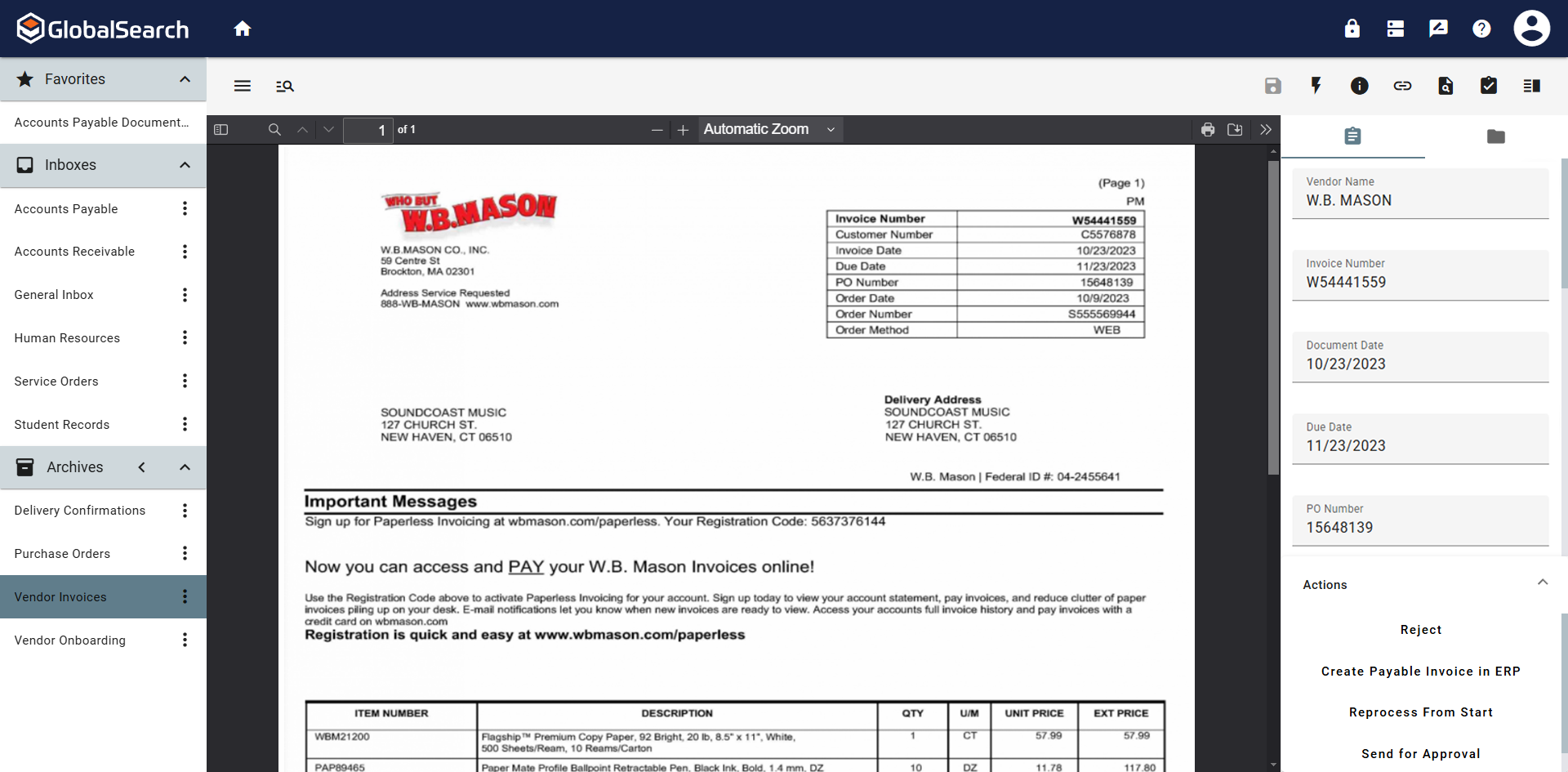
Great for automating invoice processing where you want to set it and forget it. Also works well for document storage where you need things organized and easy to find. If you have complex requirements and need flexibility, this platform can handle it. Not ideal if you expect a lot of exceptions or manual intervention since troubleshooting misrouted documents can be tricky. Also not the best fit if you want something that works out of the box with zero setup. You get the most out of it when you invest time upfront to build workflows.
Customization - With Adobe InDesign, as well as many other applications in the Adobe Creative Suite, I can fully customize my workspaces and save different workspaces. This makes it easy to navigate through my project and have the panels and tools I need easily accessible and configured based on my project needs.
Styles - Adobe InDesign has character styles, object styles, and tables styles. This speeds up my workflows and allows me to easily apply the same format across multiple elements. This is super helpful, especially when working with length documents.
File compatibility - I can easily export my files into so many different file types.
The Book feature - This feature is really helpful when creating books or very long documents with multiple sections.
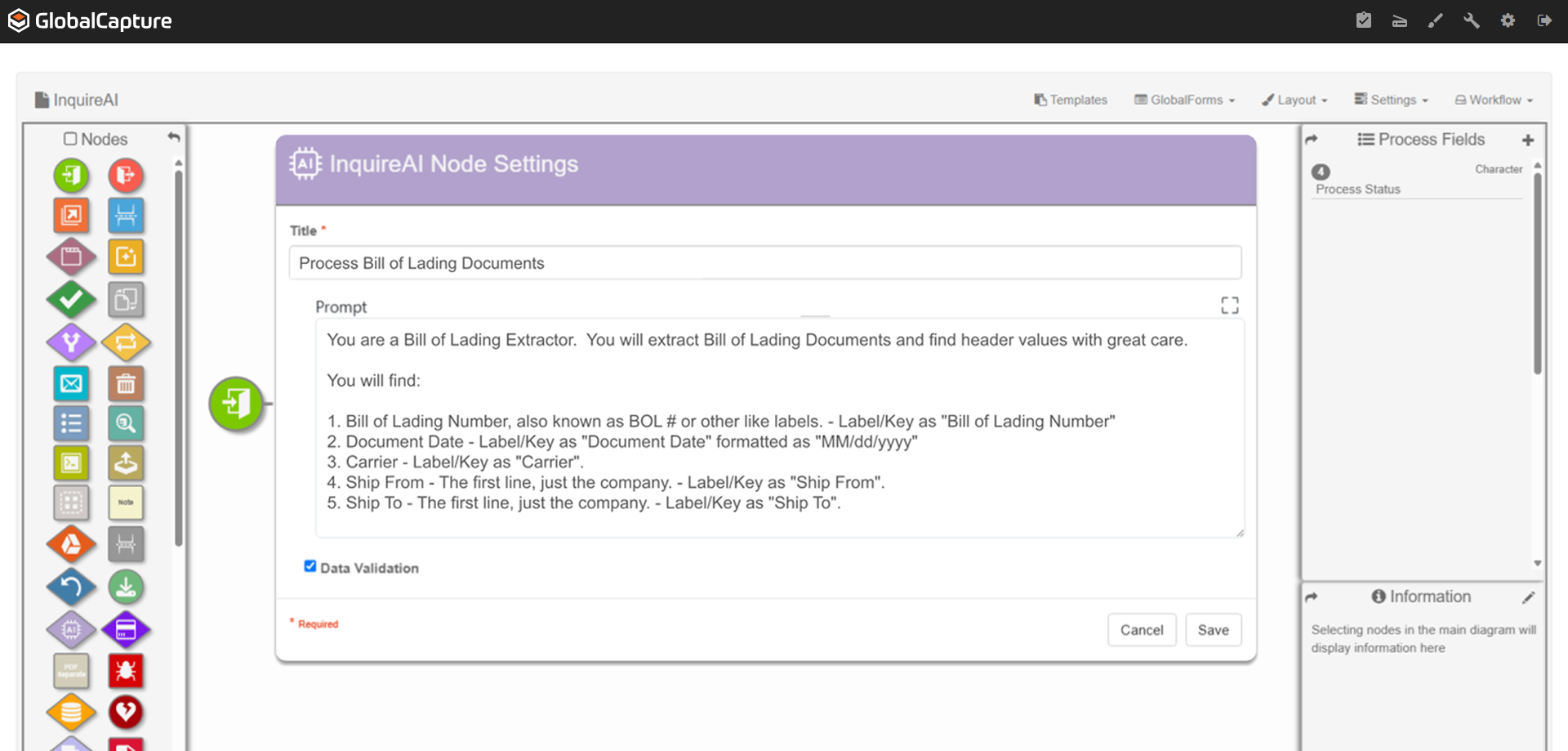
The software is very flexible, and the technicians were great at implementing our customizations for the PO project.
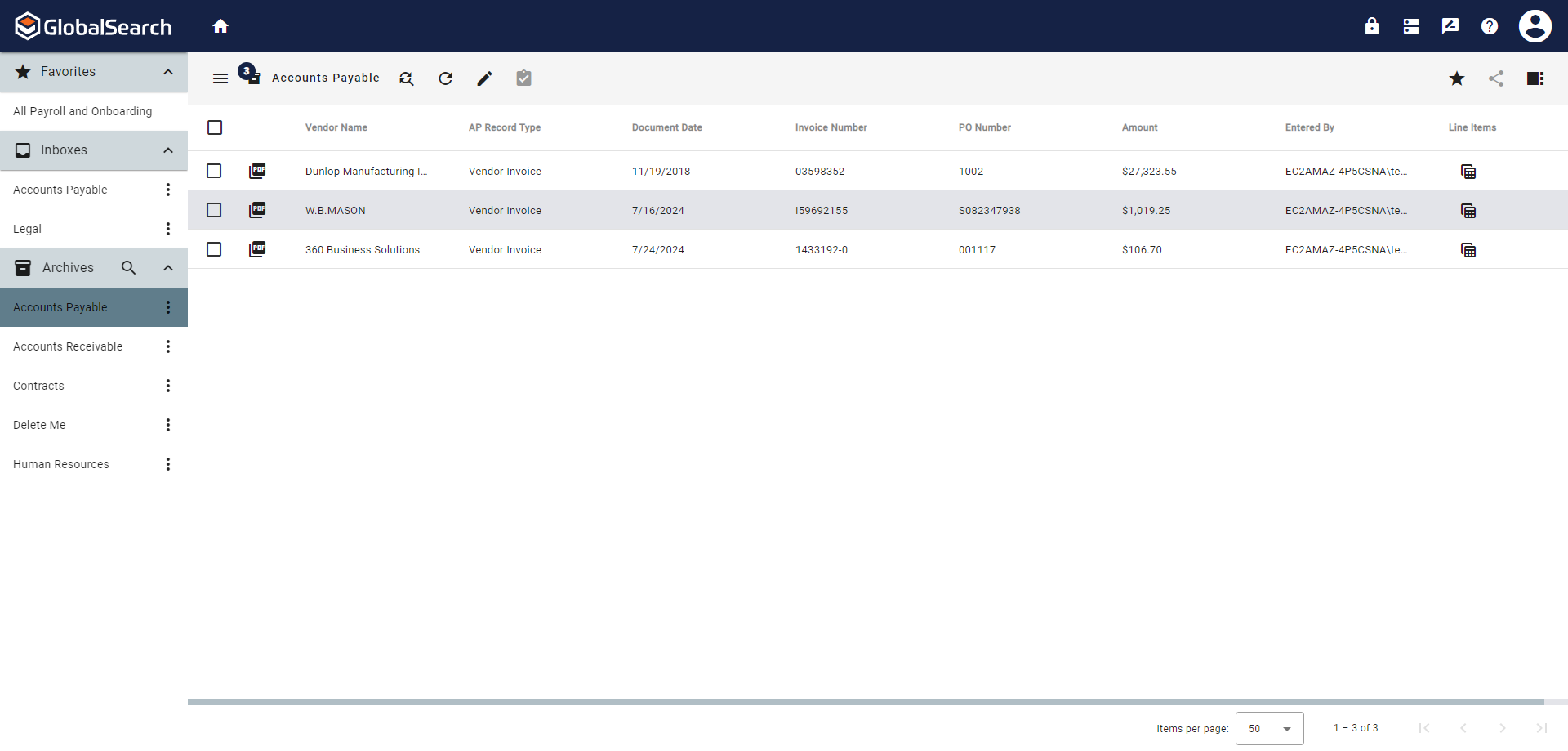
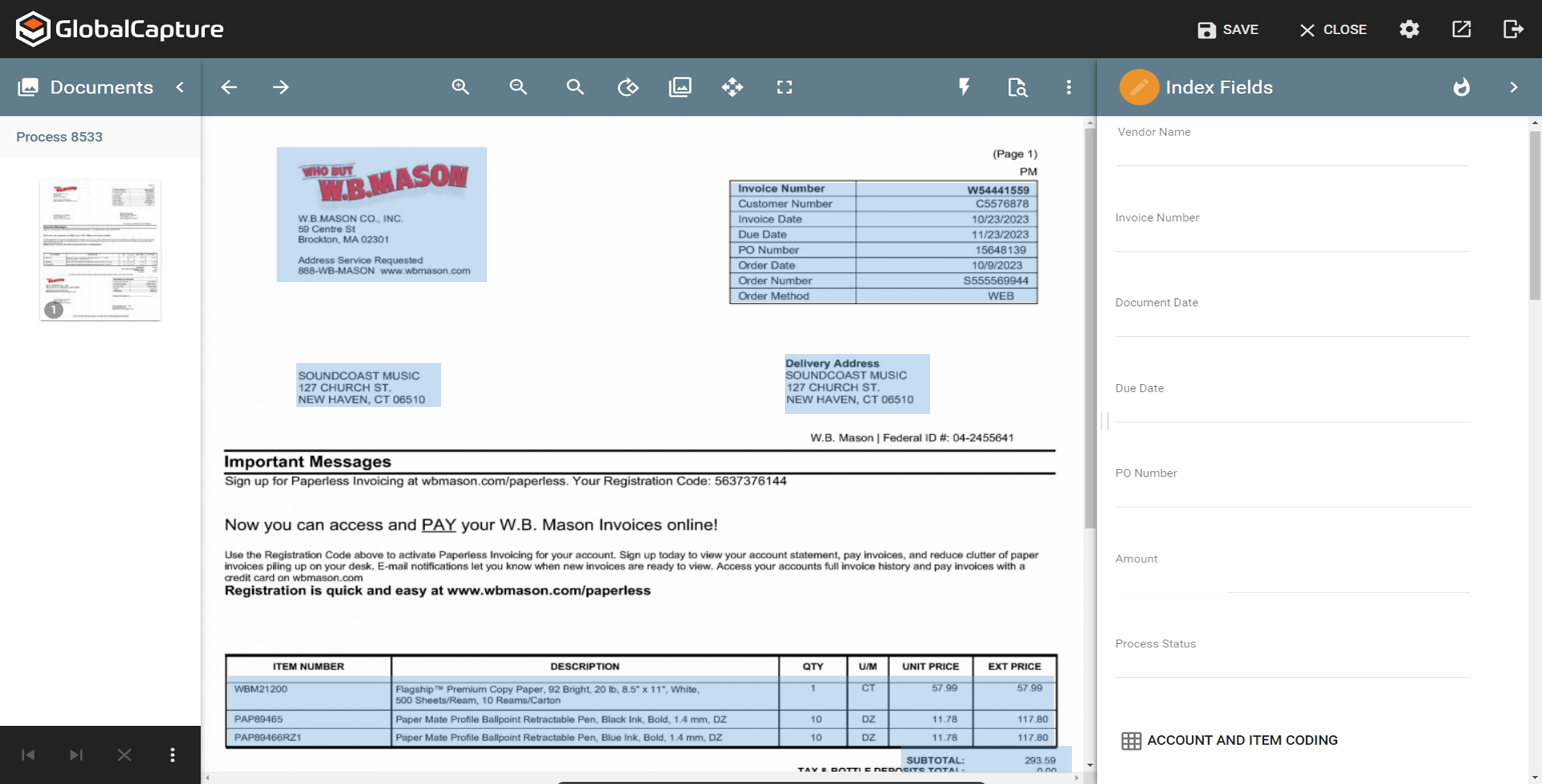
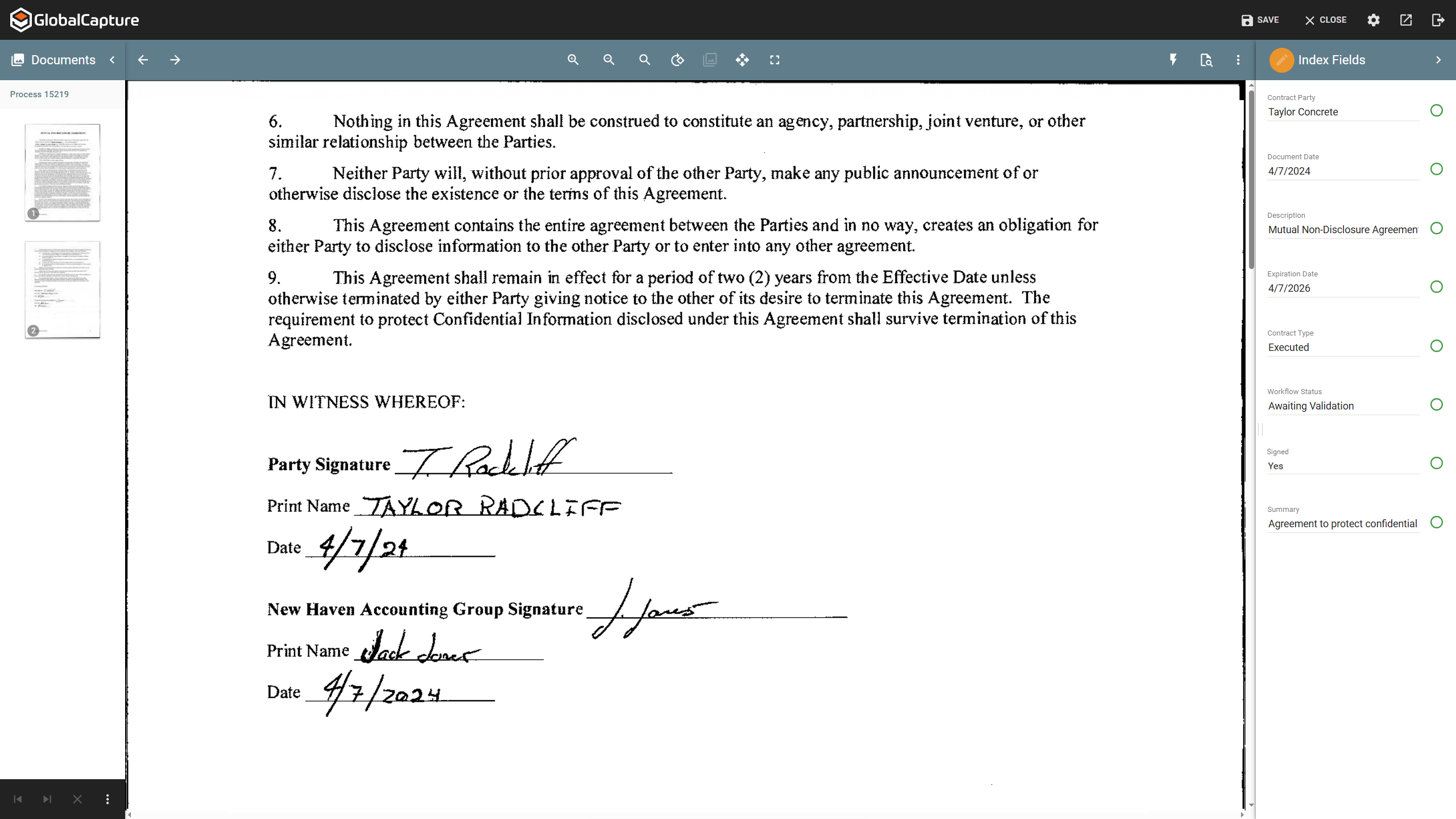
While indexing fields in Global Search, the Key Free tool works great.
Global Search is well-organized. It's easy to navigate and find your documents.
The process for completing your project was well done. Communicating with individuals at Square 9 who were responsible for different aspects of the project was easy.
GlobalSearch could use some enhancements in layout - THIS IS FIXED WITH THE NEWEST VERSION OF GLOBALSEARCH 6.3 and their Sleek GUI GlobalSearch GO! - WELL DONE!
GlobalSearch could use external sharing of documents THIS IS FIXED WITH THE NEWEST VERSION OF GLOBALSEARCH 6.3 and their Sleek GUI GlobalSearch GO! - WELL DONE!
GlobalForms could have better formatting tools to enhance the fields and text formatting
I've had great experiences with the product and plan to continue to use it. It has been my go-to product for designing and creating materials. I have had great luck with it and have been able to create all of the needed marketing materials that have been requested for our company.
We absolutely can't imagine not continuing software maintenance as there are always new additions that improve the system not to mention the excellent tech support when issues are encountered. Response times for troubleshooting are very quick and usually, my issue is resolved in less than an hour after connecting with support.
If you know what you are doing it is an amazingly granular and powerful application. You can control pretty much any aspect of the design and layout of your documents and make changes globally and rapidly. But, if you don't know what you are doing...you will be staring at your screen in bewilderment for a long time. You can learn it, but be ready for a hefty time investment.
The items I am searching for are easily found. They are found in at least 95% of the searches. The failure rate generally is related to another employees user error or a template error set up by our Square 9 team in house.
With the PDF projected viewer, the document retrieval-to-display can drag for a second more than some systems, and the capture workflow if you overload a server array can also drag, but those are the only two issues we've ever seen with this product, and they are not serious issues at all.
Adobe support is ok but not great. Chat support often doesn't initially understand the question at-hand and it takes awhile to get to the right agent. Phone support has long wait times, and though I've had more luck there, it does take quite a time investment if you are looking for help. However, Adobe does have some online learning solutions available as well as a knowledgebase for frequently asked questions. If you're looking to learn how to use the platform, there are lots of resources which can typically be found in a few Google searches. If you have a technical issue with the system, that's going to be a bit more of a time investment as far as getting a tech's assistance to resolve the problem.
We had one "production down" incident that took about a day to get help on. I think that's a bit too long. The support people seem confident but not that friendly. I feel like I'm bothering them when I get help, but they get the job done.
It would have been higher, but the training is a bit muted for the lesser qualified office equipment vendors who signed up as partners to sell and support it. The more experienced ECM vendors and customer end-users will find the training very good, but a bit slow.
I think the implementation could have gone a little smoother than it did. Now that I know how to use the software, I could do it myself. I feel that as an organization, we could have been a little better prepared. If the consultant was more aware of what we were looking for, they could have assisted in setting up some workflows for us as per the contract. But because we were not prepared, the initial implementation process was a little painful. That said, adding a document management system to ANY business kinda means everyone has to re-think the way they do their work which can be difficult for some staff.
Microsoft products do not match the aesthetic tools that [Adobe] InDesign offers, cannot support the customizable options available for export, and do not produce documents with as high a degree of accessibility. That said, they do have their place in collaboration in a team- I'd consider Office to be the first step and [Adobe] InDesign to be the final product.
Laserfiche could not even complete their installation. Square 9 Softworks was able to come in and rescue the failed project. We have hardly scratched the surface of what we believe we can do in terms of more implementations of the Square 9 Softworks program in other business processes in our company. Square 9 Softworks was demonstrated to our procurement management team while they were struggling with the Laserfiche implementation, and they were ready to abandon Laserfiche immediately upon seeing the Square 9 Softworks program demonstrated. We abandoned Laserfiche even though we had financial investments with them already. This is testimony to how clearly Square 9 Softworks is a better solution than Laserfiche.
The scale-ability is quite good actually, but you need competent sales/support folks providing it to you, so the scale is set right for the demands of your system use. Some resellers are not good at doing this, some are fantastic. If you are scaled correctly at first implementation, you'll be very happy with this system.
A great ROI for time in my small architectural practice, [especially] when a design has been updated and a report needs to be submitted. We can be submitting many reports that all look similar, clean and beautiful. We just save as the file and replace the images with more updated images. This way the client finds it easy to navigate updated reports, as many as they can be.