Adobe Learning Manager is a Learning Management System developed by Adobe Inc. that offers personalized learning at scale to employees, partners and customers alike. Compliant with GDPR guidelines, SOC2 TYPE 2 and FedRAMP Certifications, Adobe Learning Manager integrates with Adobe Experience Manager Sites, Adobe Commerce, Marketo Engage with out-of-the-box components and any other application through Open APIs, offering hybrid learning programs and detailed analytics.…
N/A
Paycom
Score 8.6 out of 10
N/A
Paycom is an automated HCM platform, built on a single database that eliminates redundant data entry through automation. A payroll and HR software solution, Paycom is used by organizations of all sizes to access employee data without navigating multiple systems.
It's good if you have a good use case for that feed. I do know that you have to incorporate it in a process in isolation. It's not you don't realize the full value, so you have to incorporate it into an overall improvement process. I would say the pro cases are marketing optimization with respect to campaigns. And I would say that the areas it's not well suited is in distilling attribution. So if you were to take all of the improvements that it suggested, the numbers exceed revenue, which isn't real, but that's a hard problem to solve. Nobody's really solved that problem well. So distilling the attribution piece would be good. And it is well suited for marketing campaigns in the ideation phase of so
As I mentioned, the onboarding process is incredibly easy. We have around 300 employees and are constantly hiring, so Paycom has been a huge help. In fact, the ATS functionality was a major factor in our decision to switch to Paycom.
Rich and engaging learning experiences that capture employees' attention.
Is multi-device capable so our teams can take classes where it's most convenient for them during the day, especially if they don't have an assigned static workstation?
Allows us to personalize compliance training based on where our employees are at in the organizational chart, competencies, and requirements.
I like the employee self-service feature. It's very straightforward and easy to use. I also like my representative, Mikey. He's been very helpful—every time I call him, I get the assistance I need. I also appreciate how quickly I can get someone on the phone and get help when needed.
I am not a fan of the most recent update. I wasn't prepared for the change especially given it came right before payroll was processed. I'm told given time, I will get used to it and I'm always open to change for the better.
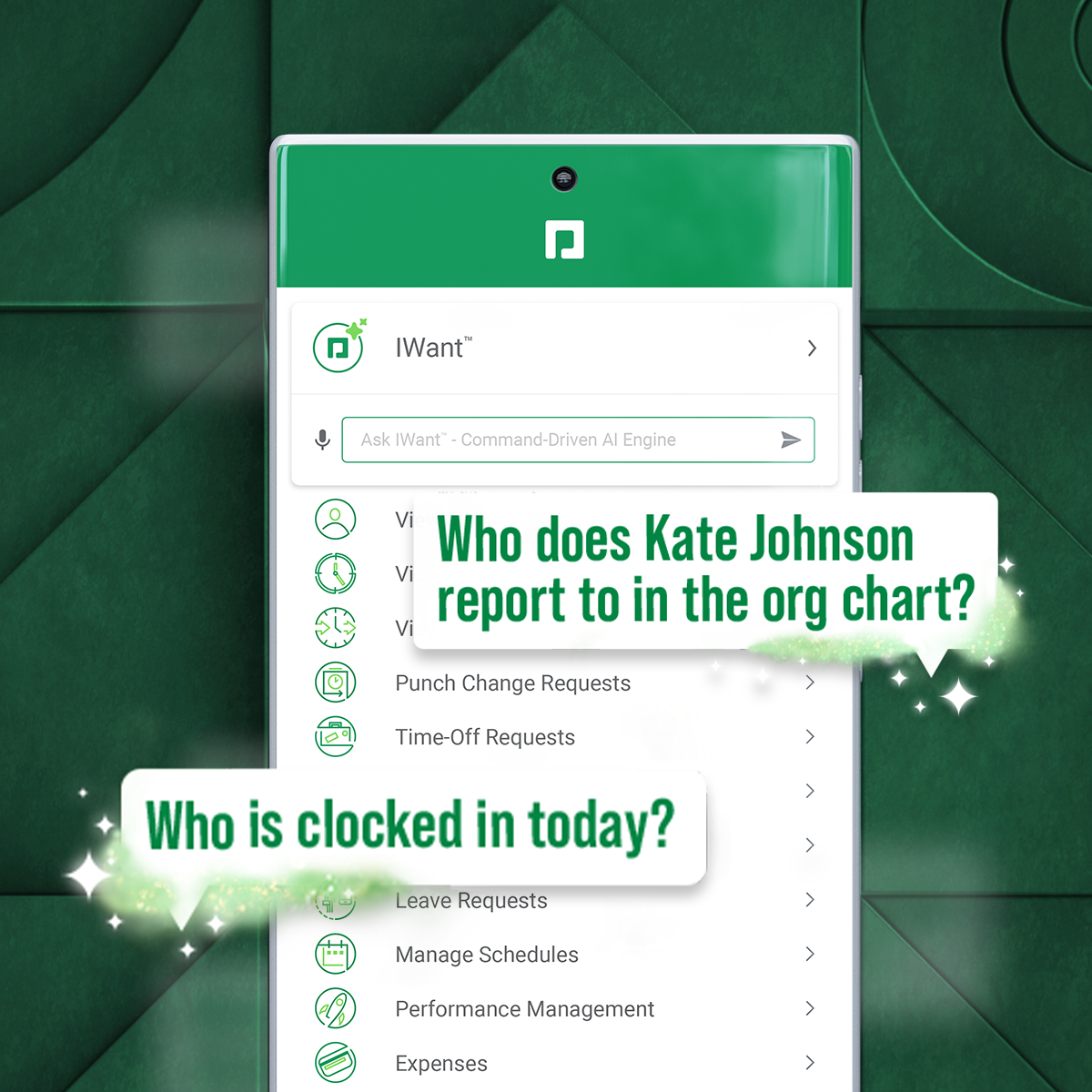
IWant™ feature isn't what I hoped it would be. I haven't used it much given the information I need in Paycom I can find quickly on my own. I have heard however that several employees utilize and appreciate the IWant™ feature.
Currently, our company uses this program and another competitor for our learning management software. We like the adaptability of this program and appreciate the customer service that Adobe provides, however the other program is starting to turn out to be a better value for our company as they improve their compatibility.
we are having no problems with how the system works and our support system at paycom is the best - we are learning more and using the system in more ways all the time the only thing that could be better is pricing on some things
In general, the user experience in Adobe Learning Manager is very satisfactory. The layout of the interface, the structure and the order of the available functionalities make it very intuitive and usable. The adaptation to mobile devices is very convenient since most of the participants connect through these electronic devices.
I'm probably going to have to go seven and three-quarter to eight, and that may be user error to me because I know Paycom has got it figured out, but there's times I just can't figure it out, even with some of the tutorials, the university, the show-mes, and calling Alex, our representative. He can hold my hand and walk me through that process, and it just may be I didn't get it, but that's why I gave that score. I'd give it a solid nine.
On a few occasions, I've logged in to issue a test to a staff member and my course would just spin. I've had to reschedule several test attempts due to this. In my opinion, the issue was not resolved by Adobe
The performance of Adobe Captivate Prime is also extremely good. The user interface is fast and easy to load. The complexity is not nearly as bad as some of the other programs on the market. Speed was not impacted.
I think they have a competent, friendly and "resolving" team. I have only ever been met with a willingness to assist any and every query I have come across. Roy who is one of the technical people is amazing, and so is my Customer Success Manager, Hema! I do not know what I would do without them.
In 6 years, we've never had a bad experience with client support. We implemented during COVID, and I was the only person in HR at the time. I was also having to homeschool our children, which meant bizarre work hours and limited time to focus on platform build at times. There were nights that I was literally on calls at 11 pm and the implementation team was unbelievably supportive. Recently, a Position Seat specialist came on site to help us set up for our 5 client codes - the experience was transformative for how we use the platform and an absolute game changer. I trust Paycom because I trust our representatives. They truly are strategic partners for us, and work to ensure we're maximizing the platform and that our needs are being met
Tadd and Ellie have been great! They have show us many aspects that implementation did not. They are very personable and action oriented as well. Anytime we need them they offer to swing in.
It was good, but hard to know what questions you need to ask until you actually get in there and start working with a live product. But Paycom is also very helpful every time I call and can't figure something out. Nathan has been very friendly and helpful no matter what I call him about. He is always eager to help out.
Trial period was great, and It let me plenty of time to try the different feature of the platform. However, when we decided to move forward, the ADOBE team was slow and not reactive at all. Actually after 2 years, I am still waiting for answers which is quite unacceptable.
Not at all satisfied it was a nightmare we spent over 8 months with the implementation team having issues after issues all related to the Puerto Rico regulations (half my employees are in Puerto Rico) and at the end we were moved over from the implementation team to the production team without all the issues being resolved
360 keeps up the Adobe learning manager. It even outclasses it in certain parts, but with a huge stalwart tech giant like Adobe, it is hard to keep up. Many of the features are present, but there's always that final touch missing. And it is always trying to play catchup.
I have not currently used any other products. I'm still kind of new to the HR industry. The only other thing that I really have to compare it to is Vonmar's system, which they created themselves, and it was not user-friendly.
The product's overall scalability and flexibility is extremely good. I wish that the other products our company uses were this flexible! The product is easy to deploy across multiple departments and teams as needed.
It's helped us save time. We've been able to automate a number of payroll and accounting functions. It's also enabled our employees to use the ask gear feature. So it's really saved time, and also we've not gotten hacked, which is always a plus.