Adobe Workfront, acquired by Adobe in late 2020, is a web-based project-management tool. It is designed for both IT and marketing teams, but can be implemented for any kind of project. Workfront offers all the features standard to project management platforms, as well as resource allocation, automation, and agile workflow.
N/A
Planview ChangePoint
Score 7.0 out of 10
N/A
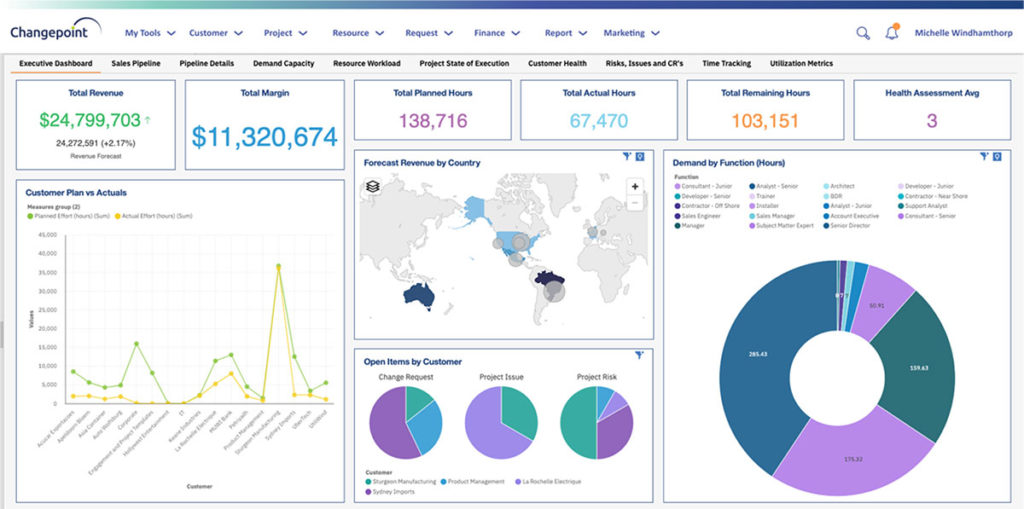
Planview Changepoint is a platform that marries professional services automation (PSA), project portfolio management (PPM) and business analytics to provide managers broad operational visibility and control over their strategic business portfolios.
N/A
Powernoodle
Score 7.5 out of 10
N/A
Powernoodle is designed to help leaders make better quality decisions by quickly and effectively engaging the collective wisdom of stakeholders. The vendor aims to provide the most powerful, yet easy to use, Decision Engagement Platform. Cloud technology is fused with 50 years of cognitive, behavioral, and decision science to focus stakeholders, and minimize the biases, barriers and dysfunctions typical to most organizations that get in the way of making quality…
Since I work remotely from my laptop, when I am finished with work, I enter my hours and submit my time at the end of the week. It's quick, it's easy, and it helps me keep a record of how many hours of vacation and sick time I have used. But when I am on the go, it is a hassle to record my time on my phone because of the lack of responsive design.
Changepoint is basic and would, therefore, work for businesses with uncomplicated requests, pretty straightforward workflows and willingness to work with an unsightly solution. It is basic, from the UI to the search option and the way the information is captured, which can be frustrating and counter-intuitive at times. It is relatively robust (i.e. I have been using it for almost 2 years and have not seen it crash once) but it does log me out when the system has been inactive for about 30 minutes - and I am only notified about being logged out upon clicking the Submit button, meaning many a line of text have been typed more than once!
Changepoint has significant reporting capabilities, though of course, the data that comes out is only as good as the data that goes in. I enjoy being able to use the standard reports to understand exactly how much a project has cost us and to compare it to how much we are charging. This allows us to more accurately set our prices. Though we have not used the report designer capability, I understand that custom reports can be designed with relative ease.
Changepoint has a versioning capability for changes made to user profiles in the system manager, which I find particularly helpful. As a non-power user, it is valuable to be able to see what changes I have made to various profiles so that I can troubleshoot a problem down the line.
Changepoint has significant functionality well beyond the features that we are currently using, and for this reason, I think it is affordable and a good deal. Particularly if your organization is interested in dedicating the time and resources into using all of the features around project planning, resource allocation, etc., the price is well worth the value.
Powernoodle has ignited deeper, more candid conversations among our team leaders. We've been able to see through these discussions that we haven't always told our story in the most compelling manner, and that we need to be clearer, more concise and less wordy. Since Powernoodle limits your contributions to a certain number of characters, it forces you to think hard about what you really want to say. This feature was particularly powerful for our organization, which has tended to verbosity.
Powernoodle allowed us to vet old and new ideas in a safe space, minimizing biases and groupthink. In many organizations there are some who speak more than others, and often their ideas get more attention. What Powernoodle does brilliantly is it allows, actually requires, each participant to write what they wish anonymously and without interruption. Each participant is equal in the sense that all input into Powernoodle is brief (limited number of characters) and the anonymity definitely prevents the usual bias toward those who speak the most.
Powernoodle increased critical thinking about our organization and forced us to re-examine why and how we do what we do. With Powernoodle, we were able to look at everyone's ideas, comment on them, decide if some should be merged, and ultimately vote on them. The Powernoodle process forced us to be clear, which meant we each needed to think critically about what has worked and what hasn't worked for us, and how we move forward with what has worked and with new ideas.
We use Changepoint to manage the IS organization. I would like to see more advancement in order to do benefits management.
I would like to see a capability where a project manager can build a very detailed work breakdown structure, but only require project resources to charge time and provide a task status at a higher level.
Workfront is sometimes a bit clunky to use, but overall it works well for our teams when it comes to project management and collaboration across multiple, involved teams. It also has flexibility that allows us to adapt it to diverse use cases, some of which aren't necessarily always the first things that one would think of using workfront for.
Sometimes the decision to renew boils down to an old adage "if it isn't broken don't fix it". Previous to moving to Changepoint, it was obvious that we needed a better project management tool. Projects we completed on time but the time zone difference between the teams and several iterations of back and forth caused a number of communication issues with projects. The difference is night and day.
Workfront is overly complex, but it is functional as a tool to keep track of projects. It is a shame that sometimes it takes a lot of clicks to find anything. Workfront is slowly modernizing its interface but at the same time, hides certain information away thus making the experience feels worse.
I have found that Adobe Workfront is a reliable resource, because in the post 6 years of using it, rarely has it been unavailable to our team. I think I could count on one hand the number of times the site has been down over my time using it with my team.
I think overall, Adobe Workfront performs well. There have been some times when it doesn't load or run as quickly as our team would like. This is frustrating when it is such a crucial tool that our team utilizes on a daily basis. It can show our workflow when it lags.
I know that this particular company has it's own Adobe Workfront employee that builds out things they need from the software, and meets with them regularly to troubleshoot. I'm not part of this process, but it's refreshing to see Adobe provide this level of customer service to people, and they're expedient.
The training is very easy to use and you can simply choose the topics included in the course(s) that are most important to your training needs. After each training course, you are tested on what you have learned. If you need a refresher course, they provide Course Catalogs as well as instructor-led courses & workshops.
Most people learn as you go, a lot of this stuff requires trial and error throughout so my suggestion is to provide as much information in the upfront and keep it as simple as possible. You can add other tools and features as you go but everyone should have the basics down so no bad habits can start to develop. Be persistent with everyone, and don't be afraid to correct and talk through steps again so everyone is on the same page
Much increased functionality and templating aspects. While I liked JIRA's setup, the Workfront is so much more flexible. The moving away from Jira i was able to show the possibilities of what a full pm software could accommodate and how it all connected in. Also, the pluses of connectivity with the Adobe suite for our creative teams were excellent. From providing updates within other programs, it allowed a much more fluid working process and instant communication.
Planview Changepoint helps us to understand our key customers enabling us to capitalize on every financial opportunity and helps us to forecast demand against the capacities required for new opportunities, and also it automates and monitors contractual terms and conditions. It gives us visibility into our employees' skills and helps to optimize resource allocation.
As I stated earlier, I didn't have to pay for Workfront myself- I'm a user under a large organization. I know it's not cheap to implement, I don't know how the price scales for a small-business, but I do like the product enough that I'm going to look into it in the future for my own company.
Our organization has thousands of users that use Workfront and it seems to hold up very well. I have not encountered any issues using it and I think it makes it very easy for multiple people to be involved in a project and keep things organized and clear for everyone involved.
Increased efficiency in threaded updates to Outlook emails - no time wasted looking for things in email vs Workfront - they automatically are in both places.
Time tracking allows us to average out how much time tasks & deliverable types take, allowing better long-term forecasting.
Planning has given us a system of record for campaigns, allowing us to easily find historic plans and/or view calendar views of upcoming ones.
Employee efficiency has decreased significantly within our Project MAnagement team. The main causes are lack of logical steps/not user-friendly and the slowness of the entire program.
Changepoint PSA has greatly improved being able to track budgets for all projects. Before this software, budgets were done manually by hand and cross-referenced with Accounting. Now, we can pull a report out of the system, as long as all parties entered their time and data correctly.
While we are still in the beginning stages of taking action on the decisions we made using the Powernoodle process, I have no doubt that there will be a very positive ROI on our overall objectives.