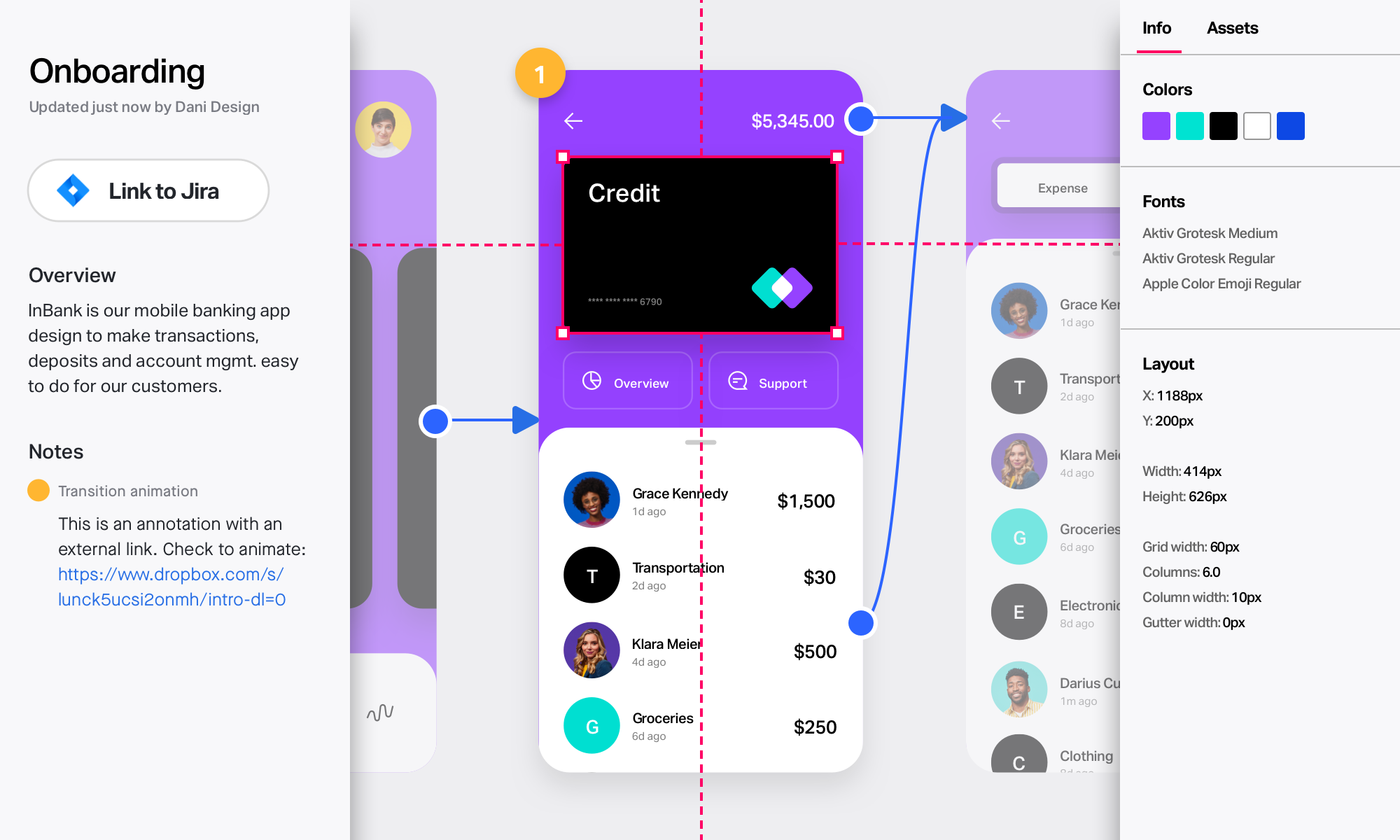
Adobe XD is a prototyping and UX/UI option for website and mobile application design, featuring a range of UI tools and and templates, a versatile artboard and contextual layer panels, and deep integration with Adobe's creative suite of products for fast import of objects from these applications.
$33.99
per month per license
CorelDRAW Graphics Suite
Score 7.1 out of 10
N/A
Corel Corporation, headquartered in Ottawa, offers the CorelDRAW Graphics Suite, a graphic design studio and library of tools.
$249
per year
InVision
Score 7.8 out of 10
N/A
InVision is a collaborative design and prototyping platform with features such as freehand drafting mode and interactive mockups, collaboration, idea management, user testing, and integration with Slack and other collaboration tools. According to the vendor, 1 million designers are using the free version.
$0
Pricing
Adobe XD
CorelDRAW Graphics Suite
InVision
Editions & Modules
Individual
$9.99 ($119.88)
per month (annual, prepaid)
Students & Teachers - All Apps
$19.99 ($239.88)
per month, annual plan (for the year)
Business - Single App
$33.99
per month per license
Business - All Apps
$79.99
per month per license
Schools & Universities - Institution Wide
Contact Sales
Subscription
$249.00
per year
Download
$499.00
One Time Fee
Physical Edition
$499.00
One Time Fee
Free
$0
Pro
$7.75
per user/per month
Enterprise
Contact Sales
Offerings
Pricing Offerings
Adobe XD
CorelDRAW Graphics Suite
InVision
Free Trial
No
Yes
No
Free/Freemium Version
No
No
No
Premium Consulting/Integration Services
No
No
No
Entry-level Setup Fee
No setup fee
No setup fee
No setup fee
Additional Details
—
—
—
More Pricing Information
Community Pulse
Adobe XD
CorelDRAW Graphics Suite
InVision
Considered Multiple Products
Adobe XD
Verified User
Project Manager
Chose Adobe XD
XD can do everything we need and more. It's already part of our Creative Cloud subscription and integrates with our current tools. It was really easy to get to work and establish a workflow for almost all projects where we are designing, prototyping, and iterating. Feedback and …
We actually use Figma, Sketch, and InVision along with XD in our design practice. We mainly use XD on quick prototypes or experimentation for mobile projects. We always end up falling back to Sketch+InVision for our Design System Implementations and developer collaboration …
While I have used Zeplin, InVision, and Adobe XD on various projects, partly dependent on in-house client teams preferences, Adobe XD is the most familiar to me based on 20+ years [of] working within Adobe applications. They all can do most of what I am looking to do within …
I've tried all those softwares and the one that I found better was Proto.io. But, it has a high cost, and as we already had access to Adobe XD by our Adobe Creative Cloud membership, we chose to go with it. Some of those software have more features and functionalities than …
Although Inkscape is a free open-source software with many of the tools that you would normally use, and Illustrator is used by most graphic designers, CorelDRAW Graphics Suite offers a simpler-to-use User Interface and tools that make designs faster and easier to accomplish. …
We only tested out using Adobe XD for similar uses and found it to be more challenging to fit within our processes. It didn't have as robust a set of capabilities as InVision and wasn't as easy to use enterprise wide. I recall also having issues with working with Sketch.
InVision can be a powerful tool when paired with Sketch and other platforms like Freehand. However, Figma is currently the industry leader in terms of functionality and usability for collaborative UI design and prototyping. Invision's sharing and prototyping features are its …
InVision is a bit limited overall compared to other programs like Figma, Photoshop, Illustrator and XD. At the time we selected InVision they were one of the leaders and introduced a lot of new features that were beneficial. However now we've moved back to many of the Adobe …
InVision's design is much more polished and seamless due to its apps on mobile and web. They are very easy to learn and gather feedback compared to Sketch or Principle. Although these features are quickly coming to the other apps, InVision has an upper hand at the moment with …
As the industry leader, XD and Figma have had some catching up to do. I think now InVision will have to innovate to hold these products off. Several are doing what made InVision famous, and in some instances do it even better. There is an insane amount of competition and …
If its already part of your organization, and they have a license for Creative Cloud, its worth learning. It doesnt take long to get started, but compared to other software in the same field, its lacking in many ways, from quality of life features to just simply not having the option for Darkmode. Even for website design, UX/UI, and mocking up proof-of-concepts, there are much better tools like Figma.
It is a perfect suite of applications to finish presentations and create beautiful layouts for design. It is very useful both for graphic design and for architecture design when you want to draw a realistic idea of a project without being a rendering or when you need to present both images and vectorial drawings.
InVision is well suited for design reviews and immersing yourself in the experience of an app-to-be. As a Product Manager, it's difficult to take abstract concepts, user pain points, and business needs, and produce a vision for an app without a visual aid to communicate a vision. InVIsion offers PMs, designers, and developers the opportunity to sketch a vision, communicate about it with inline commenting, and shareable with other stakeholders.
We utilize many of the applications in the Adobe CC suite and our usage of this application came about simply because it was the one that was already paid for. Bearing that in mind we will definitely be renewing the software upon the expiration of the licensing. I am not sure if this is the solution we would go with were it not already included, we would have to evaluate all other options
Adobe XD is basically on life-support now, there are much better software out there that do everything XD can do, and a few that you don't even have to pay a monthly subscription fee on. While Adobe XD is great as shortcuts that are used in other CC software works, and its integration with CC is great. But it still lacks compared to its closest competitor.
Just like any design program or suite, I wouldn't recommend it to anyone who doesn't do graphic design professionally. If you're not adept at learning a program or experience, it isn't a program you can just pick up and start using easily. Outside of the learning curve, it's a nice program with a decent user interface.
Easy for prototyping, sharing for comments and review changes with version. lags a bit when the design is heavy and large design models learning curve is shorter so saves time with new stakeholders responsiveness could be better and auto modeling can be introduced Not much advance features that can be used
I have not had a need to connect with the Adobe XD support team as of yet, but from past experience when dealing with the other products, the support has been very very good, and I would have no reason to think that this product would be any different. There are a good number of training videos on the Adobe site for this product as well as on other social media sites so a quick search should let you find the answers in several different ways.
Overall, CorelDRAW meets all my needs as a researcher and allows me to create beautiful and clear graphics to illustrate the main ideas for publications. It does not lack any functionality for my needs; however, it has some bugs that impact productivity, such as the color drag and drop that sometimes stops working and needs restarting, and crashes, especially when working with large bitmaps.
I didn't need to contact InVision support, as I've never needed it. They have an intuitive UI, and most of the questions are answered in their help portal or in tutorials online. Since many people use it, there a great resources available on for example YouTube. No problems so far with InVision.
Before XD came to the company, screens were designed in Illustrator or Photoshop and a PDF presentation was generated, which was extremely time-consuming. XD saved us a lot of time (and money) by generating interactive prototypes, which are much more tangible for the client than a PDF. The "fight" with Figma is frequent. Both have features in which they are better than their competition. And, while I still choose Adobe XD, don't rule out moving to Figma with its multiple updates.
Although other softwares are good in there field but CorelDRAW is very good when it come to ease of making the designs. We can create designs in it very quickly and efficiently and also it us Avery easy software to learn, anyone can pick it up at good pace. Also it is more widely used by vendors here for printing, so its a better choice.
We only tested out using Adobe XD for similar uses and found it to be more challenging to fit within our processes. It didn't have as robust a set of capabilities as InVision and wasn't as easy to use enterprise wide. I recall also having issues with working with Sketch.
Ease of use means we are up and running in no time.
Integrates and is a part of the Adobe CC platform (which we already subscribe to) so there was no additional cost.
Online proofing and developer handoff links are the icing on the cake. Keeps everything in one place.
Handles all our assets (mostly created in Illustrator) like a dream. Even imports native Photoshop docs, too, so that saves us so much time round tripping.
Ease of use reflects on less time to train new users, a positive impact in investment and productivity.
The practicality to make new designs results in less time needed to do them, again a positive impact.
The integration with other graphic programs could be better if needed to finish a rendering using the design made in Corel Draw it's needed to export in formats that don't carry all information and the process is not that simple.
InVision helps our team better and more professionally portray the value and the work we do as designers, leading to more company buy-in in supporting and funding our work. In the past, we would create PowerPoints with screenshots to portray a user workflow that we would share out to stakeholders. Once we began to use this app, where stakeholders could click through and comment as though they were “real” users, stakeholders began to better understand our work, designs, and workflows. This has led to more productive conversations that, in turn, lead to more effective end products that have more consistently served our business goals in tangible ways.
InVision helps us save production time, effort, and cost, as we are able to solve design issues early in the process by having clickable prototypes to show to internal stakeholders and external users. It’s, understandably, difficult for people to provide effective feedback on screenshots. Using the clickable prototypes we created in InVision, we are able to get more effective feedback to solve user workflow issues before we spend time and money developing problematic designs (and later having to redesign them).
It’s easier to market designs to potential buyers with clickable prototypes than with screenshots. With these prototypes, we’ve been able to sell more digital products before product release dates, which has helped to secure many contracts and new business relationships that continue to this day.