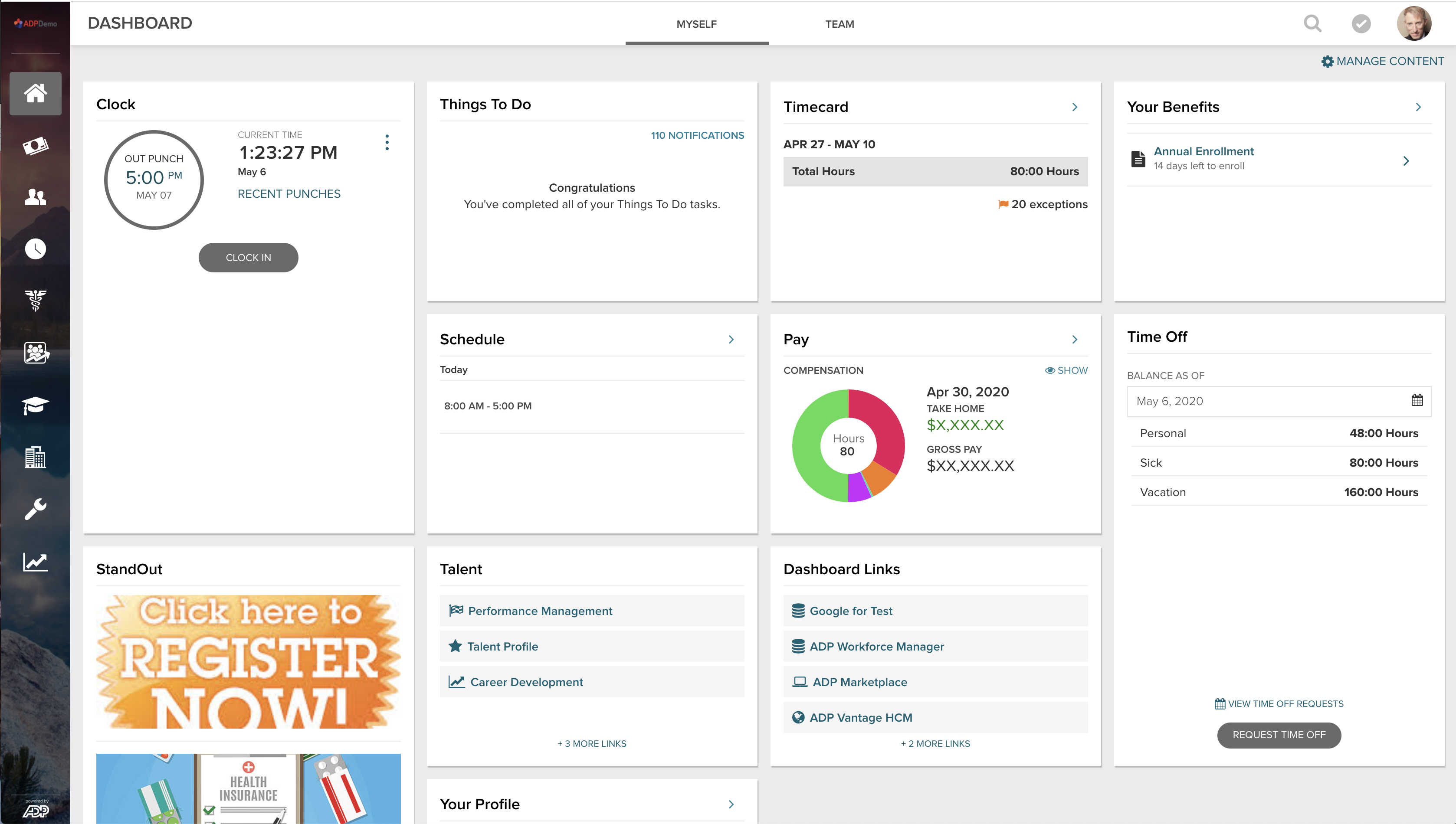
ADP Vantage combined HR, payroll, benefits, talent management and time & attendance. It is a legacy product.
N/A
Vacation Tracker
Score7.3 out of 10
N/A
Vacation Tracker is a software tool that enables users to manage employee absences, set leave policies, and streamline leave tracking processes, from the company of the same name Montreal, Quebec. It is available for Slack, Microsoft Teams and Google Workspace.
[ADP Vantage HCM is] great for big organizations with complex processes and who need all the features/functionalities provided by the platform. May not be very suitable for smaller companies who aren't as elaborate in terms of their HR processes and the enterprise licensing costs can be slightly prohibitive. Great for companies looking for plug-and-play solutions which need minimal/no customization off the shelf.
A de minimis incentive was given to thank the reviewer for their time. The incentive was not used to bias or drive a particular response, nor was the incentive contingent on a positive endorsement. More Info
It is good for basic increment usage. It was less appropriate for biweekly pay periods and for when work days are technically 7.5 hours with 1 hour unpaid lunch. It got kinda whacky with the numbers then since the concept of a day varied. It was great for transparency between employer and employee in terms of knowing how much PTO one has and how it was previously used. Good for history
A de minimis incentive was given to thank the reviewer for their time. The incentive was not used to bias or drive a particular response, nor was the incentive contingent on a positive endorsement. More Info
User Security Granularity: I can fine-tune access exactly, rather than give someone too little or too much access.
Employee Data Security: All of our data is secure and encrypted by ADP. I do not have to manage security beyond keeping users from giving their username and password to someone. The rest is out of sight and out of mind, handled by ADP.
Out of the Box Functionality: While we did have to make configuration decisions in implementation, the functions and customizations we make inside of ADP all function from day one and are not affected by security updates, new versions, or patches. With other highly customized products, any update to the stock system poses a threat to functionality. ADP Vantage does exactly what we want it to do, the way we want it, and without being disabled by ongoing life-cycle management by ADP.
A de minimis incentive was given to thank the reviewer for their time. The incentive was not used to bias or drive a particular response, nor was the incentive contingent on a positive endorsement. TR verified that a representative sample of customers was invited. More Info
A de minimis incentive was given to thank the reviewer for their time. The incentive was not used to bias or drive a particular response, nor was the incentive contingent on a positive endorsement. More Info
[The] tax setup section needs more work, it is unclear sometimes if we need to set up tax in Smart Compliances or somewhere else, and then the rode to make that tax active and add it to the employee.
[The] payroll audit could be more clear and include more data from all adjustments, for example, if there is [a] salary rate change, there [are] not flags to check that in [the] audit section of the payroll.
A de minimis incentive was given to thank the reviewer for their time. The incentive was not used to bias or drive a particular response, nor was the incentive contingent on a positive endorsement. More Info
A de minimis incentive was given to thank the reviewer for their time. The incentive was not used to bias or drive a particular response, nor was the incentive contingent on a positive endorsement. More Info
Because we have only been using the system for 5 years, we will continue using this service until our business outgrows the support we need or is unable to meet our needs. we need a system that will integrate with our carriers and well as our general ledger system. We are currently looking for another GL system to fit our needs that will need to integrate with ADPVantage
A de minimis incentive was given to thank the reviewer for their time. The incentive was not used to bias or drive a particular response, nor was the incentive contingent on a positive endorsement. TR verified that a representative sample of customers was invited. More Info
It's a great product and the enhancements make it better all the time. I feel there are some areas that are severly lacking attention, such as Garnishments. This area of the product is not user friendly at all and ADP has not made an enhancement here since we went live 2012.
A de minimis incentive was given to thank the reviewer for their time. The incentive was not used to bias or drive a particular response, nor was the incentive contingent on a positive endorsement. TR verified that a representative sample of customers was invited. More Info
Because it did not serve us in the sense that our work day is 7.5 hours long. Otherwise, I liked how transparent it was between employer and employee. We wish it had a better way of working with 7.5 hour work days. It was easy to sign up and to introduce but ended up not being the right fit
A de minimis incentive was given to thank the reviewer for their time. The incentive was not used to bias or drive a particular response, nor was the incentive contingent on a positive endorsement. More Info
The software just works. I can count on one hand the number of actual outages I have experienced in the last 10 years. We have had slowdowns, where response/processing time was slow, but those too are few and far between. The redundancies and backups they have in place at ADP mean my resources are available all the time. The only reason I say 9 of 10 is because there are times when an update or patch will cause an issue in another part of the system that usually isn't discovered prior to the patch/update's implementation. These have happened several times. The plus side is that these are almost always resolved immediately.
A de minimis incentive was given to thank the reviewer for their time. The incentive was not used to bias or drive a particular response, nor was the incentive contingent on a positive endorsement. TR verified that a representative sample of customers was invited. More Info
Pages do load pretty swiftly, and reports do not take too long. However, I have noticed that most reports become available sooner than some. Which if you are trying to process payroll, it may slow you down and tends to be time consuming when you're in a crunch
The support for ADP Vantage HCM is mostly excellent. Sometimes it can be hard to reach an ADP representative that is knowledgeable in whatever area you are having difficulty but for the most part it is very good. For the weaknesses that ADP Vantage HCM has, they almost make up for it with their support teams. If by chance you reach someone who is unable to help, I suggest calling the main help line again and you will reach someone who not only helps with the issue but also walks you through the process and explains it to you.
A de minimis incentive was given to thank the reviewer for their time. The incentive was not used to bias or drive a particular response, nor was the incentive contingent on a positive endorsement. TR verified that a representative sample of customers was invited. More Info
My instructor as amazing and very knowledgeable. My instructor kept my attention and made sure that I understood each module before he moved on. No matter how many times I asked a question for clarification, he answered them. I've taken other instructor led training's before, I have to say that ADP made it easy
A lot of set ups vary from company to company so parts of our training we found it difficult to relate it to our processes. They have TONS of training modules available and a streamlined process for what you should complete and when. Would have been helpful to have onsite training for how much one pays for the system.
It was a great implementation, ADP went above and beyond to ensure it was successful. ADP hosted modeling sessions that included the subject matter experts from all areas. It was helpful that the implementation was all inclusive as we received indepth detail of how each area affects another.
A de minimis incentive was given to thank the reviewer for their time. The incentive was not used to bias or drive a particular response, nor was the incentive contingent on a positive endorsement. TR verified that a representative sample of customers was invited. More Info
ADP Vantage was chosen because ADP is best in class for payroll service. They excel in garnishments; they excel in taxes; they excel in payroll delivery; they excel in customer service; they excel in actual payments; Vantage was their latest and greatest payroll processing platform.
A de minimis incentive was given to thank the reviewer for their time. The incentive was not used to bias or drive a particular response, nor was the incentive contingent on a positive endorsement. TR verified that a representative sample of customers was invited. More Info
We thought it was friendly and simple which it is but the issue with the time increments made it quite tricky to use. It is a lot more simplified than what we have used in the past as it really just tracks PTO and nothing else which is nice. However, the issue with our work day being 7.5 hours was not something that Vacation Tracker worked well with. If that changed then I would be much more open to looking into it again.
A de minimis incentive was given to thank the reviewer for their time. The incentive was not used to bias or drive a particular response, nor was the incentive contingent on a positive endorsement. More Info
ADP Vantage is able to scale to our needs. As your organization's payroll and time and attendance needs grow, ADP has optional modules (scheduler, HR, ect.) that can be purchased. The basic reporting and metrics are nice add-ons.
A de minimis incentive was given to thank the reviewer for their time. The incentive was not used to bias or drive a particular response, nor was the incentive contingent on a positive endorsement. TR verified that a representative sample of customers was invited. More Info
Positive - saving the admins time by allowing EE's to access their own information.
Positive - Managers being able to use Vantage easily to manage their employees.
Negative - would probably be when the system gives you errors randomly that are not true errors. Once you refresh the page or log out and back in then the error does not come up. Not sure if this has to do with connection as well.
A de minimis incentive was given to thank the reviewer for their time. The incentive was not used to bias or drive a particular response, nor was the incentive contingent on a positive endorsement. More Info
A de minimis incentive was given to thank the reviewer for their time. The incentive was not used to bias or drive a particular response, nor was the incentive contingent on a positive endorsement. More Info