Chose PowerDMS by NEOGOV
Our department was created in 2017. We copied another department by using PowerDMS. It worked for them and it has serviced us beyond expectations.

| Product | Rating | Most Used By | Product Summary | Starting Price |
|---|---|---|---|---|
 Aladtec | Small Businesses (1-50 employees) | Aladtec is employee scheduling software that is targeted at businesses in the public safety sector, including EMS, Fire & Rescue, Law Enforcement, Communication Centers/Dispatch, Security and Health Care. According to the vendor, Aladtec helps organizations with the following: Monitor Operations: Access and change schedules, view employee info and credentials 24/7 from any computer, smartphone or other mobile devices with… | N/A | |
 PowerDMS by NEOGOV | N/A | PowerDMS by NEOGOV is a software platform designed to recruit, train, equip, and protect employees across their careers, used for policy management, community engagement, and staff scheduling. | N/A |
| Aladtec | PowerDMS by NEOGOV | |||||||||||||||
|---|---|---|---|---|---|---|---|---|---|---|---|---|---|---|---|---|
| Editions & Modules | No answers on this topic | No answers on this topic | ||||||||||||||
| Offerings |
| |||||||||||||||
| Entry-level Setup Fee | No setup fee | No setup fee | ||||||||||||||
| Additional Details | Aladtec is an annual subscription based on the number of people the customer has using the system, so it's fairly priced for any size organization. | — | ||||||||||||||
| More Pricing Information | ||||||||||||||||
| Aladtec | PowerDMS by NEOGOV | |
|---|---|---|
| Considered Both Products | Aladtec No answer on this topic | PowerDMS by NEOGOV |
| Aladtec | PowerDMS by NEOGOV | |
|---|---|---|
| Small Businesses |  7shifts Score 9.6 out of 10 | No answers on this topic |
| Medium-sized Companies | PowerDMS by NEOGOV Score 7.0 out of 10 | No answers on this topic |
| Enterprises |  Zoho People Score 8.9 out of 10 | No answers on this topic |
| All Alternatives | View all alternatives | View all alternatives |
| Aladtec | PowerDMS by NEOGOV | |
|---|---|---|
| Likelihood to Recommend | 9.0 (4 ratings) | 9.2 (131 ratings) |
| Likelihood to Renew | - (0 ratings) | 8.8 (14 ratings) |
| Usability | - (0 ratings) | 6.9 (24 ratings) |
| Availability | - (0 ratings) | 8.2 (1 ratings) |
| Performance | - (0 ratings) | 8.5 (8 ratings) |
| Support Rating | 8.0 (1 ratings) | 8.9 (32 ratings) |
| In-Person Training | - (0 ratings) | 9.1 (1 ratings) |
| Online Training | - (0 ratings) | 9.1 (1 ratings) |
| Implementation Rating | - (0 ratings) | 9.1 (8 ratings) |
| Configurability | - (0 ratings) | 4.5 (1 ratings) |
| Ease of integration | - (0 ratings) | 8.5 (8 ratings) |
| Product Scalability | - (0 ratings) | 7.3 (1 ratings) |
| Vendor post-sale | - (0 ratings) | 8.2 (1 ratings) |
| Vendor pre-sale | - (0 ratings) | 8.2 (1 ratings) |
| Aladtec | PowerDMS by NEOGOV | |
|---|---|---|
| Likelihood to Recommend | Aladtec
| NEOGOV
 Mike Young Captain |
| Pros | Aladtec
| NEOGOV
 Laurence Van Alstine Deputy Police Chief |
| Cons | Aladtec
 Jeff Rixmann EMS Director | NEOGOV
 Deanna Willmon Administrative Assistant |
| Likelihood to Renew | Aladtec No answers on this topic | NEOGOV
 Julie Rosenburg Special Projects Administrator /Accounting and Accreditation |
| Usability | Aladtec No answers on this topic | NEOGOV
|
| Reliability and Availability | Aladtec No answers on this topic | NEOGOV
|
| Performance | Aladtec No answers on this topic | NEOGOV
 Kayne Cushman Network Technician |
| Support Rating | Aladtec
| NEOGOV
 Jason Ammon Administration Sergeant |
| In-Person Training | Aladtec No answers on this topic | NEOGOV
 Alicia Schotter Training Coordination/State Certiciation Manager |
| Online Training | Aladtec No answers on this topic | NEOGOV
Alicia Schotter Training Coordination/State Certiciation Manager |
| Implementation Rating | Aladtec No answers on this topic | NEOGOV
 Ed Goodman Accreditation Manager |
| Alternatives Considered | Aladtec
 Caleb Branch Director | NEOGOV
 Emily Davies Professional Development and Training Manager for the Cornell Police |
| Scalability | Aladtec No answers on this topic | NEOGOV
|
| Return on Investment | Aladtec
| NEOGOV
 Emily Gower Immunization Coordinator |
| ScreenShots | Aladtec Screenshots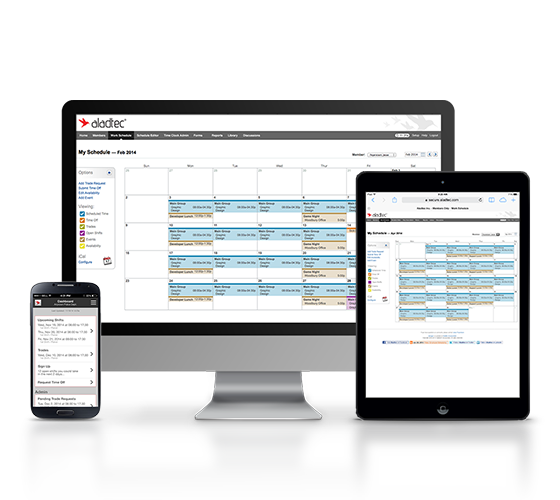     |