Overview
ProductRatingMost Used ByProduct SummaryStarting Price
Amazon DynamoDB
Score 8.2 out of 10
N/A
Amazon DynamoDB is a cloud-native, NoSQL, serverless database service.
$0
capacity unit per hour
Microsoft Access
Score 7.6 out of 10
N/A
Microsoft Access is a database management system from Microsoft that combines the relational Microsoft Jet Database Engine with a graphical user interface and software-development tools.
$139.99
per PC
MongoDB
Score 8.9 out of 10
N/A
MongoDB is an open source document-oriented database system. It is part of the NoSQL family of database systems. Instead of storing data in tables as is done in a "classical" relational database, MongoDB stores structured data as JSON-like documents with dynamic schemas (MongoDB calls the format BSON), making the integration of data in certain types of applications easier and faster.
$0.10
million reads
Pricing
Amazon DynamoDBMicrosoft AccessMongoDB
Editions & Modules
Provisioned - Read Operation
$0.00013
capacity unit per hour
Provisioned - Write Operation
$0.00065
capacity unit per hour
Provisioned - Global Tables
$0.000975
per Read Capacity
On-Demand Streams
$0.02
per 100,000 read operations
Provisioned - Streams
$0.02
per 100,000 read operations
On-Demand Data Requests Outside AWS Regions
$0.09
per GB
Provisioned - Data Requests Outside AWS Regions
$0.09
per GB
On-Demand Snapshot
$0.10
per GB per month
Provisioned - Snapshot
$0.10
per GB per month
On-Demand Restoring a Backup
$0.15
per GB
Provisioned - Restoring a Backup
$0.15
per GB
On-Demand Point-in-Time Recovery
$0.20
per GB per month
Provisioned - Point-in-Time Recovery
$0.20
per GB per month
On-Demand Read Operation
$0.25
per million requests
On-Demand Data Stored
$0.25
per GB per month
Provisioned - Data Stored
$0.25
per GB per month
On-Demand - Write Operation
$1.25
per million requests
On-Demand Global Tables
$1.875
per million write operations replicated
Microsoft Access
$139.99
per PC
Shared
$0
per month
Serverless
$0.10million reads
million reads
Dedicated
$57
per month
Offerings
Pricing Offerings
Amazon DynamoDBMicrosoft AccessMongoDB
Free Trial
NoNoYes
Free/Freemium Version
NoNoYes
Premium Consulting/Integration Services
NoNoNo
Entry-level Setup FeeNo setup feeNo setup feeNo setup fee
Additional DetailsFully managed, global cloud database on AWS, Azure, and GCP
More Pricing Information
Community Pulse
Amazon DynamoDBMicrosoft AccessMongoDB
Considered Multiple Products
Amazon DynamoDB
Chose Amazon DynamoDB
More flexible and easier to get started with than RDS, but, in my opinion, much worse monitoring/cost and query/modeling complexity than MongoDB
Chose Amazon DynamoDB
MongoDB vs. Amazon DynamoDB:• MongoDB requires more human management than DynamoDB, which is a fully managed service.• DynamoDB's scalability is automatic, whereas MongoDB's horizontal scaling may require more work.• When compared to DynamoDB, MongoDB offers more extensive data …
Chose Amazon DynamoDB
DynamoDB provided an easy to use, schema-less, out of the box solution that can be used to spin up a full working implementation very easily. It doesn't require extra knowledge such as MongoDB query functions
Chose Amazon DynamoDB
Lesser flexibility but better performance, and more predictable development support are the key points where Amazon DynamoDB comes out on top, when compared to MongoDB.
Chose Amazon DynamoDB
We are always assembling our solutions on AWS and DynamoDB is a better fit for us because of its simplicity.
DynamoDB has its ow sets of triggers that make this an integrated solution on AWS.
Besides, we wanted to use a key-value solution for our simple edge DB, and we didn't …
Chose Amazon DynamoDB
DynamoDB's scalability is more automated and effortless, making it easier to handle rapid growth. Other tools require more manual configuration while DynamoDB simplifies database administration. Also, DynamoDB provides strong consistency while other tools like MongoDB and Apache…
Chose Amazon DynamoDB
MongoDB has some performance issues and can get corrupted from time to time and has needed to be rebuilt. We have not had that experience while using DynamoDB.
Chose Amazon DynamoDB
For our use case, we needed a noSQL that would work with AWS Lambdas of specific parts of the internal web applications. We optimized billing and uses , diversified databases for various parts; so it’s not very expensive.
Chose Amazon DynamoDB
i think both depends on usuability and app requirement
Chose Amazon DynamoDB
Performance at high scales is better and the cost at high scales is less. If one has a ton of data generated and has to work their way through it, I think Amazon DynamoDB should the go-to database. There are no compromises when it comes to performance at a huge scale. With any …
Chose Amazon DynamoDB
The Amazon Web Services managed Amazon DynamoDB has excellent features which makes it stand out from all the others in market right now. The management ease it offers is far superior than its competitors and on top of that the on-demand pricing model is an advantage which works …
Chose Amazon DynamoDB
Compare to other products its so easier to set up, meeting all of our business requirements and easy usable, highly efficient and scalable.
Chose Amazon DynamoDB
high scalability #single-digit latency. #so much flexile. #very easy to use. # low maintenance.#GLobal Access
Chose Amazon DynamoDB
Amazon DynamoDB seems to be more cost effective and easy to integrate with other aws services.
Chose Amazon DynamoDB
Haven't had a chance to use this up to an extent to be compared to DynamoDB.
Chose Amazon DynamoDB
DynamoDB offers strong consistency, more fine-grained control over read and write capacities, and integrates seamlessly with other AWS services.
DynamoDB is designed for horizontal scalability and high throughput, making it a better choice for applications with rapidly changing …
Chose Amazon DynamoDB
The automation is much more subtle and it performs way better for internet-scale applications. No matter the number of connections, the performance doesn't dip even a bit.
Chose Amazon DynamoDB
Mongo services are outside of our Vpc and are on a different network. Since most of our infra is on AWS, dynamo by AWS was a natural choice. Most of our engineers are familiar with AWS sdk and the console so that brought in a much smaller learning curve for our engineering team
Chose Amazon DynamoDB
It seamlessly integrates with Lambda, simplifying the deployment and management of serverless architecture. Both Lambda and DynamoDB are designed are highly scalable. Lambda functions can be triggered by various AWS services and events, such as changes in DynamoDB tables which …
Chose Amazon DynamoDB
Because of it's access control features, quick scalability and high performance.
Microsoft Access
Chose Microsoft Access

With [Microsoft] Access I am able to quickly create simple database driven solutions with built in UI and reporting in one tool. Advanced coding is not necessary and the tool guides you through building out. Opponents for a robust, end-to/end product.

Chose Microsoft Access
[Selected Microsoft Access for] employee learning simplicity, attractive graphical environment and features of Microsoft 365 with responsive Microsoft support.
Chose Microsoft Access
Being a similar "Windows application" it's easier to start to use as part of Office. Also, the GUI capabilities are much more advanced than other high-performance databases.
MongoDB
Chose MongoDB
MySQL is a great for querying related data, but it's unable to store structured data and has a fixed schema. Also SQL can be non-intuitive. DynamoDB, CouchDB and Redis all make querying the data quite difficult and lack important features. The problem CouchDB tries to solve is …
Chose MongoDB
In our early development days we weighed NoSQL databases like MongoDB with RDBMS solutions like MySQL. We were more familiar with MySQL from past experience but also were wary of painful data migrations that slowed down development iterations and increased the risk of outages …
Chose MongoDB
Your default choice should not be MongoDB in my opinion. Most user-facing systems are relational by nature so a well known and reliable SQL database would be easier to maintain and simpler to develop long term. If you highly value speed of development go with Firebase. If you …
Chose MongoDB
It does not belong to certain cloud platforms. MongoDB is an independent program that works with any cloud platform including Amazon Web Services and the Google Cloud Platform. For companies who want to maintain a cloud agnostic structure, MongoDB is a great choice for NoSQL …
Chose MongoDB
We wanted to use free ware relational database for our need. MongoDB was perfect fit.
Chose MongoDB
We tend to choose MongoDB when we're faced with a particular situation: we know that we need a NoSQL database in general, and want an open-source implementation that allows us to prevent against platform lock-in. Amazon's new DocumentDB product even allows us to choose to use …
Chose MongoDB
MongoDB was the most full-featured NoSQL database we evaluated - that offered atomic transactions at a document level, built-in HA & DR, open source, robust queries, and enterprise level support.

Other platforms had specific parts of what we were looking for - MongoDB had it all.
Features
Amazon DynamoDBMicrosoft AccessMongoDB
NoSQL Databases
Comparison of NoSQL Databases features of Product A and Product B
Amazon DynamoDB
9.2
69 Ratings
3% above category average
Microsoft Access
-
Ratings
MongoDB
10.0
39 Ratings
12% above category average
Performance9.368 Ratings00 Ratings10.039 Ratings
Availability9.569 Ratings00 Ratings10.039 Ratings
Concurrency9.067 Ratings00 Ratings10.039 Ratings
Security9.269 Ratings00 Ratings10.039 Ratings
Scalability9.468 Ratings00 Ratings10.039 Ratings
Data model flexibility8.266 Ratings00 Ratings10.039 Ratings
Deployment model flexibility10.023 Ratings00 Ratings10.038 Ratings
Relational Databases
Comparison of Relational Databases features of Product A and Product B
Amazon DynamoDB
-
Ratings
Microsoft Access
7.7
3 Ratings
3% below category average
MongoDB
-
Ratings
ACID compliance00 Ratings7.02 Ratings00 Ratings
Database monitoring00 Ratings8.02 Ratings00 Ratings
Database locking00 Ratings8.03 Ratings00 Ratings
Encryption00 Ratings7.02 Ratings00 Ratings
Disaster recovery00 Ratings7.73 Ratings00 Ratings
Flexible deployment00 Ratings8.02 Ratings00 Ratings
Multiple datatypes00 Ratings8.03 Ratings00 Ratings
Best Alternatives
Amazon DynamoDBMicrosoft AccessMongoDB
Small Businesses
IBM Cloudant
IBM Cloudant
Score 7.4 out of 10
InterSystems IRIS
InterSystems IRIS
Score 8.0 out of 10
IBM Cloudant
IBM Cloudant
Score 7.4 out of 10
Medium-sized Companies
IBM Cloudant
IBM Cloudant
Score 7.4 out of 10
InterSystems IRIS
InterSystems IRIS
Score 8.0 out of 10
IBM Cloudant
IBM Cloudant
Score 7.4 out of 10
Enterprises
IBM Cloudant
IBM Cloudant
Score 7.4 out of 10
SAP IQ
SAP IQ
Score 10.0 out of 10
IBM Cloudant
IBM Cloudant
Score 7.4 out of 10
All AlternativesView all alternativesView all alternativesView all alternatives
User Ratings
Amazon DynamoDBMicrosoft AccessMongoDB
Likelihood to Recommend
8.9
(79 ratings)
5.0
(99 ratings)
10.0
(79 ratings)
Likelihood to Renew
10.0
(34 ratings)
10.0
(15 ratings)
10.0
(67 ratings)
Usability
9.1
(4 ratings)
7.0
(5 ratings)
10.0
(15 ratings)
Availability
-
(0 ratings)
8.0
(1 ratings)
9.0
(1 ratings)
Performance
9.1
(42 ratings)
-
(0 ratings)
-
(0 ratings)
Support Rating
5.2
(4 ratings)
6.4
(5 ratings)
9.6
(13 ratings)
Implementation Rating
-
(0 ratings)
10.0
(1 ratings)
8.4
(2 ratings)
Ease of integration
-
(0 ratings)
8.0
(1 ratings)
-
(0 ratings)
Product Scalability
9.1
(42 ratings)
5.0
(1 ratings)
-
(0 ratings)
User Testimonials
Amazon DynamoDBMicrosoft AccessMongoDB
Likelihood to Recommend
Amazon AWS
It’s great for server less and real-time applications. It would be great for gaming and mobile apps. However, if you need relational database and have fixed budget, do not use it. While budget can be managed, you need to be careful. Also this is not a tool for storing big data, there are other wide-column database types you could use for it ins the ad
Read full review
Microsoft
As a Material Purchasing/Planning/inventory tracking application, Microsoft Access serves its purpose well. It's presentation is clean, data entry is simple and the ability to customize search fields is welcome. It does, however, come with some caveats; namely, when setting search filters and the need arises to back up a step or two, with Microsoft Access you have to reset, or "clear all", adding extra steps/time to a query.
Read full review
MongoDB
If asked by a colleague I would highly recommend MongoDB. MongoDB provides incredible flexibility and is quick and easy to set up. It also provides extensive documentation which is very useful for someone new to the tool. Though I've used it for years and still referenced the docs often. From my experience and the use cases I've worked on, I'd suggest using it anywhere that needs a fast, efficient storage space for non-relational data. If a relational database is needed then another tool would be more apt.
Read full review
Pros
Amazon AWS
  • To manage varying workloads, it enables users to increase capacity as necessary and decrease it as needed.
  • Users can take advantage of its auto-scaling, in-memory caching, and backup without paying for the services of a database administrator.
  • We can use it for low scale operations.
Read full review
Microsoft
  • Very easy to create entity-relationship diagrams for various tables and designing mock layouts.
  • Really easy to navigate as it hold[s] the classic Microsoft UI. Another good thing is that it comes with the complete MS Office Suite.
  • It is really fast when joining multiple tables no matter what type of join.
  • Works on pretty much same SQL scripts so no need to learn a new language!
Read full review
MongoDB
  • Being a JSON language optimizes the response time of a query, you can directly build a query logic from the same service
  • You can install a local, database-based environment rather than the non-relational real-time bases such a firebase does not allow, the local environment is paramount since you can work without relying on the internet.
  • Forming collections in Mango is relatively simple, you do not need to know of query to work with it, since it has a simple graphic environment that allows you to manage databases for those who are not experts in console management.
Read full review
Cons
Amazon AWS
  • Cost model may not be easy to control and may lead to higher costs if not carefully planned
  • Indexing may be a cost culprit when not planned, because it's not included on the data costs
  • The Query Language may not fulfill everybody's expectations, as it has less features than those of competitors.
Read full review
Microsoft
  • Microsoft Access has not really changed at all for several years. It might be nice to see some upgrades and changes.
  • The help info is often not helpful. Need more tutorials for Microsoft Access to show how to do specific things.
  • Be careful naming objects such as tables, forms, etc. Names that are too long can get cut off in dialog boxes to choose a table, form, report, etc. So, I wish they would have resizable dialog boxes to allow you to see objects with long names.
  • I wish it could show me objects that are not in use in the database for current queries, tables, reports, forms, and macros. That way unused objects can be deleted without worrying about losing a report or query because you deleted the underlying object.
Read full review
MongoDB
  • An aggregate pipeline can be a bit overwhelming as a newcomer.
  • There's still no real concept of joins with references/foreign keys, although the aggregate framework has a feature that is close.
  • Database management/dev ops can still be time-consuming if rolling your own deployments. (Thankfully there are plenty of providers like Compose or even MongoDB's own Atlas that helps take care of the nitty-gritty.
Read full review
Likelihood to Renew
Amazon AWS
It's core to our business, we couldn't survive without it. We use it to drive everything from FTP logins to processing stories and delivering them to clients. It's reliable and easy to query from all of our pipeline services. Integration with things like AWS Lambda makes it easy to trigger events and run code whenever something changes in the database.
Read full review
Microsoft
I and the rest of my team will renew our Microsoft Access in the future because we use and maintain many different applications and databases created using Microsoft Access so we will need to maintain them in the future. Additionally, it is a standard at our place of work so it is at $0 cost to us to use. Another reason for renewing Microsoft Access is that we just don' t have the resources needed to extend into a network of users so we need to remain a single-desktop application at this time.
Read full review
MongoDB
I am looking forward to increasing our SaaS subscriptions such that I get to experience global replica sets, working in reads from secondaries, and what not. Can't wait to be able to exploit some of the power that the "Big Boys" use MongoDB for.
Read full review
Usability
Amazon AWS
Functionally, DynamoDB has the features needed to use it. The interface is not as easy to use, which impacts its usability. Being familiar with AWS in general is helpful in understanding the interface, however it would be better if the interface more closely aligned with traditional tools for managing datastores.
Read full review
Microsoft
Microsoft Access is easy to use. It is compatible with spreadsheets. It is a very good data management tool. There is scope to save a large amount of data in one place. For using this database, one does not need much training, can be shared among multiple users. This database has to sort and filtering features which seem to be very useful.
Read full review
MongoDB
NoSQL database systems such as MongoDB lack graphical interfaces by default and therefore to improve usability it is necessary to install third-party applications to see more visually the schemas and stored documents. In addition, these tools also allow us to visualize the commands to be executed for each operation.
Read full review
Reliability and Availability
Amazon AWS
No answers on this topic
Microsoft
I don't think the program has ever failed me. It is one of those programs where there is always a solution if you know where to look.
Read full review
MongoDB
No answers on this topic
Performance
Amazon AWS
It works very well across all the regions and response time is also very quick due to AWS's internal data transfer. Plus if your product requires HIPPA or some other regulations needs to be followed, you can easily replicate the DB into multiple regions and they manage all by it's own.
Read full review
Microsoft
No answers on this topic
MongoDB
No answers on this topic
Support Rating
Amazon AWS
I have not had to contact support for this service, however I have had to contact AWS for other services and their support has been good.
Read full review
Microsoft
While I have never contacted Microsoft directly for product support, for some reason there's a real prejudice against MS Access among most IT support professionals. They are usually discouraging when it comes to using MS Access. Most of this is due to their lack of understanding of MS Access and how it can improve one's productivity. If Microsoft invested more resources towards enhancing and promoting the use of MS Access then maybe things would be different.
Read full review
MongoDB
Finding support from local companies can be difficult. There were times when the local company could not find a solution and we reached a solution by getting support globally. If a good local company is found, it will overcome all your problems with its global support.
Read full review
Implementation Rating
Amazon AWS
No answers on this topic
Microsoft
there is no key idea, since it is easy to implement Microsoft Access
Read full review
MongoDB
While the setup and configuration of MongoDB is pretty straight forward, having a vendor that performs automatic backups and scales the cluster automatically is very convenient. If you do not have a system administrator or DBA familiar with MongoDB on hand, it's a very good idea to use a 3rd party vendor that specializes in MongoDB hosting. The value is very well worth it over hosting it yourself since the cost is often reasonable among providers.
Read full review
Alternatives Considered
Amazon AWS
The only thing that can be compared to DynamoDB from the selected services can be Aurora. It is just that we use Aurora for High-Performance requirements as it can be 6 times faster than normal RDS DB. Both of them have served as well in the required scenario and we are very happy with most of the AWS services.
Read full review
Microsoft
Excel is a fantastic - robust application that can do so much so easily. Its easy to train and understand. However - excel does not provide a reporting function and that is typically where we will suggest a move to [Microsoft] Access. [Microsoft] Access requires a little more knowledge of data manipulation.
Read full review
MongoDB
We have [measured] the speed in reading/write operations in high load and finally select the winner = MongoDBWe have [not] too much data but in case there will be 10 [times] more we need Cassandra. Cassandra's storage engine provides constant-time writes no matter how big your data set grows. For analytics, MongoDB provides a custom map/reduce implementation; Cassandra provides native Hadoop support.
Read full review
Scalability
Amazon AWS
I have taken one point away due to its size limits. In case the application requires queries, it becomes really complicated to read and write data. When it comes to extremely large data sets such as the case in my company, a third-party logistics company, where huge amount of data is generated on a daily basis, even though the scalability is good, it becomes difficult to manage all the data due to limits.
Read full review
Microsoft
No answers on this topic
MongoDB
No answers on this topic
Return on Investment
Amazon AWS
  • Some developers see DynamoDB and try to fit problems to it, instead of picking the best solution for a given problem. This is true of any newer tool that people are trying to adopt.
  • It has allowed us to add more scalability to some of our systems.
  • As with any new technology there was a ramp up/rework phase as we learned best practices.
Read full review
Microsoft
  • Not having to recreate queries or reports every time you want to use them.
  • Once an item is created and saved as part of the database, you save manpower by not having to recreate them.
  • ROI from a usability standpoint is great. Solid product with great functionality that requires low maintenance usually.
Read full review
MongoDB
  • Open Source w/ reasonable support costs have a direct, positive impact on the ROI (we moved away from large, monolithic, locked in licensing models)
  • You do have to balance the necessary level of HA & DR with the number of servers required to scale up and scale out. Servers cost money - so DR & HR doesn't come for free (even though it's built into the architecture of MongoDB
Read full review
ScreenShots

Amazon DynamoDB Screenshots

Screenshot of Amazon DynamoDB in the AWS Console

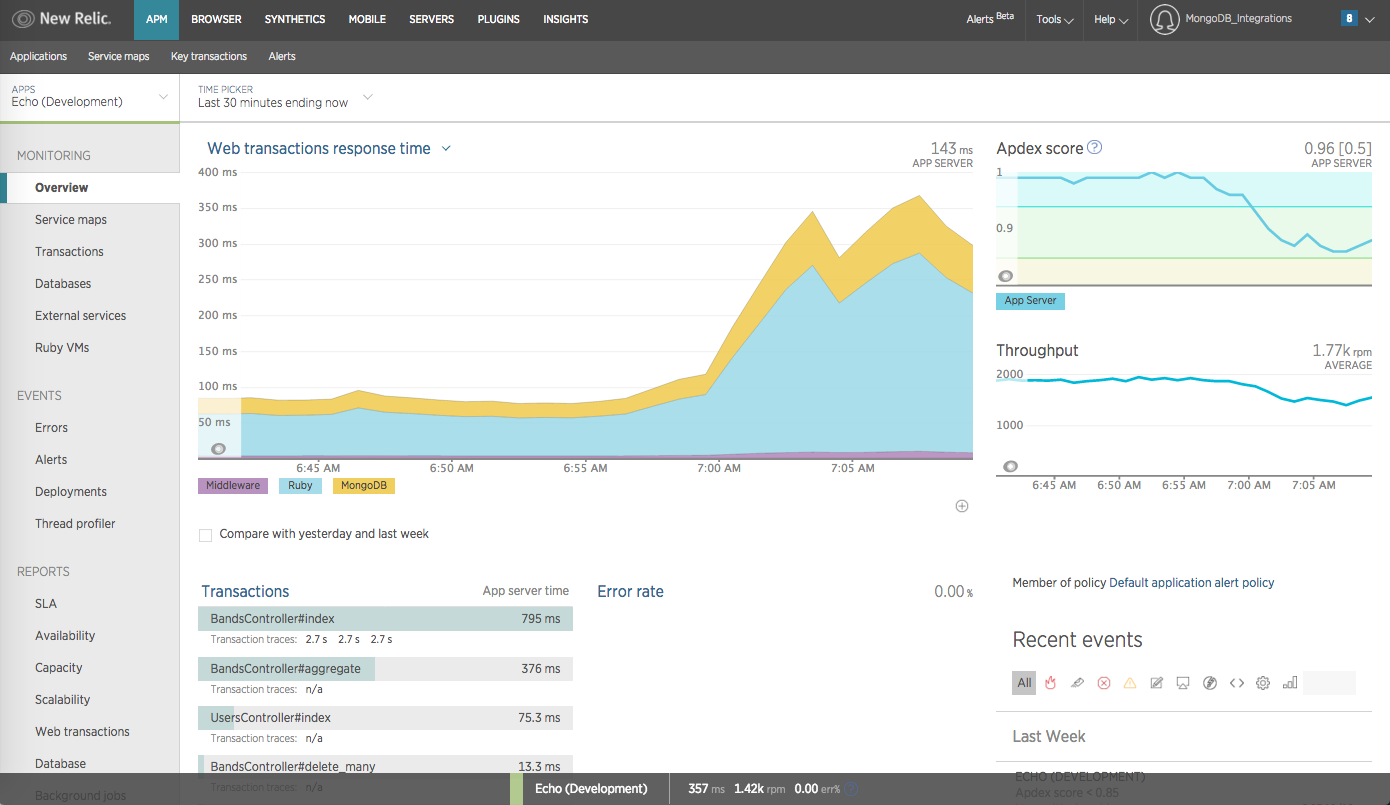
MongoDB Screenshots

Screenshot of Screenshot of Screenshot of Screenshot of Screenshot of Screenshot of