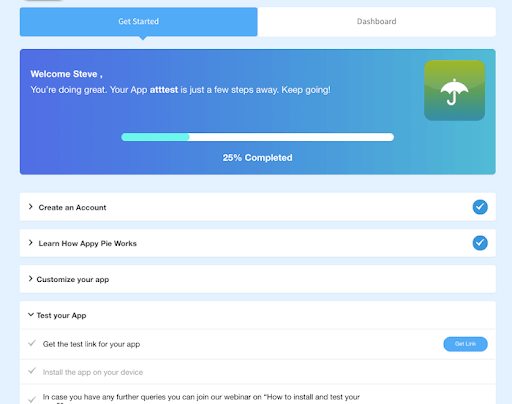
Appy Pie is a diversified no-code development platform. It offers app and web development, helpdesk support, chatbot building, design features, and integration that are helpful when starting, running, or growing a business.
$16
per app/per month
ChiroTouch
Score 2.0 out of 10
N/A
ChiroTouch is cloud chiropractic software offering an integrated EHR software built for chiropractors, top to bottom. ChiroTouch is an integrated system for payment processing and insurance claims management.
$159
per month
OutSystems
Score 6.7 out of 10
N/A
The OutSystems Platform is a Platform-as-a-Service solution for rapid delivery of responsive web and mobile applications. It includes functionalities required to develop, deploy, manage and change web and mobile applications. It is targeted at the delivery of enterprise applications that require integration with backend systems, complex business rules and logic, usable interfaces and flexibility to change. It can be deployed in the cloud, on-premises or in hybrid environments.
$4,000
per month
Pricing
Appy Pie
ChiroTouch
OutSystems
Editions & Modules
Basic
$16
per app/per month
Gold
$36
per app/per month
Platinum
$60
per app/per month
ChiroTouch
$159.00
per month
Basic
$4,000.00
per month
Pro
$10,000.00
per month
Offerings
Pricing Offerings
Appy Pie
ChiroTouch
OutSystems
Free Trial
Yes
No
Yes
Free/Freemium Version
No
No
Yes
Premium Consulting/Integration Services
Yes
No
Yes
Entry-level Setup Fee
No setup fee
No setup fee
No setup fee
Additional Details
—
—
—
More Pricing Information
Community Pulse
Appy Pie
ChiroTouch
OutSystems
Features
Appy Pie
ChiroTouch
OutSystems
Low-Code Development
Comparison of Low-Code Development features of Product A and Product B
Based on my personal experience, this application is well-suited for noncoders who are busy setting up their businesses and since coders are expensive for the company in the initial days as in for startups, this application goes hand in hand and is quick and robust along with its amazing features like drag and drop and just the cloud storage facility.
ChiroTouch has helped us maintain more accurate records, notes, billing, and the text reminders help to ensure the patients remember their appointment which keeps our numbers good.
Well suited for internal exposure of business processes (invoicing, API layer to other systems, customer maintenance etc), whether a UI is required or not. Not so well suited for full fledged web design. An OutSystems application must serve one particular business need, if gets too much functionalities and responsibilities it tends to get chaotic and complex.
The application requires to be run on fast processing computers/laptops
This is a good application that isn't much known among non-coders, it needs to be marketed so that boosts this app developer to add more advanced features
There is quite a bit to learn, even if you have experience with other EHR systems like I did, and required our staff and providers time and patience to get accustomed to it. It may be helpful for the Chirotouch team to develop a curriculum of sorts to navigate practices through learning the system in a logical way.
The EHR system is higher in price than other comparable systems, especially with all the add-ons - it would be nice if Chirotouch were a little more transparent about what you get when purchasing the item off the shelf, and, more importantly, what features are not included without a package upgrade.
The graphic layout and color scheme isn't as "pretty" as other EHR systems I've worked with, and actually looks quite outdated. It might be worthwhile for Chirotouch to work with graphic designers to make the interface a little more aesthetically pleasing.
Price – The licensing model of OutSystems is very expensive and not suitable for small scale developments. This is offset by the time to develop and stability for larger scale developments
Flexibility on PaaS version – The PaaS hosted version of OutSystems limits your flexibility to access the front end and backend database systems which can significantly restrict your options on high data volume developments or where anything requiring slightly out of the ordinary access is required
Same price for PaaS and self-hosted system. Licensing model dictates that you pay the same price even when you host the system on your own hardware which effectively means you pay more to manage the infrastructure yourself
We are very happy with OutSystems and our developers deliver good work. OutSystems lets us build new software on a regulare (2 weekly) basis, which is highly flexible and adjustable. Even without very much experience, our developers manage to build usefull software, which is working a lot better than our previous (legacy) software.
Like I said in previous questions, the no-code application has basic and easy features that are literally a no-brainer and even a person with zero knowledge of coding can do wonders with this as his/her tool. Apart from that, the application is cost-effective while time and money are two key things to be taken care of as a startup owner, this app came hand in hand with me
It is fine once it is up and running, but the customization takes a long time, does not have some things setup in advance that seem very straight forward, and for most people the learning curve is very high for learning the system even once it is properly setup and customized. However, it is "fine" not particularly impressive. Additionally, their customer support and training is substandard.
OutSystems has a feature in which we can develop a functionality in a application and can use that functionality in another application without developing it again. That is main plus point for the development team so they can work with different functionalities rather focusing on the same thing again and again. if we want to make any change on the user side then we can make it live with just the deployment using the service center.
Sometimes we get weird error messages. We have been having a problem with our check-in computer and ChiroTouch hasn't been able to figure out the problem
Generally we never have problems with speed. If we have, it's been because we needed to perform software updates, and then it went back to working quickly.
I have been using this for some time now and the website of the no-code application is all self-explanatory that is the reason I never have reached to the support team anytime, but before using this application I have gone through the reviews and read the positive response and I believe it has still gotten stronger since then.
The tech support is very reachable. Usually by [email] from but also by phone if needed. We had some difficulties at the start with understanding "what our machine was doing" under high performance load. After some good sessions understanding our needs they delivered good solutions for our problems we had in the beginning.
The particular person we were assigned was not very well versed in the software. Several things we asked about we were told we not possible, and then I later figure out how to do them by myself after getting to know the software. I guess that is what comes from trainers who use the system in theory but not in an actual office. They are basically reading off a script that guides you how to set things up, nothing more. If she didn't know the answer, she didn't research it, she just told us it wasn't possible. However, it was a multi-session training spread out over a couple weeks and they did walk you through all the basics. It does take a lot of customization, so this was appreciated. It would have been very intimidating to do without guided support sessions.
The online training material is well designed and explanations are step by step, helping trainees to understand and follow each exercise and new concept.
In a large company, patiently and consistently work the behind the scenes politics with business and IT partners across the firm. This is transformational - you will need a solid set of key business partners to lock arms together to move forward.
Webflow has quite a lot of complexity in comparison to the no-code app which instead is user-friendly. There are more issues with application getting hung in between working but that isn't a bigger problem in the no-code app. Apart from that, the no-code app has blocks that can be used to edit/add/delete which are literally a no-brainer.
We had been using medisoft before and it wasn't organized enough or clear enough for insurance billing, coding and doctors notes. Chirotouch solved all of these problems with the additional bonus of being customizable
I tried to use WordPress with some success. Also looked at Joomla. But when I saw OutSystems I knew I had been wasting my time there. It takes you longer to get going with OutSystems - but even I as a novice realized immediately that Outsystems is simply in another league. Outsystems is powerful. (Can you compare WordPress and Joomla to Outsystems - I don't think so).
It's reliable, though occasionally has connectivity issues. Their support says it's our computing issue, not the software, but we don't have similar problems with other software. Definitely needs to be backed up daily. We use ChiroTouch's backup and it works well
The ease of use of the OutSystems development process has been the biggest ROI for us. We have developed our Framework product and maintained/enhanced it with only 4 workers.
OutSystems has enhanced their product very significantly over the last 4 years. They have gone from a simple to use tool to a very simple to use sophisticated tool that covers the standard mainframe-based computing apps and the apps used on handheld mobile devices all using the same basic set of development tools.