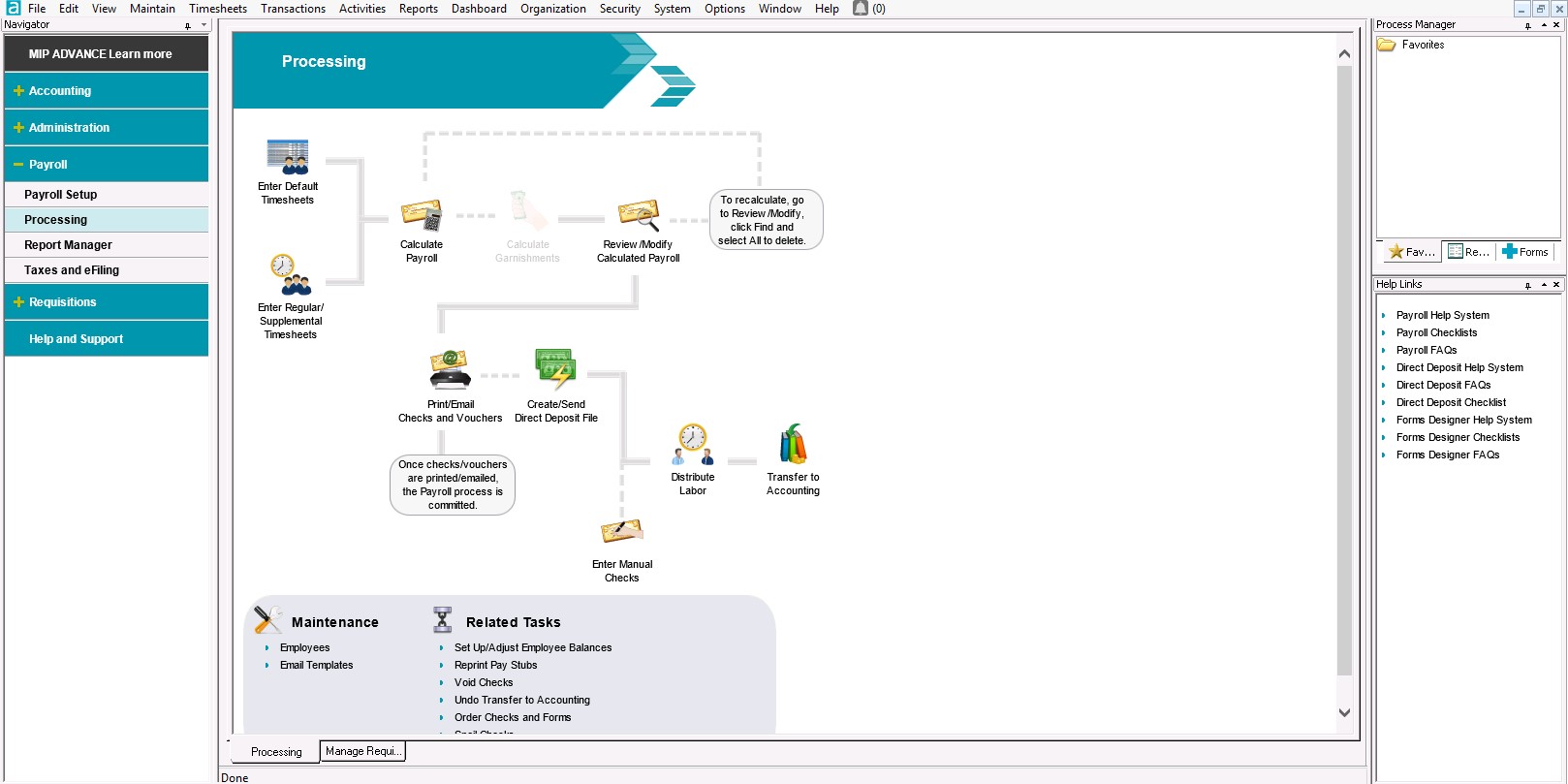
APS is a national workforce management and cloud-based HR solution provider. The platform includes core HR, payroll, time and attendance (including manager and employee self-service), compliance tools, and onboarding.
N/A
MIP Fund Accounting
Score8.8 out of 10
N/A
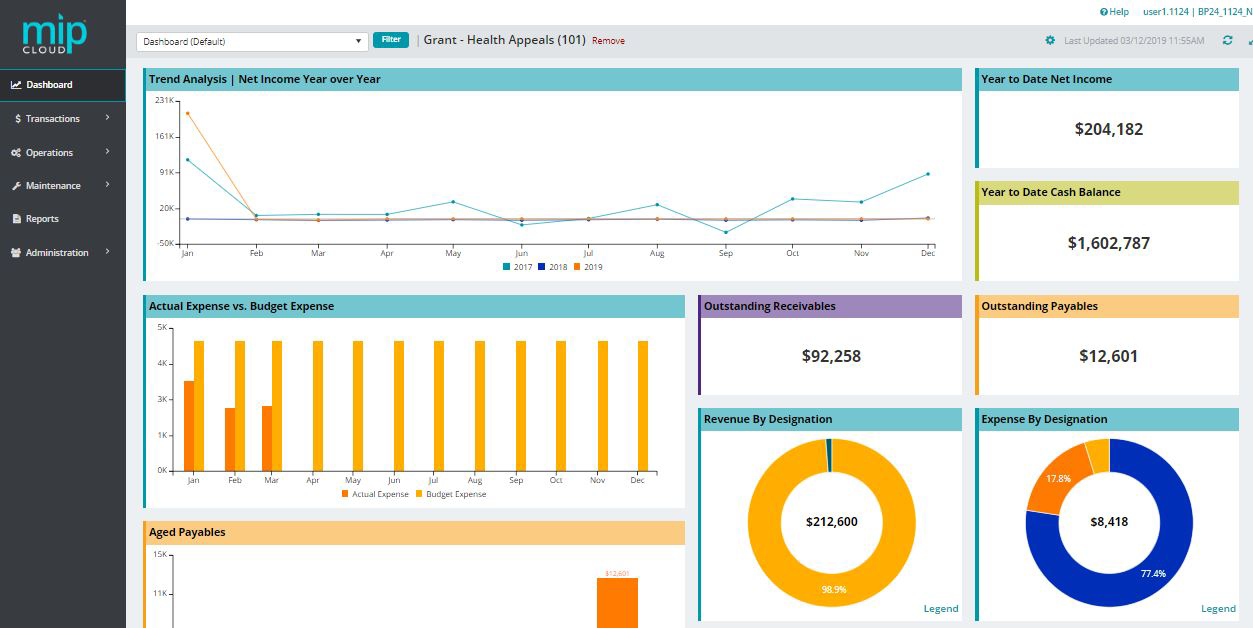
MIP Fund Accounting™ is a configurable fund accounting solution. The solution includes functionality for fund accounting, procurement, budgeting, payroll, human resources, timekeeping, fixed asset management, grant management, and dashboards for nonprofits and government agencies.
N/A
Pricing
APS
MIP Fund Accounting
Editions & Modules
No answers on this topic
No answers on this topic
Offerings
Pricing Offerings
APS
MIP Fund Accounting
Free Trial
No
No
Free/Freemium Version
No
No
Premium Consulting/Integration Services
Yes
Yes
Entry-level Setup Fee
Optional
No setup fee
Additional Details
The Payroll solution is offered as a standalone service, but additional solutions must be used in conjunction with the Payroll solution.
APS Payroll is an easy to use payroll system, and integrates well with some things such as the APS Hire feature, which handles onboarding, and the eSelfServe timeclock feature. It exports well to Quickbooks, but is only ok with NetSuite. (It works but is a completely manual process and takes a lot of setup.) Our tax registration and filing has been fine and we're always apprised of any tax discrepancies such as small Unemployment overages/underages when filed compared to what was withheld.
A de minimis incentive was given to thank the reviewer for their time. The incentive was not used to bias or drive a particular response, nor was the incentive contingent on a positive endorsement. More Info
MIP Fund Accounting works very well for general fundraising. The form creation process is easy and allows you to set parameters and add fees, quantities, images, etc. This process is smooth on the customer (forward-facing) side as well. Reports are generated once the transactions have gone through, making tracking and reconciliation with accounting easy.
A de minimis incentive was given to thank the reviewer for their time. The incentive was not used to bias or drive a particular response, nor was the incentive contingent on a positive endorsement. TR verified that a representative sample of customers was invited. More Info
It's fast and intuitive. Our previous contractors were ADP and Paychex and neither were intuitive. Our payroll runs have less errors now than with previous vendors. Payroll prep time is down from 5 hours with ADP to 2 hours with APS for the HR Manager.
The limiters are great. I'm always afraid of that error that no one caught. Let's assume that you add a $200 limiter to overtime. Any time that a staff member is about to receive more than $200 in overtime for that pay period, a red flag goes up for the HR manager to double check.
We have 3 programs in public schools that block certain ports. APS has a 2nd feature using GPS so that staff can only check in for their shift while they are in the designated GPS range. Great for someone who has to report to a remote location. Just add the GPS coordinates and they can't check until they get to the project.
A de minimis incentive was given to thank the reviewer for their time. The incentive was not used to bias or drive a particular response, nor was the incentive contingent on a positive endorsement. TR verified that a representative sample of customers was invited. More Info
Reporting - We have six different business units and the reporting is separate for all three. Most reporting I do requires information from all business units so am running six reports and then copying and pasting to get the report I need.
Multi-state taxes - We have a number of employees who live in New York and work in New Jersey. APS OnLine is designed to accommodate one state withholding so ability to have "worked in" state and "lived in" state taxes withheld went away. This was a shortfall.
The Carrier connection setup took much longer than expected. After a year, we are still having some issues with some items transferring over to the GL.
The CA overtime calculation does not calculate after 8 hours per day, only on the 40 per week so we override each week.
Reporting - when running Benefit reports, it recognizes employees who formerly carried the plan but may have dropped it. To get around this, we have to delete off the employee's record so the history is not readily available.
A de minimis incentive was given to thank the reviewer for their time. The incentive was not used to bias or drive a particular response, nor was the incentive contingent on a positive endorsement. TR verified that a representative sample of customers was invited. More Info
With the payroll process, if there is an error in sending the stubs through email, there is no option to resend without a restore. That really needs to change.
Being able to void encumbrance at the same time as a PO would be an incredible time saver.
A de minimis incentive was given to thank the reviewer for their time. The incentive was not used to bias or drive a particular response, nor was the incentive contingent on a positive endorsement. TR verified that a representative sample of customers was invited. More Info
I have been using the system for over a year now and feel more comfortable with the functionality of it. I have just recently implemented the benefit administration portion.
A de minimis incentive was given to thank the reviewer for their time. The incentive was not used to bias or drive a particular response, nor was the incentive contingent on a positive endorsement. TR verified that a representative sample of customers was invited. More Info
I give MIP a 10 because Our organization use MIP Fund Accounting ever since I've been there and that's been for over 20 plus years for all of our accounting and payroll. MIP has stayed on the cutting edge of technology, ever evolving to meet the needs of the times, especially post pandemic, while many are working remotely! MIP support staff are very knowledgeable and efficient. Even new users can get up to speed quickly with MIP Fund Accounting.
A de minimis incentive was given to thank the reviewer for their time. The incentive was not used to bias or drive a particular response, nor was the incentive contingent on a positive endorsement. TR verified that a representative sample of customers was invited. More Info
The APS Payroll software is very easy to use, and it is easy to train new employees on it. The APS Payroll support team is very helpful and response time is quick. It is easy to enter/change employee information, adjust salaries and benefits, etc. New features have also been added that makes it even better, such as being able to set up your own income/deduction items.
A de minimis incentive was given to thank the reviewer for their time. The incentive was not used to bias or drive a particular response, nor was the incentive contingent on a positive endorsement. More Info
I have used this system for about 12 years now and I still learning how to use it. It always surprises me how there is another report to learn to achieve my data reporting goals. It is great to have a system that you have used long enough to feel comfortable with but also a system that allows you to learn new ways to report and enter data into the system
A de minimis incentive was given to thank the reviewer for their time. The incentive was not used to bias or drive a particular response, nor was the incentive contingent on a positive endorsement. TR verified that a representative sample of customers was invited. More Info
A de minimis incentive was given to thank the reviewer for their time. The incentive was not used to bias or drive a particular response, nor was the incentive contingent on a positive endorsement. TR verified that a representative sample of customers was invited. More Info
I have rarely encountered any issues accessing MIP Fund Accounting over the years. On the rare occasions when availability was interrupted, the reasons were always found in-house when using the on-premises version. Since we have migrated to the MIP cloud, we have had no issues with availability. Any maintenance or updates are always communicated to us and are usually done outside of business hours.
A de minimis incentive was given to thank the reviewer for their time. The incentive was not used to bias or drive a particular response, nor was the incentive contingent on a positive endorsement. TR verified that a representative sample of customers was invited. More Info
A de minimis incentive was given to thank the reviewer for their time. The incentive was not used to bias or drive a particular response, nor was the incentive contingent on a positive endorsement. TR verified that a representative sample of customers was invited. More Info
We have 18 programs and the CFO has the ability through MIP Fund Accounting to generate separate and/or collective reporting for those programs. Each program has its own grant or funding source. Each has its own reporting guidelines that must be met so the ability to run reporting separately or collectively is a plus.
A de minimis incentive was given to thank the reviewer for their time. The incentive was not used to bias or drive a particular response, nor was the incentive contingent on a positive endorsement. TR verified that a representative sample of customers was invited. More Info
I had to learn APS on my own, and the support team held my hand. They are still there when I have an occasional question. Anytime I need support, I can call my rep or send an email and help is on the way, without failure. The support team is awesome
A de minimis incentive was given to thank the reviewer for their time. The incentive was not used to bias or drive a particular response, nor was the incentive contingent on a positive endorsement. More Info
I have not reached out to MIP for technical support; however, their website offers great help resources so I can solve an issue on my own. Another team member reached out to MIP for support and was helped quickly. The transition process took longer than expected due to a lag in communication.
A de minimis incentive was given to thank the reviewer for their time. The incentive was not used to bias or drive a particular response, nor was the incentive contingent on a positive endorsement. TR verified that a representative sample of customers was invited. More Info
A de minimis incentive was given to thank the reviewer for their time. The incentive was not used to bias or drive a particular response, nor was the incentive contingent on a positive endorsement. TR verified that a representative sample of customers was invited. More Info
There are no specifics on what happens if you make one choice or another to know which is the best selection. This is true for JVs and AP. In training we were not given specifics of what happens when one possibility is selected over another.
A de minimis incentive was given to thank the reviewer for their time. The incentive was not used to bias or drive a particular response, nor was the incentive contingent on a positive endorsement. TR verified that a representative sample of customers was invited. More Info
A de minimis incentive was given to thank the reviewer for their time. The incentive was not used to bias or drive a particular response, nor was the incentive contingent on a positive endorsement. TR verified that a representative sample of customers was invited. More Info
Denise O'Malley provided training for the HR module when we added it to our system. Denise also gave us a demo of the EWS module which we were able to see that it would not meet our needs. She was very kind about and understanding regarding the functions we needed with a time clock system.
A de minimis incentive was given to thank the reviewer for their time. The incentive was not used to bias or drive a particular response, nor was the incentive contingent on a positive endorsement. TR verified that a representative sample of customers was invited. More Info
It would have been helpful to understand the phases of the implementation up front so I could have prepared differently for enrollments, billing, and transfer of information to payroll. At the end of the day, I'm happy with the selection and the system and anticipate I will like it better as we go along. We have done a number of other system implementations in the past few years, and this has been pretty painless, however, I've had a few surprises.
A de minimis incentive was given to thank the reviewer for their time. The incentive was not used to bias or drive a particular response, nor was the incentive contingent on a positive endorsement. TR verified that a representative sample of customers was invited. More Info
Don't waste your time with MIP. There are plenty of other softwares out there that will do the job better. Do your homework. Get references from actual users. Make sure that what you choose will truly integrate. Make sure that there is local support. Get training. You will be glad that you passed this one by. Trust me.
A de minimis incentive was given to thank the reviewer for their time. The incentive was not used to bias or drive a particular response, nor was the incentive contingent on a positive endorsement. TR verified that a representative sample of customers was invited. More Info
We had used ADP for years and had always struggled with their customer service. With over 20 locations (20+ W2s, quarterly filings, etc) we had a lot of questions. We would have to call and sit on hold for long periods of time to talk to someone who couldn't always answer our questions. Then we would get different answers from different people or have to re-explain our issue. It was a major time suck for my employees and they dreaded having to call all of the time. For us - the final straws for us to switch providers were: +Numerous year end filings with incorrect names and addresses (they couldn't keep our 20+ locations separate even though our paperwork was completed correctly) +Incorrect SUI rates for several locations that resulted in tens of thousands of dollars in overpayments which was a lot of money for small hotels. We had sent in numerous requests for them to fix this but it never happened +Lack of care - even though we were having all of these issues, nobody would work with us to get them all resolved and make sure to remedy the situation. We had to seek out a manager to get them resolved but even after this, we still had more issues. Overall - DON'T stick with ADP or even think about switching to them. They might be able to slash prices but their poor customer service and lack of care will cost you in the end. It's not worth it. APS does everything ADP had the capability of but we don't have the errors or headaches we did before. I am really looking forward to this year end!
A de minimis incentive was given to thank the reviewer for their time. The incentive was not used to bias or drive a particular response, nor was the incentive contingent on a positive endorsement. TR verified that a representative sample of customers was invited. More Info
I've utilized other ERP accounting software like Infor, NetSuite, and MS Dynamics, to name a few. MIP Fund Accounting offers flexibility and room for growth while not being overly heavy on your team to maintain it. And, we're now learning more about the add-on's and more advanced capabilities to leverage with our team.
A de minimis incentive was given to thank the reviewer for their time. The incentive was not used to bias or drive a particular response, nor was the incentive contingent on a positive endorsement. TR verified that a representative sample of customers was invited. More Info
A de minimis incentive was given to thank the reviewer for their time. The incentive was not used to bias or drive a particular response, nor was the incentive contingent on a positive endorsement. TR verified that a representative sample of customers was invited. More Info
The flexibility to create certain features are helpful and are designed to be easier on MIP Accounting Cloud. It has been easier than the MIP Accounting classic version. I may have not fully utilized the software to deploy across multiple departments other than generating revenue reports or expenses. As well as developing budget worksheets for our departments. Which are great as it is, but have not gone farther than that.
A de minimis incentive was given to thank the reviewer for their time. The incentive was not used to bias or drive a particular response, nor was the incentive contingent on a positive endorsement. TR verified that a representative sample of customers was invited. More Info
We were able to transition quickly and continue to successfully hire and onboard new hires for several Clubs that opened within weeks of moving to APS.
We do struggle a bit with the ease of reporting simply because our locations are all under separate EIN and that can make it difficult to easily combine data queried under custom reports, so the volume of reporting that I might wish to be able to push through weekly in order to help address 'real time' trends is not always available.
The lack of effective dating for position and wage changes does mean that HR and available APS data is not 'real time' accurate and that HR does need to return to the system to update changes well after-the-fact, which is not ideal.
A de minimis incentive was given to thank the reviewer for their time. The incentive was not used to bias or drive a particular response, nor was the incentive contingent on a positive endorsement. More Info
We converted to the cloud version a few years ago to reduce our dependency on a dedicated internal IT server which needed to be replaced. The cost of the product switched to a monthly fee which increased cost somewhat but probably is matched with IT savings over time in doing upgrades.
We have an efficient team of two people doing the transactional work, so we don't really have much incentive to further automate our processes. And with the turnover in the CFO position we have had, has helped us maintain consistency in our processing.
Once I learned how to memorize and recall transactions it was a huge timesaver and increased the accuracy and consistency of our entry.
The cost of training is sometimes prohibitive. Example is my accounting clerk MIGHT benefit from additional training but at about $200 for a lot of the courses, it is more than we have budgeted.
A de minimis incentive was given to thank the reviewer for their time. The incentive was not used to bias or drive a particular response, nor was the incentive contingent on a positive endorsement. TR verified that a representative sample of customers was invited. More Info