
Articulate 360 vs. Coursera
| Product | Rating | Most Used By | Product Summary | Starting Price |
|---|---|---|---|---|
 Articulate 360 | Score9.2 out of 10 | N/A | Articulate 360 is an e-learning platform for creating workplace training. Users can build engaging courses with AI-enhanced authoring, simplify collaboration, and quickly share content. A subscription includes robust onboarding resources and access to a community of 1.5M pros. | $1,449 per year per user |
 Coursera | Score7.6 out of 10 | N/A | Coursera is an online catalog of learning content, available to businesses to help them to strengthen critical skills, Develop, retain, and advance critical talent, or use role-based assessments to identify skills gaps and advancement opportunities. | $399 per year per user |
| Articulate 360 | Coursera | |||||||||||||||
|---|---|---|---|---|---|---|---|---|---|---|---|---|---|---|---|---|
| Editions & Modules |
|
| ||||||||||||||
| Offerings |
| |||||||||||||||
| Entry-level Setup Fee | Optional | No setup fee | ||||||||||||||
| Additional Details | If you’re new to Articulate 360, you can try it out free of charge. After the trial period is over, you can subscribe to one of the following packages: Articulate 360 AI Teams plan: $1,749 per user per year Rise: Build beautiful training that automatically adapts to every screen Storyline: Create deeply custom, interactive courses AI generation: Guide AI to draft complete courses and other formats from source material Collaboration: Get stakeholder input, share for review, and finalize faster Integrations: Stay in your flow of work with connections to Google Drive, OneDrive, Claude, ChatGPT, and more Flexible distribution: Share trackable links, export to your LMS, use our native LMS—Reach—or download in more formats AI tutor: Give learners personalized, in-context guidance and coaching Analytics: Track engagement and completion, with insights to improve effectiveness Advanced workflows available with credits (purchased separately) Personal plan: $1,449 per user per year Rise: Build beautiful training that automatically adapts to every screen Storyline: Create deeply custom, interactive courses AI generation: Guide AI to draft complete courses and other formats from source material Review: Get stakeholder input, share for review, and finalize faster Integrations: Stay in your flow of work with connections to Google Drive, OneDrive, Claude, ChatGPT, and more Flexible distribution: Share trackable links, export to your LMS, use our native LMS—Reach—or download in more formats AI tutor: Give learners personalized, in-context guidance and coaching Analytics: Track engagement and completion, with insights to improve effectiveness Advanced workflows available with credits (purchased separately) Frontline: Starting at $500 Complete training kits: Turn source content into a connected set of training assets, with the right mix of formats chosen for what you're trying to teach Formats that fit the job: Create training decks, guides, scenarios, interactive videos, and quick references, each built for a different training need Quick updates and editing: Use AI to quickly update a whole kit, individual format, or specific sections Insights and analytics: Gather data from surveys, track engagement and completion, and see what questions your team has to improve effectiveness Easy distribution: Share trackable links anywhere your team already works: Slack, Microsoft Teams, email, or text Integrations: Stay in your flow of work with connections to Google Drive, OneDrive, Claude, ChatGPT, and more AI avatars: Create presenter-led videos, no filming required Multi-format translation: Translate each output into 80+ languages in a click AI tutor: Give learners personalized, in-context guidance and coaching | — | ||||||||||||||
| More Pricing Information | ||||||||||||||||
| Articulate 360 | Coursera | |
|---|---|---|
| Considered Both Products | No answer on this topic | No answer on this topic |
| Key User Insights | ||
| Would buy again | ||
100% Would buy again 630 Answers | 100% Would buy again 8 Answers | |
| Delivers good value for the price | ||
98% Delivers good value for the price 542 Answers | 100% Delivers good value for the price 8 Answers | |
| Happy with the feature set | ||
98% Happy with the feature set 619 Answers | 100% Happy with the feature set 8 Answers | |
| Lived up to sales and marketing promises | ||
98% Lived up to sales and marketing promises 391 Answers | 100% Lived up to sales and marketing promises 6 Answers | |
| Implementation went as expected | ||
98% Implementation went as expected 438 Answers | 100% Implementation went as expected 8 Answers | |
| Articulate 360 | Coursera | |||||||||||||||||||||||||
|---|---|---|---|---|---|---|---|---|---|---|---|---|---|---|---|---|---|---|---|---|---|---|---|---|---|---|
| Learning Management |
| |||||||||||||||||||||||||
| Articulate 360 | Coursera | |
|---|---|---|
| Small Businesses |  iSpring Suite Score7.7 out of 10 |  Pluralsight Skills Score9.2 out of 10 |
| Medium-sized Companies | iSpring Suite Score7.7 out of 10 |  Renaissance myON Score10 out of 10 |
| Enterprises |  Studio 360 (discontinued) Score6 out of 10 |  A Cloud Guru (discontinued) Score8 out of 10 |
| All Alternatives | View all alternatives | View all alternatives |
| Articulate 360 | Coursera | |
|---|---|---|
| Likelihood to Recommend | 9.3 | 8.5 |
| Likelihood to Renew | 9.7 | 10.0 |
| Usability | 8.9 | 10.0 |
| Availability | 9.2 | - |
| Performance | 9.3 | - |
| Support Rating | 5.7 | 9.0 |
| In-Person Training | 6.0 | - |
| Online Training | 8.7 | - |
| Implementation Rating | 8.7 | 10.0 |
| Configurability | 9.0 | - |
| Contract Terms and Pricing Model | 9.7 | - |
| Ease of integration | 9.3 | - |
| Product Scalability | 8.3 | - |
| Professional Services | 8.6 | - |
| Vendor post-sale | 7.9 | - |
| Vendor pre-sale | 9.3 | - |
| Articulate 360 | Coursera | |
|---|---|---|
| Likelihood to Recommend |
|
|
| Pros |
|
|
| Cons |
|
|
| Likelihood to Renew |
|
|
| Usability |
|
|
| Reliability and Availability |
| No answers on this topic |
| Performance |
| No answers on this topic |
| Support Rating |
|
|
| In-Person Training |
| No answers on this topic |
| Online Training |
| No answers on this topic |
| Implementation Rating |
|
|
| Alternatives Considered |
|
|
| Scalability |
| No answers on this topic |
| Return on Investment |
|
|
| ScreenShots | Articulate 360 Screenshots 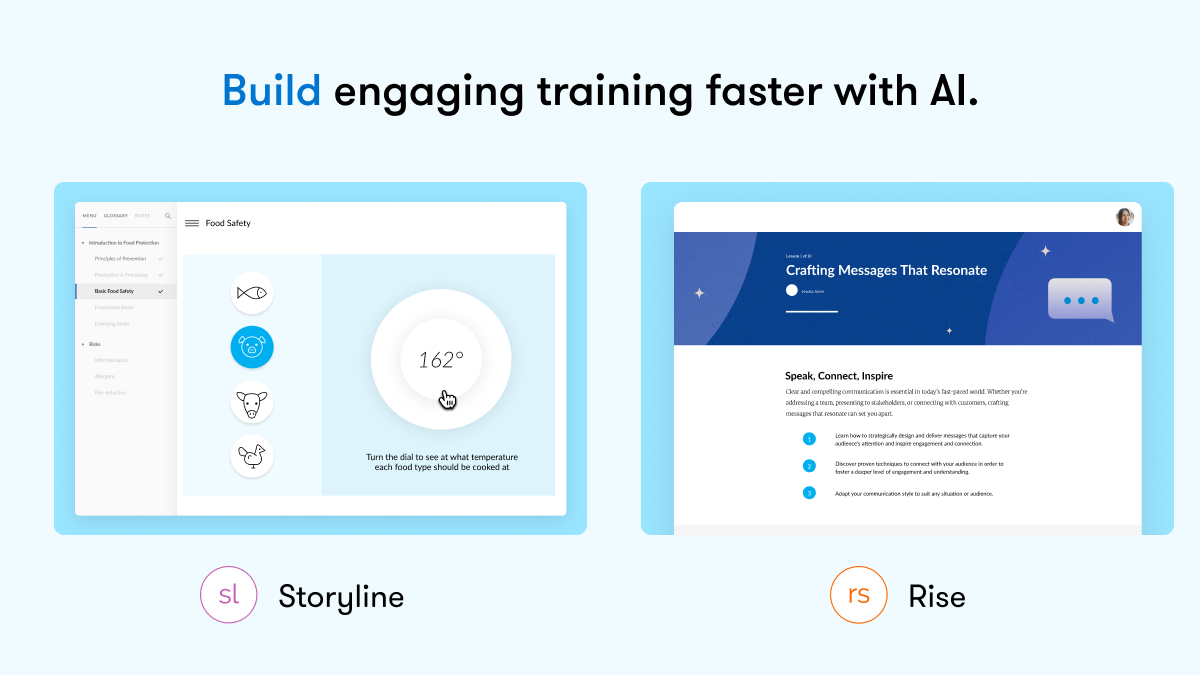     |



