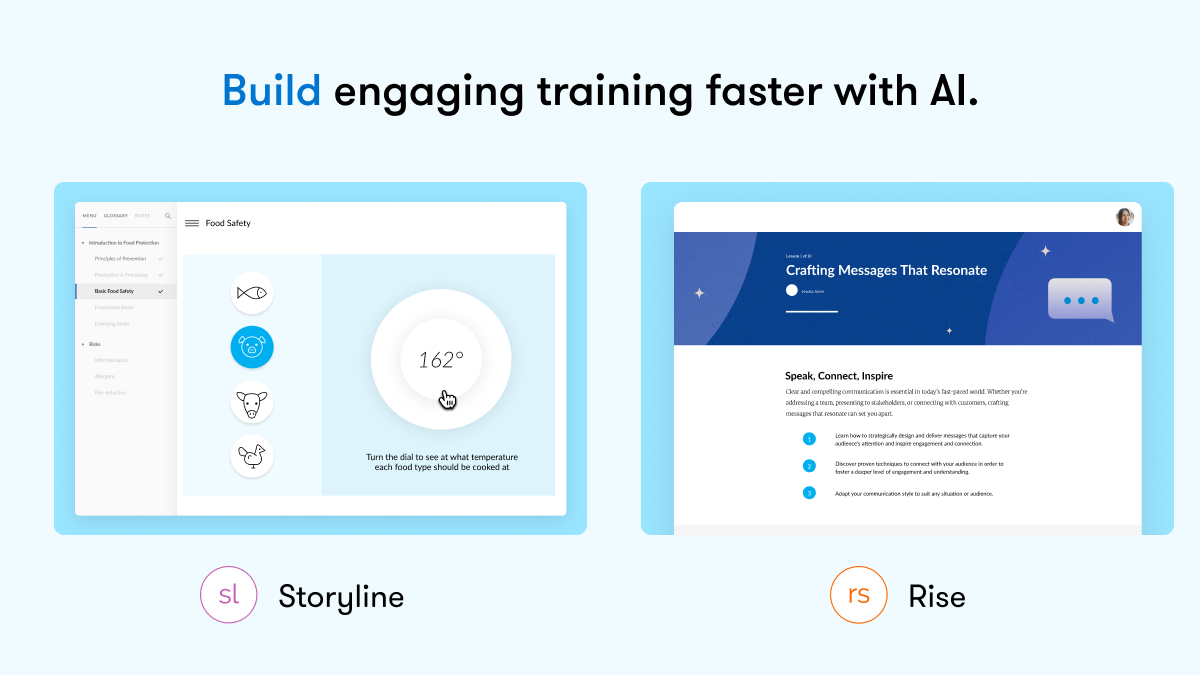
Articulate 360 is an e-learning platform for creating workplace training. Users can build engaging courses with AI-enhanced authoring, simplify collaboration, and quickly share content. A subscription includes robust onboarding resources and access to a community of 1.5M pros.
$1,449
per year per user
LinkedIn Learning (Lynda.com)
Score 8.0 out of 10
N/A
Lynda.com (now offered as part of LinkedIn Learning) is an elearning course library acquired and now supported by LinkedIn in May 2015.
N/A
Pricing
Articulate 360
LinkedIn Learning (Lynda.com)
Editions & Modules
Articulate 360 AI - Personal Plan
$1,449
per year
Articulate 360 AI - Teams Plan
$1,749
per year
No answers on this topic
Offerings
Pricing Offerings
Articulate 360
LinkedIn Learning (Lynda.com)
Free Trial
Yes
No
Free/Freemium Version
No
No
Premium Consulting/Integration Services
No
No
Entry-level Setup Fee
Optional
No setup fee
Additional Details
New users of Articulate 360 can try the application for free. After the trial period is over, the following packages are available:
Articulate 360 AI
Teams plan: $1,749 per user per year
Personal plan: $1,449 per user per year
Great for creating eLearning games and online puzzle games (like an escape room). Not great for traditional video games - stick to puzzle-type interactions. The various interaction types open the door for the creation of fun and engaging games (again - eLearning).
I've learned hundreds of software applications over the last several decades, and trained teams in offices and one-on-one. At one point, books and trade magazines were a great way to get up to speed with an application, but they've become less and less effective for getting started. Video lessons have some strengths; you can get a rapid overview of a program's capabilities and watch an experienced user using its tools efficiently. On rare occasions they'll even point out bugs that could trip you up, but I wish instructors shared more of those issues. However, it takes a very self-motivated learner to sit through training sessions. Most people don't fit that category, and a subscription may end up gathering dust like a pandemic gym membership. My account is sometimes dormant for months, but then I'll be watching lessons continually the following month. I've often wondered if it was worth it for that reason. I have some friends that voraciously devoured class after Lynda.com class, and built successful careers on that training. But many others never use their account. It's helpful to consider whether you're a self-motivated learner. If not, it may not be the best format for you. More complicated software often can't be adequately introduced in a several-hour-long series of videos. I found Final Cut Pro (7) hard to learn online, also Logic Pro. Other somewhat complicated programs like DVD Pro were a snap to learn, and I learned a lot about PHP and Actionscript programming from Lynda.com. Some web and graphics software is exceptionally explained by real experts, such as Lynda's Photoshop classes, which are the best I've seen on that subject. Many of her web production courses will take you every step along the way to creating your own website, even if you haven't coded before. Adobe and Apple have both published similar project-based tutorial classes in book form, and I think they're a bit more polished, but the video instructor can help move you along through all the content more easily. Learning software seems to work better from an online video than a book these days; it's helpful to already be sitting at the computer where you're able to try everything out as it's explained. Most people don't seem to retain software principles unless they're trying them while learning. A bad instructor can make it difficult to sit through a video class. Lynda.com and others generally have a large variety of content creators, so you're not as limited with instructors as you might be at a University, where the same instructor may teach several related applications. Departmental faculty may have much more targeted and creative applications for your software though, while paid corporate software training can be mind-numbingly bad. Continuing ed classes that I've taken usually seemed to just focus on learning the tools in a software product. They often don't or even can't show you how to apply the software for your purposes as full time faculty at a University might. Some Lynda.com instructors weren't great, but most seemed a cut above the continuing ed and corporate software trainers I've learned from or contracted. The majority of the classes seemed to apply the software for an impressive final project. Redundancy is a real drawback among the online lessons. Often the advanced classes repeat many of the concepts from the introductory "Essentials" courses. If you know an earlier version of an application and just want to learn new features, a book may be a faster route to your goal. I originally suggested the "New Features" lessons that Lynda began to offer for updated releases, and I think they're especially helpful. It's much harder to skim through a video than a page of text, so I'd anticipate having to complement your Lynda.com lessons with other instructional materials. Lynda.com didn't have as many of the "fluff" courses that LinkedIn is now offering. These titles read like articles from Cosmo. They might be better served to offer "How to respond to a connection request from a recruiter who works in a field completely unrelated to you."
Unrivaled Power and Customization. After 15 years in the training industry, Storyline 360 remains my favorite tool because it is, simply put, the most powerful authoring tool I have ever used, giving me complete creative control.
Advanced Interactivity. I love being able to 'overengineer' content using Triggers, Variables, States, and Layers, which allows me to build the most sophisticated and deep functionality.
Superior to Basic Tools. Storyline's capability to build detailed branching scenarios and realistic simulations sets it leaps and bounds apart from basic tools like PowerPoint, which is essential for high-impact training.
Industry expert authors/instructors - you're learning from people with pedigree.
Breadth and depth of catalog - not only is there a wide range of topics and disciplines, but there are frequently several levels of depth within each (eg. Beginner, Intermediate, Advanced).
Time needed to complete each course AND each section of a course are included - you know what you're getting into from the first click.
I haven't seen any other platform for developing learning materials that is as comprehensive or as reliable as Articulate has proven to be for our use. Because our group has a number of PowerPoint power users, the PowerPoint integration with Articulate is particularly beneficial.
It can help all employees learn to strengthen current skills or to learn new skills and then can learn to excel in their current department or they learn a new skills in a new department creating interconnection and cross-departmental value in a company.
Overall, the usability and feature set of Articulate 360 is best of class. The interface is user friendly despite the incredible depth of creative tools available. Onboard help is always available, as well as a huge catalog of educational resources for using both Rise and Storyline. Two screens always helps for creating projects with many elements due to the real estate required for the timeline.
The platform is very easy to use and navigate, the content is clearly itemised via the Contents section and the video playback speed can be adjusted. It's also useful to have optional captions (I always use them) and a transcript for accessibility purposes.
I rate the overall support for Articulate 360 with a 9. On the one hand because of the smooth and accurate support from Articulate's support team (usually within 24 hours) and on the other because of the commitment / use of a community (e-learning Heroes) where I have all kinds of insights from other helpful users.
The technical team behind LinkedIn Learning (or Lynda.com) knows their job, and they usually solve problems very quickly. While I haven't had many run-ins with them (thus the low rating), I do find that when we call them, the problem gets resolved in a reasonable amount of time. The flip-side of this comment is that we never have needed to call them with a high-priority issue.
The online training options given by the online tutorials, forums, and "E-Learning Heroes" community are simply awesome. Examples galore, easy to understand descriptions including step-by-step guides, images, occasionally videos, and the "Articulate Insiders" sub-community give you more materials to learn about Storyline than you are likely to be able to read.
Outside of having to dedicate a powerful enough PC for the installation and having to update Flash in our browsers there really isn't much pain involved in using Articulate. For the most part this is an easy to implement and roll-out product. The installation occurs quickly and smoothly with no additional steps needed.
By implementation we are able to achieve 1.Skill improvement 2.Reduced burden on training staff 3.Learning new market leading technologies like Generative AI.
Articulate 360 is very easy to use and can create a variety of different media and interactive activities - more than Camtasia. Camtasia is very video centered. Articulate 360 can use video but it can also use still photos, audio, interactive content, and allows users to go through courses in different, non-linear ways.
Our organization has used different webinars, including ones on LinkedIn, to provide similar insight. But it's a totally different ballgame. Lynda.com offers in-depth tutorials rather than just a 2-hour video broadcast. With lynda.com there are more information and experts, as well as so many different courses fit for every need/want. There is also a lot more flexibility with lynda. You can take it on the go, watch on mobile and at anytime, rather than being tied to a certain time slot.
I can't think of a negative impact that Lynda.com has when it relates to the extensive library of training software that is available to subscribers. I'm lucky that my job provides a free subscription for instructors. I use Lynda.com to hone in on my technical skills.